
“Find the best construction cost tracking software out there!” said your slightly-too-ambitious, Type A partner.
“We want something that can tell us where every dollar went in half a second, needs basically zero manual entry, and of course, doesn’t cost a fortune.”
So you find yourself opening seven tabs because well…every software claims it’s the best!
You know what’s funny?
It’s possible that they’re all telling the truth!
Now, that doesn’t mean they’re all right for YOUR TEAM, though.
Because different construction teams need different things. The best construction estimating software is, theerefore, the one that fits the size of your company, your budget, and the types of projects you take on.
So the real question isn’t which software is the best?
It’s which estimating software is best for a team like yours?
To make your life easier, here’s what you need to know at a glance:
- Contractor Foreman: best for smaller teams with low starting price at $49/month
- Procore: fits larger commercial contractors
- LiveCosts: strongest point is live budget-vs.-actual visibility
- Planyard: strongest point is committed-cost tracking before invoices arrive
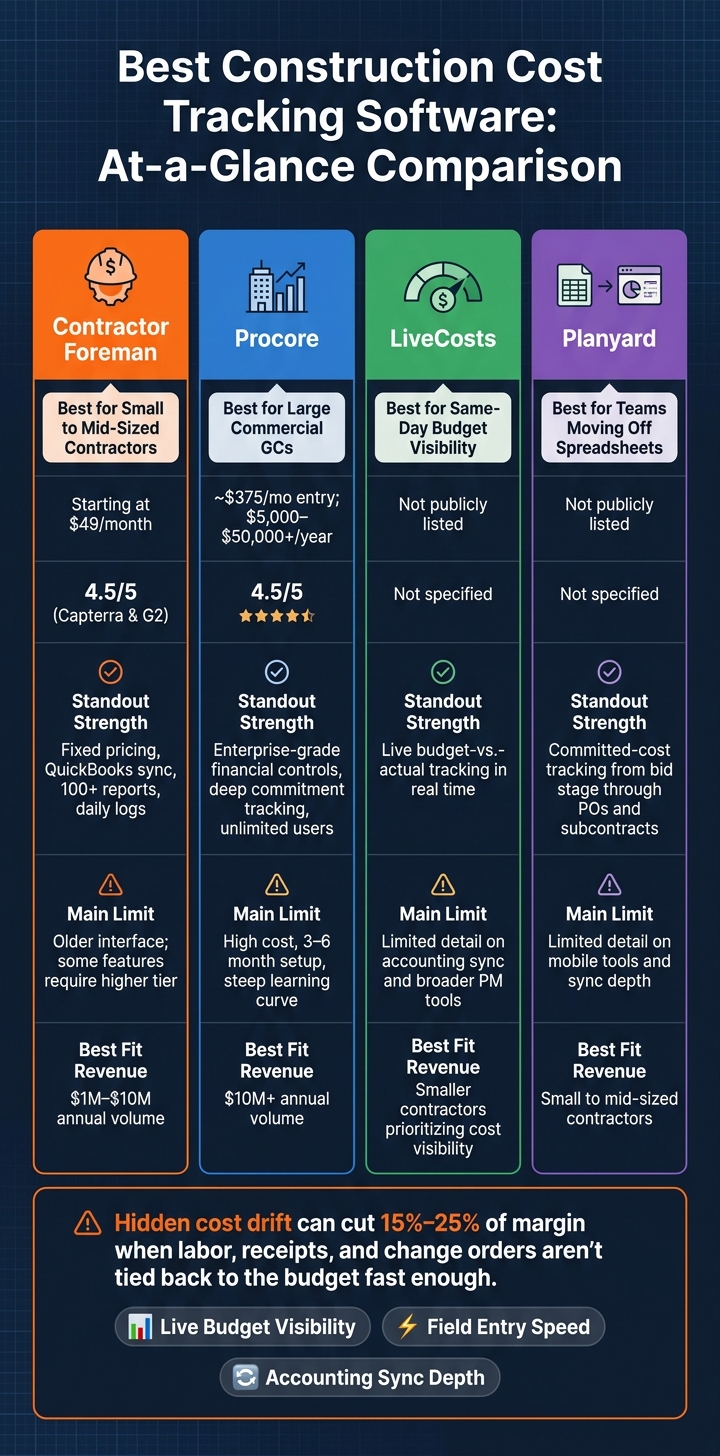
Construction Cost Tracking Software Comparison: Contractor Foreman vs Procore vs LiveCosts vs Planyard
Quick Comparison
| Software | Best For | Standout Strength | Main Limit |
|---|---|---|---|
| Contractor Foreman | Small to mid-sized contractors | Fixed pricing, daily logs, QuickBooks sync, 100+ reports | Older interface; some tools require higher tier |
| Procore | Mid-to-large commercial GCs | Deep financial controls and live cost tracking | High cost, steep learning curve, 3 to 6 month setup |
| LiveCosts | Teams focused on same-day budget visibility | Live budget-vs.-actual tracking | Less detail provided on accounting sync and broader PM tools |
| Planyard | Teams moving off spreadsheets | Committed costs tied to budgets from bid stage | Limited detail provided on mobile tools and sync depth |
The dividing line — smaller contractors need low cost and dead-simple field use, larger firms need tighter company-level financial control — that’s not just a feature checklist. It’s the difference between catching cost drift and eating it.
Here’s why picking the right one matters: hidden cost drift can cut 15% to 25% of margin when labor, receipts, and change orders don’t get tied back to the budget fast enough.
So when you’re comparing tools, don’t get distracted by feature lists. Watch three things: live budget visibility, field entry speed, and accounting sync depth. Everything else is noise.
1. Contractor Foreman
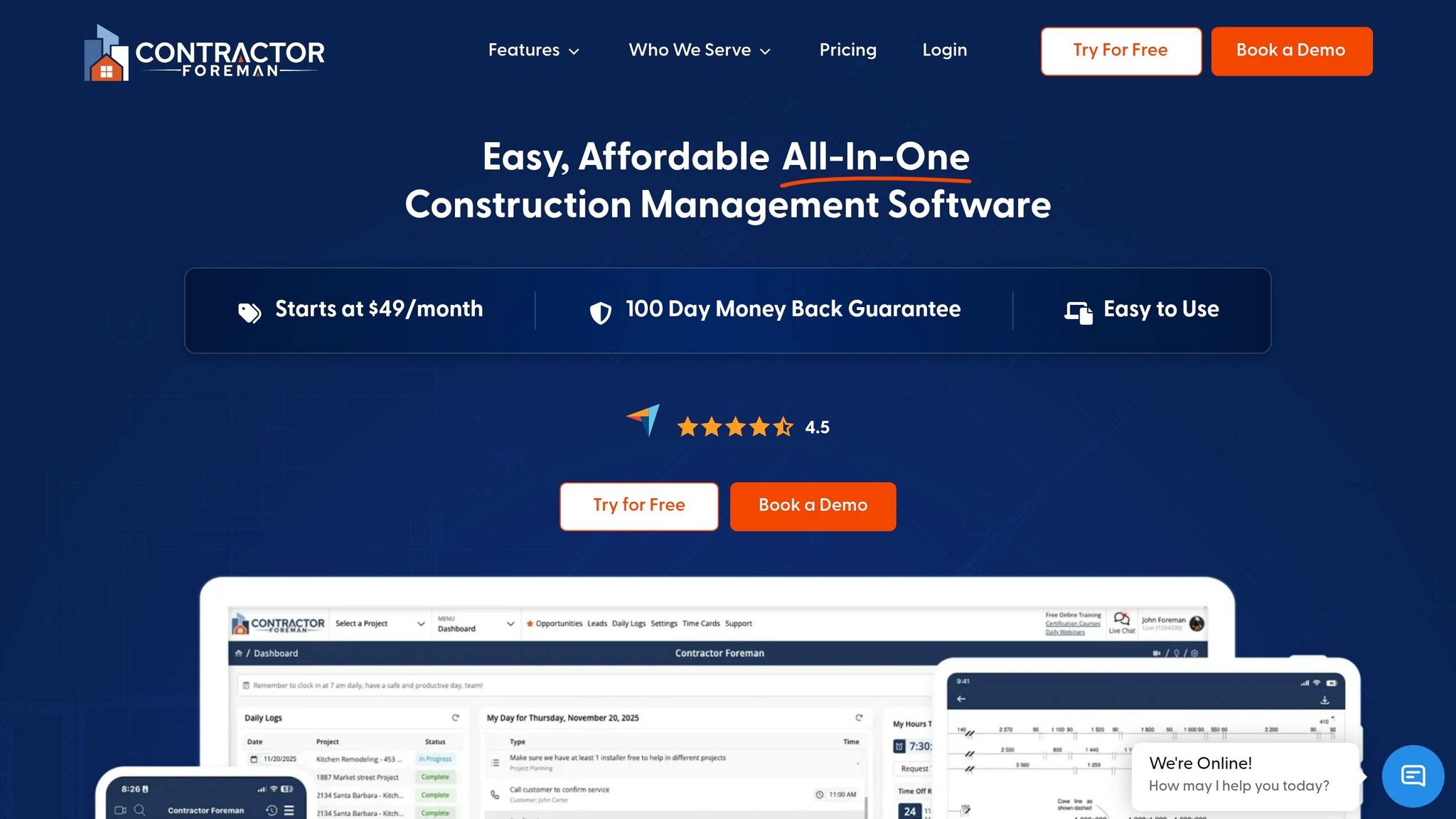
Contractor Foreman is built for small-to-mid-sized U.S. contractors. Pricing starts at $49/month, and it holds a 4.5/5 rating on both Capterra and G2.
Live budget updates
Purchase orders and subcontracts track committed costs, which makes it easier for teams to compare deliveries and billing against the budget. When materials are marked as delivered in a Daily Log, the related purchase order updates on its own. Change order forms also update contract amounts and job costing automatically, and the platform connects to 1build.com for current material and labor pricing.
That matters a lot on active jobs. If crews log info from the field right away, cost data stays current instead of lagging behind.
Mobile + daily logs
The mobile app includes GPS-verified time cards, offline daily logs, and equipment tracking. Daily logs record crew presence, materials used, equipment activity, and productivity updates, so field activity flows straight into calculating building costs for reports.
It also helps keep the office and field on the same page through field time cards, cost codes, and QuickBooks sync.
Accounting integrations
A two-way sync with QuickBooks Online and Desktop keeps customers, vendors, invoices, bills, and expenses aligned between the field and the office.
When those records stay in sync, project reporting stays up to date too.
Reporting + SMB fit
The platform comes with 100+ prebuilt reports and a custom report builder. That includes project P&L, budget-vs.-actual comparisons, and retainage tracking.
2. Procore
Procore is built for large commercial contractors running complex, multi-million-dollar jobs. Its pricing is custom and based on Annual Construction Volume (ACV), with entry-level costs starting at about $375 per month and climbing to $5,000 to $50,000+ per year depending on volume. It also has a 4.5/5 rating across major industry review platforms.
Live budget updates
Procore tracks costs in real time, so teams can check actual job costs against the budget right away. The platform is usually aimed at contractors doing $10 million+ in annual volume. In plain terms, that setup works best when crews and managers keep field updates current. If the data coming in is late, the budget view can drift.
Mobile + daily logs
The iOS and Android app lets teams handle daily logs, construction RFI software tools, submittals, and drawing updates from the field. Superintendents and project managers can also work on drawings, change orders, and billing inside the same system.
That sounds good on paper, but there’s a catch: the interface is dense and tough to learn, so field teams often need training. And that training matters, because these field entries do the most good when they move cleanly into the accounting side.
Accounting integrations
Procore’s accounting tools are built for enterprise-level needs, which means setup can be complex and often too heavy for smaller teams. Its two-way sync helps cut duplicate entry and keeps job costs lined up between the office and the field.
Reporting + SMB fit
Procore’s reporting handles owner reporting and multi-phase project financials. For contractors under $10 million in annual volume, the cost and complexity can feel like too much. It’s a better match for complex operations than for lean contractor teams.
3. LiveCosts
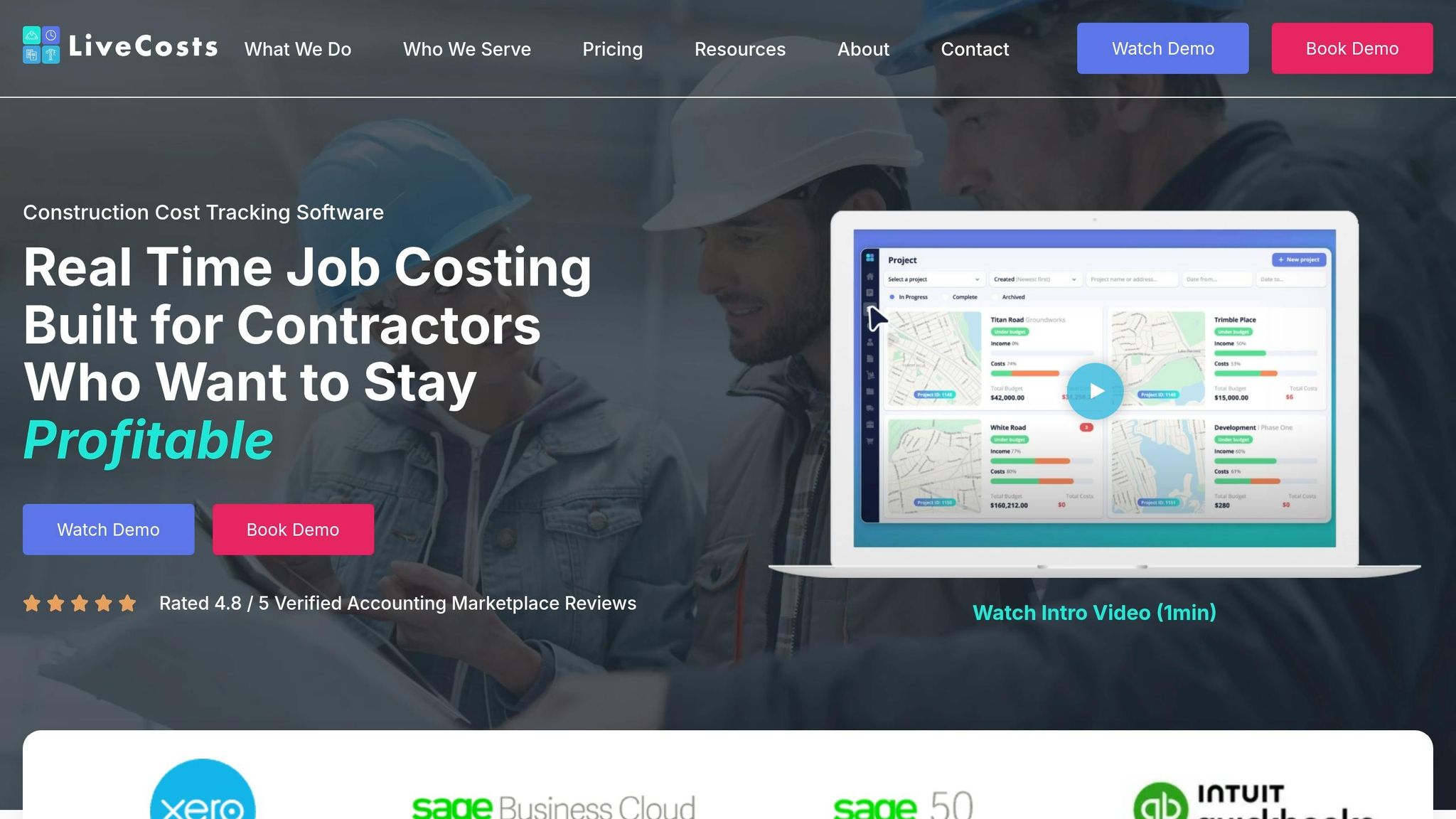
LiveCosts stands out for one thing above all: live budget-versus-actual tracking.
Live budget updates
Real-time tracking cuts the delay between what happens in the field and what shows up in the budget view. Project managers can check budget-versus-actual (BvA) data while a job is still open, which means they have a shot at spotting overruns before the project closes. That makes LiveCosts a good fit when same-day cost visibility matters more than a big set of project control tools.
Reporting + SMB fit
For smaller contractors, that live visibility is the main reason to look at it. Its core value is live budget-versus-actual reporting. The available material does not cover construction accounting software integration details or the depth of its broader project management features. So the best way to think about LiveCosts is simple: it fits teams that want fast cost visibility, rather than choosing a broad construction management software suite.
4. Planyard
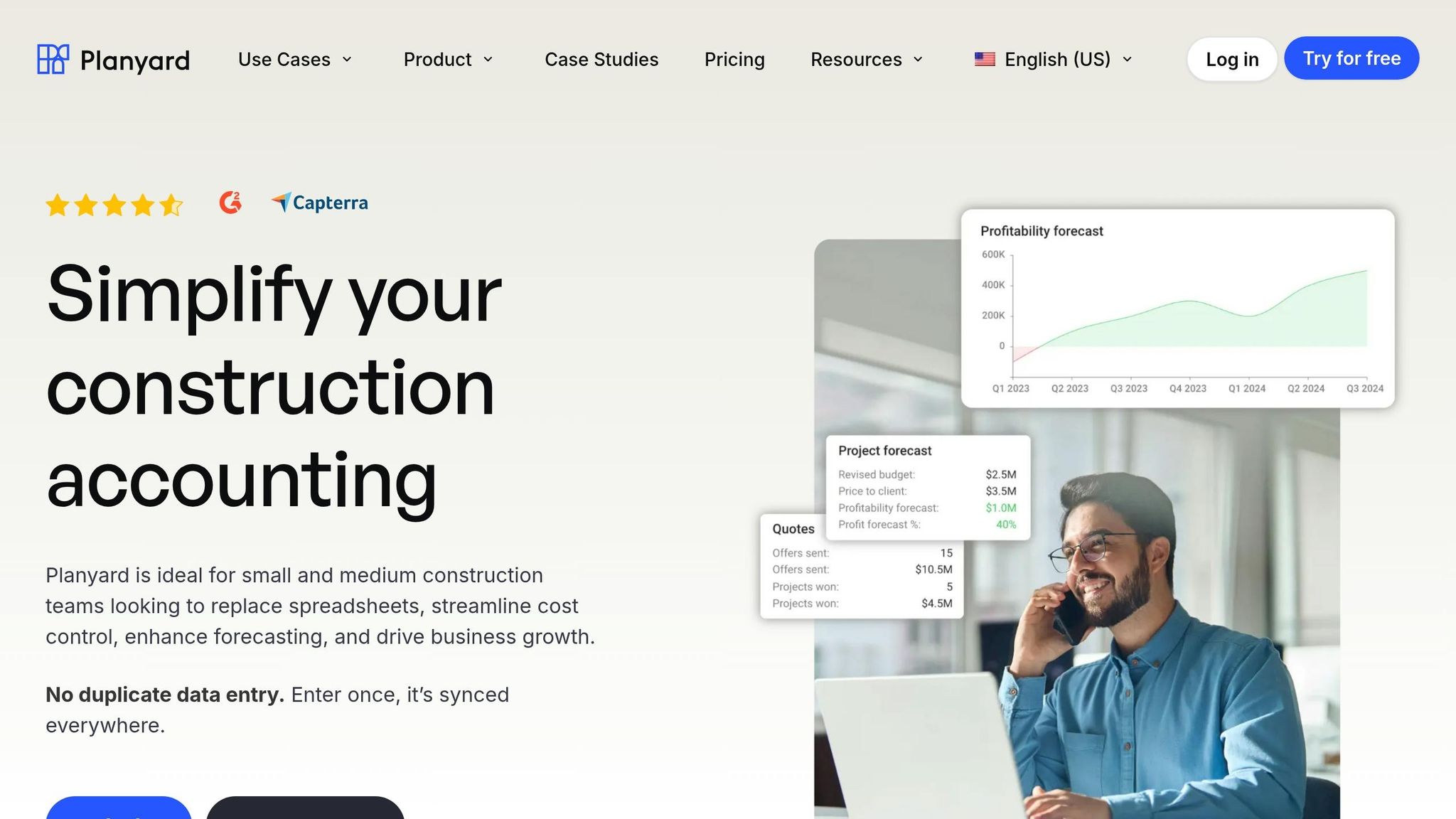
Planyard puts the focus on budget control before costs drift, not after the damage is done. It ties bidding directly to the project budget and logs committed costs when subcontracts or purchase orders get signed. That keeps budget-vs.-actual numbers current instead of preventing the need for managing construction projects without the chaos later.
Accounting integrations
The accounting integrations for Planyard are not detailed here, so the depth of sync needs direct verification.
Reporting + SMB fit
Planyard stands out for budget-vs.-actual reporting and committed-cost tracking. For small-to-mid-sized contractors, that can make day-to-day budget control a lot easier from bid stage through committed cost.
Mobile features and field input tools are not detailed here, so that part still needs a closer look. Many top construction apps prioritize these field-to-office connections to prevent data gaps.
That makes contractor type the main factor in deciding whether it fits.
Strengths and Tradeoffs by Contractor Type
Now that each platform is on the table, the big issue is fit. For most contractors, the choice comes down to this: lower cost and faster field use or deeper financial control at the company level.
For contractors doing $1 million to $10 million a year, the biggest threat is often hidden margin loss. It shows up in untracked expenses, missed change orders, and labor that never gets tied back to the job’s actual cost. Those blind spots can eat up 15% to 25% of margin. That’s where real-time tracking and committed-cost workflows start to matter.
Here’s the difference in plain English. Commitment-based tracking records costs when a PO, subcontract, or change order gets signed. That means the obligation appears right away. Invoice-based tracking waits until the bill shows up, which can hide overruns until the job is already off course.
| Software | Pros | Cons | Best Fit |
|---|---|---|---|
| Contractor Foreman | Fixed company-level pricing; lower-cost job costing across 35+ modules | Older interface; Plus tier or higher needed for daily logs, time cards, and QuickBooks Online sync; QuickBooks Desktop support ended January 1, 2026 | Small to mid-sized contractors ($1M–$10M annual volume) |
| Procore | Enterprise-grade financial controls; deep commitment tracking; unlimited users | High cost; 3 to 6 month implementation; steep learning curve | Mid-to-large commercial GCs ($10M+ annual volume) |
In practice, contractor size and ability to handle setup are the two things that usually decide it.
If QuickBooks Online sits at the center of your accounting process, it’s smart to test the sync before rollout. A bad sync can create a mess fast. Procore also usually needs 3 to 6 months before a crew is fully operational, so it tends to fit teams that can handle a longer setup window.
Those tradeoffs point straight to the final verdict on which contractor profile each platform fits best.
Final Verdict
Choose the platform that fits your budget, how your team handles accounting, and how jobsite data gets logged. That choice matters more than it may seem at first glance. Moving to a new system later can cost time, money, and a lot of staff retraining, so it’s smart to get the fit right now.
| U.S. Buyer Scenario | Best-Fit Software | Why It Works |
|---|---|---|
| Small GC using QuickBooks | Contractor Foreman (Plus tier) | Fixed pricing and QuickBooks Online sync reduce double-entry. |
| Growing remodeler needing daily logs | Contractor Foreman | Daily logs and GPS timecards speed field capture. |
| Mid-sized contractor needing deeper financial controls | Procore | Stronger financial control for complex jobs. |
| Team moving off spreadsheets | Planyard | Turns estimates into live budgets without re-entry. |
What should drive the decision? Live budget visibility, field capture speed, and accounting sync depth.
Take a hard look at where money is leaking today. Maybe it’s unlogged receipts. Maybe labor hours are landing in the wrong cost codes. Maybe change orders are getting missed until the job is already off track. The best software is the one that enables construction project cost control by showing cost drift early enough to do something about it.
FAQs
How do I choose the right cost tracking software for my company size?
Choose cost tracking software based on your company size, the kind of projects you run, and how your team works day to day. That part matters more than most people think. A tool can look great in a demo and still be a poor fit once the job gets busy.
Start by looking at where your current process slips. Maybe your team is stuck with manual entry. Maybe expenses come in late, so your numbers are already behind by the time you review them. Those weak spots will tell you what the software needs to fix first.
A few features should sit near the top of your list:
- Real-time job costing
- Mobile field entry
- QuickBooks integration
For small- to mid-sized contractors, Contractor Foreman brings estimating, budgeting, time tracking, and accounting integrations into one system. That can save a lot of back-and-forth if you’re tired of bouncing between tools.
Still, a good fit on paper isn’t enough. Make sure it matches your crew, your jobs, and your workflow. Then test it on a live project during the free trial.
What is committed-cost tracking, and why does it matter?
Committed-cost tracking means logging financial obligations, like purchase orders and subcontracts, the moment they’re issued instead of waiting for the invoice to show up.
That matters because it gives you an early look at costs that are already headed your way. You get a more accurate, real-time picture of what’s left in the budget, and you have a better shot at spotting overruns before they hit cash flow or eat into profit.
How important is QuickBooks sync for construction cost tracking?
QuickBooks sync is key for accurate construction cost tracking because it keeps project budgets lined up with your company’s general ledger.
When you sync bills, invoices, payments, and timecards, you cut manual double entry, reduce accounting mistakes, speed up month-end reporting, and give project managers and accountants a live view of job costs and expenses.
Related Blog Posts
- Ultimate Guide to Construction Collaboration Software
- Managing Construction Projects Without the Chaos
- Top-Down Budgeting Tools for Construction Teams
- How Construction Software Links Field and Office







