
Drawing and PDF Markup
Turn plans into clear, actionable communication
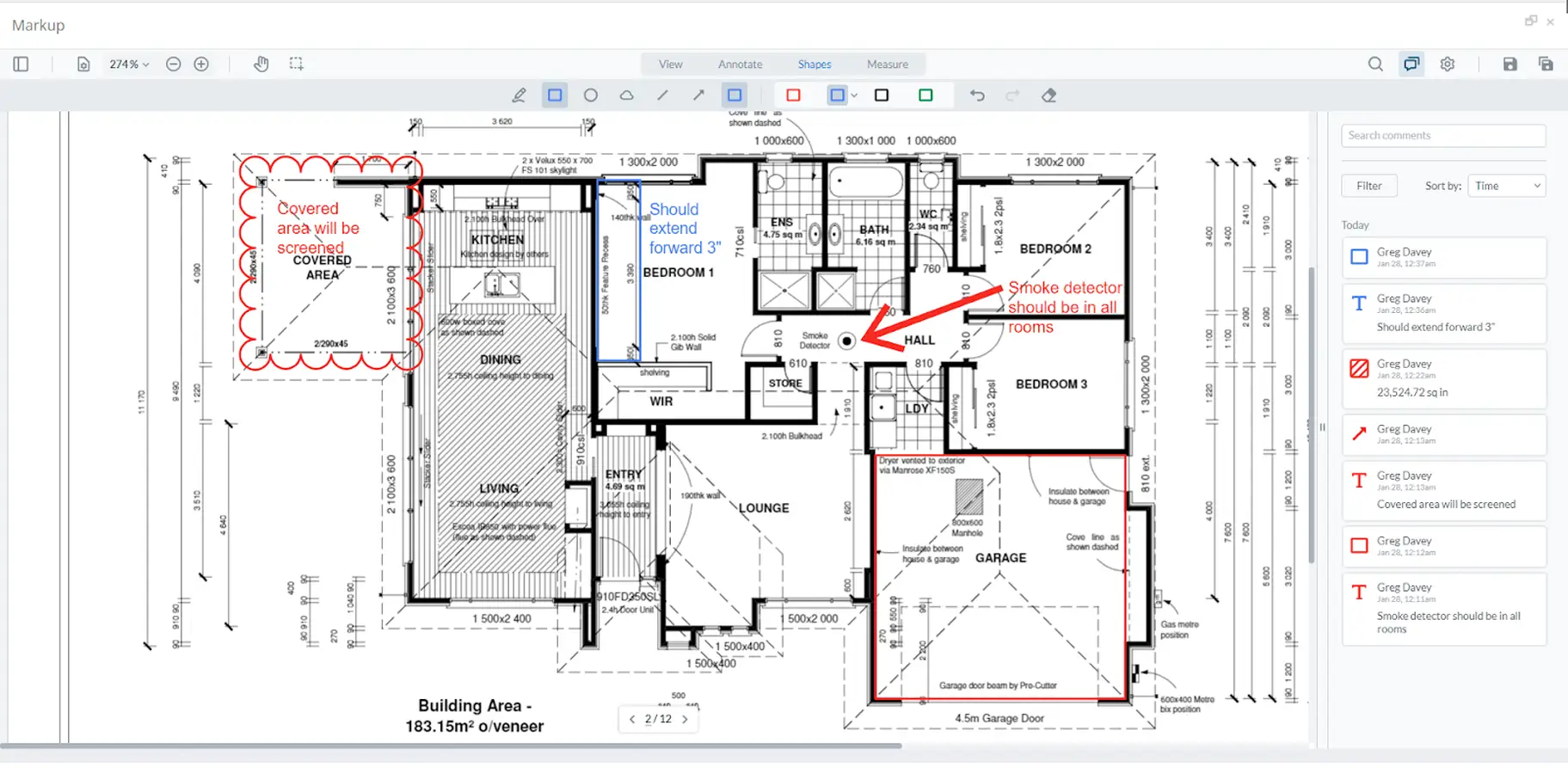
Plans are only useful if everyone understands them the same way. Contractor Foreman makes it easy to mark up drawings and PDFs so questions get answered quickly, and mistakes get avoided. Redline plans, add comments, take measurements, and keep feedback tied directly to the drawing where it belongs.
Clear plans lead to fewer mistakes
Simple markup and measurement tools that improve communication, reduce confusion, and keep everyone aligned on the same set of plans.

Mark up plans where the issue actually is
Draw directly on the plan so there’s no guessing about what’s being discussed.

Get accurate measurements fast
Measure square footage, distances, and areas without exporting files or printing plans.

Keep plan feedback easy to follow
Comments and annotations stay tied to the exact spot on the drawing for clear back-and-forth.
Check out these Drawings & PDF Markup features
These individual features are tailor-made to meet your specific needs and preferences.
Markups
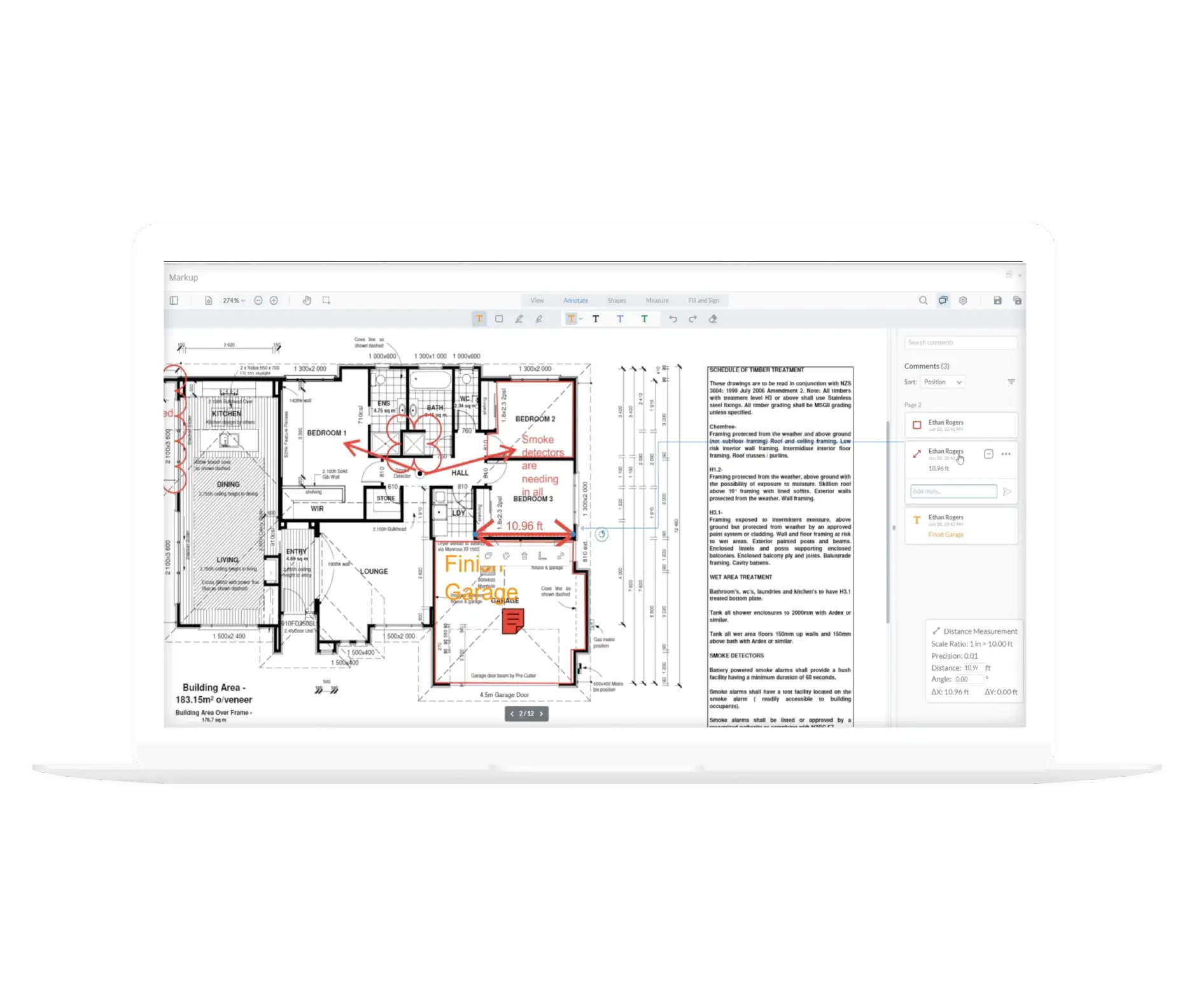
Review and annotate plans with clear visual feedback. Add notes, highlights, and measurements from the office or field so changes are easy to communicate and act on.
Red-Line Markups
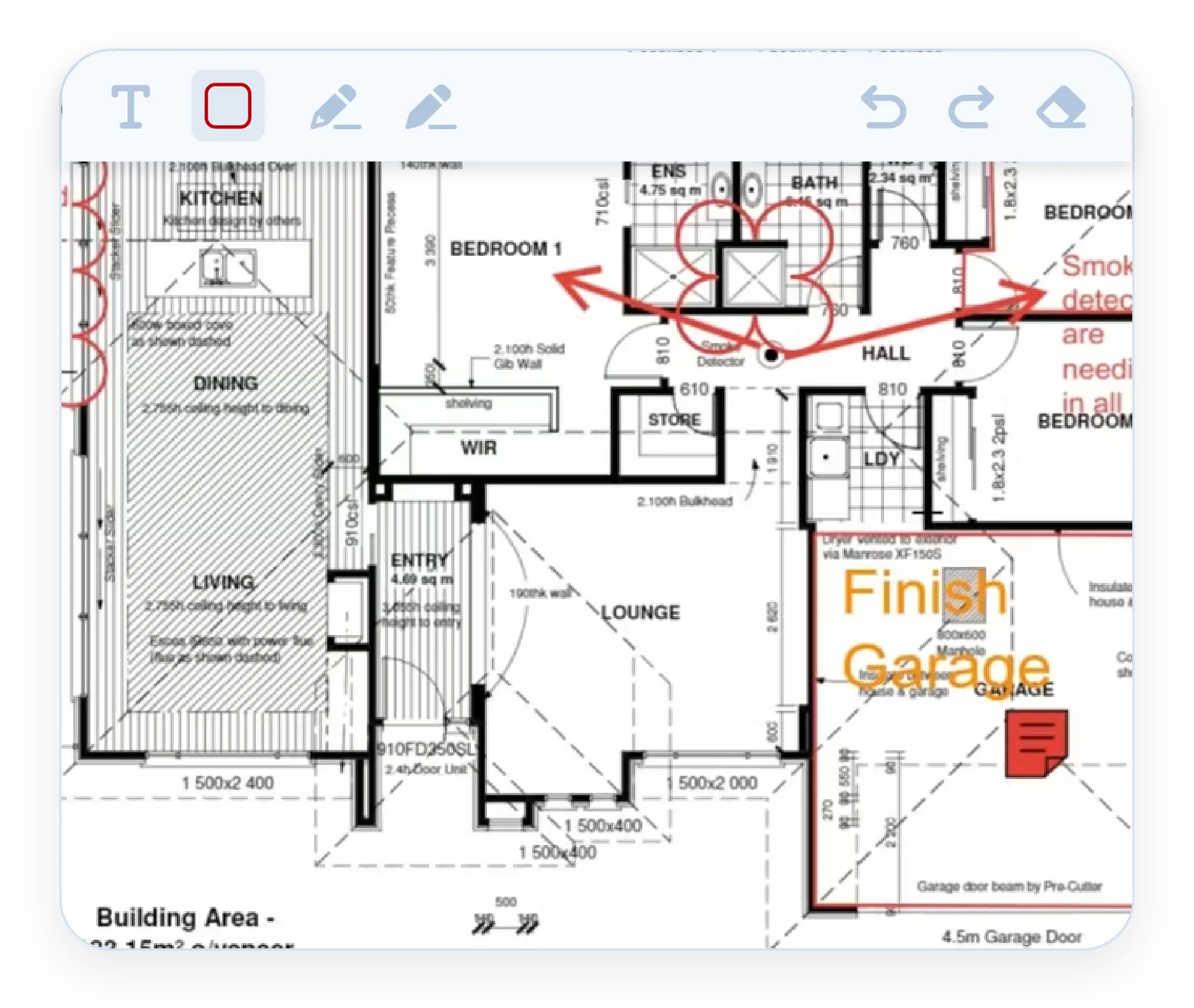
Draw directly on plans and PDFs to highlight issues, changes, or areas that need attention. Redlines make it clear what is being referenced without long explanations or follow-up calls.
Mobile App Markups
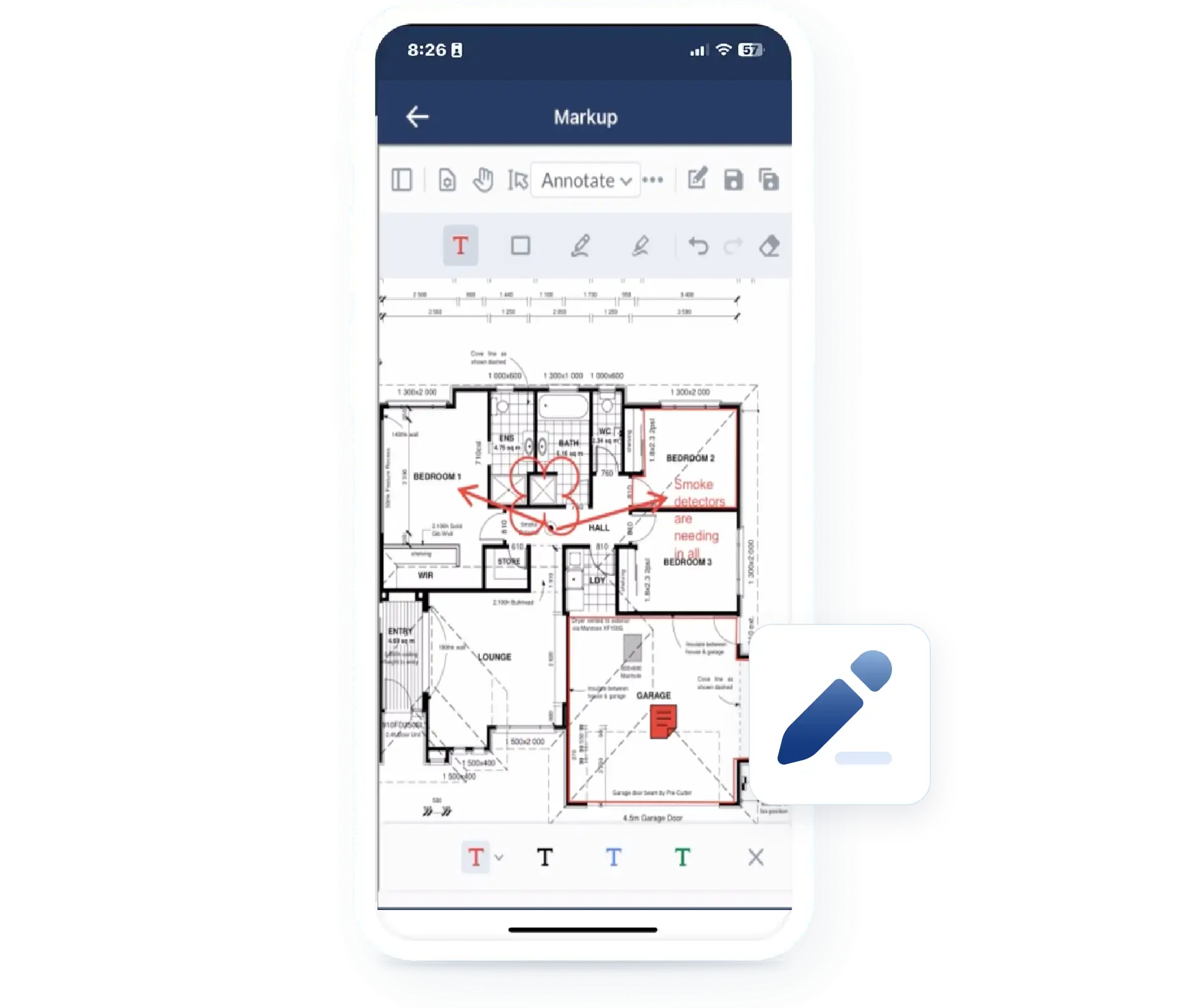
View plans, add comments, take measurements, and mark up drawings directly from your phone. Field updates happen in real time, even when you do not make it back to the office.
Measurements & Annotations
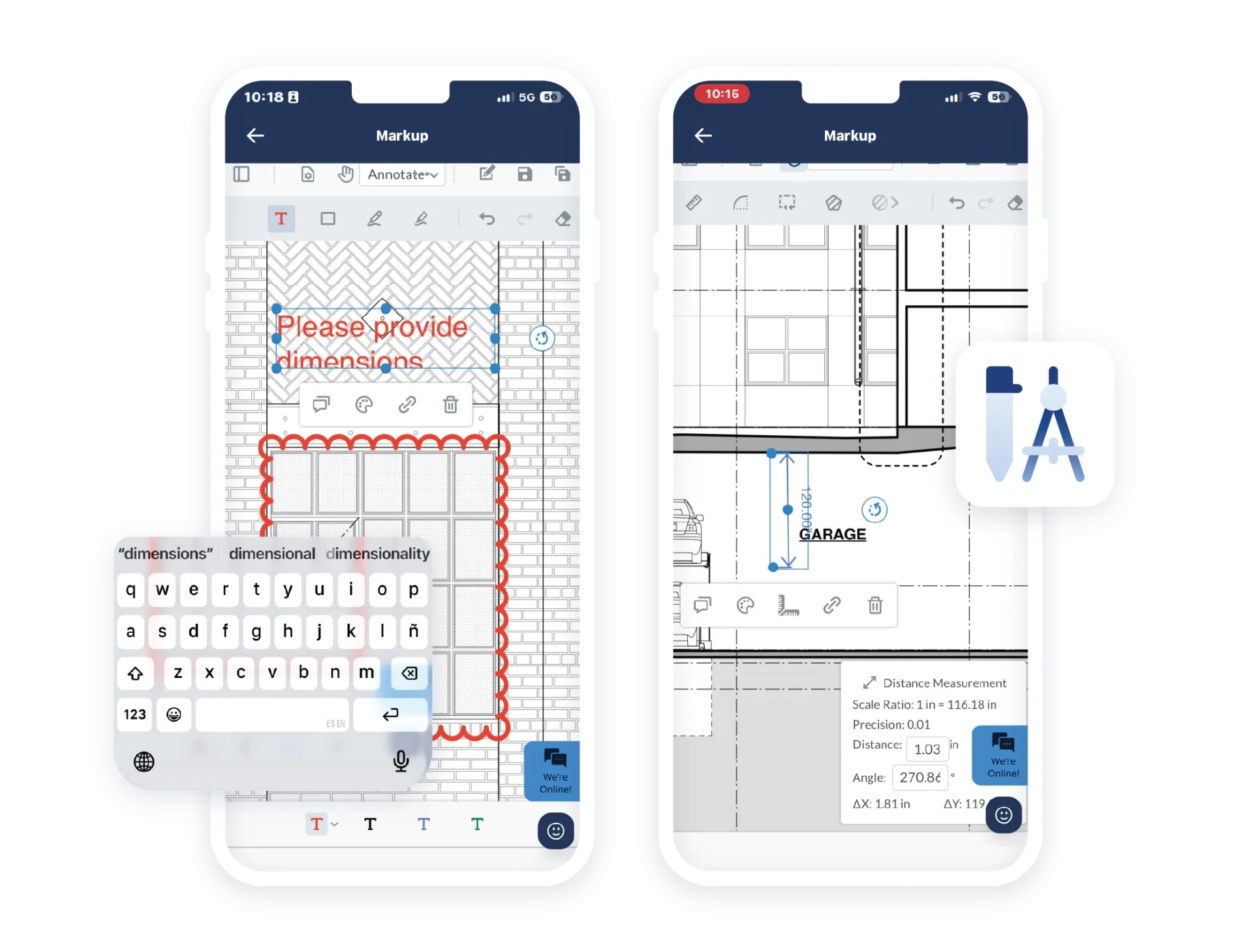
Work directly on plans with accurate measurements and clear context. Keep quantities and conversations tied to the drawing so nothing gets lost or misinterpreted.
Plan Measurement Tools
Take accurate measurements directly from uploaded plans. Calculate square footage, distances, and areas in minutes by adjusting scale and selecting the measurement tool. Numbers stay tied to the drawing, not separate notes.
Annotations and Comments
Add comments and annotations exactly where they belong on the drawing. Team members can review, respond, and keep the conversation connected to the specific part of the plan being discussed.
Frequently Asked Questions
Have a Question? Click the LiveChat icon. After hours? Email support@contractorforeman.com.
Contractor Foreman offers simple, transparent pricing with unlimited users, projects, and features. There are no hidden fees or per-user charges. See our pricing page for more details.
Some companies offer a 7-day refund policy… maybe 30 days. We are so confident in Contractor Foreman that we give you up to 100-days to request a refund if you are not satisfied and no longer wish to use it. See the Refund Policy for details and requirements.
Yes. You can upload your own plans and PDF files and mark them up directly in the system.
Yes. All markups, comments, and measurements remain saved with the drawing so teams can reference them later.
Yes. Drawings, comments, measurements, and markups are fully accessible through the mobile app.

Sign up for a free demo and see it in action!
Let us show you how Contractor Foreman can start saving you and your company a lot of time and money. Schedule a free demo for yourself or your crew.
Start a Free Trial
We have plans starting at $49/month

Have a question? See our Frequently Asked Questions or give us a call (828) 375-8042 or click Live Chat.






