
Incidents
When something happens, documentation matters
Incidents happen on every jobsite. What matters is how quickly they’re recorded and how clearly they’re documented. Contractor Foreman helps you capture incidents as they occur, notify the right people, and keep complete records so you can respond appropriately and reduce future risk.
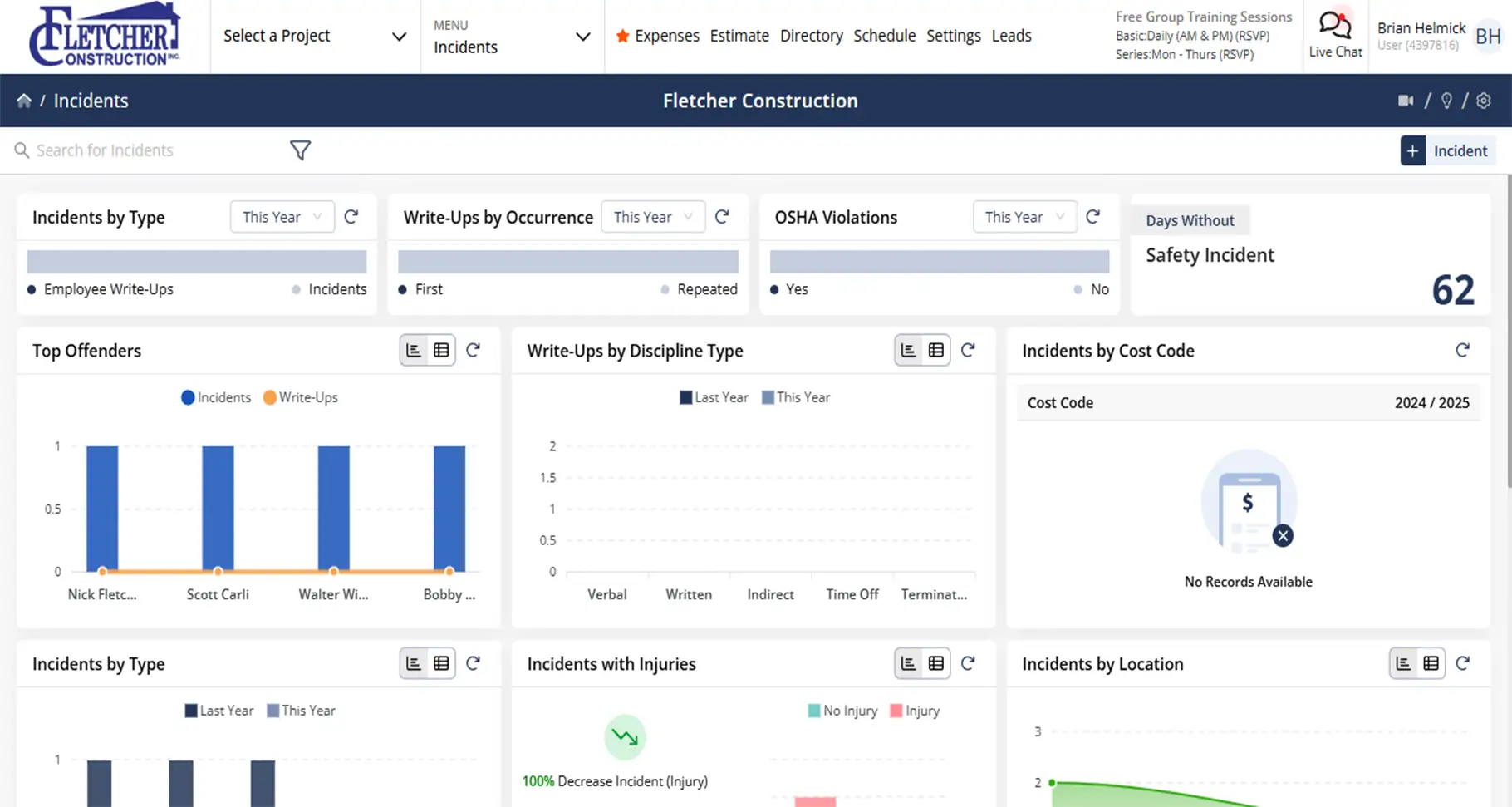
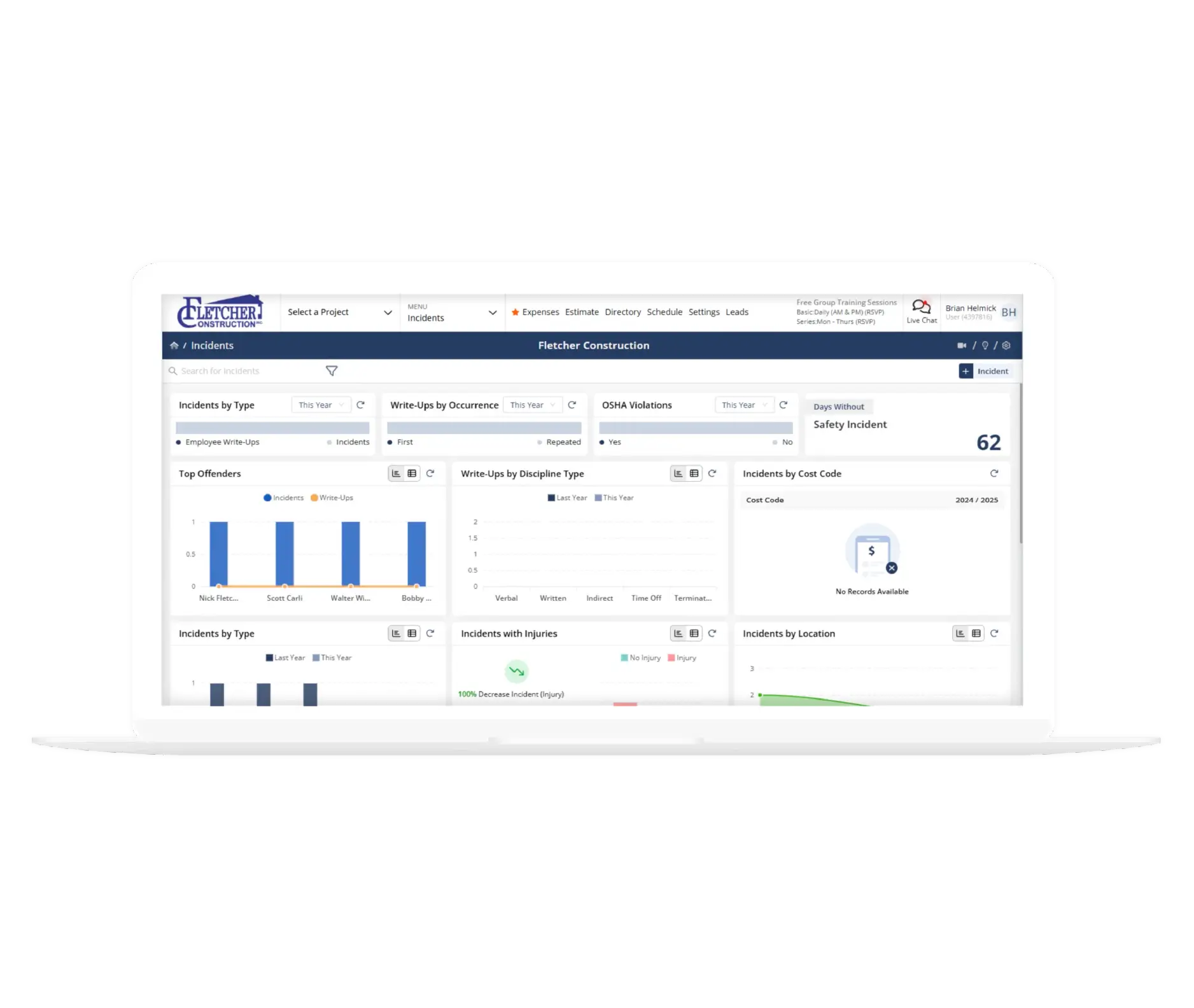
Clear records when it counts
Simple tools that help you document incidents, spot patterns, and stay prepared.

Record incidents as they occur
Automatic notifications ensure the right people are notified of incidents right away.

Keep documentation complete
Details, photos, and signatures stay attached to each record so nothing gets missed.

Learn from what’s happening
Track incidents and near misses to identify trends and prevent repeat issues.
Check out these Incident features
These individual features are tailor-made to meet your specific needs and preferences.
Workforce Accountability
Track incidents and employee actions with clear, documented records. Capture details early so issues are addressed, and records stay complete when needed.
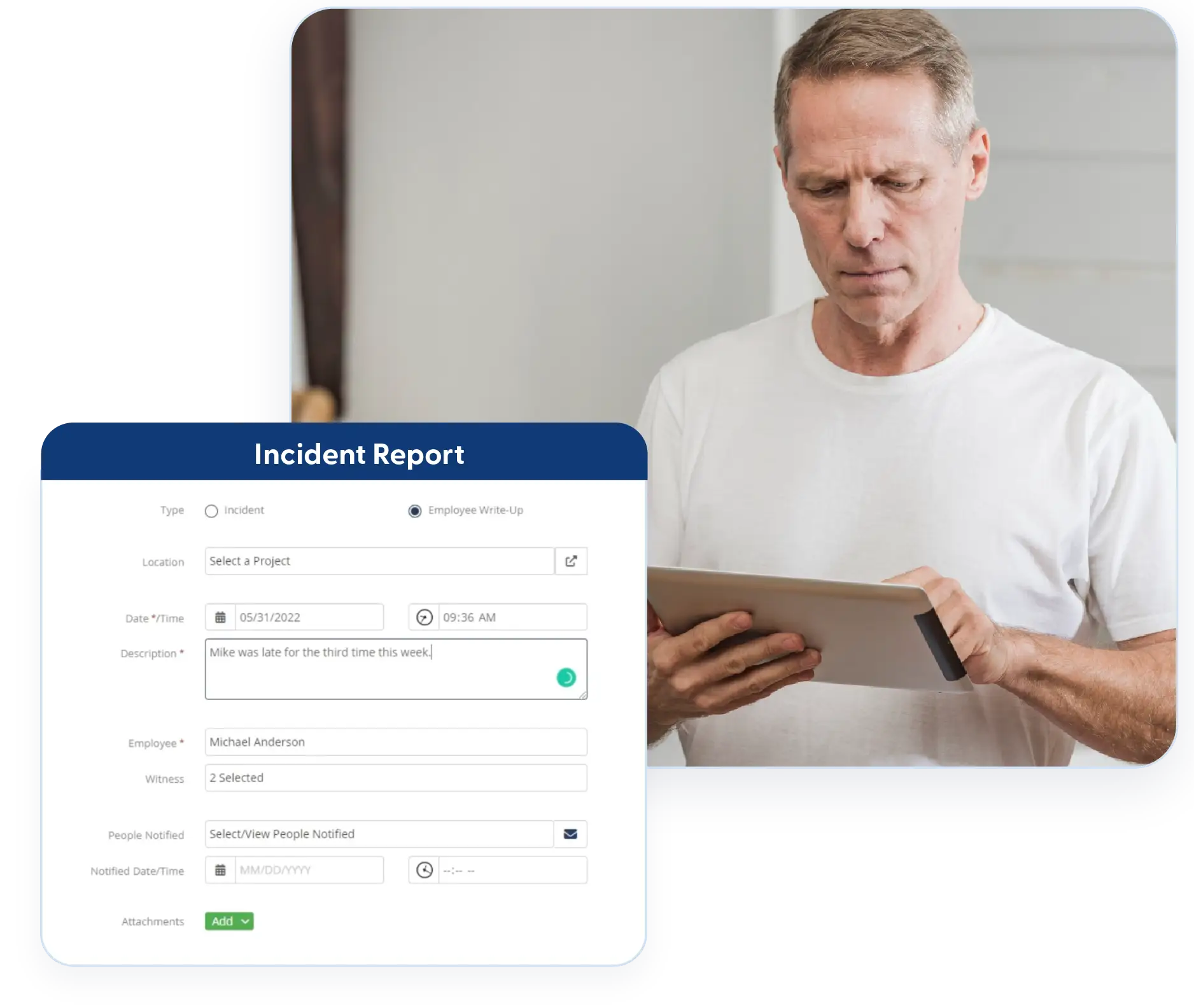
Employee Write-Ups
Document employee write-ups clearly and thoroughly. Capture discipline type, actions taken, signatures, and photos so records are complete and defensible when needed.
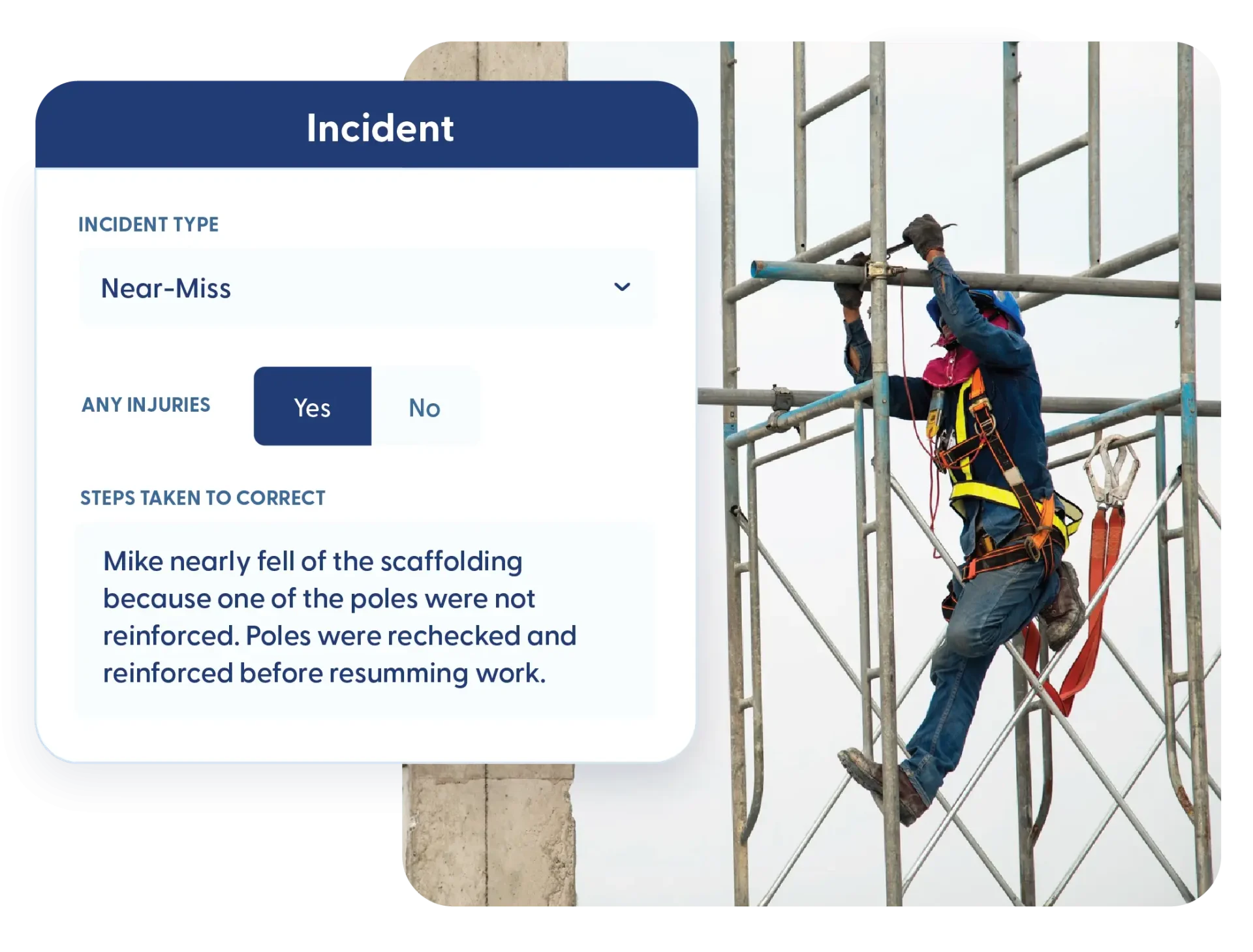
Near Miss Tracking
Capture near misses before they turn into incidents. Document hazards or unsafe conditions so corrective action can be taken early.
Incident Documentation
Record incidents quickly and keep compliance records up to date. Capture field details and maintain accurate logs without manual tracking.
Injury Reporting
Injuries can be reported directly from the field, and notifications are sent automatically. If an employee reports an injury at clock-out, an incident record is created to document it, even if it wasn’t reported earlier.
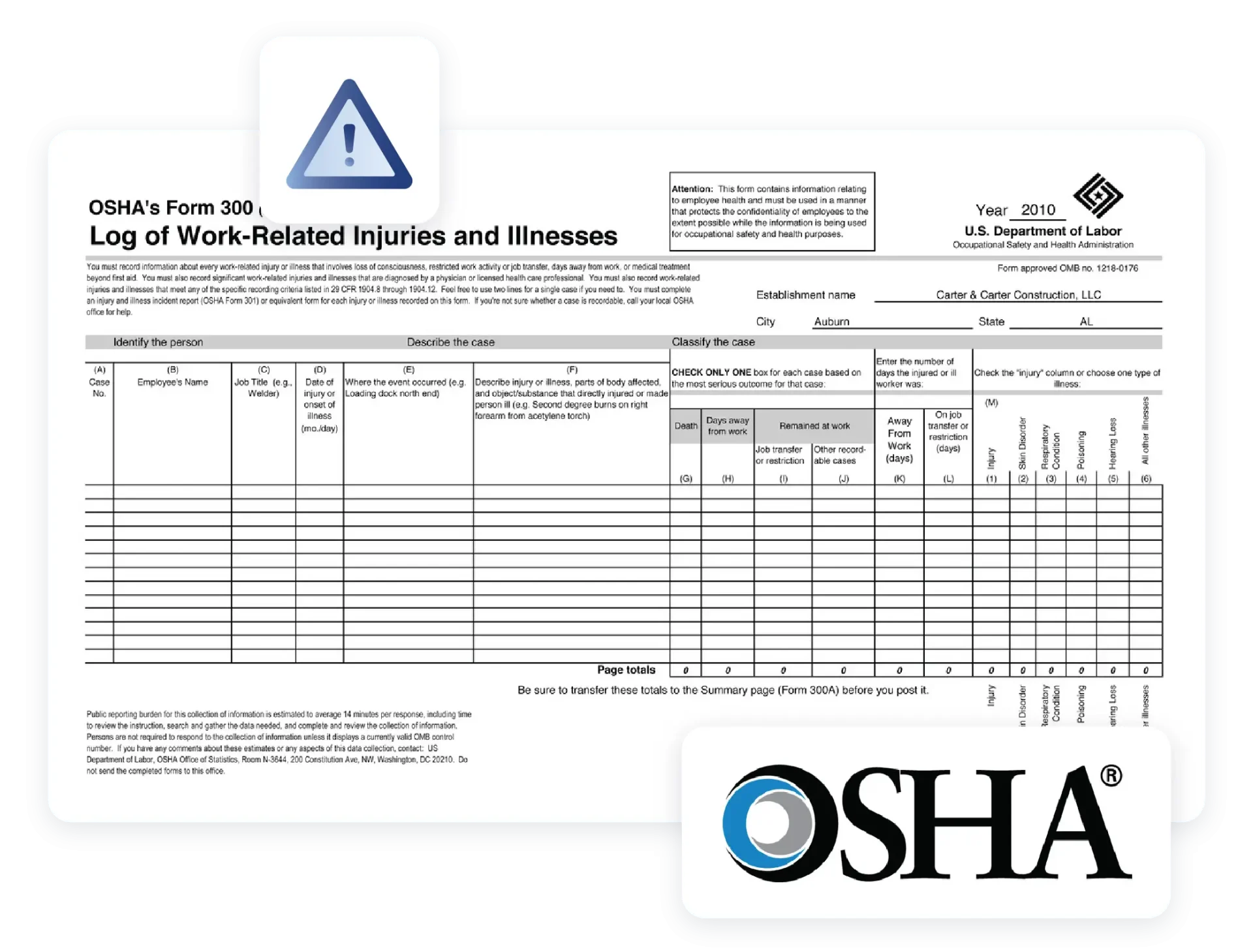
OSHA 300 Log Automation
Incidents automatically feed into the OSHA 300 log records. Maintain all entries in a single location and generate year-end reports without manual tracking.
Frequently Asked Questions
Have a Question? Click the LiveChat icon. After hours? Email support@contractorforeman.com.
Contractor Foreman offers simple, transparent pricing with unlimited users, projects, and features. There are no hidden fees or per-user charges. See our pricing page for more details.
Some companies offer a 7-day refund policy… maybe 30 days. We are so confident in Contractor Foreman that we give you up to 100-days to request a refund if you are not satisfied and no longer wish to use it. See the Refund Policy for details and requirements.
Yes. Incidents can be reported directly by supervisors or captured automatically through clock-out injury reporting.
Yes. OSHA 300 log entries are created automatically based on incident data.
Yes. Near misses can be documented independently to help address hazards early.

Sign up for a free demo and see it in action!
Let us show you how Contractor Foreman can start saving you and your company a lot of time and money. Schedule a free demo for yourself or your crew.
Start a Free Trial
We have plans starting at $49/month

Have a question? See our Frequently Asked Questions or give us a call (828) 375-8042 or click Live Chat.






