
Estimates
Win more jobs with estimates that close faster
You may not be building the next skyscraper downtown. But for everything else? We’ve got you covered. Our estimating tool gives you complete control with bulk and line-item markups so you can actually make money on your jobs. Store all your materials and pricing in one place, slap your logo on professional cover sheets, and send estimates that clients can approve with a few clicks—no more chasing signatures or wondering if they even opened your email.
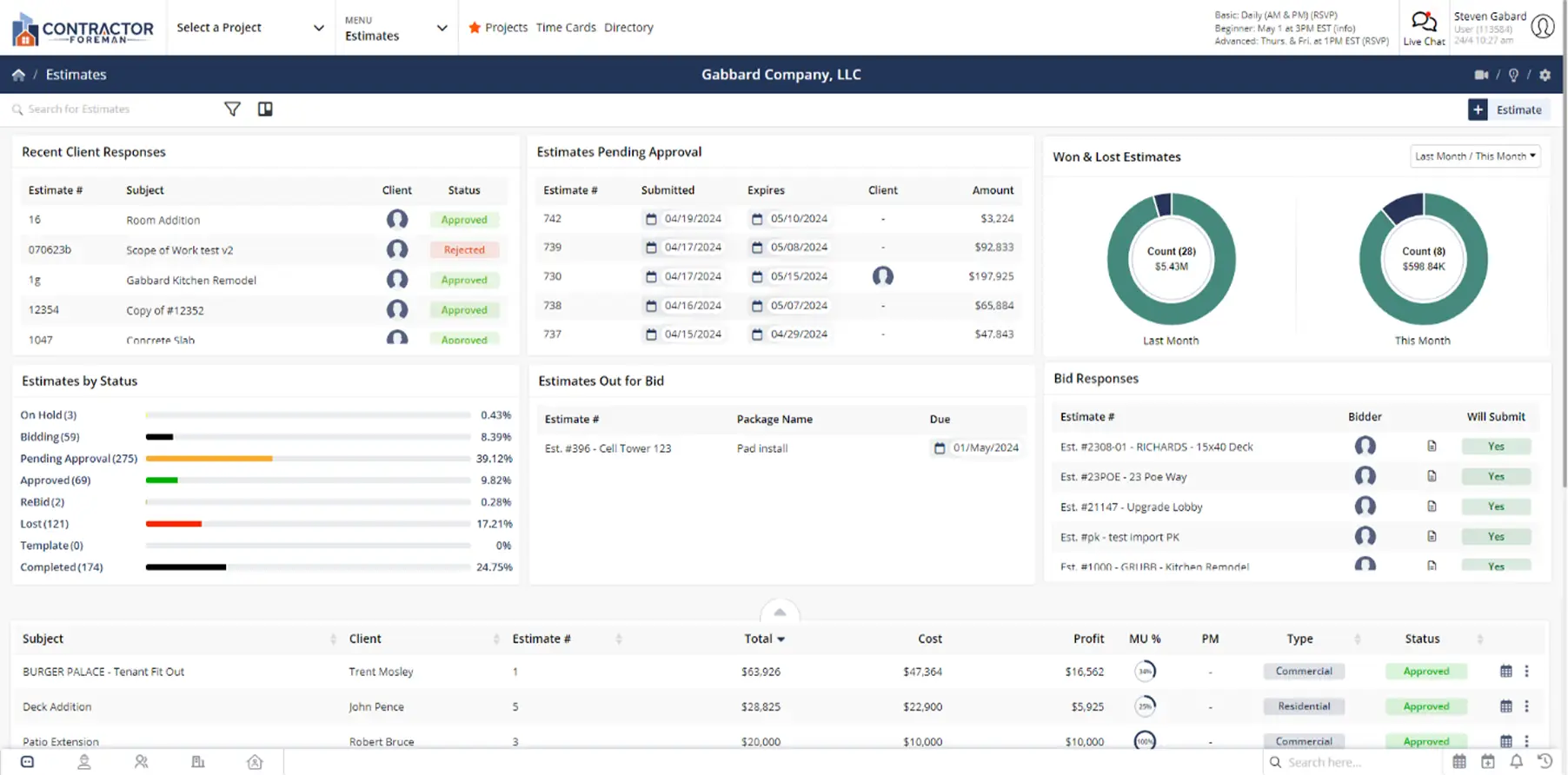
Close more deals with estimates that impress and convert
Streamlined estimating that impresses clients, protects your margins, and gets you to "yes" faster—with way less headache.

Speed Up Your Sales Cycle
Create professional estimates in minutes and get them approved online with electronic signatures. No more printing, scanning, or waiting days for signatures—close deals faster with streamlined digital workflows.

Protect Your Profit Margins
Control markup at every level with bulk and line-item pricing controls. See your profit in real-time as you build estimates, ensuring every job hits your target margins before you send it out.

Know When Clients Engage
Track when estimates are sent, delivered, opened, and clicked. Get instant email notifications when clients view your proposals so you can time your follow-up perfectly and never wonder if they received it.
Check out these Estimate Features
These individual features are tailor-made to meet your specific needs and preferences.
Proposal Presentation
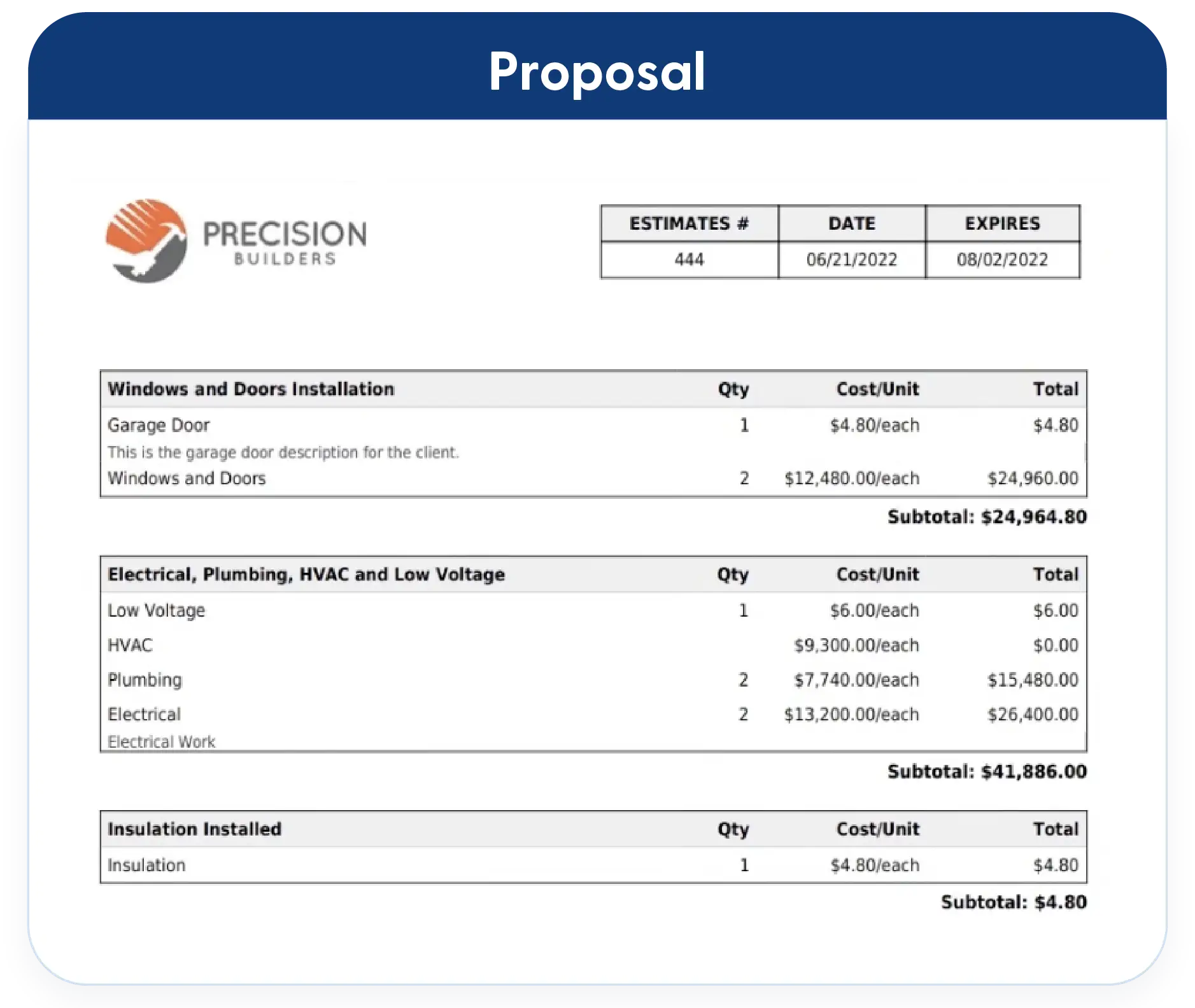
Present estimates in a clear, professional format that’s easy for clients to review and approve. Keep everything branded, organized, and ready to move from proposal to signed agreement without delays.
Professional Cover Sheets & Proposals
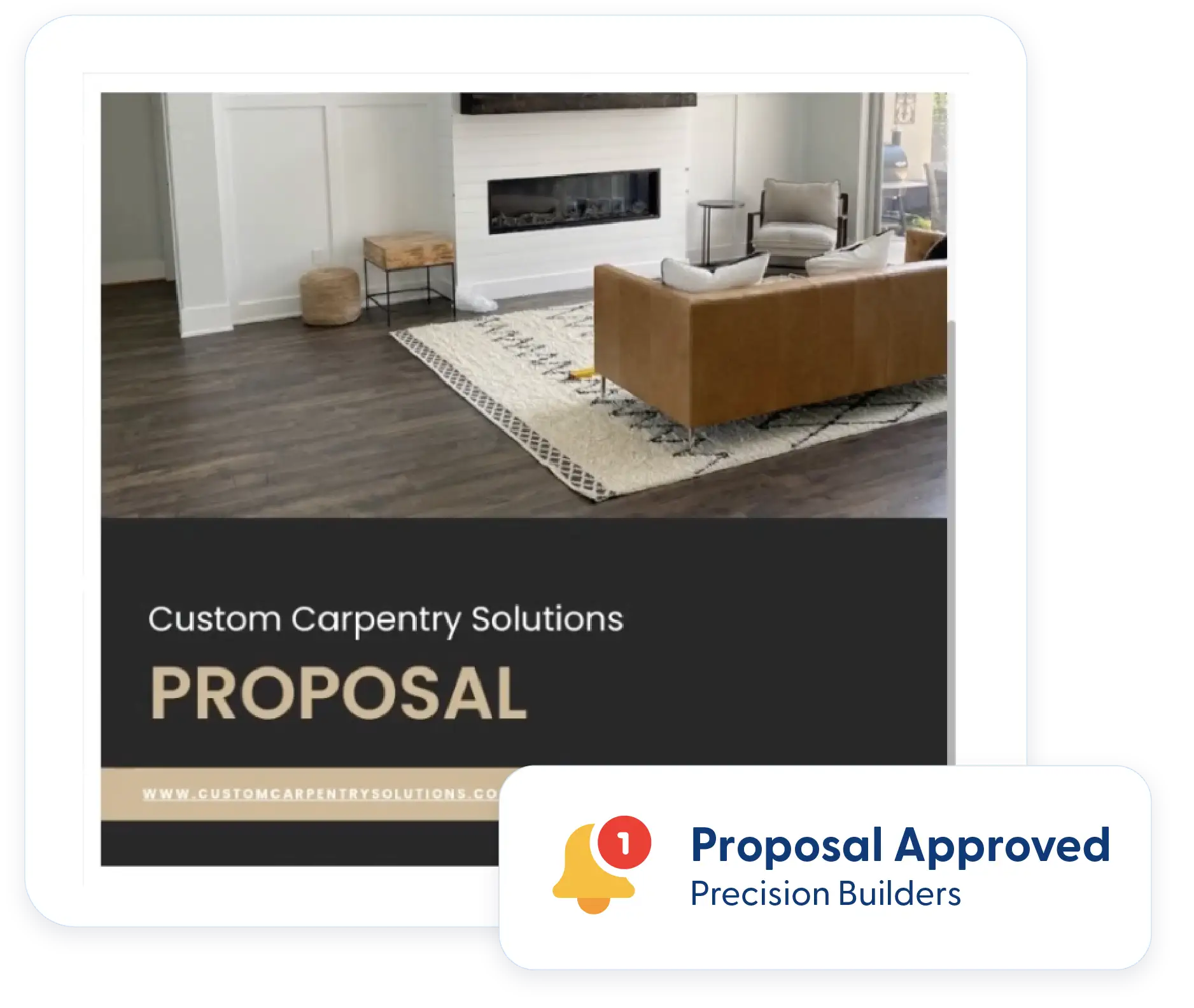
Impress clients with professional, branded proposals. Drop in your logo, add references, format it your way. Create separate templates for residential and commercial work. Make yourself look good.
Online Approval & Electronic Signatures
Send estimates and get electronic signatures with timestamps and IP addresses. No printing, scanning, or chasing signatures. Just faster approvals that get you working sooner.
Estimate Workflow
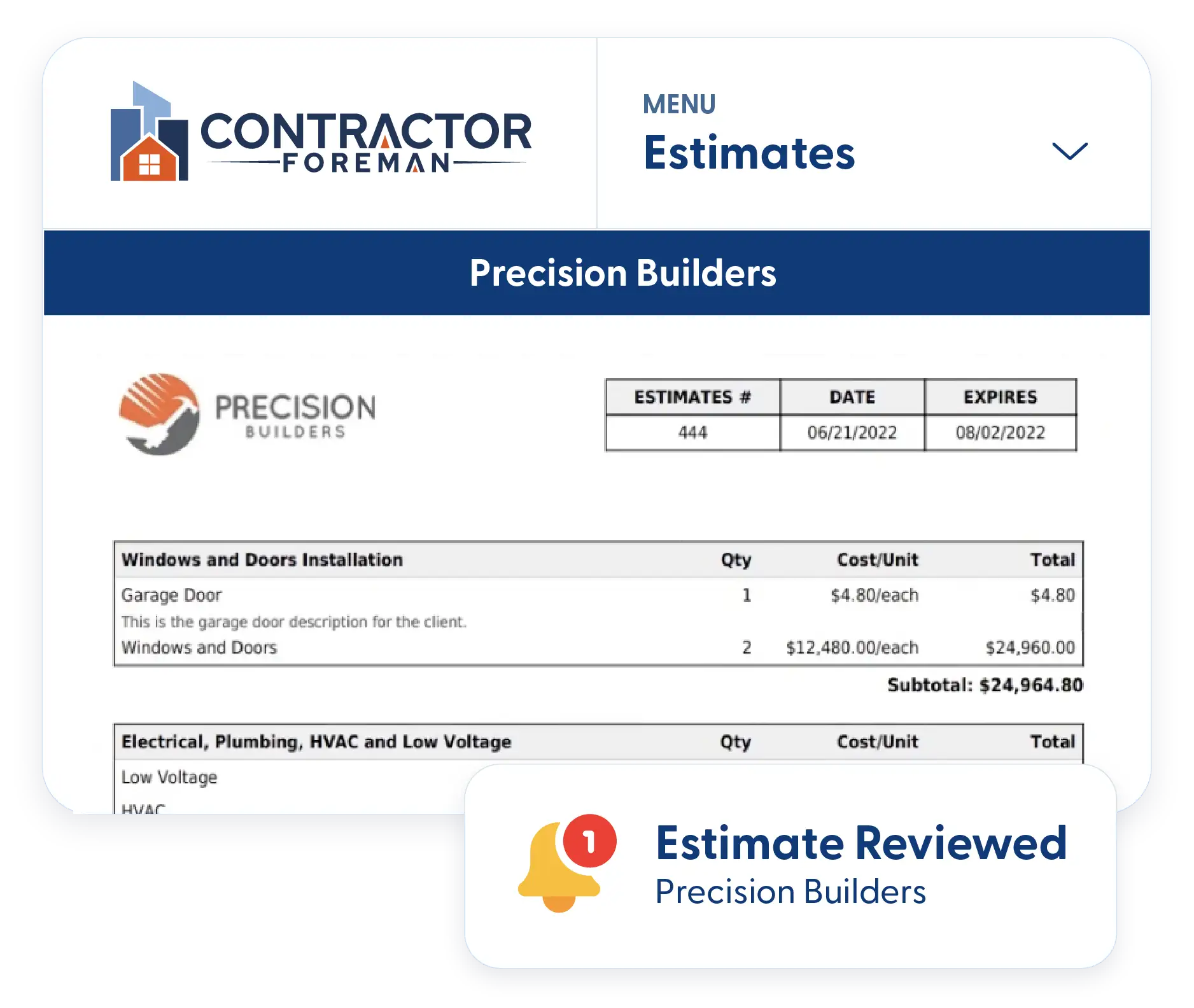
Move estimates forward with better timing and less manual work. Track client engagement and apply pricing updates promptly to keep the process moving.
Estimate Opened Email Notifications
Stop wondering if they got your estimate. Get notified the instant clients open it so you can time your follow-up perfectly—no more guessing—just better timing.
Bulk Markup Tool
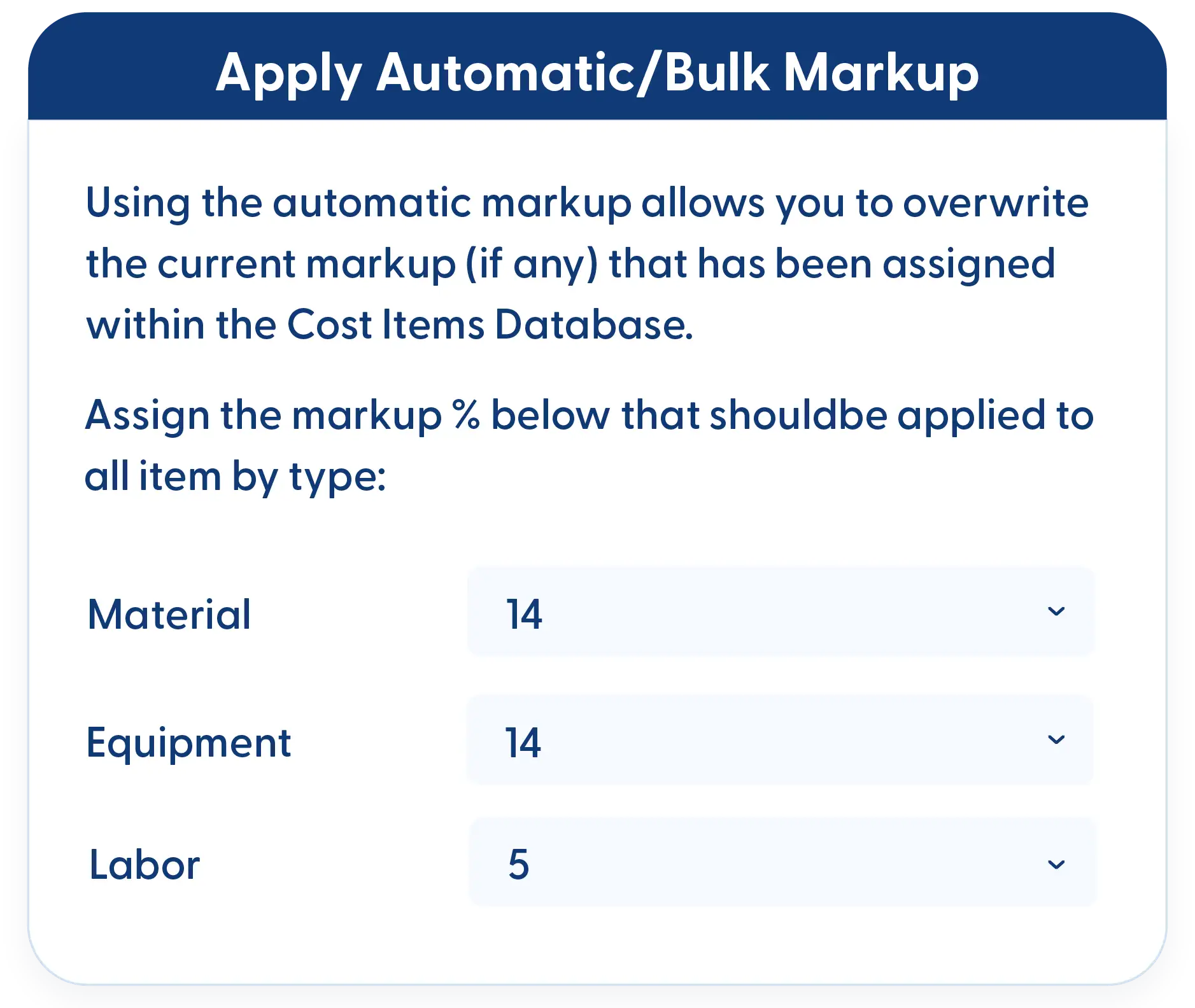
Markup all materials 10% and labor 5% in seconds. Whether you have 10 items or 100, bulk adjustments save hours of tedious clicking and math.
Frequently Asked Questions
Have a Question? Click the LiveChat icon. After hours? Email support@contractorforeman.com.
Contractor Foreman offers simple, transparent pricing with unlimited users, projects, and features. There are no hidden fees or per-user charges. See our pricing page for more details.
Some companies have a 7-day refund policy… maybe 30 days. We are so confident in Contractor Foreman that we give you up to 100 days to request a refund if you are not satisfied and no longer wish to use it. See the Refund Policy for details and requirements.
No. You can create unlimited estimates without any price increase. Whether you send 10 estimates or 1,000 estimates per month, your pricing stays the same.
Absolutely. You can fully customize cover sheets with your logo, colors, company information, and formatting. Create different templates for residential and commercial clients to match your brand presentation.
No. Your clients can review and electronically sign estimates without creating an account. They simply click a link, review the proposal, and sign—making approval friction-free.
Yes. Use the cost items database to store all your material items and pricing. This speeds up estimating and ensures consistency across all your quotes.

Sign up for a free demo and see it in action!
Let us show you how Contractor Foreman can start saving you and your company a lot of time and money. Schedule a free demo for yourself or your crew.
Start a Free Trial
We have plans starting at $49/month

Have a question? See our Frequently Asked Questions or give us a call (828) 375-8042 or click Live Chat.






