
Time Cards
Time tracking that reflects the work
Time cards shouldn’t turn into guesswork or cleanup at the end of the week. Contractor Foreman gives you flexible ways to capture time in the field while keeping everything tied to the job, the cost code, and the crew. Track hours accurately, see where time was logged, and understand labor costs as they happen.
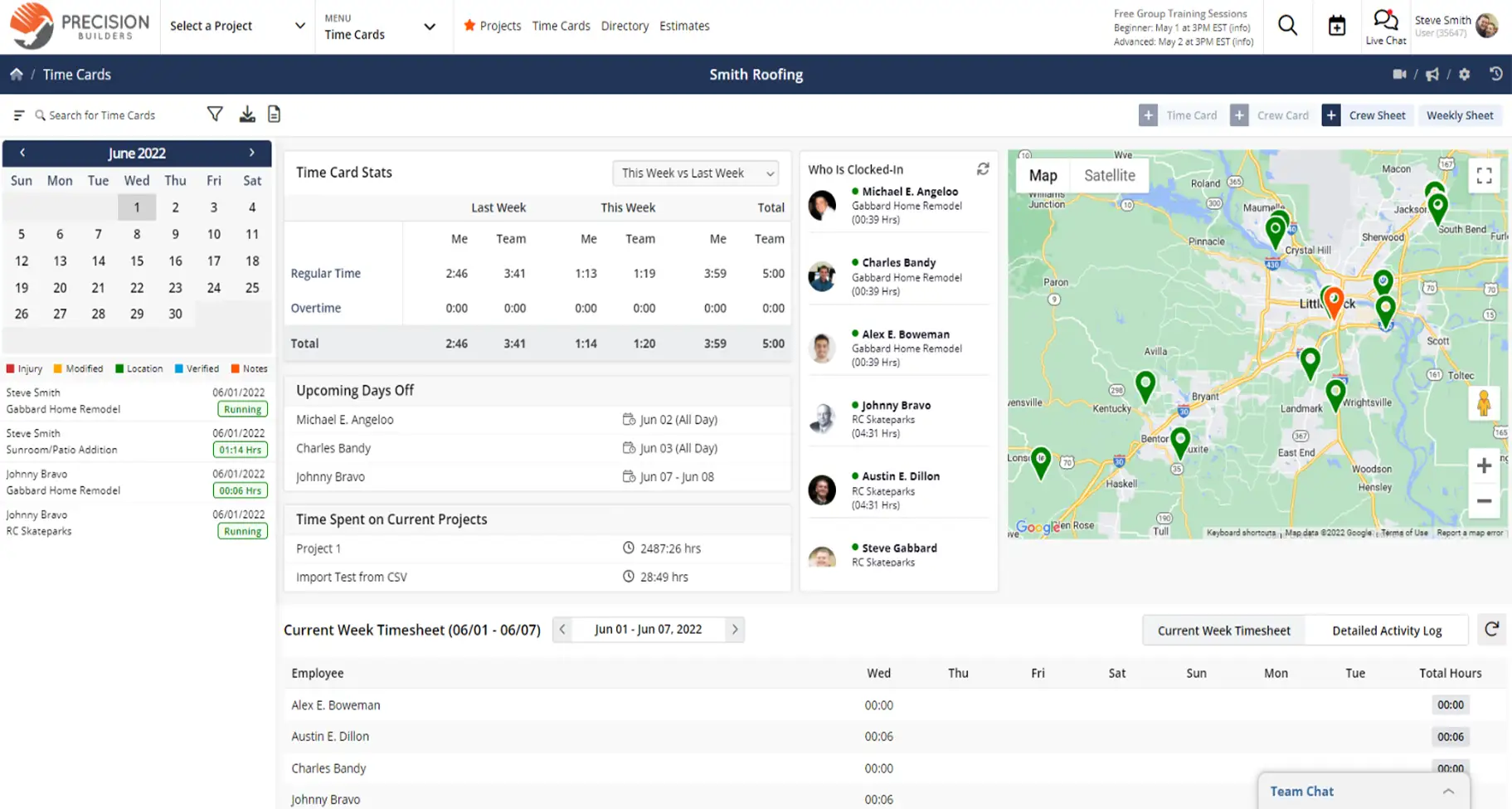
Capture time cleanly from the field
Real-time tracking that improves accuracy, accountability, and job cost visibility.

Track individuals or entire crews
Supervisors can clock in a whole crew at once, or employees can manage their own time cards. Both feed directly into job costing.

Know who’s clocked in and where
Live visibility shows who is working, how long they’ve been on the clock, and where time was recorded.

Keep labor tied to the job
Time is tracked against projects and cost codes, so labor hours roll directly into job costing and reports.
Check out these Time Cards features
These individual features are tailor-made to meet your specific needs and preferences.
Time Entry Workflows
Capture time in a way that fits your team’s workflow. Support both crew and individual entry while keeping all hours consistent and easy to report.
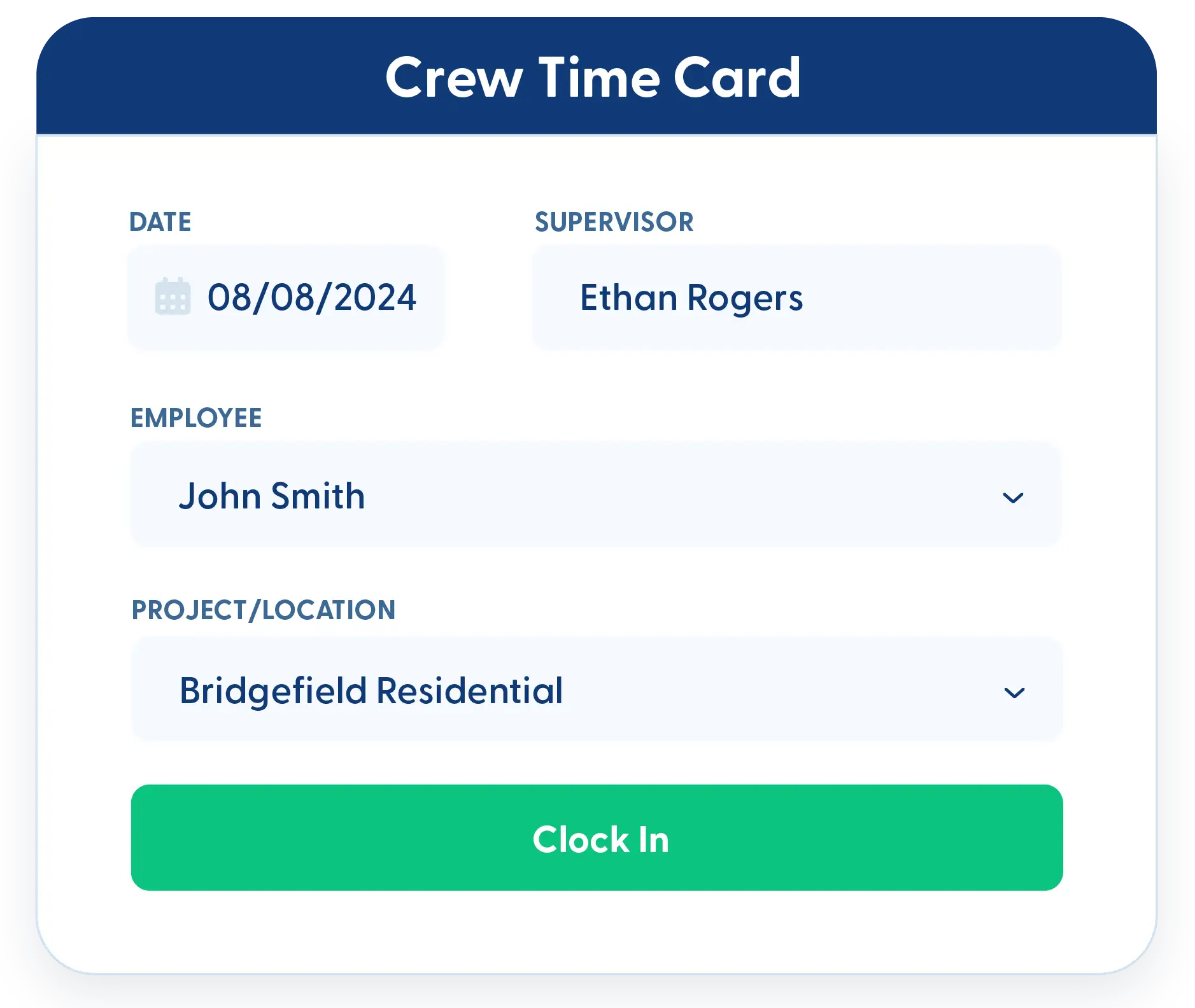
Crew and Individual Time Cards
Use individual time cards or crew time cards, depending on how your team works. Supervisors can manage time for their crews, or employees can clock in and out themselves. All entries roll up into a single set of reports.
Weekly Time Sheet Mode
For teams that prefer weekly entry, time can be recorded for the entire week at once. This option supports different workflows without sacrificing consistency.
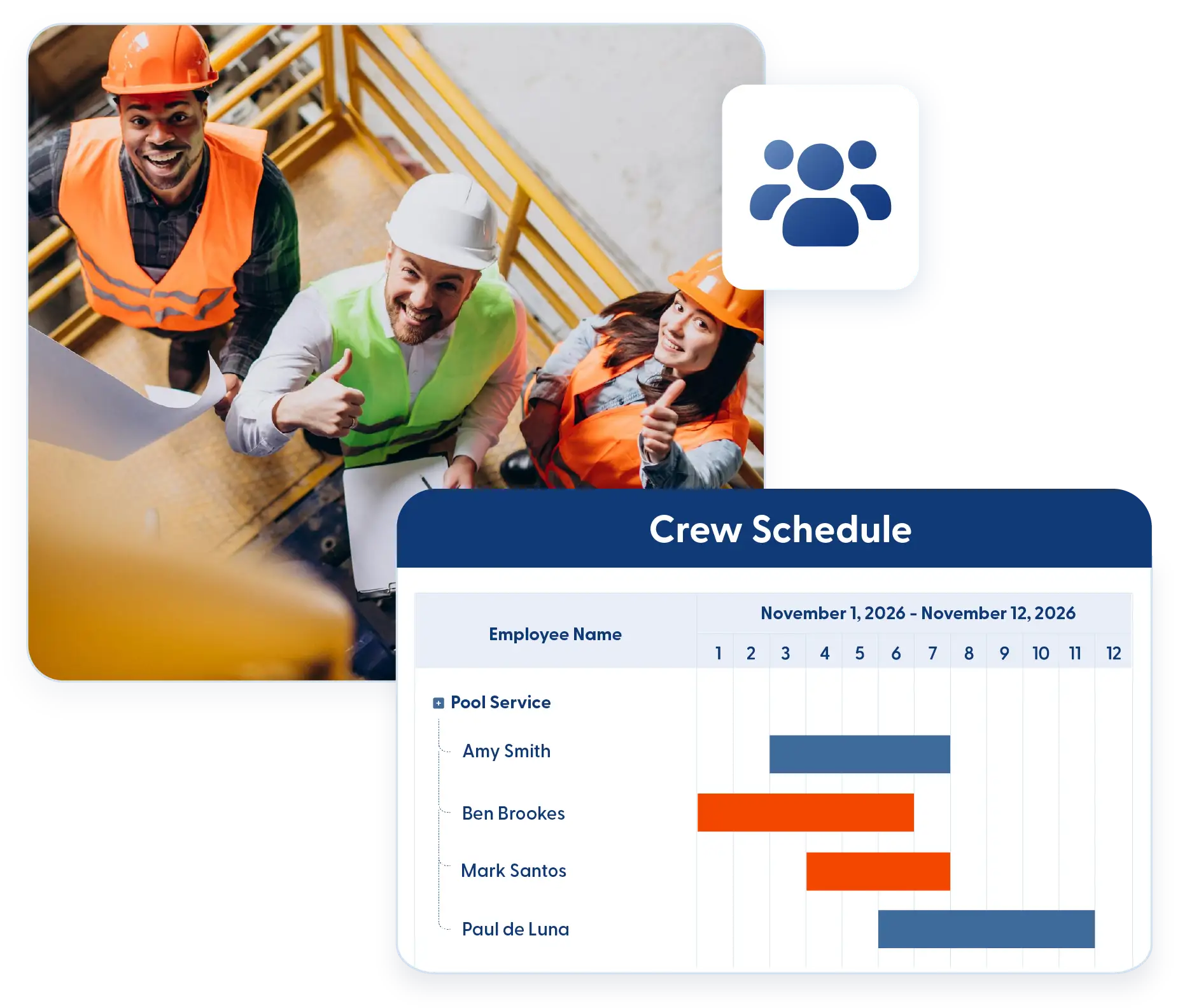
Labor Oversight
Track labor activity with clear visibility into time, location, and cost. Monitor hours against project work to keep labor accurate and aligned with budgets.
Clock In and Out with GPS Location
Capture clock-in and clock-out locations automatically. GPS data provides visibility into where time was logged and helps improve accountability.
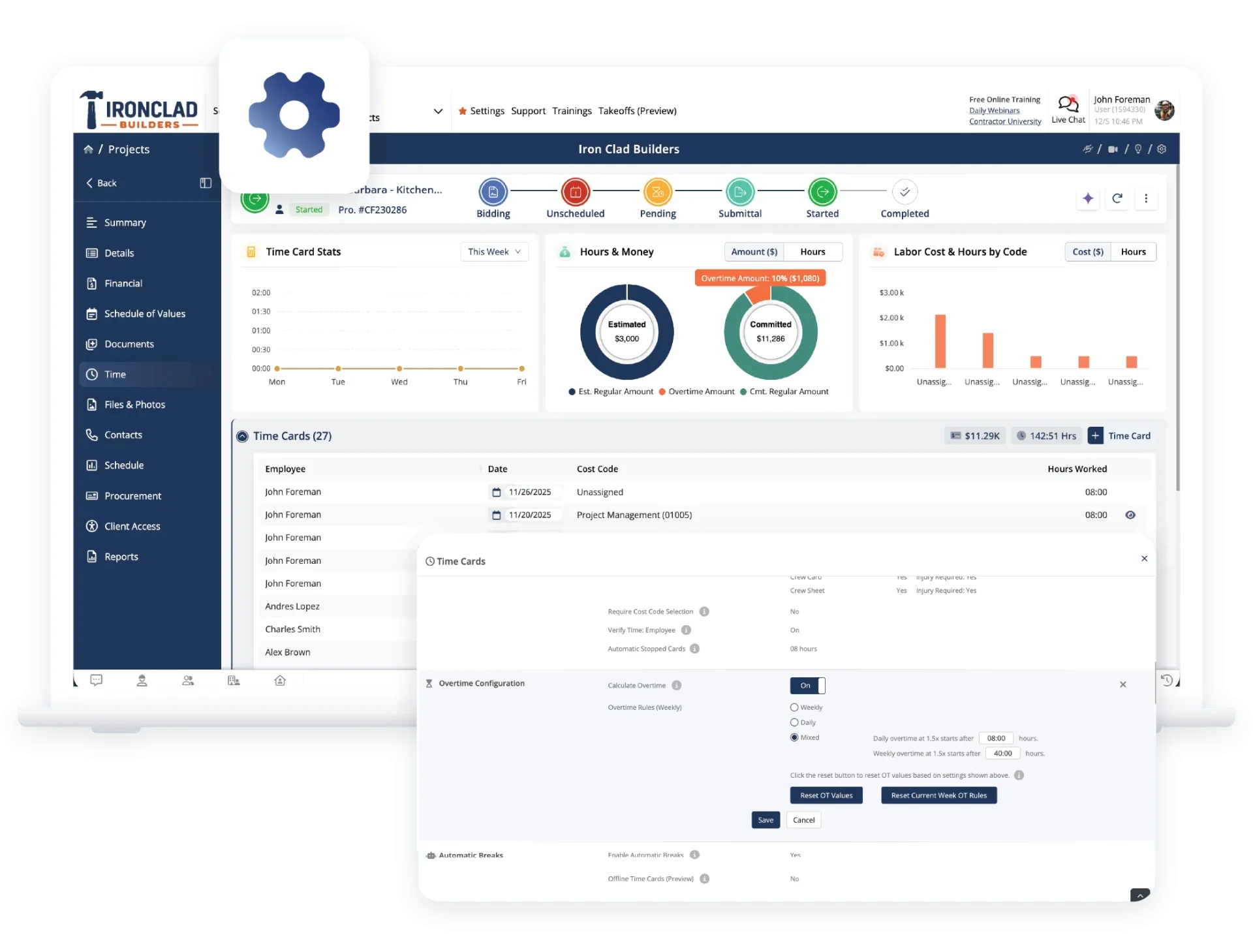
Overtime Tracking with Custom Rules
Track regular and overtime hours using rules that match how your business operates. Overtime visibility helps you understand labor impact before budgets drift.
Project-Based Cost Codes
Time entries are tied to projects and cost codes. Cost code lists are refined per project to reduce selection errors and keep reporting clean.
Frequently Asked Questions
Have a Question? Click the LiveChat icon. After hours? Email support@contractorforeman.com.
Contractor Foreman offers simple, transparent pricing with unlimited users, projects, and features. There are no hidden fees or per-user charges. See our pricing page for more details.
Some companies offer a 7-day refund policy… maybe 30 days. We are so confident in Contractor Foreman that we give you up to 100-days to request a refund if you are not satisfied and no longer wish to use it. See the Refund Policy for details and requirements.
Yes. Time cards can be reviewed and verified to help ensure accuracy before payroll or reporting.
Yes. Employees can change projects or cost codes during the day, so time stays accurate.
Yes. Time cards tie directly back to projects and estimates, so labor costs are reflected in job costing reports.

Sign up for a free demo and see it in action!
Let us show you how Contractor Foreman can start saving you and your company a lot of time and money. Schedule a free demo for yourself or your crew.
Start a Free Trial
We have plans starting at $49/month

Have a question? See our Frequently Asked Questions or give us a call (828) 375-8042 or click Live Chat.






