
- What to Look for in Subcontractor Reporting Tools
- 1. Contractor Foreman
- 2. Raken Construction Daily Reports
- 3. eSUB Construction Daily Reports
- 4. GoAudits Construction Reporting
- 5. Fieldwire Field Reporting
- 6. Site Diary Reporting App
- 7. Sitemate Field Reporting
- 8. Sablono Site Progress Reporting
- Feature Comparison Tables
- Conclusion
- FAQs
- Related Blog Posts
Construction is one of those industries that has to run on real-time updates or else…
Why?
Because even a slight delay in reporting an issue can mean crews keep working in the wrong area, burning labor that shouldn’t have been spent. A delay in reporting a schedule change can send the next trade to site too early, creating downtime, congestion, and lost hours.
And a delay in reporting site conditions can turn a fix that should’ve happened today into rework that shows up weeks later on the cost report.
Tracking daily subcontractor activities is critical for managing construction projects efficiently.
Digital tools now simplify this process by allowing field crews to log data like labor hours, weather conditions, and safety incidents directly from their devices. This eliminates delays caused by paper logs, reduces errors, and ensures real-time updates to project schedules, budgets, and compliance systems.
Here are the top platforms for subcontractor daily reporting:
- Contractor Foreman: Comprehensive tool with QuickBooks integration and offline functionality. Pricing starts at $49/month.
- Raken: User-friendly mobile app with free subcontractor access and automated weather logs.
- eSUB: Tailored for trade contractors, offering detailed labor tracking and seamless accounting integrations.
- GoAudits: Checklist-driven app that ensures consistent data collection with photo and document uploads.
- Fieldwire: Task-based reporting with plan markups and offline capabilities.
- Site Diary: Simple, mobile-first reporting with weather tracking and exportable logs.
- Sitemate: Flexible platform with custom forms and robust API integrations.
- Sablono: Progress tracking tied directly to project schedules, ideal for large-scale projects.
Quick Comparison:
Most tools support mobile data entry, offline use, and integrations with accounting or project management systems. Key differences lie in pricing, ease of use, and advanced features like task-level tracking or ERP integration.
Switching to a digital reporting tool can save time, prevent disputes, and improve project oversight. Choose the one that aligns with your project size, trade needs, and budget.
What to Look for in Subcontractor Reporting Tools
When selecting a subcontractor reporting tool, it’s essential to focus on features that streamline data collection and ensure accuracy. The best tools strike a balance between being user-friendly and technically robust, enabling foremen to quickly log daily activities while seamlessly integrating data into budgets, schedules, and compliance systems. Here are the key features to prioritize.
Mobile access is a must-have, as field crews need to document activities, take photos, and add notes while navigating the job site. Look for tools that work on both iOS and Android devices, support rugged tablets, and offer features like voice-to-text and task selection. Push notifications for daily log submissions can help ensure consistent reporting across all trades.
Offline functionality is equally critical, especially for job sites with unreliable cellular or Wi-Fi coverage. A good tool should allow users to create and edit reports offline, then sync data automatically once reconnected. Features like clear sync status indicators, conflict resolution for edits, and audit trails for tracking when entries were made and synced are invaluable for maintaining data accuracy and supporting documentation in case of disputes or legal reviews.
Photo, video, and document uploads are essential for capturing visuals directly within the app. The system should automatically associate these files with the correct project, date, and location, and allow tagging by trade, issue, or area for easy retrieval. Support for PDFs and Office file types, media compression to balance quality with storage, and permission controls to limit document sharing to appropriate parties are also important.
Weather tracking provides time-stamped records of conditions that impact productivity and schedules. This feature is especially useful when negotiating time extensions or defending against delay claims. Tools that automatically log weather data and link it to project impacts – like halted crane operations due to high winds or delayed concrete pours because of rain – create a strong documentation trail.
Labor and equipment logging should offer the level of detail required for cost control and payroll workflows. The tool should allow crews to log labor by individual worker or crew, trade classification, role, and hours worked, all tied to specific cost codes. For equipment, it should track both owned and rented assets, operating and idle hours, and usage by task. This granular data can feed directly into payroll systems and cost reports, eliminating manual data entry and enabling accurate billing and productivity analysis.
Integration options determine whether daily reports simply sit in isolation or actively drive project decisions. The tool should sync labor, materials, and issues with systems like ERP, project management, and timekeeping tools. For instance, Contractor Foreman integrates with over 50 platforms, including QuickBooks, Zapier, Google Calendar, Microsoft Project, and CompanyCam. Daily reports should also trigger actions like change requests, RFIs, or safety follow-ups automatically.
Support for U.S. documentation standards is vital for generating reports that align with common contract formats, insurance requirements, and legal practices. This includes using standard date formats (MM/DD/YYYY), supporting digital signatures, and creating structured narratives that meet documentation expectations. The tool should reference common U.S. construction forms – like RFIs, change orders, and safety forms – directly within daily reports, using familiar terminology and layouts. Default settings should reflect U.S. norms, such as currency in dollars, imperial measurements, and Fahrenheit for temperature readings.
Usability and support considerations are critical for adoption. Look for a tool with an intuitive, field-focused interface that minimizes taps and simplifies navigation. Check if the vendor provides training, responsive support in relevant time zones, and assistance with setting up templates and workflows tailored to your subcontractor needs. Features like user permissions and streamlined approval workflows ensure data integrity when multiple subcontractors contribute to a shared platform.
Pricing models vary, with some platforms offering per-user or per-project subscriptions, while enterprise-grade solutions often provide custom quotes based on the number of users, projects, and required modules. Advanced features like integrations and detailed reporting are typically reserved for higher pricing tiers. Understanding your priorities – whether it’s ease of use for quick mobile reporting or deep integrations for financial and multi-project analytics – can help you choose a tool that aligns with your workflow and budget.
1. Contractor Foreman

Contractor Foreman stands out as a comprehensive construction management platform, designed to simplify and centralize tasks like subcontractor reporting, project management, finances, and scheduling. With its integrated system, field crews only need to input data once, which then flows seamlessly to accounting and project tracking tools. This ensures real-time updates on performance and potential delays. By eliminating duplicate data entry, Contractor Foreman provides a clearer view of subcontractor productivity and helps prevent budget or timeline disruptions. Let’s break down how its features streamline daily reporting.
Daily Reporting Features: Labor Tracking, Weather Logs, and Photo Attachments
Contractor Foreman’s daily log system prompts crews to record essential details like hours worked, work areas, issues encountered, and photos. Labor entries are tied to cost codes, offering insights into productivity and supporting accurate change orders. Weather logs and photo attachments create a reliable project record, capturing impacts from rain, extreme temperatures, or other conditions that may affect schedules. This documentation is especially important for US contractors needing to justify delay claims or defend against defect accusations. Photos and files are automatically linked to the project, date, and location, ensuring quick access for meetings, updates, or resolving disputes.
To maintain consistency across trades, you can set up standardized daily log templates with required fields, such as crew size, work areas, safety incidents, and materials installed. Approval workflows allow superintendents to quickly review submissions, verify quantities against plans, and maintain a clear audit trail.
Mobile-First Data Entry and Offline Functionality
Field crews typically use smartphones or tablets to complete daily logs on-site. The mobile interface is designed for ease of use, allowing foremen to quickly input manpower, equipment usage, materials, and job progress without breaking their workflow. Even in areas with no cellular or Wi-Fi coverage, the offline capture feature ensures subcontractors can still record labor, notes, and photos. Once connectivity is restored, the data syncs automatically, preventing gaps in project history – especially useful for remote or interior job sites where signals may be unreliable.
Encouraging crews to complete logs on-site, even offline, ensures accurate same-day timestamps and minimizes potential disputes down the line.
Integration Capabilities: APIs, Accounting Systems, and Scheduling Tools
One of Contractor Foreman’s strengths is its ability to integrate with over 50 other systems. This means daily-reported labor and materials seamlessly feed into cost codes and job cost reports without requiring manual re-entry. For example, it connects with accounting systems like QuickBooks, allowing labor hours and materials captured in the field to automatically update financial reports. This reduces errors in labor billing and improves cost-to-complete forecasts.
When linked with scheduling tools like Google Calendar, Outlook Calendar, or Microsoft Project, progress updates from the field can automatically adjust activity completion percentages, trigger change order reviews, and enhance cash flow projections. Additional integrations include CompanyCam for photo documentation, Zapier for connecting to various applications, Gusto for payroll, and Stripe for payment processing. These connections ensure field data directly informs project decisions.
US-Specific Formats: Imperial Units, USD Pricing, and Date/Time Standards
Contractor Foreman is tailored to meet the needs of US contractors, using USD currency, imperial units, and MM/DD/YYYY date formats. This alignment simplifies contracts, invoices, and compliance documentation. Common US construction forms like RFIs, change orders, and safety forms are also built into the system, following industry standards for terminology and layout.
To encourage adoption, many contractors tie payment processing or pay application approvals to timely daily report submissions. This approach helps shift teams away from informal paper or text updates. Short, trade-specific training sessions, combined with simple one-page guides and clear expectations in subcontracts, make it easier for subcontractor foremen to transition from traditional methods to digital reporting. With these tools, Contractor Foreman helps teams embrace more efficient reporting practices.
2. Raken Construction Daily Reports
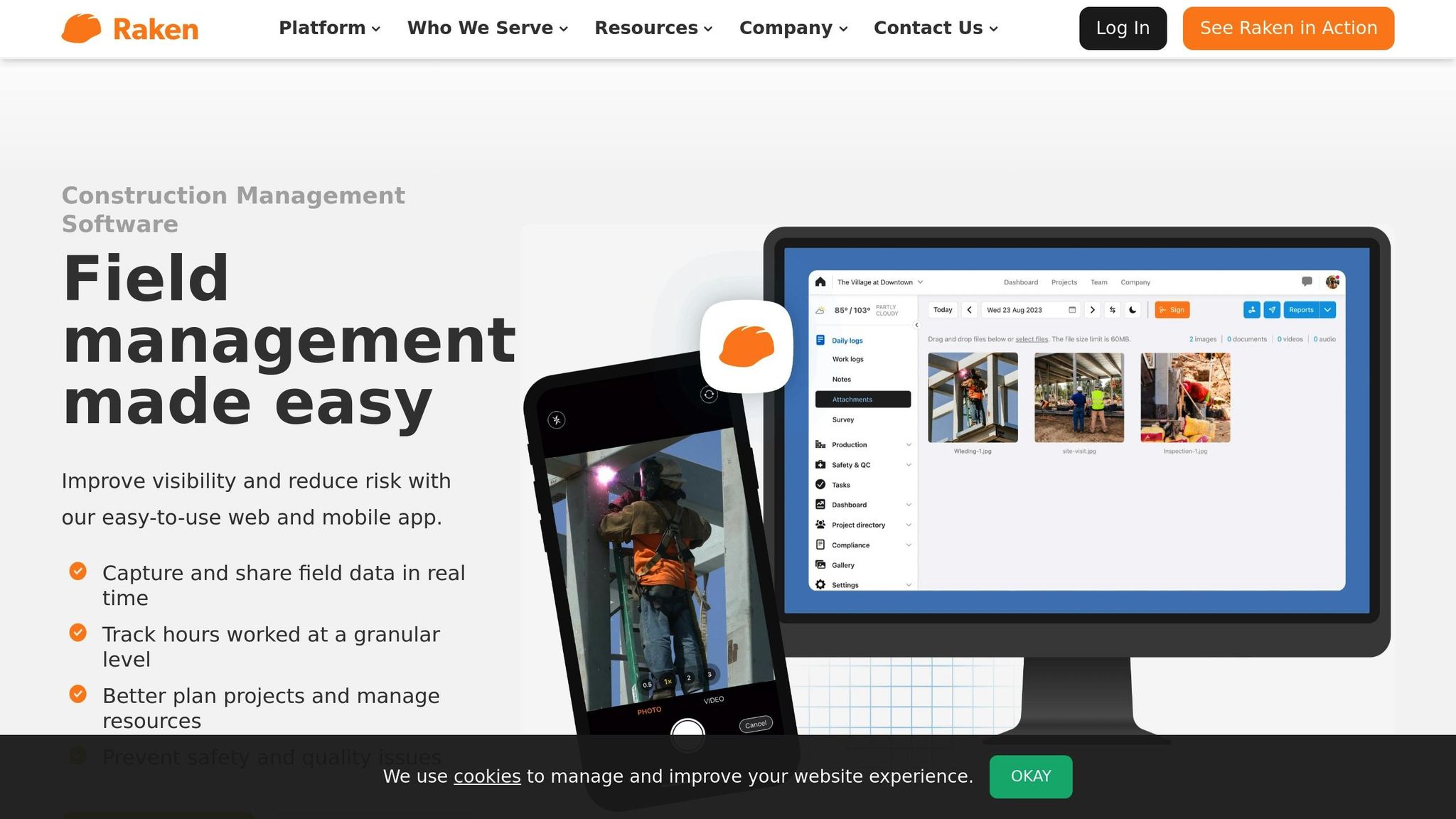
Raken is a daily reporting platform designed specifically for foremen and superintendents working in the field. Its focus on speed and simplicity allows users to quickly capture jobsite data and complete reports in just a few minutes. With its mobile-first design, Raken has become a go-to tool for U.S. commercial contractors and specialty subcontractors who need consistent and standardized documentation across various trades.
Daily Reporting Features: Labor Tracking, Weather Logs, and Photo Attachments
Raken’s standout feature is its robust daily log functionality. Field teams can record labor hours, track crew movements, log production details, and complete safety and quality checklists – all from a single mobile interface. The platform also collects time-tracking data that integrates seamlessly with payroll systems and project costing tools, helping subcontractors keep tabs on productivity trends while simplifying record-keeping.
Built-in weather logging allows teams to document critical conditions like temperature, precipitation, and other factors that could impact construction progress. This data can be invaluable for explaining productivity changes or justifying schedule adjustments.
To enhance documentation, Raken supports photo and video attachments. Field crews can capture images directly through the app, and these visuals automatically link to the corresponding daily report. This feature creates a clear, visual record of project progress, site conditions, and completed work. Many users praise Raken’s professional-looking daily reports, which are often ready to share with owners or higher-tier contractors without requiring additional formatting. The app’s mobile-friendly design ensures these features are both accessible and easy to use.
Mobile-First Data Entry and Offline Functionality
Raken’s mobile app simplifies data entry by allowing users to log reports, time cards, photos, and even voice notes. For areas with poor connectivity, the app works offline and automatically syncs data once a connection is restored. This ensures that no details are lost, even in remote locations.
Integration Capabilities: APIs, Accounting Systems, and Scheduling Tools
Raken integrates effortlessly with other project management tools. Through APIs, the platform channels field data directly into accounting systems, project timelines, and resource management tools. This integration reduces administrative work and ensures that key metrics, such as labor hours and weather logs, contribute to both operational and financial decision-making.
Subcontractor Collaboration and Centralized Reporting
Raken also makes subcontractor collaboration straightforward. Subcontractors can submit their daily reports, which are then rolled up into a general contractor’s master project log. This centralized system creates a unified view of project activities, allowing teams to monitor performance trends and maintain thorough documentation for compliance or claims purposes. Each subcontractor’s contributions are specific to their scope of work, but the aggregated data provides a comprehensive project overview.
Tailored for U.S.-Specific Standards
Raken is designed with U.S. contractors in mind. It allows users to input measurements and costs using familiar units, and its reports are formatted to meet the expectations of U.S.-based clients and general contractors. This localization ensures that the platform aligns with industry practices and requirements.
3. eSUB Construction Daily Reports
eSUB Construction Daily Reports is a cloud-based project management tool tailored specifically for trade contractors and subcontractors. Unlike platforms designed for general contractors, eSUB zeroes in on the unique challenges specialty contractors face, such as documenting work conditions, managing extra work, and maintaining solid project records to support billing and resolve disputes.
The platform organizes critical field data – like manpower, materials, equipment, and delays – into standardized daily reports. These reports can be shared with general contractors and project owners, ensuring everyone stays on the same page. For subcontractors in the U.S., who often deal with change orders and back-charges, having a detailed, timestamped record of daily activities can make the difference between recovering costs and taking a financial hit. This focus on detailed documentation is at the heart of eSUB’s daily reporting features.
Daily Reporting Features: Labor Tracking, Weather Logs, and Photo Attachments
eSUB’s daily reports are built to capture labor details by crew, trade, and cost code, including overtime and production notes tied to specific tasks. Field teams can log hours worked, tasks completed, and associated cost codes – essential data for accurate billing and defending against claims of inefficiency.
The platform also includes weather logs, delay documentation, safety or incident notes, and the ability to add photos or files. Together, these features create a thorough, timestamped record of the project. This level of detail is invaluable for negotiating change orders, disputing back-charges, or resolving conflicts. For example, subcontractors can reference specific dates to show added manpower, unusual weather conditions, or on-site photos as evidence.
Field teams can upload photos directly from the jobsite into daily reports, organizing them by activity, location, or issue for easy access. Project and risk managers can then review these images alongside notes and data to verify completed work, document rework, or support claims. GPS-stamped photos and precise time entries further enhance the credibility of reports during negotiations or legal disputes.
Mobile-First Data Entry and Offline Functionality
The eSUB mobile app simplifies data entry for field teams. Foremen and field leads can log labor hours, activities, and notes directly from their smartphones using intuitive picklists and templates. By allowing workers to document events in real-time – attaching photos, flagging issues, and submitting reports on the spot – the app reduces the need for end-of-day data entry and minimizes errors caused by relying on memory.
For teams working in remote areas with limited connectivity, the app supports offline data entry. Workers can still record hours, tasks, and site notes, and the app will automatically sync everything to the cloud once a connection is available. This ensures that both office and field systems stay updated without any gaps in information.
Integration Capabilities: APIs, Accounting Systems, and Scheduling Tools
eSUB integrates seamlessly with popular construction and accounting systems, allowing labor and cost data from daily reports to flow directly into job costing, billing, and productivity tracking workflows. This eliminates the need for duplicate data entry, keeps job costing accurate, and ensures field-reported labor hours align with payroll and billing systems.
To get the most out of these integrations, experts suggest aligning eSUB’s cost codes and project structures with your accounting and scheduling tools. Setting clear cut-off times for daily submissions and regularly auditing reports against payroll and schedules can help catch discrepancies early. This approach reduces administrative workload while improving financial accuracy.
Designed for U.S.-Specific Formats
eSUB’s reports are formatted to align with U.S. construction standards, using imperial units, U.S. currency, and familiar date and time formats. This localization streamlines approval processes and eliminates conversion errors, saving time and reducing headaches. Whether you’re tracking ductwork in square feet or conduit runs in linear feet, having the correct units built into the system ensures accuracy.
To ensure consistency, configure cost codes, crews, and templates in the office before rolling out the platform. Train a pilot group of foremen to log hours by cost code, document lost time, and attach photos for verification. Project managers can then use dashboards and periodic audits to review reports for completeness. This process ensures a thorough, defensible record for contract negotiations or dispute resolution, giving subcontractors the documentation they need to protect their interests.
4. GoAudits Construction Reporting
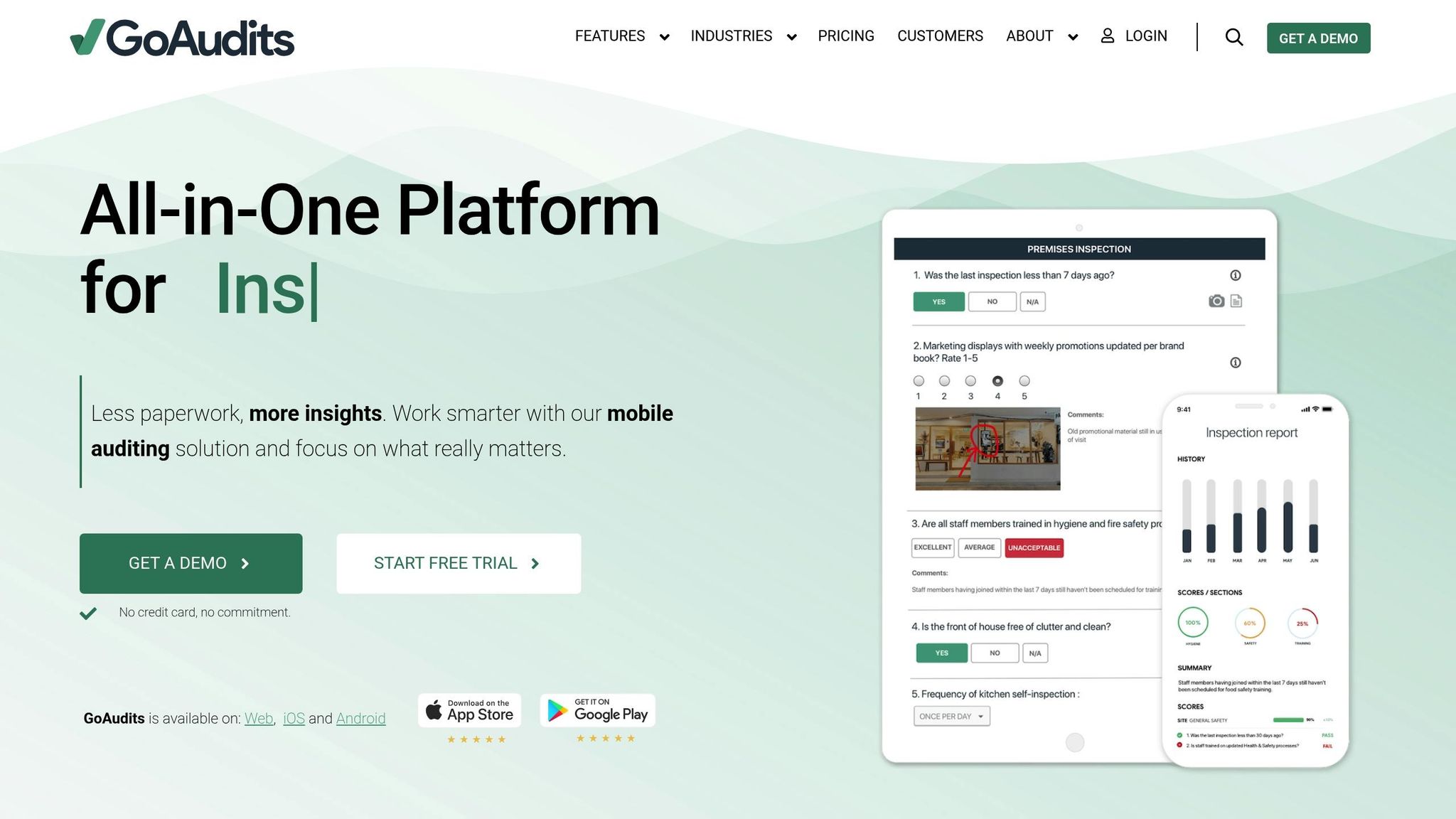
GoAudits is a mobile-first app designed for inspections and audits, but construction teams have found it works well for subcontractor daily reporting too. While it’s primarily marketed for safety checks, quality control, and site audits, its customizable checklists and digital forms make it easy to gather daily field data from subcontractors. The app works on both iOS and Android, making it a practical tool for field crews who prefer using smartphones or tablets over laptops or paper forms.
What makes GoAudits stand out is its structured, checklist-driven approach. Instead of relying on unorganized notes, subcontractors use standardized templates to ensure consistent data collection. This is particularly helpful for general contractors managing multiple subcontractors, as it ensures everyone reports the same type of information in the same format. The app automatically compiles these checklists into branded PDF or Excel reports, complete with photos, annotations, scores, and comments, which can be emailed to stakeholders with a single click. Let’s dive into how its checklist-driven design and mobile features simplify daily reporting.
Daily Reporting Features: Customizable Checklists and Photo Documentation
GoAudits offers a range of features, including customizable checklists and detailed photo documentation, to capture daily activities. While the app isn’t specifically built for daily reporting, its flexible templates can be tailored to include the same details typically found in daily logs. Contractors can create templates specific to a project or trade, with fields for crew size, subcontractor details, labor hours, work areas, completed activities, safety observations, and quality issues. For example, a drywall team could log the number of boards installed, rooms completed, and attach photos for a clear, structured report.
The platform also allows users to attach photos directly to checklist items, add comments, and mark up images to highlight specific issues. For subcontractor reporting, this means documenting completed work, site conditions, and deficiencies with time-stamped photos linked to specific tasks or locations. Field teams can even capture electronic signatures from foremen or superintendents when finalizing reports, creating a solid record that can support change orders or claims. The photo markup tool lets users circle or highlight areas of concern directly on the image, making it easy to communicate issues without lengthy explanations.
A best practice for contractors is to create a standard daily field report template in GoAudits. These templates might include sections for project information, crew details, work completed by location, safety and quality observations, and photos. Large contractors often use conditional logic to streamline reporting – for example, if a safety incident is logged, additional fields for root cause analysis and corrective actions appear automatically. This ensures every subcontractor follows the same structure, making reviews and roll-up reporting much simpler.
Mobile-First Data Entry and Offline Capture
GoAudits is designed to make reporting quick and easy for field crews. Workers can complete audits in minutes using their smartphones, which reduces paperwork and encourages adoption. The app even supports offline data capture, allowing inspections to be completed without internet access. Once connectivity is restored, the data syncs to the cloud automatically. This ensures daily logs stay up-to-date, even in remote or low-connectivity areas, eliminating excuses like “the internet was down.”
To introduce GoAudits smoothly, contractors often start with a small pilot program on one or two projects. By using simple, mobile-friendly templates with short fields and minimal typing, and offering brief on-site training, crews can quickly learn the basics, such as taking photos and completing mandatory sections. Once reports meet project and safety requirements, contractors can standardize templates, set expectations (e.g., requiring daily reports by 6:00 p.m.), and provide quick reference guides to ensure subcontractors adopt the workflow without feeling overwhelmed.
Integration Capabilities: Exports, APIs, and Middleware
GoAudits makes it easy to export daily reports as PDFs, CSV files, or Excel spreadsheets. It also supports integrations through APIs or middleware like Zapier, enabling data to flow into BI tools or ERP systems. This allows GoAudits to complement existing platforms by providing specialized checklist-driven reporting.
Once the data is centralized, safety or quality managers can track key metrics, such as the number of nonconformances per subcontractor, recurring issues (e.g., missing PPE or improper rebar cover), and the time taken to resolve corrective actions. These insights can be exported to Excel or a BI tool to create performance scorecards, which can inform decisions about prequalification, contract renewals, or targeted training for underperforming subcontractors. This directly ties daily reporting habits to long-term performance improvements and risk management.
The app also includes role-based access control, allowing subcontractors to complete their own checklists while general contractors or owners maintain oversight through dashboards and consolidated reports. Reports can be scheduled or triggered – like daily or weekly summaries – so construction managers can view subcontractor updates without needing to log into the app every day. These integrations strengthen GoAudits’ role in a broader construction management system.
Support for U.S.-Specific Formats
GoAudits is built to align with U.S. standards, offering templates that include imperial units, USD currency, and MM/DD/YYYY date formats. Quantity fields can be labeled for specific measurements, like “LF of pipe installed” or “SF of slab poured”, while cost fields display amounts in U.S. dollars with two decimal places (e.g., $1,250.00). Time fields use a 12-hour clock with AM/PM, ensuring reports are easy to understand and compatible with U.S.-based accounting systems.
Contractors can also include mandatory fields for daily weather conditions, such as temperature in °F, precipitation, and wind. Foremen can select from predefined options like “Hot / >90°F”, “Rain – Light”, or “High Winds”, creating a consistent record that can support delay claims or safety reviews later on.
To maintain consistency, contractors can configure cost codes, crews, and templates in advance. The platform’s template library includes options for safety walks, housekeeping, PPE checks, and scaffold inspections, which can be adapted into daily subcontractor checklists. These templates ensure crews log critical details – like labor on site, work areas, equipment, and safety observations – in a standardized format. Mandatory photo fields can also be added for high-risk tasks or key milestones, ensuring daily reports always include visual evidence of site conditions and completed work. This structured approach creates a thorough, auditable trail of site activities, reducing disputes and providing strong documentation for change orders or claims.
5. Fieldwire Field Reporting
Fieldwire seamlessly integrates reporting into field coordination by automatically compiling task updates, plan markups, photos, and issue logs into a structured daily record. As crews work through their tasks – marking up plans, attaching photos, and logging issues – the platform consolidates this information into real-time documentation. This approach allows subcontractors to manage their work efficiently while simultaneously documenting progress, cutting down on duplicate data entry and offering a clearer view of on-site activity.
Unlike traditional systems with blank text boxes, Fieldwire organizes documentation around plans, tasks, and locations. For instance, when a drywall crew notes “Installed 500 SF of drywall, Level 4 finish” and pins it to a specific room on a digital drawing, that entry is automatically added to the daily report with a visual reference. Similarly, if an electrical subcontractor flags an issue with a photo and note, it appears in the log with its exact location on the plan. This method ties every entry to a specific place and time, making it easier to address scope questions, track delays, or justify change orders later.
Daily Reporting Features: Labor Tracking, Weather Logs, and Photo Attachments
Fieldwire’s reports capture critical data like manpower counts, work completed, delays, safety incidents, weather conditions, and photos – all directly from task entries. Crews can update these details as events unfold. For example, a “Daily Summary” task can be updated throughout the day to ensure consistent documentation. Weather conditions are often logged via a recurring “Weather & Site Conditions” task, which tracks temperature (°F), precipitation, and wind, creating a reliable record for future reference.
Photos and files play a key role in these reports. Subcontractors often attach progress photos – ranging from close-ups to wide-area shots – to document completed work and site conditions. Issue photos, on the other hand, highlight obstructions, design conflicts, or unprepared trades, which can support delay claims. Additional documentation, such as checklist PDFs, inspection forms, and manufacturer datasheets, can also be attached to tasks to ensure compliance with specifications. Plan markups provide further clarity by capturing field changes, dimensions, and as-built conditions on a daily basis.
Standardizing a daily report template in Fieldwire – which includes manpower counts, weather conditions, safety incidents, delays, and key photos – ensures uniform documentation across projects. By logging updates throughout the day instead of waiting until the shift ends, foremen reduce the risk of overlooked details. Using shared drawings to record progress also helps various trades identify overlaps or dependencies, improving overall coordination on-site.
Mobile-First Data Entry and Offline Capture
Fieldwire’s mobile-first design allows crews to log updates directly from their smartphones or tablets, eliminating the need for paper forms. With quick tap inputs, photo capture, and checklist entries, crews can easily document labor, installed quantities, and issues in real time. The app supports both iOS and Android devices, making it accessible regardless of device preference.
One of its standout features is offline data capture. Fieldwire stores plans, tasks, and attachments locally, enabling users to access drawings, record progress, and add comments even without cellular or Wi-Fi connectivity. For example, foremen can log installed quantities, safety checks, or deficiencies using standard task templates while offline. Once connectivity is restored – such as when reaching a site trailer with Wi-Fi – the app syncs all updates to the cloud. This feature is especially valuable for remote projects in the U.S., where network coverage can be unreliable.
On projects with limited connectivity, crews are often trained to use offline mode and schedule regular sync times to ensure office teams receive timely updates. This approach helps prevent data loss and ensures smooth communication between field and office teams.
Integration Capabilities: APIs and Construction Management Systems
Fieldwire’s API integrates task data, photos, and checklists with construction management platforms like Procore, enabling seamless synchronization of RFIs, documents, and tasks to reflect real-time field activity. The platform also connects with cloud storage tools like Box and Dropbox, centralizing archives of photos and files for pay applications or claims.
Through its API, contractors can create custom workflows, pushing task statuses or completed inspections into internal dashboards or ERP/PM tools. This integration ties field progress to essential metrics like billing, cost codes, and productivity, reducing duplicate data entry and aligning subcontractor logs with overall project controls.
A common best practice in the U.S. is to define standard templates in Fieldwire, such as daily production tasks by trade (e.g., “Install 500 SF of drywall, Level 4 finish”), labor and equipment checklists, and a recurring “Daily Summary” task for each crew. Foremen complete these tasks daily, tagging them by location or cost code. When integrated with platforms like Procore, photos, documents, and tasks are automatically shared with the general contractor’s primary system, creating a well-organized, date-stamped record. Automated exports in PDF or CSV formats further simplify formal daily reports, pay applications, and change order documentation. These integrations turn real-time field data into actionable insights.
Support for U.S.-Specific Formats
Fieldwire is widely adopted in U.S. construction projects, offering robust support for imperial units like feet and inches, which are commonly used in American construction. Subcontractors can include these measurements in task descriptions, checklists, and annotated plans to align with local specifications and takeoffs. While Fieldwire doesn’t handle full cost ledgers, users can add USD pricing or unit rates in custom fields, such as “$15/linear ft” or “$45.00/hr”, which can then be exported for use in accounting software.
Reports and exports can also be configured to match U.S. date and time formats, such as 12-hour time with AM/PM and the month/day/year structure, ensuring that logs meet local documentation standards.
Experts suggest aligning Fieldwire task categories and custom fields with existing cost codes and schedule activities. This ensures that exports integrate seamlessly into financial reporting, progress tracking, and updates for project owners.
sbb-itb-5eea312
6. Site Diary Reporting App
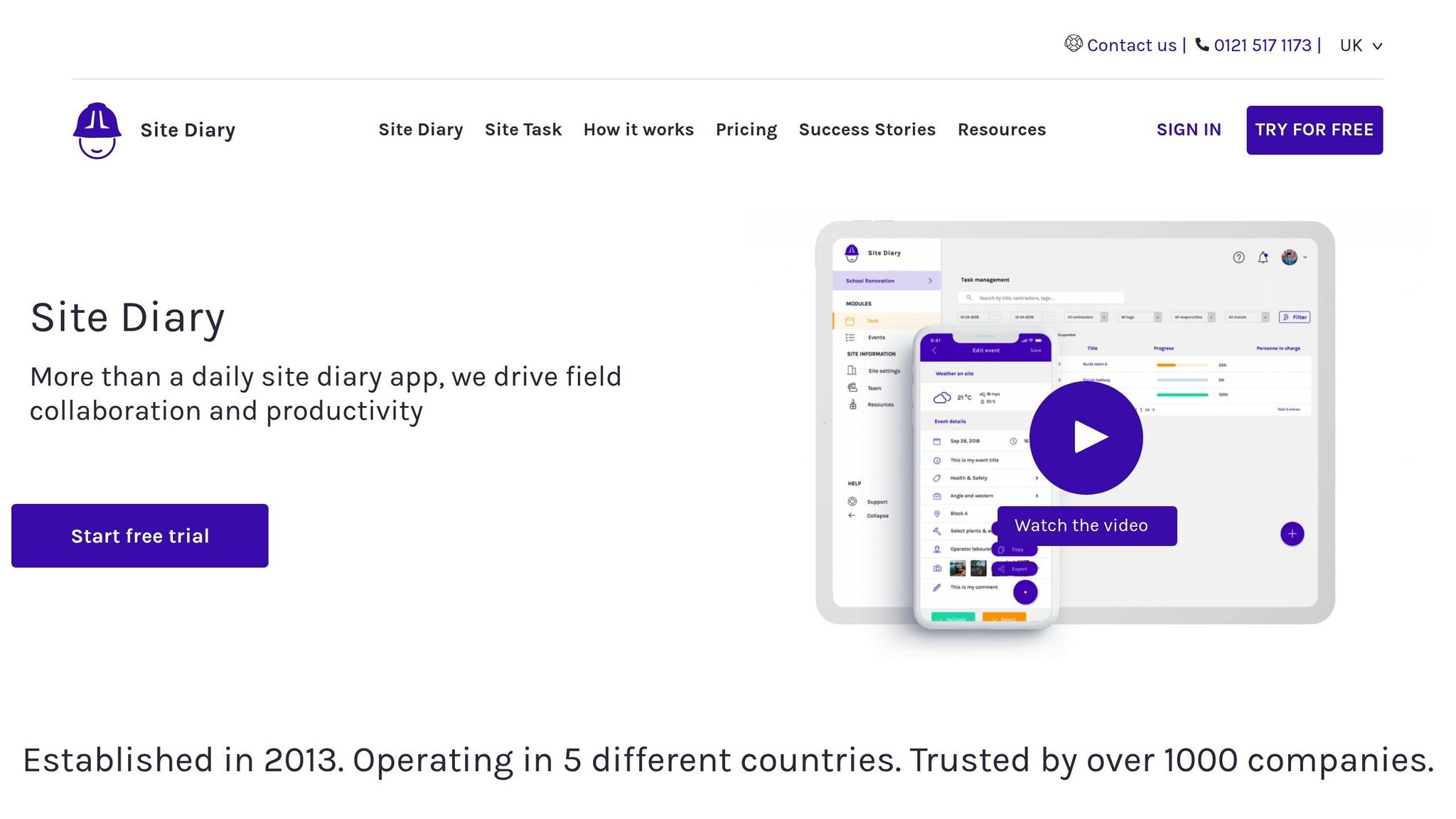
Site Diary is a mobile-first app designed to help subcontractors document daily site activities efficiently. Unlike all-in-one construction management platforms, this app focuses on one specific task: creating structured, shareable daily logs. It’s tailored for field crews to easily record work updates, site conditions, and issues, ensuring seamless communication with general contractors and other stakeholders.
The app stores all project data directly on the user’s device, a feature that appeals to those concerned with data security and privacy. This local storage also allows the app to work offline, making it a reliable option for remote sites with poor cellular coverage. For example, a framing crew on a rural project or a civil contractor working on a highway can log their activities throughout the day and export reports later when they regain connectivity.
Daily Reporting Features: Labor, Weather, and Photos
Site Diary organizes daily logs into a simple, one-page form that captures all the essential details general contractors typically require. Field crews can record:
- Labor hours
- Equipment and machinery usage
- Materials delivered or consumed
The app includes a voice-to-text feature, making it easier to use in challenging environments.
Weather tracking is another key feature. Users can log conditions like temperature, wind, and precipitation. For instance, a concrete crew might note: “42°F at 6:00 AM, light rain from 10:00 AM to 12:00 PM, work stopped.” These weather logs can be critical for supporting claims related to weather delays, especially in the U.S., where contracts often require detailed documentation of site conditions.
Adding photos to reports provides additional context. Crews can attach images to showcase progress, document site conditions, or highlight issues like unprepared work areas. These photos are embedded into the exported PDF or Excel files, creating a complete record. For example, a daily report might note eight carpenters framing Level 3 from 7:00 AM to 3:30 PM, include photos of completed wall sections, and mention delays due to late material deliveries.
Mobile-First Design and Offline Functionality
Built for iOS, Site Diary’s interface is optimized for field use. Its one-page form minimizes the learning curve, allowing foremen and superintendents to complete reports in just a few minutes. This simplicity contrasts with more complex platforms that often require extensive training.
The app’s offline capability is a standout feature. Since data is stored locally, crews working in areas with unreliable connectivity – like a mechanical team in a building’s lower levels or an electrical crew on a remote industrial site – can confidently document their work throughout the day. Once back in range, reports can be exported and shared via email or cloud services like Google Drive. Many subcontractors establish routines where foremen complete entries during the day and send reports at the end of their shift when connectivity is available.
US-Specific Formats and Standards
Site Diary aligns with U.S. construction norms, using familiar formats for dates (MM/DD/YYYY) and times (12-hour clock with AM/PM). Measurements are recorded in imperial units – feet, inches, square footage, and cubic yards – matching the standards used in American contracts.
While the app doesn’t handle financials like invoicing, it allows users to add notes about rates or costs in USD format (e.g., $45.00/hr, $15.50/linear ft). These reports can then be included in U.S.-based accounting systems or attached to time-and-materials tickets.
Export Capabilities and Workflow Integration
Rather than offering automated integrations with construction management systems, Site Diary focuses on creating standardized exports. Reports can be generated as PDFs or Excel files, which users can manually share via email or upload into platforms like Procore or Contractor Foreman. This makes it an excellent standalone tool for subcontractors who need to deliver professional, standardized logs to general contractors.
A typical workflow might involve a foreman completing the daily report in Site Diary, exporting it as a PDF, and emailing it to the general contractor’s project manager. The GC then uploads the report into their system, making it part of the official project record. For users of integrated platforms, these exported reports can easily be added to broader project documentation.
Although this approach requires some manual effort, it’s often an acceptable trade-off for small subcontractors who prioritize simplicity. Establishing consistent routines, like exporting and sending reports at the end of each workday, ensures smooth documentation flow without delays.
Construction claims consultants recommend standardizing Site Diary’s fields to match general contractor requirements and enforcing same-day entries for accuracy. By including key details – weather, labor counts, areas worked, delays, and safety notes – and ensuring reports are completed before leaving the site, subcontractors can create reliable documentation to support change orders, time extensions, and productivity analyses when needed.
7. Sitemate Field Reporting
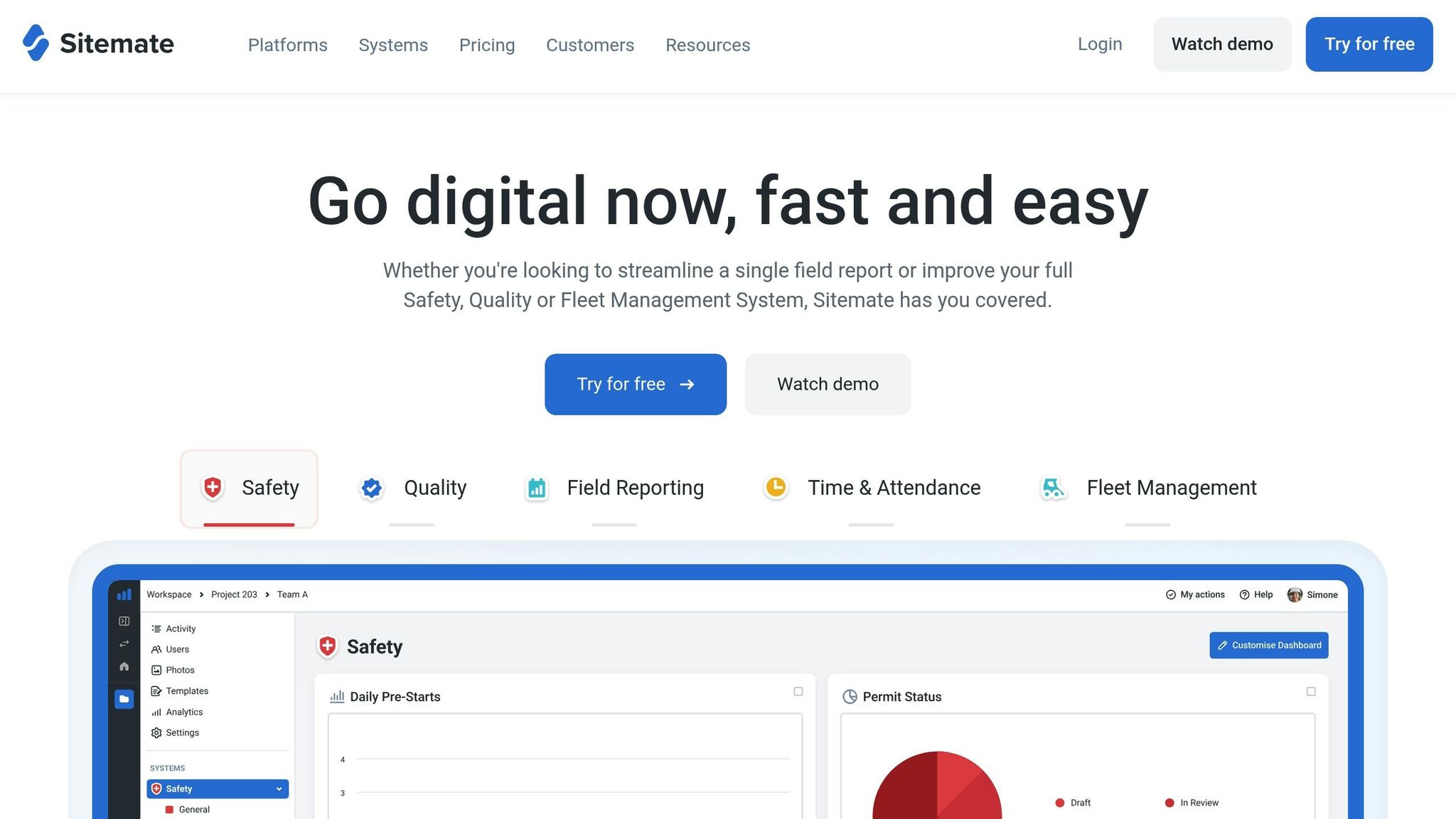
Sitemate streamlines field operations by digitizing all forms and workflows – covering everything from daily logs to safety inspections – into a single platform. This approach ensures site documentation is consistent and easy to manage.
The system integrates a mobile field app with a web-based dashboard. Field crews use the app to input data on-site, while project managers review and export records via the dashboard. This cohesive setup simplifies daily reporting and boosts efficiency.
Daily Reporting Features (Labor Tracking, Weather Logs, Photo/File Attachments)
Sitemate’s daily reporting tools capture the detailed site data general contractors typically need. Subcontractors can log labor hours by trade, crew, or individual worker, often linking entries to specific tasks or site locations. For instance, you might record four HVAC technicians working on Level 2 ductwork while two apprentices handle equipment installation.
Weather conditions, such as temperature, wind, and precipitation, can also be logged directly within reports – essential for documenting delays or safety risks. For example, a concrete crew might note 38°F with heavy rain, explaining why a scheduled pour was delayed.
Users can attach annotated photos and files to their reports. Even in offline mode, data syncs automatically once connectivity is restored. An electrical subcontractor, for instance, could include annotated photos of completed conduit runs alongside a PDF of an updated shop drawing, all within one report.
Mobile-First Data Entry and Offline Capture
Sitemate’s mobile app, available for both iOS and Android, allows subcontractors to complete daily reports directly from the field. Its offline mode is especially useful for crews working in remote or rural U.S. locations with limited cell coverage. Once the device reconnects, all data syncs seamlessly to the central system. The app’s user-friendly design minimizes training needs and helps reduce data entry errors, making it a practical choice for busy construction teams.
Integration Capabilities (APIs, Accounting Systems, Scheduling Tools)
Sitemate offers API-based integrations with widely used U.S. construction management and accounting tools like QuickBooks Online. This allows data such as labor hours and equipment usage from daily reports to flow directly into job costing, payroll, and billing systems, cutting down on manual input. Additionally, custom forms can be set up to route daily reports to project managers or general contractors for review and approval. For example, a foreman’s report can automatically notify a project manager for immediate review or export as a PDF.
Support for U.S.-Specific Formats (Imperial Units, USD Pricing, U.S. Date/Time)
Sitemate is tailored to U.S. construction standards, using imperial units (feet, inches, pounds) for measurements and displaying temperatures in Fahrenheit. Financial data is entered and shown in USD, and date and time formats follow the U.S. convention (MM/DD/YYYY and a 12-hour clock with AM/PM). Templates can also be customized to include U.S.-specific job codes, cost codes, and project phases, ensuring reports align with general contractor expectations. According to GoAudits’ 2024 comparison of construction daily reporting software, Sitemate offers a free trial and paid plans starting at about $15.30 per user per month.
Practical Workflow for Daily Reporting
Sitemate’s features come together to create an efficient daily reporting process. A foreman might start by opening the mobile app at the end of the day, selecting the project and date, and logging crew members along with their hours worked by trade. They can add notes on tasks completed, safety observations, delays, or issues, and include weather conditions. Photos of completed work, safety concerns, or site changes can also be attached and annotated directly in the report.
Once submitted, the report automatically syncs to the office, where it can be reviewed, exported as a PDF or Excel file, or integrated with other systems using Sitemate’s API. This streamlined process not only improves timekeeping and payroll accuracy but also provides clear documentation for resolving disputes or handling change orders. By standardizing daily reporting across projects, subcontractors can improve communication with general contractors while reducing administrative burdens – all with the flexibility to adapt forms and workflows to their specific needs.
8. Sablono Site Progress Reporting
Sablono takes a different approach to site reporting by linking progress tracking directly to project schedules. This makes it especially useful for large-scale U.S. commercial projects like hospitals, high-rises, and infrastructure builds, where precise sequencing and productivity tracking are critical. Instead of relying on traditional daily logs, Sablono creates a seamless connection between detailed activity progress and the overall construction schedule.
The platform organizes major tasks into smaller, repeatable units based on specific areas, floors, or zones. Subcontractors are assigned tasks and can update their progress and quantities through a mobile app. This setup eliminates the need for endless email updates, offering a real-time, centralized view of the project.
Daily Reporting Features
Sablono excels in task-level progress reporting. Field teams can document daily outputs, such as the number of doors installed, square feet of tiling completed, or linear feet of piping laid. This allows for productivity tracking by subcontractor, activity, or area. For example, drywall crews’ work can be measured in square feet per floor. Over time, this data helps benchmark performance and refine future schedules and bids.
The platform also allows users to attach photos, documents, and as-built evidence to tasks. This could include quality inspection images, test certificates, or RFIs, which are especially helpful for resolving disputes, completing punch lists, or justifying change orders. By providing this level of detail, Sablono enhances decision-making throughout the project lifecycle.
Mobile-First Data Entry and Offline Access
Field crews update task statuses and quantities using a mobile app that works offline by caching task lists and drawings. Once reconnected, the app automatically syncs with the system. This feature is particularly valuable for large U.S. projects where site connectivity can be unreliable. Meanwhile, office teams can monitor progress in near real-time via web-based dashboards.
Integration Capabilities
Sablono’s ability to integrate with other tools is a standout feature. For example, it connects with master schedules from Primavera P6 and Microsoft Project, ensuring field-level progress aligns with the broader schedule. Integration is achieved through APIs or file-based connectors, and the platform can also link to project management and ERP systems. This eliminates duplicate data entry and ensures cost and resource data remain aligned, offering a streamlined approach to project oversight.
Support for U.S.-Specific Formats
The platform is tailored to meet U.S. standards, supporting imperial units like feet, square feet, and cubic yards. For financial reporting, it allows progress data to be expressed in USD ($), ensuring compatibility with ERP and accounting systems. Date and time fields can also be configured to U.S. formats (MM/DD/YYYY and 12-hour time), making reports and dashboards immediately usable for American stakeholders, insurers, and auditors.
Practical Implementation for Subcontractor Coordination
Sablono allows general contractors to create detailed task maps, often called “process templates”, by breaking down activities into smaller units tied to specific locations, such as floors or zones. Subcontractors update task statuses through the mobile app, enabling the generation of heatmaps and performance comparisons between planned and actual progress. These insights allow contractors to address delays early. Progress data can also be exported by subcontractor and location to support billing, verify time-and-materials claims, or analyze disputes. Visual dashboards with S-curves, variance charts, and map overlays provide a clear view of progress at various levels, from project-wide to individual trades.
Successful rollouts often start with careful planning and template creation, involving project engineers, planners, and subcontractors to balance detailed reporting with manageable daily updates. Pilot projects typically focus on one or two major trades, such as structural work or MEP, to refine workflows and test integration with the master schedule. Training emphasizes quick mobile workflows, like bulk task updates and offline functionality, rather than office-based features. Setting clear expectations, such as requiring daily task updates by a specific time, and monitoring compliance through dashboards are key steps for smooth adoption.
A 2025 construction reporting guide highlights Sablono as one of the top tools for daily reporting, describing it as a “high-tech approach” to progress and quality tracking. The platform offers a free trial, with pricing available upon request, making it a mid- to enterprise-level solution ideal for complex projects.
Feature Comparison Tables
Here’s a concise look at key features and pricing details for eight leading platforms used by U.S. contractors. These tables are designed to help you quickly compare tools for daily reporting and integration capabilities.
Daily Reporting & Pricing Comparison
This table highlights essential features like subcontractor log submissions and pricing (in USD). All platforms support iOS and Android apps with offline access.
| Tool | Daily Logs & Work Performed | Media Attachments | Labor Tracking | Safety & Quality Checklists | Weather Capture | Subcontractor Access | Pricing (USD) |
|---|---|---|---|---|---|---|---|
| Contractor Foreman | Crew logs, manpower, equipment, materials | Photos, file attachments | Time tracking, GPS timecards | Safety meetings, custom checklists | Automated weather data | Unlimited projects, multiple subs | $49/month (1 user) to $249/month (unlimited users) |
| Raken | Work logs, production tracking, notes | Photos, videos, time-stamped | Manpower logs, cost codes | Safety forms, toolbox talks | Automatic weather by location | Free subcontractor access on every project | Custom pricing |
| eSUB | Daily logs, crew activities, materials | Photo and document attachments | Labor hours by trade | Quality and safety inspections | Weather logs | Subcontractor portals | Custom pricing |
| GoAudits | Structured checklists, work logs | Photo capture with annotations | Time entries per task | Safety and compliance audits | Manual weather entry | Team and sub access | Custom pricing |
| Fieldwire | Task-based logs, work completed | Photos tied to plans and tasks | Time tracking per task | Punch lists, inspections | Manual weather notes | Team collaboration (paid tiers) | Free tier available; paid plans custom pricing |
| Site Diary | Daily site logs, crew notes | Photos, videos, documents | Labor hours by crew | Safety logs | Automatic weather by ZIP code | Multiple subs per project | Custom pricing |
| Sitemate | Daily reports, progress logs | Photos and file uploads | Time and attendance | Safety and quality forms | Weather capture | Subcontractor collaboration | Custom pricing |
| Sablono | Task-level progress by area/floor | Photos, as-built evidence, test certificates | Productivity tracking by trade | Quality inspection attachments | Manual entry | Subcontractor task updates | Custom pricing (mid- to enterprise-level) |
Key takeaways:
- Contractor Foreman stands out with transparent pricing starting at $49/month for a single user, scaling to $249/month for unlimited users.
- Raken simplifies subcontractor coordination by offering free access for subcontractors on all projects.
- Fieldwire provides a free tier for smaller teams, with advanced features available in paid plans.
- Pricing for eSUB, GoAudits, Site Diary, Sitemate, and Sablono requires contacting sales for quotes.
Integration Capabilities Comparison
This table outlines how platforms integrate with accounting systems, project schedules, and other tools, minimizing manual data entry.
| Tool | Accounting Integrations | Schedule Syncing | Open API / Webhooks | Document Storage Integrations | Single Sign-On (SSO) | Data Export Options |
|---|---|---|---|---|---|---|
| Contractor Foreman | Native QuickBooks; Xero (coming mid-2026) | Google Calendar, Outlook Calendar, Microsoft Project | Via Zapier (connects to 50+ systems) | Built-in document management | ✓ | CSV/Excel, PDF reports |
| Raken | Integrates with major accounting platforms | Syncs with project schedules in project management tools | Limited public API | OneDrive, Google Drive, Dropbox | ✓ | Automated PDF daily reports via email, CSV export |
| eSUB | Native QuickBooks, Sage, Foundation, Viewpoint/Vista | Syncs with internal Gantt and external schedulers | Open API available | SharePoint, OneDrive, Google Drive | ✓ | CSV, PDF, automated email summaries |
| GoAudits | Via integrations or CSV export | Limited schedule syncing | Open API | Google Drive, Dropbox | ✓ | CSV, PDF, automated reports |
| Fieldwire | Via third-party connectors or export | Task-based workflows link to internal schedules | Open API | OneDrive, Google Drive, Dropbox | ✓ | CSV, PDF, plan-based reports |
| Site Diary | Via export or third-party integrations | Limited | API available | Cloud storage integrations | ✓ | CSV, PDF, email summaries |
| Sitemate | Integrates with accounting and ERP systems | Syncs with project schedules | Open API | Built-in document management | ✓ | CSV, PDF, automated reporting |
| Sablono | Integrates with ERP systems; progress data in USD | Native sync with Primavera P6, Microsoft Project | Open API, file-based connectors | Document attachments to tasks | ✓ | CSV, PDF, S-curves, heatmaps, variance charts |
Key takeaways:
- Contractor Foreman connects natively with QuickBooks and uses Zapier to integrate with over 50 systems.
- Raken automates stakeholder communication with PDF daily reports sent via email.
- eSUB and Sablono excel in accounting and ERP integrations, with Sablono offering seamless synchronization with Primavera P6 and Microsoft Project.
- Fieldwire shines with task-based workflows that link daily logs to plans and photos.
- Open APIs from eSUB, Sitemate, and Sablono allow custom integrations for specialized workflows or dashboards.
These tables provide a clear snapshot of each tool’s strengths, helping you identify the platform that best suits your needs for subcontractor reporting and integration.
Conclusion
Switching subcontractor daily reporting from paper logs and spreadsheets to integrated digital platforms offers major advantages in time efficiency, better documentation, and improved project oversight. By enabling direct digital entry, errors are minimized, and a reliable audit trail is created to support compliance and claims defense. Real-time data helps identify delays and cost overruns earlier, allowing for quicker adjustments, re-sequencing of work, and smoother change order negotiations. These benefits make the case for selecting the right digital solution.
A quick look at available tools highlights the variety of options. For instance, Contractor Foreman stands out with pricing that starts at $49/month for a single user and scales to $249/month for unlimited users. It also integrates seamlessly with QuickBooks and connects to over 50 systems via Zapier. Raken is praised for its intuitive daily reporting features, while Fieldwire offers a free plan for smaller teams. Other platforms like eSUB and Sablono are known for their strong accounting and ERP integration capabilities.
When deciding on a platform, consider factors like company size, trade specialization, and the types of contracts you typically handle. Specialty subcontractors managing numerous smaller jobs might benefit from a lightweight mobile app designed for quick daily log entries. On the other hand, general contractors working on large-scale commercial projects may require tools with robust scheduling and document control features. Ensure the platform adheres to US construction reporting standards and offers features like unlimited projects, predictable pricing in US dollars, and US-based customer support and training – key aspects for teams spread across multiple job sites.
To implement these tools effectively, start small. Select one or two pilot projects and involve a limited group of subcontractors. Standardize a straightforward daily report template that includes crews, hours, work areas, issues, and photos. Offer brief jobsite training sessions and enforce the use of digital reporting through contract terms that tie it to payment applications. Designate a project engineer or assistant superintendent as the “daily report champion” to oversee data accuracy and provide guidance during the initial rollout phase. This approach ensures a smoother transition and reliable reporting from the start.
FAQs
What are the advantages of using digital tools for subcontractor daily reporting instead of paper logs?
Switching from paper logs to digital tools for subcontractor daily reporting comes with several clear advantages. For starters, digital platforms allow you to capture and organize data in real-time, significantly lowering the chances of losing or misplacing critical information. Plus, these tools automatically sync with construction management systems, ensuring that everyone involved has access to the most up-to-date reports without delays.
Beyond that, digital tools bring a noticeable boost to efficiency and accuracy. Features like pre-designed templates and built-in error-checking not only save time but also help minimize mistakes. Instead of dealing with stacks of physical paperwork, reports are securely stored and can be retrieved effortlessly for audits or project reviews. This shift to digital reporting simplifies processes, making it a faster and more dependable way to keep projects running smoothly.
How do digital tools improve the accuracy and compliance of subcontractor daily reports in construction projects?
Digital tools make subcontractor daily reports more precise and compliant by simplifying data entry and automating tasks. They minimize mistakes by using standardized report formats and requiring all necessary fields to be filled out before submission. Many of these tools also come with handy features like timestamped entries, geolocation tracking, and photo uploads, offering real-time, verifiable information.
When connected to construction management systems, these tools help meet project requirements and adhere to industry regulations. They centralize all documentation, making it easier to monitor progress, address disputes, and keep reliable records for audits or inspections. The result? Time saved, smoother collaboration, and greater accountability across teams.
What should I look for in a subcontractor daily reporting tool for my construction projects?
When choosing a subcontractor daily reporting tool, it’s crucial to focus on features that simplify communication, boost accuracy, and work well with your existing construction management system. Here are some important aspects to keep in mind:
- User-friendly design: Pick a tool that’s easy for both your team and subcontractors to use. This reduces the learning curve and helps avoid mistakes.
- Seamless integration: Ensure the software can connect with your current systems, like project management or financial tools, so all your data stays in one place.
- Mobile functionality: A mobile-friendly tool lets subcontractors submit reports straight from the job site, saving time and ensuring updates are immediate.
- Additional features: Look for platforms that include extras like scheduling, daily logs, and document sharing to improve project management across the board.
By focusing on these elements, you can improve teamwork, avoid unnecessary delays, and keep accurate records for your construction projects.







