
Let’s be real: manual daily logs are a hassle.
They get filled out at the end of the day (or three days later), scribbled in notebooks, lost in trucks, or handed in half-complete. And when a dispute pops up? Suddenly everyone’s looking at their boots…
This is where daily log apps come in. They’re simple enough to use and don’t eat up much time. Your team can log work updates in real time—who was on site, what work got done, deliveries that showed up (or didn’t), weather conditions, issues, and photos.
That means you’re not just documenting what happened after the fact. You can spot problems as they come up, adjust plans on the fly, and keep small issues from turning into bigger ones—all while building a clean record of what actually happened across your construction projects.
They also improve compliance with regulations like OSHA and streamline communication between field teams and offices.
Choosing the right tool doesn’t have to be complicated.
You just need to understand what each app actually does and whether its core features line up with how you run your jobs. In this article, I’ll break down what each option offers so you can decide what makes sense for you and your crew.
Here are 7 construction daily log apps worth considering:
- Contractor Foreman: Offers 35+ features, including daily logs, scheduling, and QuickBooks integration.
- Raken: Focused on creating detailed daily reports with multimedia support. Pricing available upon request.
- Buildertrend: Best for residential projects with features like weather tracking and Gantt charts. Contact for pricing.
- Fieldwire: Links daily logs to tasks and plans.
- Snappii: A simple app for quick reporting with voice-to-text. Limited free trial available.
- Site Diary: Simplifies documentation and integrates with Procore. Pricing upon request.
- Knowify: Tailored for small contractors with QuickBooks sync.
These apps save time, reduce errors, and improve project oversight. Choose based on your team size, budget, and integration needs.
Quick Comparison
| App | Starting Price | Best For | Key Features | Mobile Support | Integrations |
|---|---|---|---|---|---|
| Contractor Foreman | $49/month | All-in-one management | 35+ features, unlimited projects | iOS/Android | QuickBooks, Zapier |
| Raken | Contact for pricing | Detailed daily reporting | Multimedia logs, offline sync | iOS/Android | Procore, QuickBooks |
| Buildertrend | Contact for pricing | Residential projects | Weather tracking, Gantt charts | iOS/Android | QuickBooks, Xero |
| Fieldwire | $39/user/month | Task-linked documentation | Task progress tracking | iOS/Android | Procore, Autodesk |
| Snappii | Free trial | Simple daily logs | Voice-to-text, offline mode | iOS | Basic cloud storage |
| Site Diary | Contact for pricing | Easy documentation | Weather and photo tracking | iOS/Android | Procore |
| Knowify | $68/month | Small contractors | QuickBooks sync, weather tracking | iOS/Android | QuickBooks |
Daily log apps are more than convenience – they’re tools to improve efficiency and compliance. Evaluate your needs and choose the app that aligns with your project demands.
What to Look for in a Daily Log App
Picking the right daily log app can make a huge difference in project management by simplifying processes and cutting down on errors. Here are some key features to look for when choosing the best option.
Mobile access is a must-have. Field teams need the ability to log data, upload photos, and update reports directly from their smartphones or tablets. This real-time access eliminates delays and ensures everyone stays informed. A 2024 report by Mercator.ai found that construction firms using integrated daily log apps saw a 30% drop in time spent on manual reporting and a 25% reduction in compliance issues.
A user-friendly interface is equally important. An intuitive design makes it easier for teams to use the app consistently without requiring extensive training, which helps ensure logs are completed accurately.
Integration capabilities with tools like QuickBooks or project management platforms are another essential feature. This allows field data to sync automatically with budgets, schedules, and reports, saving time and reducing errors.
Features like photo and weather tracking are critical for documentation and legal protection. Being able to visually capture site conditions and track progress, combined with automatic weather logging, helps explain delays, supports insurance claims, and ensures accurate records in case of disputes.
Customizable forms are a big plus. Whether you need safety checklists, subcontractor forms, or other specialized reports, customization ensures that the app meets both project and regulatory requirements.
Apps with offline functionality are also worth considering. This feature allows teams to enter data even without internet access and sync it automatically once connectivity is restored – a must for remote job sites.
Other helpful tools include voice-to-text recording, which speeds up data entry for busy supervisors, and options for subcontractors to submit their own daily reports. These can be compiled automatically into master reports for general contractors, streamlining the process further.
According to a 2023 survey by the Construction Industry Institute, 78% of contractors reported better project visibility and less paperwork after switching to digital daily log apps.
When it comes to cost, daily log apps range from free basic versions to premium plans starting at around $15 per user per month. However, the real focus should be on value. The right app can easily pay for itself by improving efficiency, enhancing communication, and cutting down on administrative work – all of which are key to effective construction management.
1. Contractor Foreman
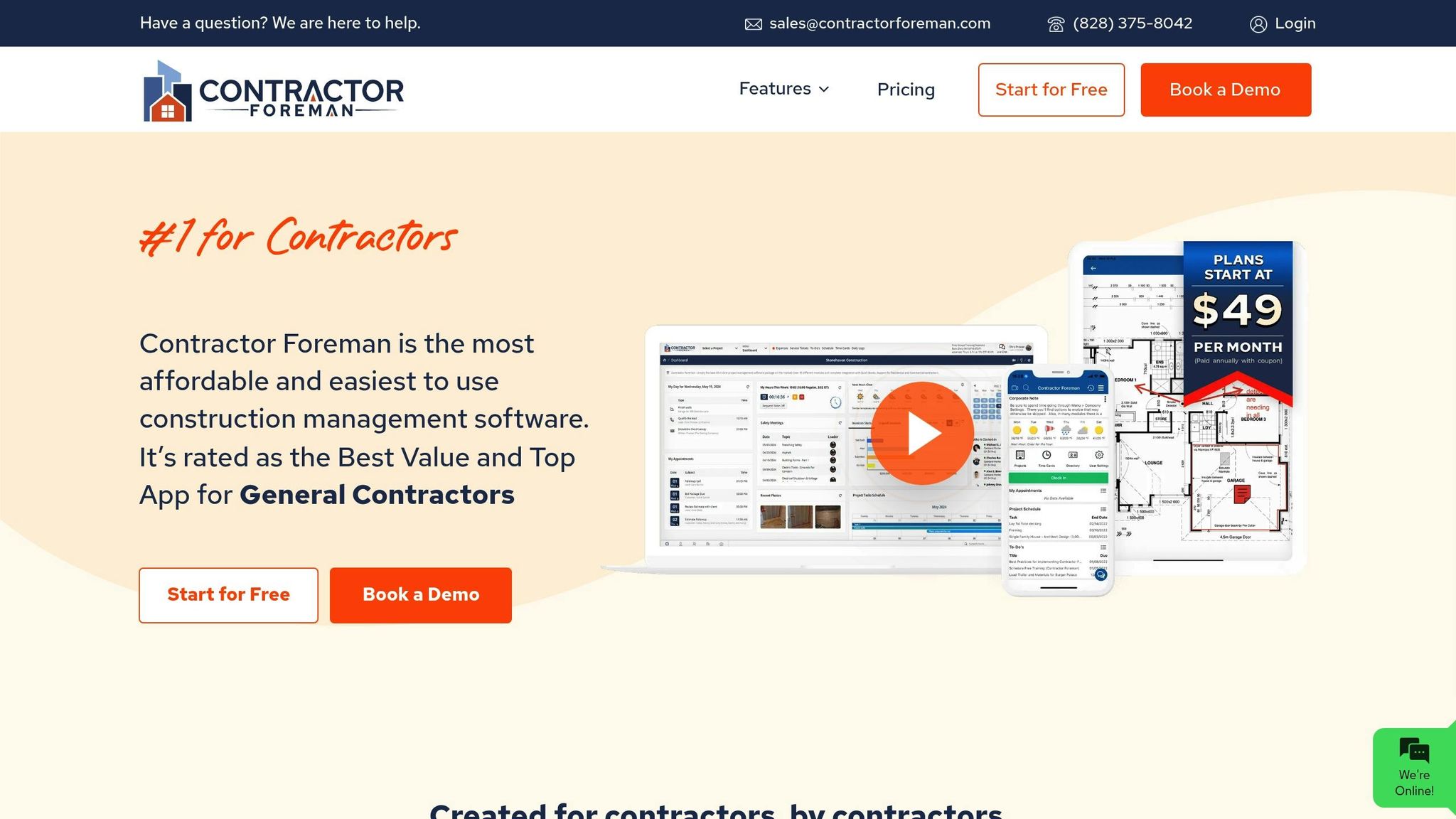
Contractor Foreman is an all-in-one construction management platform that goes beyond just daily logging. With over 35 features, it offers tools for project management, financial tracking, scheduling, and client portals, making it a versatile solution for contractors.
Daily Log Features: Photos, Weather, and Documents
The daily log feature allows contractors to document jobsite activity in detail, including photos, weather conditions, and attached documents. These logs are vital for tasks like resolving payment disputes and maintaining compliance records. Contractor Foreman also simplifies document management with over 100 reports, 50 prebuilt forms, custom forms, and checklists, along with tools like Vehicle and Equipment Logs. Additional capabilities, such as Drawings & PDF Markup, let teams annotate construction documents directly within the platform.
“This software packs more punch than you would expect at its meager price point. It offers so much in the way of construction management that it is almost unbelievable.” – Lindsey-Leigh M., JWH Construction Services, Inc.
These features are designed to work seamlessly across devices, ensuring smooth performance in the field.
Mobile Accessibility for iOS and Android
Contractor Foreman’s mobile apps, rated by Forbes Advisor as “Easiest to Use”, allow field teams to update logs in real time from any device. The apps are designed to handle the demands of the jobsite, with users frequently praising their simplicity and ease of use – even for those less familiar with technology.
“Very user-friendly interface – easy to learn and navigate, even for team members who aren’t tech-savvy.” – Karen S.
With such strong mobile functionality, the platform also stands out for its ability to integrate with other essential tools.
Integration with Project Management and Accounting Systems
Contractor Foreman connects with over 50 systems, including QuickBooks Online and Zapier, streamlining workflows between daily logs and other business operations. This integration reduces duplicate data entry and ensures that cost codes and cost items sync automatically, making payroll and project costing more accurate.
Field teams can complete time sheets directly in the app, while advanced billing features allow contractors to send invoices to multiple contacts and keep stakeholders in the loop.
“The ability to, in one place, track jobs from estimating, to project progress, billing, and employee management all in one place that also integrates with QuickBooks.” – Anthony W., Authority Refrigeration, LLC
Pricing
Contractor Foreman offers transparent pricing starting at $49/month for the Basic plan (1 user), with options scaling up to $249/month for unlimited users. All plans support unlimited projects and include free training and support, making it a cost-effective choice for teams of any size.
This pricing structure is ideal for smaller teams looking for affordability, while also providing scalability for growing businesses. By combining daily logs with a full suite of construction management tools, Contractor Foreman eliminates the need for multiple specialized platforms.
2. Raken
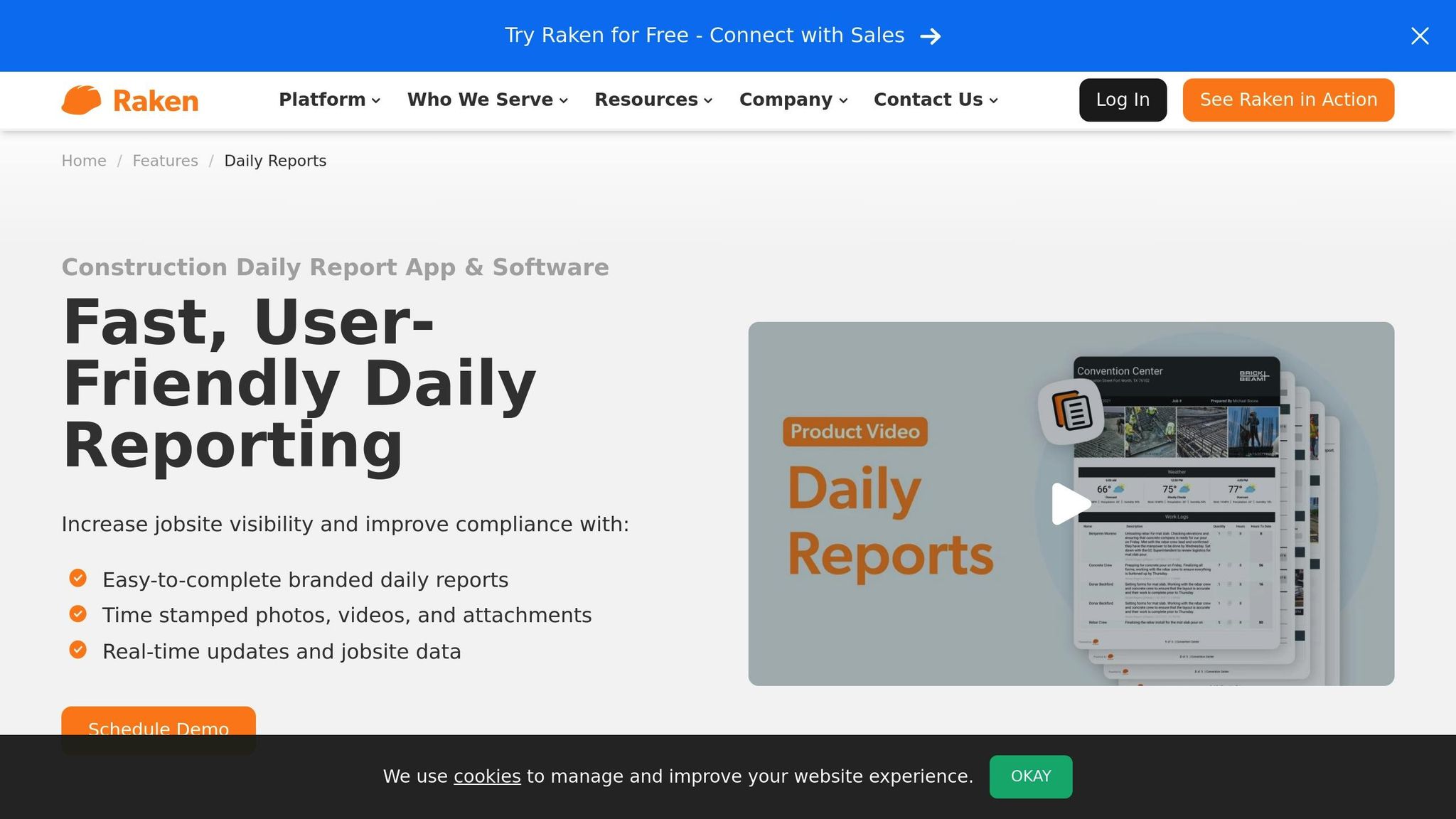
Raken is a purpose-built app for the construction industry, focusing on simplifying daily reporting and on-site documentation. It allows field teams to create detailed multimedia daily logs that combine photos, voice notes, checklists, and written entries into a single, cohesive report. Like Contractor Foreman, Raken prioritizes real-time reporting to help manage jobsites more efficiently.
Daily Log Features: Photos, Weather, and Documentation
Raken makes it easy for contractors to document work activity with mobile-friendly tools for work logs, time cards, and checklists. The app supports voice-to-text recording, enabling quick notes about who was onsite, what work was completed, and other project details. Users can also upload photos and attachments directly into a daily report. These reports can be customized by supervisor, shift, or location and downloaded individually or as a combined PDF for an overview of the project.
For added reliability, Raken includes court-admissible documentation with timestamps and digital signatures. This helps contractors comply with legal requirements and provides a solid foundation for resolving disputes if they arise.
Mobile App for iOS and Android
Designed for fast, on-the-go data entry, Raken’s mobile app is available for both iOS and Android devices. It supports offline data capture, which is especially handy for jobsites with poor or no internet connectivity. Once a connection is available, the app syncs data to the cloud in real time, ensuring no critical information is lost.
Integration with Management and Accounting Tools
Raken connects seamlessly with popular platforms like Procore, Autodesk, and QuickBooks. These integrations help streamline workflows by syncing daily log data with larger project management and accounting systems, cutting down on manual data entry and improving accuracy. The app also includes a collaborator reports feature, allowing external subcontractors to submit their own daily reports. Once submitted, these are automatically added to the project’s master daily log, removing the need for follow-ups.
Pricing
Raken uses a tiered, per-user pricing model. Contractors can visit Raken’s official website to get the latest rates and request a customized quote based on their team size.
3. Buildertrend
Buildertrend is a construction management platform designed to simplify communication and documentation for contractors. By combining real-time updates with seamless collaboration, it helps teams stay aligned and maintain accurate project records. Like other leading daily log apps, Buildertrend connects field data with office operations to provide a clear overview of project progress.
Daily Log Features: Notes, Photos, and Weather Tracking
The daily log feature in Buildertrend allows users to record notes, upload photos, track weather conditions, and attach documents directly from their mobile devices. Each entry is time-stamped, creating a reliable record that supports compliance and helps resolve disputes. This data syncs instantly with the office, giving project managers a live snapshot of jobsite conditions and progress. Such detailed logs can also be invaluable for handling insurance claims.
Mobile-Friendly for iOS and Android
Buildertrend’s mobile app works seamlessly on both iOS and Android devices. Field teams can easily access daily logs, upload jobsite photos, and manage schedules on the go. The app is designed for quick and simple data entry, ensuring that important details are captured promptly.
Integration with Accounting and Management Tools
Buildertrend integrates with popular tools like QuickBooks and Xero, enabling automatic syncing of expenses and client data. Additionally, daily log entries are directly linked to project schedules and budgets, eliminating the need for duplicate data entry and reducing administrative work.
Pricing
Buildertrend uses a subscription model tailored to the size and needs of each company. Pricing is based on a flat monthly fee, with tiered plans offering different features. Contractors can contact Buildertrend directly to get a customized quote based on their business requirements and team size.
4. Fieldwire
Fieldwire is a construction management app designed with field teams in mind. It connects daily logs to specific tasks and project plans, creating a detailed record that helps contractors monitor progress and ensure accountability across job sites.
Daily Log Functionality: Task-Linked Documentation
Fieldwire’s daily log system allows users to link logs directly to tasks, plans, and photos. This creates a clear and organized record of completed work. Field teams can attach photos for visual evidence and associate log entries with project plans, making it easier to compare progress against the original specifications.
The app excels in photo documentation and tracking task progress, though its weather tracking and document management features may not be as extensive as some other tools. Its primary focus remains on documenting field activities and task completion, offering a streamlined solution for these needs.
Mobile Accessibility: Full iOS and Android Support
Fieldwire’s mobile functionality is a strong point. The app is fully supported on iOS and Android, enabling contractors and field teams to create, update, and review daily logs directly from their smartphones or tablets. This real-time access ensures that important details are recorded immediately, reducing the risk of forgotten or delayed updates.
Field crews can upload photos, add notes, and update task statuses on the spot. This immediate documentation improves communication and keeps both field and office teams aligned.
Integration Capabilities: Limited but Improving
Fieldwire integrates seamlessly within its ecosystem, linking daily logs to tasks and project plans for organized documentation. However, its ability to connect with external platforms, such as accounting tools, is currently limited. Despite this, the app’s internal integration ensures that all project information remains well-organized.
Pricing
Fieldwire’s pricing includes a Pro plan at $39/user/month and a Business plan at $59/user/month. For small teams, a free plan with limited features is also available.
sbb-itb-5eea312
5. Snappii Construction Daily Log App
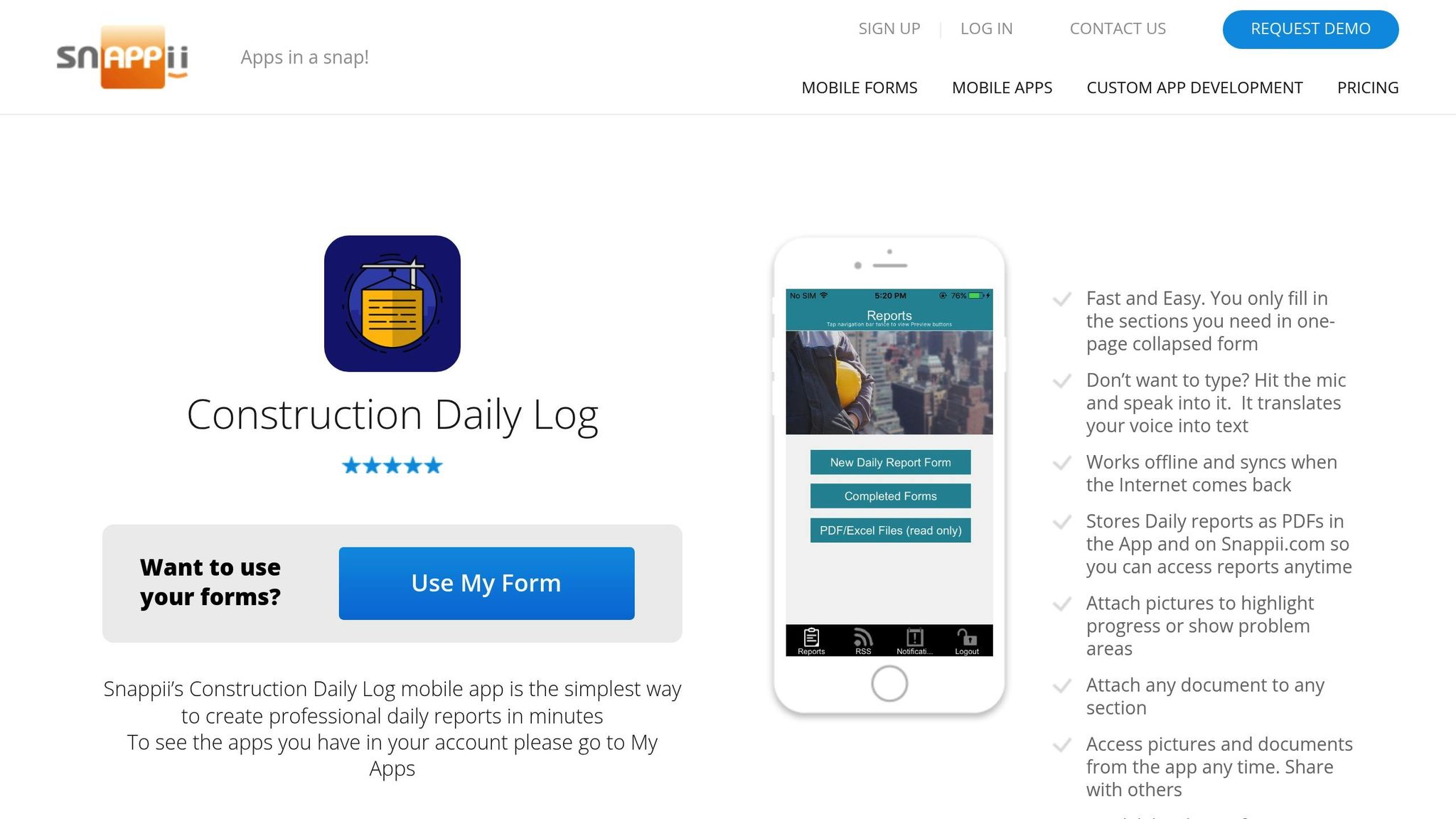
The Snappii Construction Daily Log App simplifies jobsite reporting with a straightforward, one-page digital form. It’s designed to collect key details like contractor information, site conditions, work completed, and any issues – all in an easy-to-navigate format.
Daily Log Functionality: Simple and Efficient
The app’s single-page design makes it quick and easy for workers to fill out daily reports. To make things even faster, it includes a voice-to-text feature, allowing field workers to dictate their entries instead of typing. This combination of simplicity and efficiency is ideal for busy job sites.
Mobile Accessibility: Designed for iOS
Built with mobility in mind, the app is available on iOS devices, making it accessible via smartphones or tablets. It also features an offline mode, so workers can continue logging activities even without internet access. Once a connection is restored, the app automatically syncs the data.
Limitations and Considerations
While the app is user-friendly, its free trial only allows for two reports per month. Additionally, occasional crashes might interrupt workflows. Because of these limitations, Snappii is a better fit for small contractors, subcontractors, or individual technicians who need a quick and easy way to log daily activities rather than a full-scale project management tool.
6. Site Diary
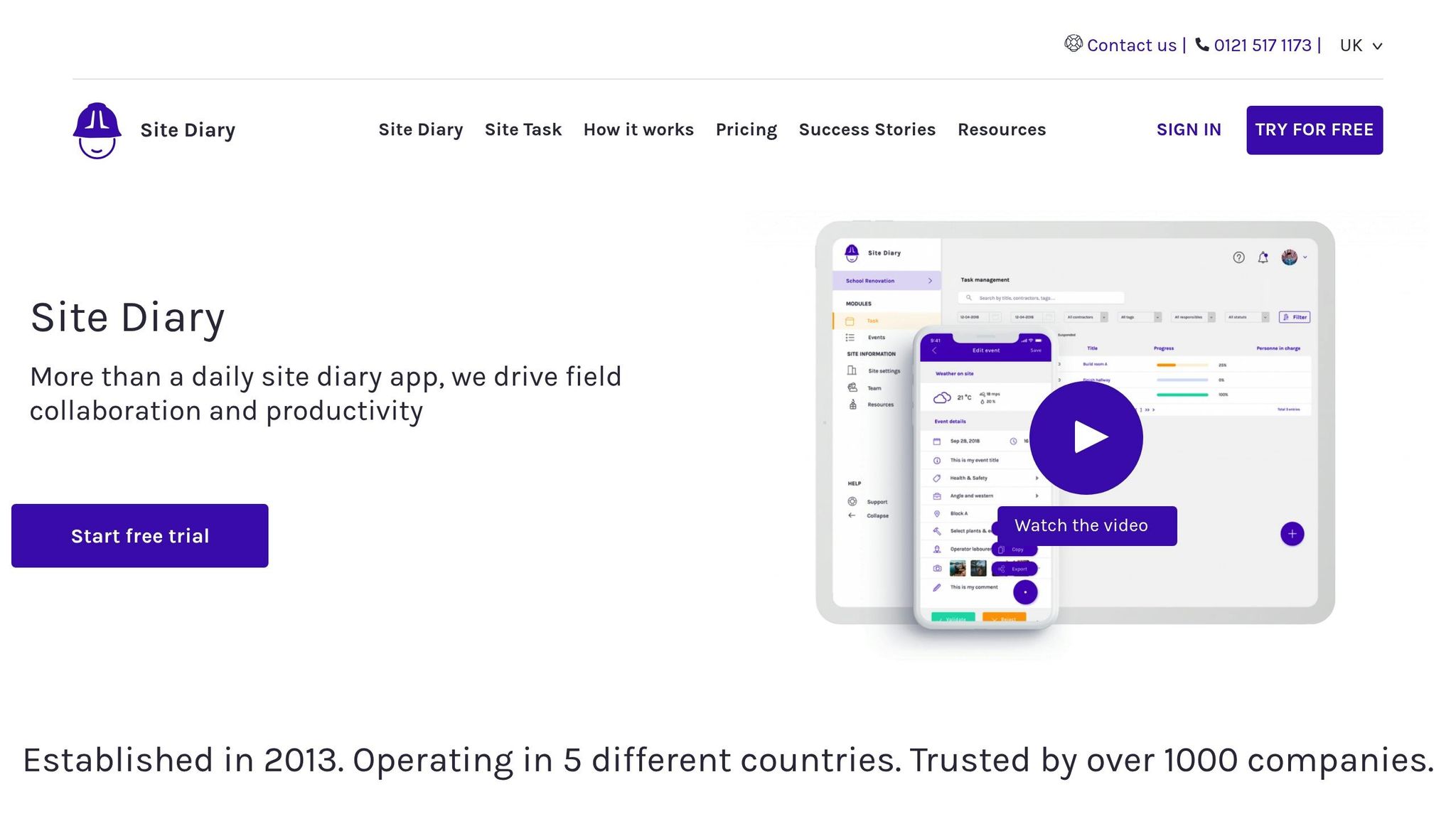
Site Diary simplifies daily logging by focusing on straightforward documentation rather than overwhelming users with complex project management tools. It’s built to help contractors transition away from paper logs and spreadsheets while keeping the familiar, no-fuss reporting process intact.
Daily Log Features: Photos, Weather, and More
With Site Diary, contractors can easily document daily activities, attach photos, and monitor weather and site conditions in real time. This centralized record-keeping system is a game-changer for resolving disputes or handling claims quickly and efficiently.
Mobile-Friendly for Field Use
Designed with field teams in mind, Site Diary works seamlessly on both iOS and Android devices. This means contractors can log activities, upload photos, and manage documentation directly from the jobsite – no need to wait until they’re back at the office.
Works Alone or with Procore Integration
While Site Diary functions well as a standalone app, it truly shines when paired with Procore. The integration automates manpower tracking and makes daily reporting even easier. However, some advanced features may require specific hardware, making this a great choice for general contractors already using Procore in their workflow.
Pricing
Pricing is available upon request. Like many daily log apps, costs are typically billed per user, per month in USD. The final price depends on the size of your team and the features you need, offering flexibility to suit different project requirements.
7. Knowify
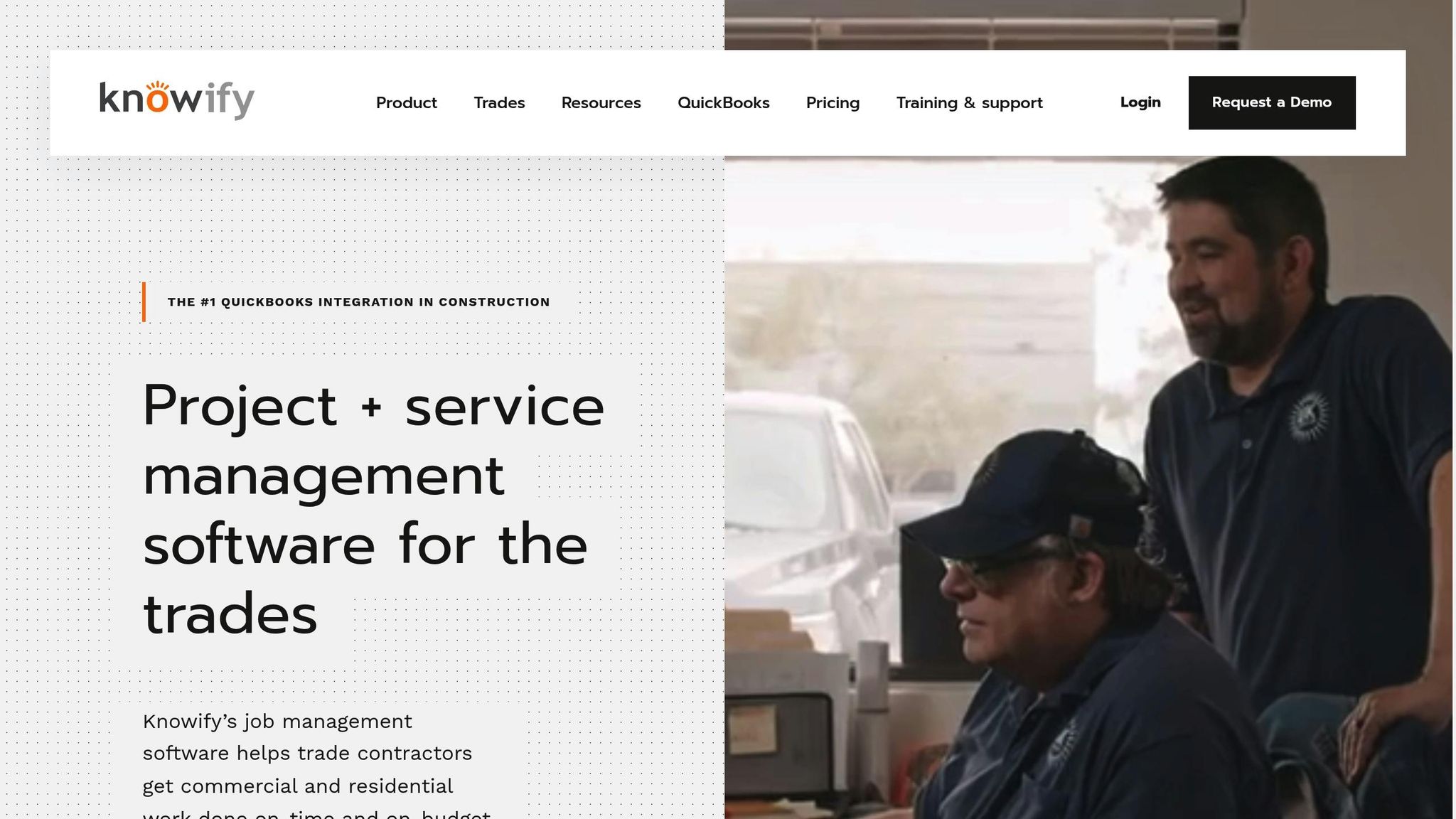
Knowify is a construction management platform tailored for small- to mid-sized contractors who need straightforward tools for daily logs and accounting. Instead of overwhelming users with unnecessary complexities, it focuses on delivering the essentials while offering seamless integration with widely used business tools.
Daily Logs: Photos, Weather, and Documents
Knowify keeps things simple yet effective when it comes to daily logs. Users can track activities, upload photos, attach documents (like PDFs, images, or spreadsheets), and even record weather conditions automatically through integrated services.
The automated weather tracking feature is a standout, as it eliminates the need for manual input while ensuring accurate jobsite records. This means contractors can maintain detailed documentation without adding extra tasks to their already busy schedules.
All uploaded photos and documents are securely stored within the project’s digital record. Authorized team members can access these files through the mobile app or web portal, ensuring compliance and creating a solid audit trail for larger projects. This centralized system not only simplifies documentation but also aligns seamlessly with accounting workflows.
Mobile Access: iOS and Android Apps
Knowify’s mobile apps for iOS and Android make it easy for field teams to log information and access project data directly from the jobsite. The apps sync instantly with the office, ensuring everyone stays updated on project progress and site conditions, which helps improve communication across teams.
Accounting Integration: QuickBooks Compatibility
One of Knowify’s strongest features is its integration with QuickBooks, a big plus for contractors who want to combine financial tracking with daily logs. This integration allows job costs, invoices, and financial data to sync automatically, saving contractors up to 30% of their administrative time. This makes it especially appealing for smaller contractors aiming to streamline operations without adding extra administrative burdens.
Pricing
Knowify’s pricing is straightforward, with the Essentials plan starting at $68 per month (USD). This plan includes core features like daily logs, project management tools, and QuickBooks integration. For contractors with more advanced needs or higher user limits, additional plans are available, but pricing details require direct contact with Knowify’s sales team. The monthly billing model also offers flexibility, allowing contractors to scale their usage based on project demands throughout the year.
App Comparison Chart
The table below outlines the key features, pricing, and integrations of popular apps designed for managing construction daily logs. This comparison aims to simplify the decision-making process for construction teams.
| App | Starting Price (USD) | Best For | Key Features | Mobile Support | Integrations |
|---|---|---|---|---|---|
| Contractor Foreman | $49/month | Comprehensive construction management | 35+ features, GPS timecards, daily logs, unlimited projects, free training | iOS/Android/Web | 50+ systems, including QuickBooks and Zapier |
| Raken | Contact for pricing | Daily reporting and documentation | Court-admissible reports, multimedia logging, offline sync | iOS/Android/Web | Limited construction-focused integrations |
| Buildertrend | Contact for pricing | Residential construction | Gantt scheduling, progress photos, client communication | iOS/Android/Web | QuickBooks and various construction tools |
| Fieldwire | Contact for pricing | Field communication | Task management, blueprint markup, real-time updates | iOS/Android/Web | Procore, Autodesk, Microsoft Project |
| Snappii Construction Daily Log App | Contact for pricing | Simple daily logging | PDF storage, weather tracking, photo attachments | iOS/Android | Email systems, basic cloud storage |
| Site Diary | Contact for pricing | Compliance documentation | Detailed work logs, weather data, regulatory reporting | iOS/Android/Web | Limited third-party connections |
| Knowify | $68/month | Small to mid-sized contractors | Weather tracking, QuickBooks sync, accounting focus | iOS/Android/Web | QuickBooks and basic business tools |
This table highlights how each app tackles specific challenges related to construction daily logs.
Pricing and Features
Pricing models vary significantly. For instance, Contractor Foreman offers a straightforward $49/month plan with no hidden costs, while Knowify charges $68/month. Other apps, like Raken and Buildertrend, require users to request quotes for pricing, which may suit businesses with specific needs but adds an extra step in the buying process.
Feature sets also differ. Contractor Foreman stands out by bundling over 35 tools into one platform, covering project management, financials, communication, and daily logs. In contrast, Raken specializes in creating court-admissible reports and multimedia logging, while Knowify focuses on accounting integrations.
Mobile Support and Offline Functionality
Mobile compatibility is a must for field teams. All listed apps support iOS, Android, and web platforms, but offline functionality varies. Raken and Snappii excel in this area, allowing users to log data without connectivity and sync seamlessly once back online – an essential feature for remote job sites.
Integration Ecosystems
Integrations can make or break workflow efficiency. Contractor Foreman leads the pack with connections to over 50 systems, including QuickBooks and Zapier, simplifying data management. Knowify also integrates with QuickBooks, focusing on syncing job costs and financial data. However, other apps, like Site Diary, offer more limited integration options, which may require additional tools to fill the gaps.
Scalability and Ease of Use
For growing businesses, scalability is key. Contractor Foreman supports unlimited projects without extra charges, making it a cost-effective choice for expanding teams. Forbes Advisor highlights its user-friendly design, which simplifies adoption for field crews. By comparison, some other platforms may impose project limits or higher fees as usage increases.
Conclusion
Picking the right daily log app isn’t just about replacing paperwork with digital tools – it’s about transforming how contractors manage their operations in today’s fast-paced construction industry.
A well-chosen app bridges the gap between field crews and office staff, ensures precise record-keeping, and helps contractors meet increasingly strict regulatory standards across the U.S. These improvements don’t just make operations smoother – they also shield contractors from unexpected setbacks.
Digital daily log apps can boost reporting accuracy by up to 30% and significantly cut down on administrative tasks, delivering direct financial benefits. Considering how billing mistakes and project delays can rack up costs in the thousands, these tools offer a clear return on investment.
Reducing risks is another critical advantage. Daily log apps create centralized, timestamped records of job site activities, from safety incidents to weather conditions and work progress. This kind of detailed documentation becomes a game-changer for resolving disputes, filing insurance claims, and staying compliant with regulations.
The efficiency improvements are equally compelling. Contractors using integrated daily log apps have reported a 25% drop in project delays thanks to better communication and quicker issue resolution. When field teams can wrap up daily reports in minutes instead of hours, it not only frees up their time but also boosts morale and reduces turnover.
The industry is also moving toward all-in-one platforms that combine daily logs with project management and accounting tools. This shift reflects the need for comprehensive solutions rather than standalone apps. When evaluating your options, look for apps with strong reporting features, an easy learning curve for field crews, and smooth integration with your current systems.
In the end, a reliable daily log app is more than just a tool – it’s a foundation for better operations, compliance, and project outcomes. It delivers the transparency your clients expect, the documentation regulators demand, and the efficiency your business needs to stay competitive. With tight margins and high stakes, investing in the right digital tools isn’t just smart – it’s essential for staying ahead.
FAQs
How can daily log apps help contractors improve compliance and streamline operations?
Daily log apps, such as those offered by Contractor Foreman, make it easier for contractors to keep track of projects and stay compliant with regulations. These tools streamline the process of logging daily activities, tracking work hours with GPS-enabled time cards, and maintaining precise records for audits or client updates.
By consolidating essential project information in one central location, contractors can save time, minimize mistakes, and ensure tasks are completed on time. This approach not only enhances efficiency but also simplifies meeting regulatory obligations.
What key features should I look for in a daily log app for my construction business?
When choosing a daily log app for your construction business, look for tools that simplify your tasks and save time. Key features to prioritize include project management, financial tracking, and scheduling functions.
You might also want to consider options like time cards with GPS tracking, which can help monitor your team’s productivity and maintain precise records. Focusing on these features will make it easier to stay organized and keep your projects running smoothly.
Can daily log apps work with accounting tools like QuickBooks, and why is this useful for contractors?
Many daily log apps work effortlessly with accounting platforms like QuickBooks. This connection allows contractors to bring together job tracking, project updates, billing, and payroll management into a single, cohesive system.
By linking financial data with project progress, contractors can save time, minimize manual errors, and ensure their records stay accurate. Plus, it helps keep their business operations running smoothly and efficiently.
Related Blog Posts







