
“How much is this actually going to cost?”
This is a deceptively simple question— as answerable as “What does the future look like?” or “How much sleep will you actually get tonight?”
Except in construction, the future is made of very specific variables: rising material costs, site conditions that refuse to match drawings, supply chains that develop a personality of their own, and timing that rarely aligns.
Cost isn’t a single number so much as a moving target shaped by all of the above.
And while no tool can remove uncertainty entirely, better data and modeling are changing how close we can get to reality before the work begins.
Here’s a quick overview of the best tools for contractors and estimators:
- Contractor Foreman: Affordable cloud-based platform for small to mid-sized contractors. Features include AI-powered takeoffs, real-time pricing, and QuickBooks integration. Plans start at $49/month.
- Sage Estimating: Desktop/cloud hybrid with automated takeoffs and machine learning for bid analysis. Ideal for larger firms, starting at $365/user/month.
- ProEst: Fully cloud-based with AI tools and an extensive cost database. Best for mid-to-large commercial contractors.
- PlanSwift: Windows desktop software for offline 2D takeoffs. Popular among specialty trades, priced at $2,000/year.
- CostX: Flexible deployment with 5D BIM integration. Perfect for large-scale projects, with desktop licenses starting at $4,500.
- DESTINI Estimator: Cloud-integrated with AI-driven takeoffs and historical cost modeling. Tailored for enterprise-level contractors.
- Togal.AI: Cloud-based with automated takeoffs and AI tools for quick estimates. Pricing starts at $299/user/month.
- Kreo: Cloud platform with AI-powered takeoffs and BIM integration. Plans range from $35 to $175/user/month.
Key Takeaway:
Whether you’re managing small residential jobs or large commercial projects, these tools help make estimating more reliable and less time-consuming. Choose based on project size, complexity, and your team’s needs.
1. Contractor Foreman
Contractor Foreman provides cost modeling tools tailored for small to mid-sized contractors, all at a budget-friendly price. This cloud-based platform, hosted on Amazon Web Servers, is built for both office and field operations, making cost tracking seamless and accessible.
Deployment Type (Cloud/Desktop)
This platform runs entirely in the cloud – no desktop installation is required. Field crews can access real-time financial data, submit time cards, and update logs using mobile apps, while office teams handle estimates and invoices through a web interface.
Advanced Modeling Features
With AI-powered takeoffs, users can quickly measure quantities such as lengths, areas, counts, and volumes directly from uploaded blueprints. The system also integrates with 1build.com, offering live updates on local material and labor costs. This is particularly useful given that construction material prices have surged by an average of 19% since 2020, affecting 82.5% of materials. Tools for bulk adjustments and hidden markups help estimators maintain profit margins efficiently. Additionally, managing construction change orders automatically updates contract values and project budgets, minimizing miscommunication and reducing rework risks.
“Contractor Foreman saved our company from bouncing through three different BIM packages… We now have our company estimating, project management, and invoicing all in order.”
– Karl E., Effectual Construction, LLC
The bid management module simplifies vendor submissions, enabling side-by-side comparisons and instant conversion of winning bids into purchase orders or subcontracts, eliminating redundant data entry. It also supports AIA-style progress invoicing (G702 and G703), automating retention tracking and ensuring payments align with project milestones.
Primary Use Cases
This platform is ideal for general contractors, residential builders, and specialty trades like HVAC, electrical, and plumbing. It delivers powerful job costing without the complexity of larger enterprise systems. Matthew S. from M. Smith Contracting highlights the effectiveness of its time tracking features for monitoring crew productivity across various projects, from renovations to high-production framing jobs.
“The integration of the whole platform is very good, including externally with QuickBooks Online. Ability to do time sheets in the field… Cost codes and cost items that can be used for different jobs, this is huge for us.”
– Chuck A., Liercke Construction, LLC
Pricing starts at $49/month for the Standard Plan (up to 3 users), $123/month for the Pro Plan (up to 15 users, including construction takeoffs), and $148/month for the Unlimited Plan (unlimited users). Contractor Foreman holds a 4.55/5 rating on Research.com, with users applauding its affordability and wide range of features.
sbb-itb-5eea312
2. Sage Estimating
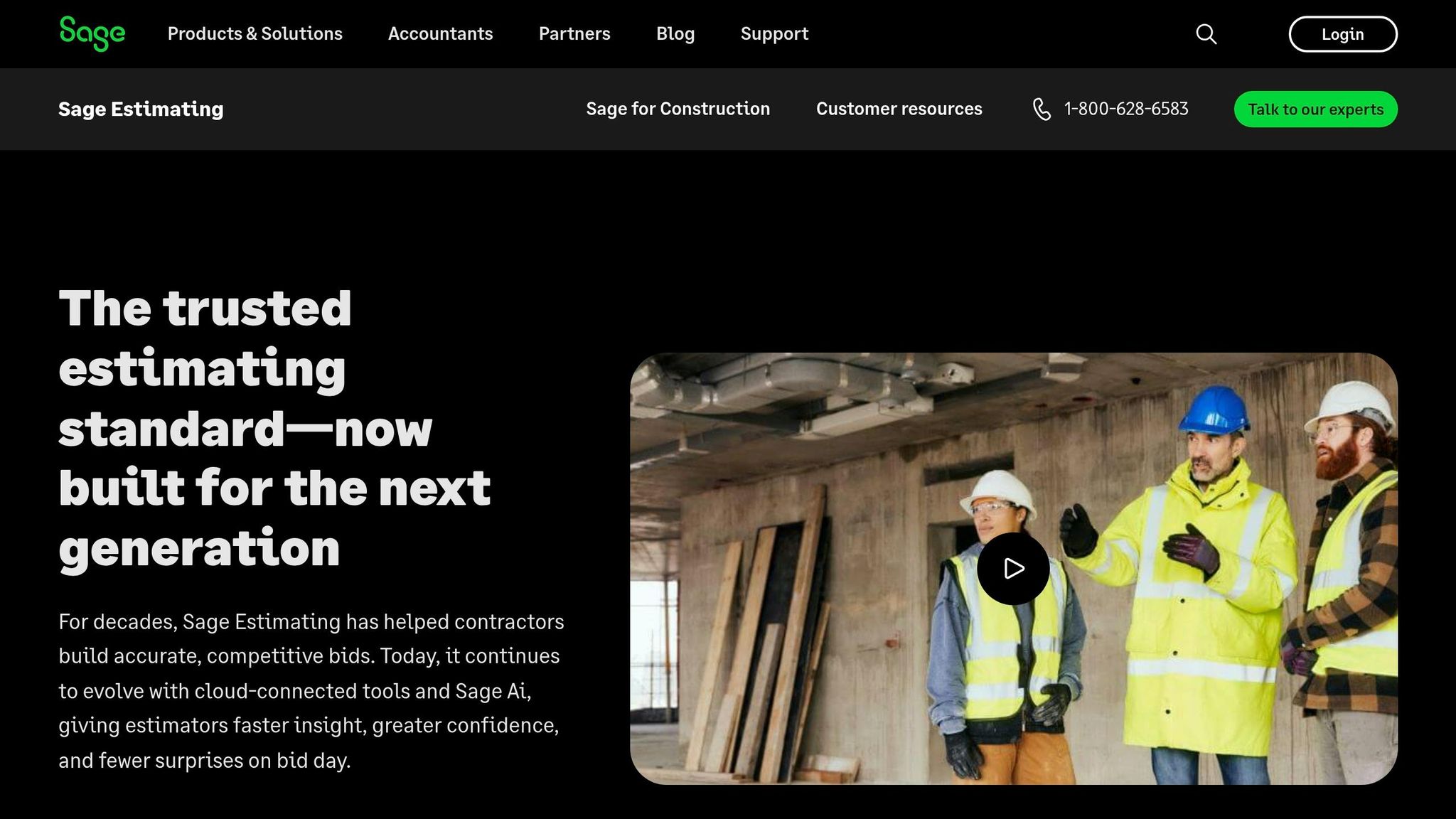
Sage Estimating is a desktop solution with cloud connectivity, designed to support remote work while offering enterprise-level tools. It allows multiple estimators to work on the same project simultaneously, making it a collaborative powerhouse.
Advanced Modeling Features
The Model Estimating feature automates structural element takeoffs through assembly logic. Estimators provide key details, like story height, and the system calculates costs, waste factors, and labor hours automatically. This automation minimizes manual errors often seen in spreadsheet-based workflows.
The platform also uses Sage AI and Bid Insights, which leverages machine learning to analyze subcontractor bids. It flags outliers, predicts bidder participation, and adjusts historical bid data for inflation and location.
These tools work together to improve accuracy and efficiency in the estimating process.
Accuracy Benchmarks
Sage Estimating is built to reduce errors in complex calculations, a crucial requirement in today’s construction environment. For example, Jeff Binder, an estimator at W.M. Schlosser Construction Company, shared that his material cost estimates came within $43 of final costs on a recent project. His team also cut specific tasks from four hours to just 20 minutes. Across the board, users report near-perfect accuracy, with estimate creation times reduced by up to 50%.
The software’s integration with RSMeans and City Cost Index databases ensures pricing stays aligned with current market rates and local conditions. By replacing static spreadsheets with dynamic, trade-specific data, estimators gain access to the most up-to-date information.
Primary Use Cases
Sage Estimating is tailored for general contractors, construction management firms, and specialty trades like MEP, concrete, drywall, roofing, and landscaping. Its scalability supports everyone from solo estimators in small businesses to preconstruction teams of up to 200 people. The platform handles the entire estimating lifecycle, from digital takeoffs and 3D quantification to final bids and subcontractor bid leveling.
With pricing starting at about $365 per user per month, Sage Estimating offers an enterprise-level solution. It also boasts an 81% user satisfaction rating on SelectHub, based on 104 reviews.
3. ProEst
Deployment Type
ProEst is a fully cloud-based platform, offering users 24/7 access from anywhere. This setup eliminates the need for desktop installations and allows seamless real-time collaboration across teams, regardless of location. However, since it relies entirely on cloud deployment, it cannot function offline – a limitation noted by some users.
Advanced Modeling Features
ProEst comes with an open API that integrates with platforms like BIM, project management tools, and analytics software. For instance, it connects with Autodesk Build to enable direct conversions from estimates to budgets. Its automated digital takeoffs streamline labor and material cost calculations, cutting takeoff times by as much as 50%. The software also features AI-powered tools, such as auto-counting repeated symbols and automated area detection.
Users can leverage formula variables and algorithmic equations to build custom assemblies, effectively creating a personalized takeoff system.
Additionally, the ProEst Costbook includes over 23,000 lines of regionalized costing data, ensuring precise pricing. These features collectively help improve project efficiency and accuracy.
Accuracy Benchmarks
ProEst has demonstrated measurable results in improving accuracy and productivity. For example, AstroTurf experienced a 50% boost in estimating productivity.
Similarly, Geisinger achieved an 8% increase in their estimate hit rate, while Vantis reported a 30% improvement in bidding efficiency. Oswald Company anticipates a 20% or greater growth in forecasts by 2025 thanks to ProEst. These results highlight the platform’s ability to enhance both cost modeling and operational efficiency.
Primary Use Cases
ProEst is designed to meet the needs of general contractors as well as electrical and mechanical specialists, including HVAC and plumbing. It is particularly suited for mid-to-large commercial contractors managing complex, multi-million dollar projects. Its bid day analysis tools allow estimators to compare subcontractor costs, margins, and exclusions side-by-side, helping optimize final bids.
The software is offered on an annual subscription basis with unlimited user access. It currently holds a 3.9/5 rating on Software Advice, based on 69 reviews.
4. PlanSwift
Deployment Type
PlanSwift is a desktop application specifically built for Windows 10 and 11 Professional and Enterprise editions. Unlike cloud-based platforms, it operates entirely offline once installed and activated, making it an excellent choice for estimators working in remote areas or locations with unreliable internet access.
Project data can be stored on network drives or removable storage, and the software also includes a 30-day free cloud storage option for team collaboration. However, Mac users will need to use virtualization tools like Parallels or Apple’s Bootcamp to run it within a Windows environment. For the best experience, PlanSwift recommends using an Intel i5/i7 processor, 8GB RAM, and an SSD while avoiding Server or Remote Desktop setups.
This offline setup is a key factor in supporting PlanSwift’s efficient and specialized takeoff capabilities.
Advanced Modeling Features
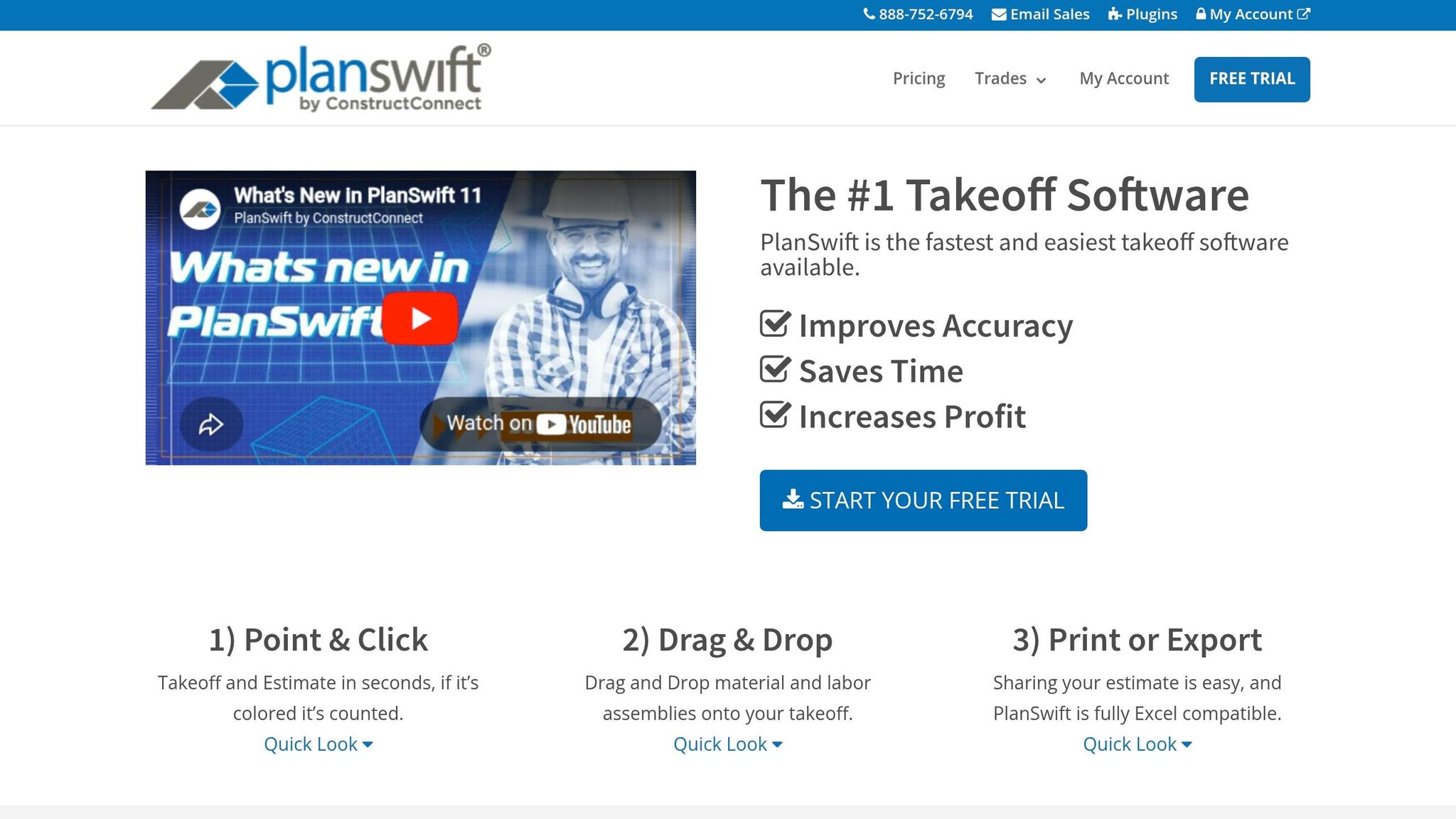
PlanSwift allows users to measure linear dimensions, unit counts, and square footage directly on digital blueprints. Its Drag & Drop Assemblies feature simplifies the process by letting users apply pre-configured material, labor, and waste costs to takeoff items for instant results. For more complex needs, custom Pascal-based formulas can calculate labor, waste, and materials simultaneously.
PlanSwift costs $2,000 annually, which includes updates, customer support, and two hours of training. A 14-day free trial is available, and no credit card is required to get started.
Primary Use Cases
PlanSwift’s features are particularly useful for contractors across various trades. It’s popular among general contractors and specialists in areas like concrete, drywall, electrical, flooring, framing, HVAC, landscaping, painting, and plumbing. Small businesses (2–10 employees) make up 75% of its user base, drawn to its desktop-based estimating tools that avoid ongoing cloud subscription fees.
PlanSwift has earned a 4.3/5 rating on Software Advice from 395 reviews, with ease of use scoring 4.4/5. However, some users have reported slower performance with large plan files and occasional delays in customer support.
5. CostX

Deployment Type
CostX provides flexible deployment options tailored to different team setups. For individual estimators, the Standalone license installs directly on a single PC. Teams working in the same office can opt for the Network license, which uses a shared server database to keep everyone on the same page. For distributed teams, CostX Cloud offers web-based access via Microsoft Azure, enabling seamless collaboration from anywhere while maintaining a unified source of data. Pricing varies: the cloud version follows a subscription model, while desktop licenses start at $4,500 as a one-time purchase.
Advanced Modeling Features
CostX excels in 5D BIM integration, pulling quantity data directly from file formats like IFC, RVT (Revit), DWFx, and SKP (SketchUp). This data links in real time to user-defined rate libraries and workbooks, making the process up to five times faster than manual methods. Additionally, the software supports 6D BIM through embodied carbon accounting, leveraging the EC3 carbon rate library to calculate environmental impacts.
The Auto-Revisioning tool is another standout feature. It detects changes between drawing versions, updates estimates and quantities accordingly, and maintains a full audit trail for transparency.
For 2D takeoff, CostX can cut measurement time by up to 80%, making it a powerful tool for handling complex projects efficiently.
Primary Use Cases
CostX is particularly well-suited for infrastructure and commercial projects that demand detailed cost breakdowns and BIM coordination. Companies like TSA Riley in the UK and global giant Balfour Beatty have used the software to deliver real-time data, streamline design processes, and build confidence in digital workflows.
CostX offers three product tiers to meet different needs: CostX Complete (full features, including BIM and auto-revisions), CostX Core (excludes BIM), and CostX Quantify (focused on 2D/3D quantity takeoff). With a 90% user satisfaction rating and five wins for “Best Estimation & Valuation Software” at the Construction Computing Awards, it’s a favorite among professionals. However, some users have noted a steep learning curve and limited customization options for specific reporting requirements.
6. Destini Estimator
Deployment Type
DESTINI Estimator provides both cloud-native and on-premises deployment options. This flexibility allows teams to collaborate remotely with ease, while companies with strict data security needs can maintain full control through on-site deployment. The platform achieved SOC 2 compliance in March 2026, underscoring its commitment to data security. Pricing details are available upon request, and most teams complete onboarding in just 6 to 10 weeks.
Advanced Modeling Features
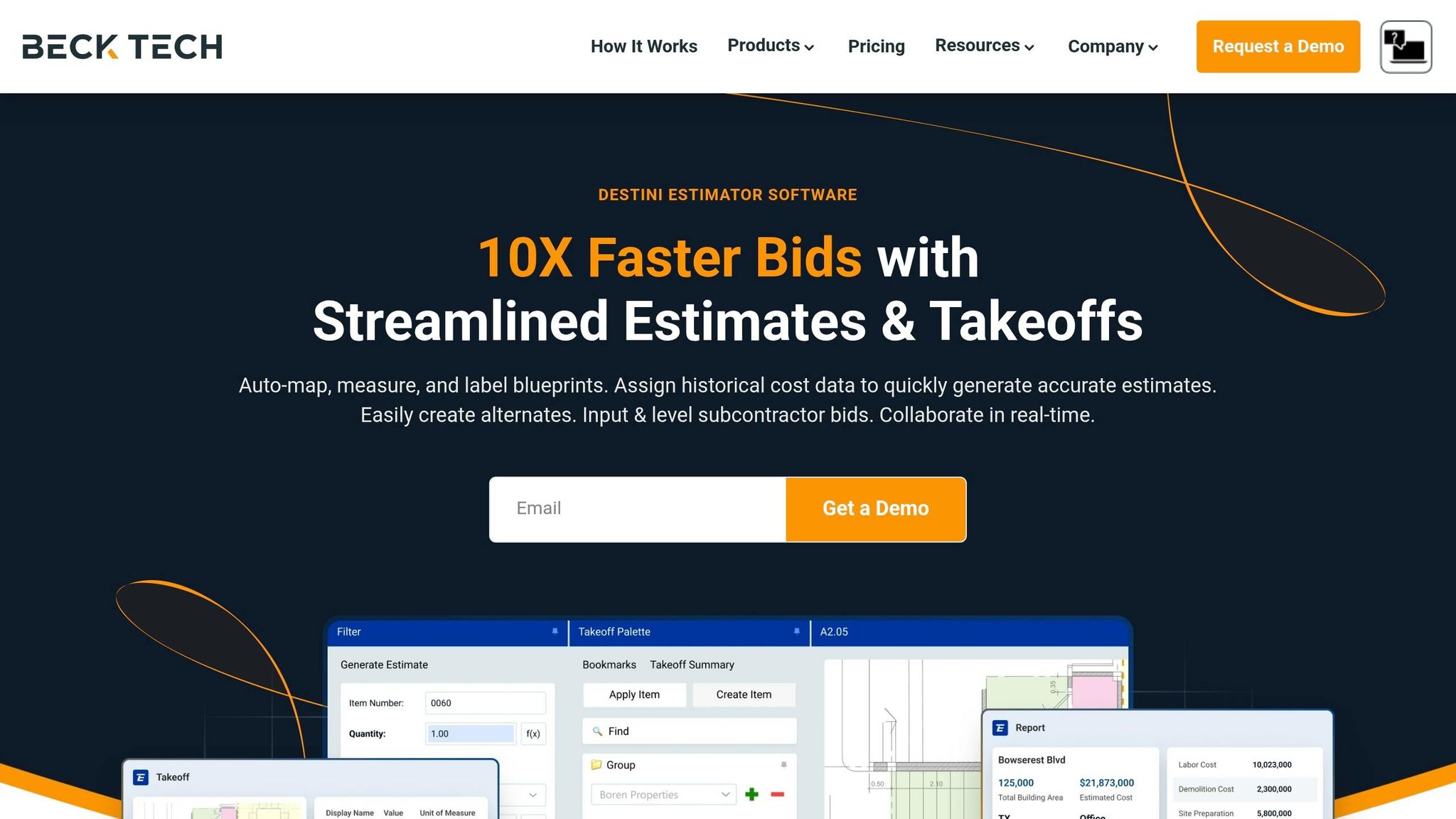
DESTINI Estimator leverages AI-powered quantity takeoff by integrating with tools like DESTINI Takeoff, Togal.AI, and Workpack.ai. This reflects a growing industry trend of using AI for takeoffs early in the preconstruction phase, even before final drawings are ready. The software also includes embedded vector PDF functionality, enabling native 2D takeoffs with significantly fewer clicks. BIM integration with Autodesk and other platforms is supported, along with bi-directional integration with DESTINI Bid Day for subcontractor comparisons and scope coverage analysis.
In March 2026, a new integration with Eos Cortex was announced, adding advanced analytics and benchmarking capabilities. The platform supports real-time collaboration with features like multi-user access, instant updates, and version control. Historical cost modeling is another standout feature.
These tools combine to deliver precise and efficient estimation workflows.
Accuracy Benchmarks
To ensure reliability, DESTINI Estimator includes pre-built templates and extensive cost databases. These templates help minimize human error and maintain consistency across teams. The integrated cost databases and advanced algorithms help prevent underbidding and cost overruns.
Users report over 30% time savings in estimating workflows, with bid turnaround times up to 10 times faster than traditional methods.
Primary Use Cases
DESTINI Estimator is designed for mid-size to enterprise-level general contractors and construction managers, offering a modern alternative to Buildertrend and outdated spreadsheets. It handles a wide range of projects, from small residential builds to large-scale commercial developments.
7. Togal.AI
Deployment Type
Togal.AI operates as a cloud-based tool, accessible through web browsers and mobile apps on Windows, Mac, iOS, and Android. This setup supports real-time collaboration, allowing multiple estimators or subcontractors to work on the same project simultaneously, no matter where they are. Since it’s cloud-based, there’s no need for local installation or hardware upgrades, making it a convenient option for small to mid-sized contractors. The platform’s pricing structure is designed to cater to agile teams looking for a straightforward and efficient solution.
Pricing starts at $299 per user per month (billed annually) under the Growth Plan. This includes unlimited automated takeoffs, chat prompts, and image searches. For larger teams (four or more users), a custom Business Plan is available, offering extras like dedicated onboarding, enhanced support, and single sign-on (SSO).
Advanced Modeling Features
Togal.AI is built to simplify cost modeling by reducing manual effort and boosting accuracy. One of its standout tools, the Togal Button, can automatically detect, measure, and label project spaces with a single click. This eliminates the need for tedious polygon tracing. During a 2026 test, Togal.AI completed a full takeoff of a 200-sheet architectural project in just 12 minutes.
The platform also features Togal.CHAT, which enables users to query plans, verify quantities, and draft RFPs using natural language. Another highlight is the AI Image Search, which uses pattern recognition to instantly locate and count specific objects – like doors or light fixtures – by simply drawing a bounding box around a sample.
The Repeating Groups feature is another time-saver, allowing users to apply a single measurement across identical units.
Accuracy Benchmarks
Independent evaluations show that Togal.AI achieves around 97–98% accuracy in floor plan detection. A study by the University of Kansas found Togal.AI to be 76% faster than On-Screen Takeoff (OST), with users completing takeoffs up to five times faster than manual methods. This efficiency translates to a reduction of about 90% in manual takeoff hours.
Primary Use Cases
Togal.AI is tailored for general contractors and subcontractors in trades like painting, flooring, and lumber. It shines on large-scale projects with repetitive layouts, such as hotels, apartments, and hospitals.
The platform integrates with tools like eTakeoff and Zebel and supports exporting quantities to Excel or other estimation software, ensuring a smooth transition from takeoff to cost modeling. To help users get the most out of the platform, Togal.AI provides free custom onboarding, weekly “Togal Tuesday” webinars, and an extensive library of video tutorials.
8. Kreo
Deployment Type
Kreo operates entirely in the cloud, making it accessible through any web browser on both Windows and Mac. This eliminates the need for local installation and avoids delays tied to servers or VPNs. The cloud-based setup also supports seamless collaboration for teams working remotely.
Pricing Options:
- Lite: $35/user/month (billed annually) – Includes Caddie AI, markups, 3D viewing, and unlimited projects.
- Plus: $70/user/month – Adds project templates and an assemblies database.
- Pro: $175/user/month – Unlocks all advanced AI capabilities.
- Enterprise: Custom pricing available.
Advanced Modeling Features
Kreo simplifies cost modeling by blending AI automation with BIM integration. Its standout features include:
- Auto Measure: Automatically detects rooms and walls.
- AI Suggest: Predicts measurements based on patterns in drawings.
- Auto Count: Identifies and counts similar objects across multiple drawing pages.
These tools can reduce measurement time by 7–11 times compared to manual methods. The platform also supports 3D BIM Takeoff for .ifc files, enabling users to generate estimates up to 10 times faster directly in their browser – no need for specialized design software.
Kreo’s proprietary Caddie AI offers advanced functionality like interpreting technical plans, processing voice commands, and cross-referencing multiple sheets to extract detailed specifications and material breakdowns. Additionally, the Live Linking feature ensures cost calculations are updated instantly whenever drawings are modified.
Accuracy Benchmarks and Reviews
Kreo’s AI engine delivers impressive accuracy, with rates ranging from 94.5% to 98.5%, and it can process up to 10,000 drawings per minute. Users report significant time savings, cutting quantification efforts by more than 50%. Reviews reflect strong satisfaction, with the platform earning:
- 5/5 on Google (24 reviews)
- 4.5/5 on G2 (32 reviews)
- 4.4/5 on Capterra (25 reviews)
Primary Use Cases
Kreo is built to meet the needs of a wide spectrum of construction professionals, including quantity surveyors, cost consultants, general contractors, and specialized trades. It handles projects of all sizes, from small residential builds to large commercial developments.
Key capabilities include automated 2D and 3D BIM takeoffs, cost planning, Bill of Quantities generation, and tender preparation. The platform supports over 12 file formats – such as PDF, DWG, DXF, DWF, and DGN – and aligns with classification standards like NRM1, SMM7, and MasterFormat. It also integrates with Contractor Foreman, enabling users to seamlessly export AI-generated takeoffs into estimates, invoices, and purchase orders.
Feature Comparison Table
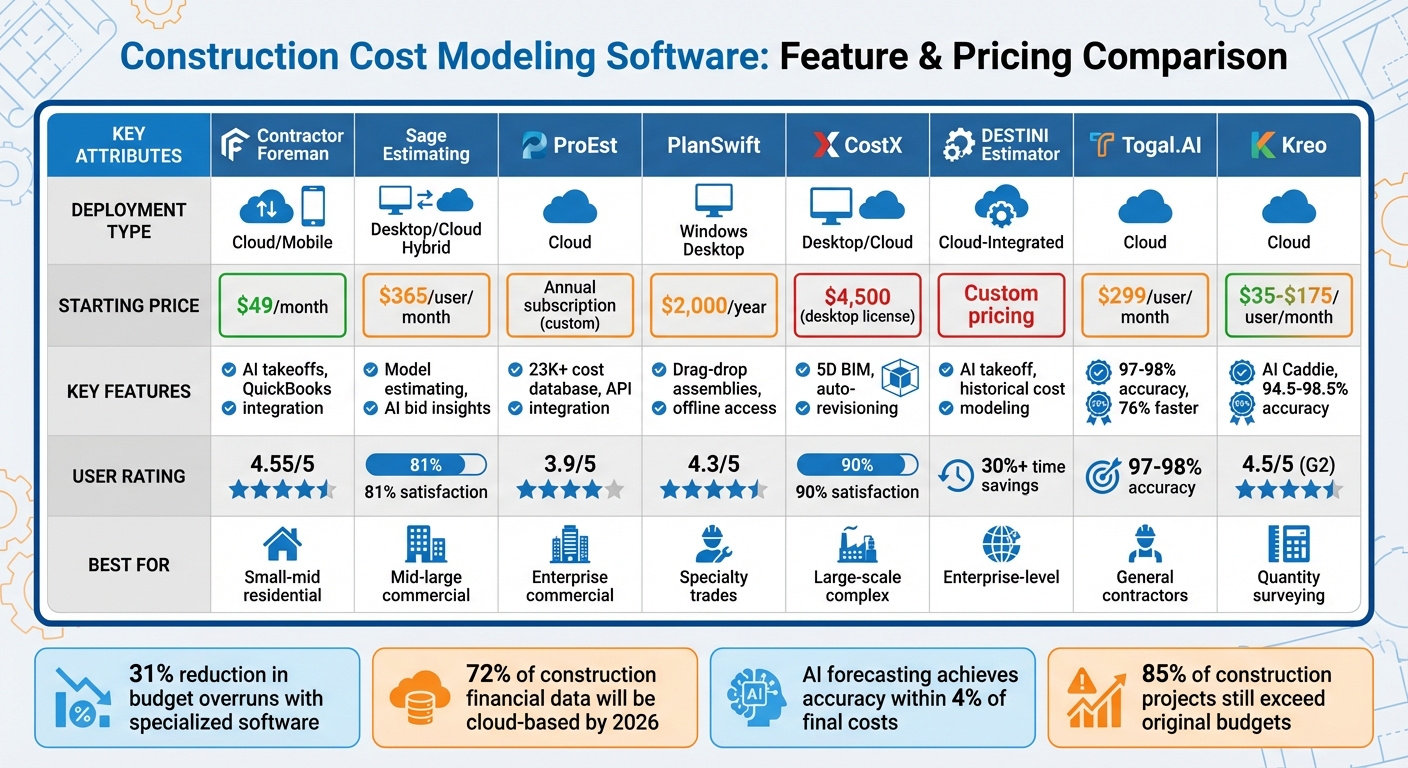
Construction Cost Modeling Software Comparison: Features, Pricing & Best Use Cases
Below is a quick-reference table comparing various tools based on deployment modes, modeling capabilities, accuracy ratings, and project suitability.
| Tool | Deployment | Key Modeling Capabilities | Accuracy/Reviews | Best-Fit Project Type |
|---|---|---|---|---|
| Contractor Foreman | Cloud-based/mobile | Budgeting, expense tracking, financial dashboards, QuickBooks integration | 4.55/5 | Small to medium residential projects |
| Sage Estimating | Desktop/Cloud hybrid | Automated estimations using trade-specific databases | 81% user satisfaction | Mid-to-large commercial projects |
| ProEst | Cloud | Cost database, digital takeoff, built-in CRM | 3.9/5 | Enterprise commercial and general contracting |
| PlanSwift | Windows Desktop | Drag-and-drop 2D takeoff, custom formulas, Excel integration | 4.3/5; praised for simplicity | Specialty trades (e.g., electrical, plumbing, HVAC) |
| CostX | Desktop/Cloud | Real-time linked workbooks, 2D/3D takeoffs, 5D BIM integration | 90% user satisfaction | Large-scale or complex commercial projects |
| Destini Estimator | Cloud-integrated | 2D/3D BIM takeoff with real-time collaboration | 30%+ time savings | Enterprise-level complex projects |
| Kreo | Cloud | AI-powered takeoff, 3D BIM integration, real-time updates | 94.5–98.5% accuracy; 4.5/5 on G2 | Modern preconstruction and quantity surveying |
Deployment and Accessibility
Cloud-based platforms like Contractor Foreman, ProEst, and Kreo offer excellent accessibility and real-time collaboration, making them ideal for teams spread across locations. However, they rely on stable internet connections, which can be a challenge on remote jobsites. On the other hand, desktop-only tools like PlanSwift are limited to Windows systems, restricting their usability in the field but offering a more predictable offline experience.
Modeling Capabilities
Each tool brings something different to the table. CostX and Destini Estimator stand out with their ability to integrate 2D and 3D takeoffs directly from BIM files, while Kreo uses AI to interpret technical plans with impressive accuracy. For those focusing on cost databases, Sage Estimating and ProEst are strong contenders, with ProEst boasting a legacy of serving over 8,000 construction firms since 1976. Meanwhile, Contractor Foreman simplifies budgeting and expense tracking, catering to smaller operations with its QuickBooks integration.
Accuracy and Performance
Accuracy is a key differentiator. Kreo’s AI-powered engine achieves 94.5% to 98.5% accuracy, processing large volumes of drawings efficiently. Studies show that contractors using cost-tracking software reduce budget overruns by 31% compared to spreadsheets. Additionally, real-time dashboards often flag budget variances weeks earlier than manual methods.
Choosing the Right Tool
Selecting the right software depends on the scale and complexity of your projects. For small residential jobs, Contractor Foreman is a practical choice. This guide provides the essential details to help you choose the tool that matches your current needs and project demands.
Conclusion
Advanced cost modeling software is changing the way contractors manage budgets and reduce risks. On average, contractors using specialized platforms see a 31% drop in budget overruns, with real-time dashboards flagging variances about three weeks earlier than manual approaches. These improvements highlight the importance of selecting software that aligns with your project’s scale and operational needs.
For small- to medium-sized residential contractors, tools like Contractor Foreman offer practical features like straightforward budgeting, expense tracking, and QuickBooks integration – all starting at an affordable $49/month. On the other hand, firms managing complex commercial projects may benefit from advanced cost modeling tools that integrate 5D BIM, allowing efficient oversight of multiple project portfolios.
Before adopting any platform, take steps to align your data structures with frameworks such as CSI MasterFormat and prioritize onboarding through targeted training on essential daily functions.
Cost modeling doesn’t just streamline budgeting – it also drives smarter decision-making across projects. Predictions suggest that 72% of construction financial data will be managed via cloud-based platforms by 2026, while AI-powered forecasting is already achieving accuracy within 4% of final costs. Yet, despite these advancements, around 85% of construction projects still exceed their original budgets.
To stay competitive, focus on choosing tools that match your project size, integrate seamlessly with top construction accounting software, and offer mobile access. These decisions will directly impact your ability to forecast accurately, adapt quickly to changes, and maintain profitability across all your projects.
FAQs
How do I choose the right cost modeling tool for my project size?
To find the right cost modeling tool, think about the size and complexity of your project. For smaller projects, tools with basic budgeting and change control features are usually enough. Mid-size projects often require platforms that include budgeting, procurement, and change management capabilities. On the other hand, large or highly complex projects benefit from advanced tools that offer real-time dashboards and ERP integration. Align the tool’s features with your project’s needs to achieve the best outcomes.
What’s the difference between cloud-based and desktop estimating software?
Cloud-based software stands out for its accessibility and collaboration. With an internet connection, users can create and update estimates from virtually anywhere, making real-time teamwork seamless. It also takes care of automatic updates and data backups, reducing manual effort.
On the other hand, desktop software is installed directly on a local device or network. While this setup limits access to a specific location, it might be a better fit for workplaces that prioritize strict data security or have unreliable internet access.
How can I standardize my cost codes (like CSI MasterFormat) before switching tools?
To bring uniformity to cost codes, align your current system with the latest CSI MasterFormat divisions and sections. This ensures consistency across all your projects. Make sure to use licensed standards to keep your codes up-to-date and in line with industry norms. Once standardized, document the codes clearly and provide training for your team. This approach helps maintain consistency, improves cost tracking, and makes it easier to adopt new tools in the future.







