
The material shows up on time, on site—just not the right one. It’s parked 15 km away, exactly where it’s not needed.
You lose half a day fixing it. To compensate, everyone pushes harder to make up the lost time. The pace picks up. In fact you’re moving fast enough to wonder why the morning’s screw-up stressed you out in the first place!
The crew wraps early. People are smiling again. Someone says, “See, chief? We’re fine.”
Then reality checks back in.
The reason they finished early because they skipped a VERY IMPORTANT part no one told them about. Now the timeline shifts underneath you, taking your buffer with it.
Let’s be very clear: schedules blow up. That’s totally expected in construction. The difference between a bad week and a bad project is how fast you see it coming. Most delays don’t come from one big disaster. They come from a handful of ridiculous little misses that nobody catches early—until they stack.
That’s why schedule visibility matters more than perfect planning…and the right construction management tool makes it possible.
Here are 7 tools built to keep construction schedules on track:
- Contractor Foreman: Affordable with CPM scheduling, mobile updates, and QuickBooks integration.
- Procore: Popular for team communication and integration with over 500 tools.
- Primavera P6: Ideal for complex projects with advanced CPM scheduling and resource management.
- Buildertrend: Tailored for residential projects with auto-adjusting dependencies.
- Autodesk Build (PlanGrid): Cloud-based with document linking and AI risk analysis.
- Microsoft Project: Flexible scheduling with task dependencies and risk tracking.
- Bluebeam Revu: Focuses on keeping project documents updated to avoid delays.
These tools can cut project delays by up to 30% and reduce rework by 20%. Choose a platform that aligns with your project size, complexity, and team needs to ensure timely completion and cost savings.
1. Contractor Foreman

Contractor Foreman offers a comprehensive suite of scheduling, tracking, and collaboration tools specifically designed by contractors to address the everyday challenges of project management.
Starting at just $49 per month for unlimited projects, this platform combines Critical Path Method (CPM) scheduling with real-time updates from the field, helping teams focus on critical tasks that must stay on track to avoid project delays.
Scheduling and Progress Tracking Features
With Gantt charts powered by CPM, Contractor Foreman highlights key tasks that could impact the entire schedule – like ensuring electrical work is completed on time to avoid stalling drywall installation.
Baseline tracking allows managers to compare current progress against the original schedule, pinpointing exactly where delays occur, whether it’s a framing crew falling behind or trim work stalling.
Field crews can update percent complete tracking directly from their mobile devices, giving office teams instant insights without the need for manual progress reports. Contractor Foreman also captures daily logs, documenting weather conditions, site visitors, safety issues, and material usage. This detailed record helps identify the root causes of delays and keeps everyone informed.
When schedules shift, automated notifications via email or text ensure that teams remain aligned. It even accounts for non-working days, like holidays, to maintain realistic completion timelines from the outset.
“Contractor Foreman lets me instantly track crew hours and location, cross-referencing productivity per linear or square foot.” – Matthew S., M. Smith Contracting
These tools integrate seamlessly with other systems to streamline workflows and improve efficiency.
Integration Capabilities with Other Tools
Contractor Foreman connects effortlessly with Microsoft Project, allowing teams to import and export schedules with a single click. This makes it easy to create detailed plans in MS Project and share them with field crews through the mobile app. Integration with QuickBooks (both Online and Desktop) ensures that timecards, estimates, invoices, and expenses sync automatically – making it easier to track job costs in real time and catch budget overruns before they escalate.
It also syncs with Google Calendar and Outlook 365, aligning construction schedules with personal appointments to avoid labor conflicts. Through Zapier connectivity, Contractor Foreman links to over 500 other tools, including CompanyCam, Stripe, and Gusto, automating data flow and reducing errors caused by manual entry.
These integrations work hand-in-hand with the platform’s mobile capabilities, making it a powerful tool for on-site use.
Mobile Accessibility for On-Site Use
Contractor Foreman’s native apps for iOS and Android ensure that teams have access to Gantt charts, schedules, and critical documents while on-site. Any changes made through a mobile device update instantly across the system. Additionally, GEO fencing ensures that workers can only clock in when physically present at the job site, providing accurate labor data for both scheduling and budgeting.
For remote job sites without cell service, the app’s offline mode allows crews to continue working seamlessly, with data syncing automatically once the device reconnects. Workers can also access updated plans, RFI responses, and submittals directly from their phones, saving time and reducing back-and-forth communication with the office.
“The apps are really feature heavy for a construction software, many other competitors, the apps are just terrible vs. the web portal.” – Chuck A., Liercke Construction, LLC
Support for Multi-Project Management
Contractor Foreman simplifies managing unlimited projects without additional costs, making it equally effective for small and large portfolios. Project-based permissions allow administrators to control employee access to specific assignments, while the “Default Project” setting minimizes errors by filtering out irrelevant data.
To keep track of multiple projects, managers can use Kanban boards and filtered views, organizing tasks by status or custom criteria. This approach ensures that setbacks in one project don’t disrupt progress across others, maintaining efficiency across the entire portfolio.
sbb-itb-5eea312
2. Procore

Procore integrates seamlessly with Microsoft Project, Oracle Primavera P6, and Smartsheet, ensuring that everyone – field crews, subcontractors, and office staff – works off the same up-to-date schedule. This synchronization minimizes costly coordination errors. General contractors using Procore have reported saving an average of 15 days on their project timelines, and 90% of users say the platform has improved team communication.
These integrations form the backbone of Procore’s scheduling capabilities.
Scheduling and Progress Tracking Features
Procore’s scheduling tools offer multiple visual formats, including Gantt charts, calendars, and task lists, giving teams flexibility to track milestones and task progress from different perspectives. With digital lookaheads, field staff and trade partners can break down upcoming work into detailed subtasks, helping to spot potential delays before they disrupt the project’s critical path. Managers can also use advanced filters to focus on specific tasks by contractor type or resource.
The platform’s resource planning tools offer a centralized hub to manage workforce availability, certifications, and skills, ensuring the right people are assigned to critical tasks. Procore also integrates directly with Daily Logs and RFIs, giving teams a clear view of how progress – or roadblocks – on-site affect overall timelines. For example, RFIs are processed approximately 8 days faster compared to traditional methods.
Integration Capabilities with Other Tools
Procore’s App Marketplace includes over 500 integrations, connecting tools for risk analysis, financial management, and scheduling directly to project timelines. For more complex projects, master schedules can be maintained in Primavera P6 or Microsoft Project and synced with Procore, simplifying field-level scheduling and updates.
Mobile Accessibility for On-Site Use
Procore extends its full scheduling capabilities to the field through its iOS and Android apps. Even in areas with poor connectivity – like basements or remote job sites – the offline mode allows crews to log updates and progress. Once a connection is restored, changes sync automatically, ensuring data accuracy. The mobile app, designed with on-site teams in mind, boasts a 4.7/5 rating on the Apple App Store.
Support for Multi-Project Management
Procore’s project overview dashboard gives managers a bird’s-eye view of outstanding items across multiple projects, helping them catch potential scheduling or budget issues early. With an unlimited user license policy, stakeholders – including owners, general contractors, and subcontractors – can access schedules without additional per-user fees, making it a practical solution for firms handling large portfolios. For those seeking a more affordable construction management alternative, other platforms offer similar scheduling depth at a lower price point.
3. Primavera P6
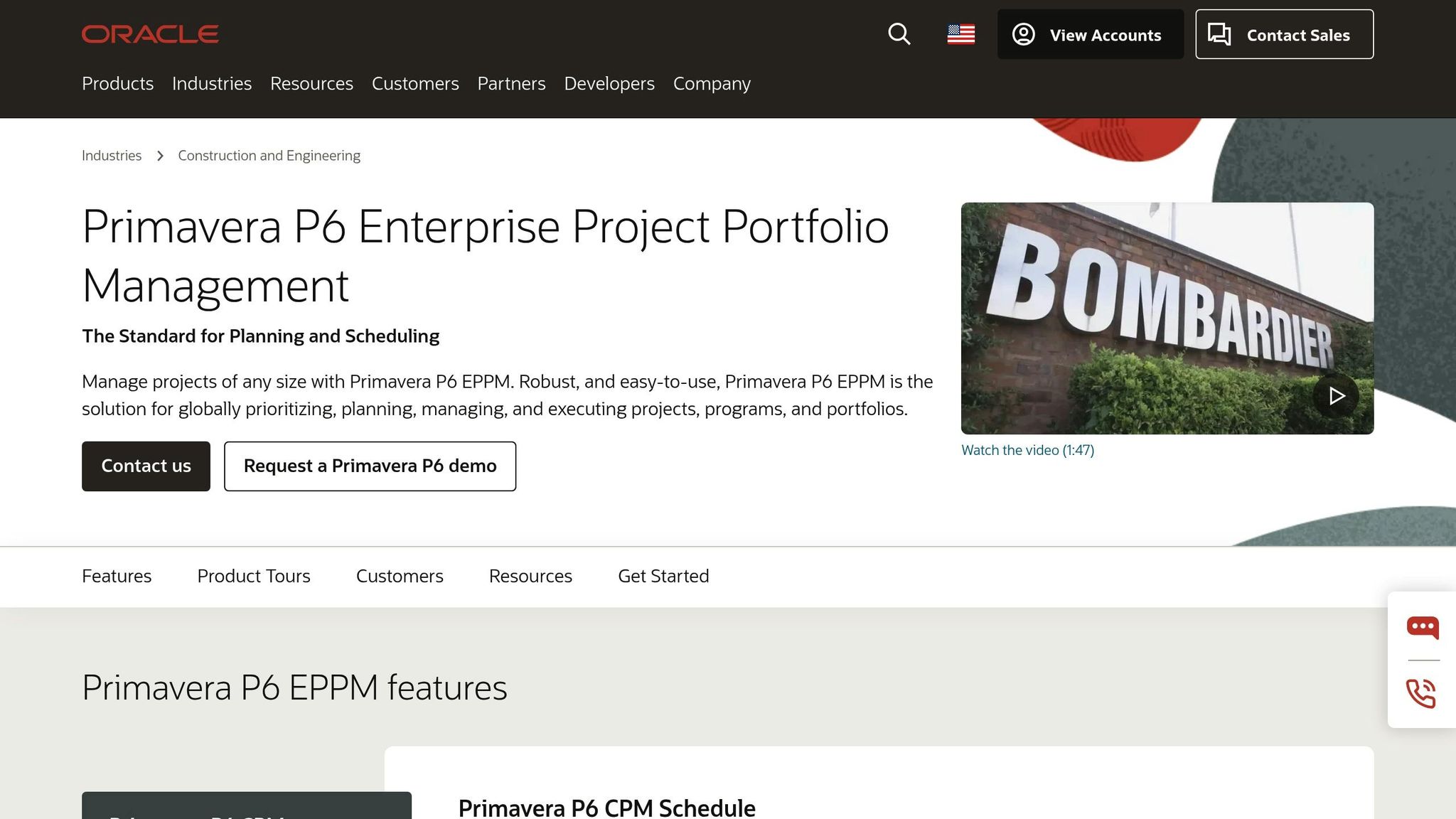
Oracle’s Primavera P6 is widely regarded as the go-to tool for Critical Path Method (CPM) scheduling, specifically designed to manage complex construction projects. It’s trusted by over 5 million builders and contractors who rely on Oracle Construction and Engineering software, including the Primavera suite, to streamline their operations. The software is particularly effective at creating detailed schedules that highlight critical tasks and dependencies, helping project teams avoid delays.
Scheduling and Progress Tracking Features
Primavera P6 uses Work Breakdown Structures (WBS) and organizational breakdown structures to organize project hierarchies, giving teams precise control over tasks and milestones. Its resource leveling tool automatically adjusts schedules to prevent overloading resources, whether it’s labor or equipment, across one or multiple projects. The platform also features a Tracking Window, a dedicated interface for analyzing costs, schedules, and resources, which allows for quick generation of summarized reports.
For risk management, P6 integrates with Oracle Primavera Cloud to run Monte Carlo simulations. These simulations provide insights like pessimistic start and finish dates, which can then be exported back into the schedule to adjust the critical path as needed. For example, in 2025, McCarthy used Primavera P6 EPPM to centralize resource management, improving collaboration and reducing risks in project delivery.
Integration Capabilities with Other Tools
Primavera P6 is designed to fit seamlessly into the Oracle Smart Construction Platform, integrating with tools like Oracle Aconex for document management and Primavera Unifier for cost and capital planning. The software supports XER file formats, enabling smooth data exchange with Oracle Primavera Cloud, and works with Microsoft Project and Microsoft Excel for importing and exporting schedule data. Additionally, it connects with third-party field management tools like Novade, allowing site teams to update progress, actual start and end dates, and completion percentages in real time.
Mobile Accessibility for On-Site Use
With P6 EPPM’s web-based access, team members can collaborate and update schedules from anywhere with an internet connection. Integrations with tools like Novade and Oracle Primavera Cloud Task Management extend P6’s capabilities to mobile devices, letting field teams make real-time updates directly from job sites.
Support for Multi-Project Management
The Enterprise Project Structure (EPS) in P6 enables managers to oversee multiple projects, offering views that range from high-level organizational summaries to individual task details, all stored in a centralized database. The software also supports dynamic cross-project rollups, providing unified insights into costs, schedules, and earned value across an entire portfolio. For instance, Swinerton implemented Primavera P6 in 2025 to enhance reporting and analytics, giving their teams better visibility into project performance while addressing specific operational needs. This multi-project management capability makes Primavera P6 a powerful tool for minimizing schedule risks across large portfolios.
4. Buildertrend
Buildertrend simplifies scheduling for residential construction projects by connecting timelines to essential elements like Change Orders, Selections, Bids, and Job Costing. Its standout feature is auto-adjusting dependencies, which automatically recalibrate linked tasks when changes occur. This eliminates the need for manual updates and ensures the schedule remains logical. Baseline snapshots allow teams to compare current progress with the original plan. According to the 2025 Association of Professional Builders report, 27.5% of construction projects are delivered late, but Buildertrend users report being 50% more productive. These tools make project updates seamless, as highlighted below.
Scheduling and Progress Tracking Features
Buildertrend’s auto-adjusting dependencies ensure that when one task shifts, the rest of the schedule updates accordingly. This prevents the hassle of manually adjusting interconnected tasks. Its color-coded calendars organize activities by trade, while the system factors in workday realities like weather delays and holidays to create practical timelines.
Jkath Design Build + Reinvent used Buildertrend’s centralized scheduling to streamline coordination among cabinetry, design, and subcontractors. This efficiency helped them grow revenue from $2 million to $5 million while boosting productivity by 50%, eliminating the need for an additional administrative hire.
Beyond scheduling, Buildertrend integrates seamlessly with critical financial and communication tools.
Integration Capabilities with Other Tools
Buildertrend offers a two-way sync with QuickBooks and Xero, enabling real-time tracking of job expenses and profits. It also syncs project schedules with Google Calendar, Outlook, and Gusto, which reduces double entry and simplifies payroll and labor tracking. When construction change orders are approved or a selection is made, the system automatically updates the project timeline and budget.
This integration ensures that any changes to budgets or timelines are reflected instantly, minimizing delays.
Mobile Accessibility for On-Site Use
Buildertrend’s mobile app includes an offline mode, allowing field crews and subcontractors to update daily logs, track hours, and manage punch lists even without internet access. Real-time alerts notify team members of schedule changes, while electronic signatures for change orders can be captured directly on-site to avoid disputes over unauthorized work or payments.
This on-the-spot data capture reduces delays and disruptions. Users report 80% fewer daily phone calls and save an average of 20 hours per week.
Support for Multi-Project Management
Buildertrend’s dashboard enables teams to manage multiple projects simultaneously, compare timelines across locations, and optimize resource allocation to avoid bottlenecks. Schedule templates from previous successful projects can be reused, saving time on new jobs. Bradford Custom Homes & Remodeling considers the Buildertrend Schedule one of its “four pillars of success”, citing real-time notifications as a key factor in consistently completing projects on time. Trusted by over 20,000 contractors, Buildertrend powers more than half of new home construction in the U.S..
5. PlanGrid
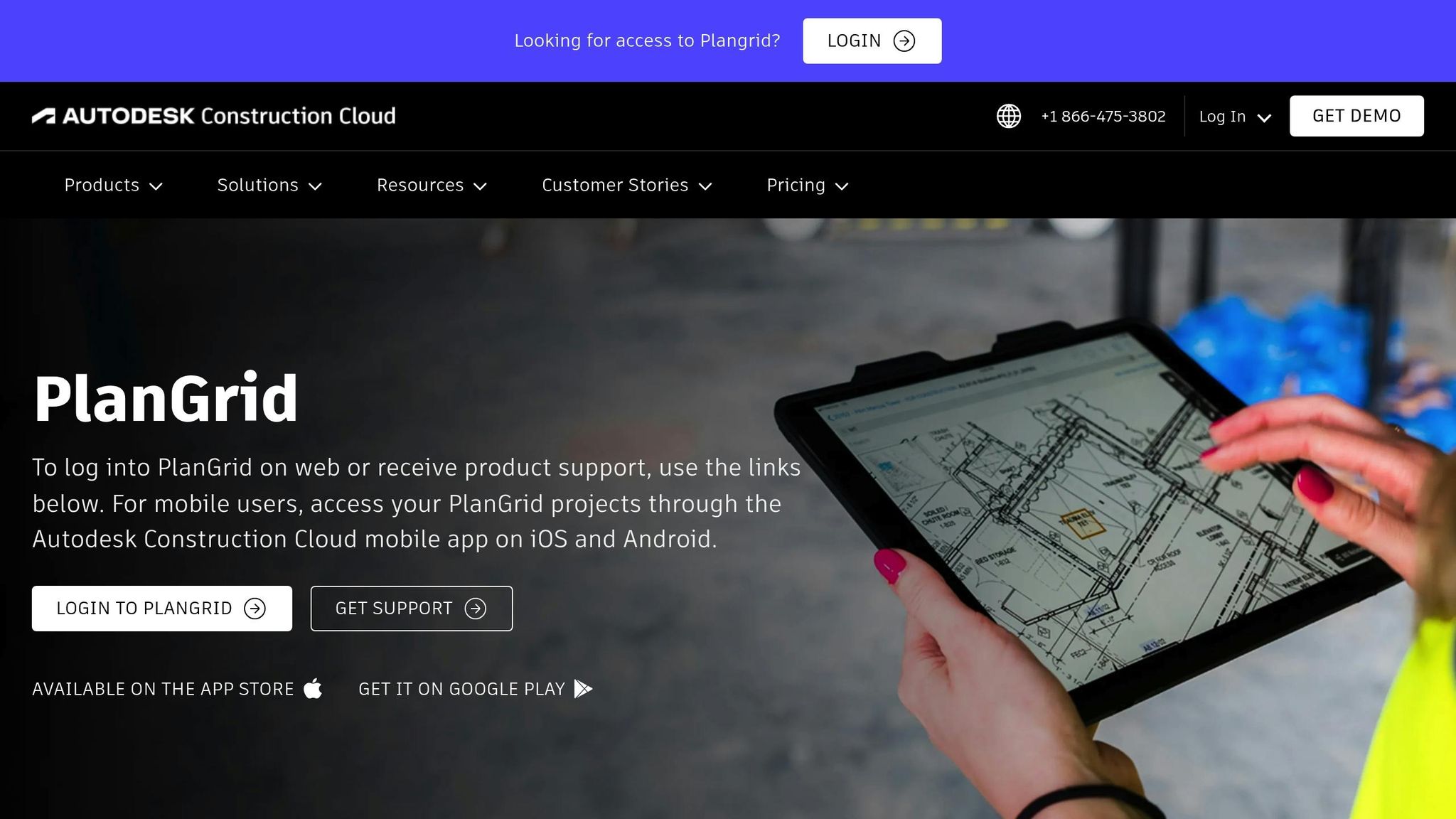
Autodesk Build, previously known as PlanGrid, brings together essential scheduling and collaboration tools under the Autodesk Construction Cloud umbrella. Designed with a mobile-first approach, it centralizes schedules in the cloud, providing a single source of truth that eliminates communication bottlenecks between field teams and headquarters. Its mobile accessibility and seamless integration capabilities make it a standout tool for construction professionals (or consider Fieldwire alternatives). This solid framework supports detailed scheduling and helps mitigate risks effectively.
Scheduling and Progress Tracking Features
With Autodesk Build, users can compare up to five schedule versions side-by-side, making it easier to pinpoint where a project is deviating from its baseline. This feature offers clear insights into potential risks, allowing teams to address them proactively. Teams can also link critical documents – such as photos, files, issues, sheets, and assets – directly to specific schedule activities. This added context helps reduce rework and streamlines project management. Advanced search and filtering options enable users to quickly locate critical path activities based on date, resources, or status, even within extensive schedules.
The platform embraces Lean Construction principles by digitizing weekly work plans. This lets teams break down overarching milestones into smaller, manageable tasks that trade partners can commit to. It also helps document handoffs, identify roadblocks, and coordinate dependencies – all aligned with the project’s master schedule.
Integration Capabilities with Other Tools
Autodesk Build seamlessly integrates the project schedule with the budget through its Cost tool, enabling teams to plan time-related expenses and manage cash flow effectively. It also connects with third-party tools like GoFormz, allowing construction teams to sync digital forms and field data directly into the platform for improved accuracy. Additionally, the software leverages Construction IQ artificial intelligence to analyze and predict project risks, including potential delays.
Mobile Accessibility for On-Site Use
The PlanGrid Build mobile app, compatible with iOS, Android, and Windows tablets, allows field teams to access daily and weekly tasks while providing instant progress updates. These real-time updates keep the office informed about on-site conditions. Site superintendents can attach photos and issues directly to schedule activities using their mobile devices, offering immediate context for any delays.
This mobile-first design bridges the gap between on-site crews and office teams, ensuring real-time collaboration and reducing delays caused by miscommunication. Authorized users can update schedules from any device, ensuring that field and office teams remain in sync.
6. Microsoft Project
Microsoft Project simplifies managing complex timelines and task dependencies. Its Critical Path Method (CPM) automatically identifies the sequence of tasks that dictate the project’s completion date. This makes it easier to spot where delays could disrupt the entire schedule. By focusing on critical tasks and their dependencies, project managers can address potential risks early. The software supports four types of task relationships – Finish-to-Start, Start-to-Start, Finish-to-Finish, and Start-to-Finish – ensuring that any delays in one task immediately reflect on related tasks.
Scheduling and Progress Tracking Features
Microsoft Project offers flexibility with both manual and automatic scheduling modes. Managers can start with manual scheduling to keep plans adaptable as details are finalized. Once the project data is more concrete, switching to automatic mode ensures task dependencies, constraints, and resource availability are accounted for. It also includes flexible, semi-flexible, and inflexible constraint options to handle external factors like permit delays or equipment delivery schedules.
For risk management, the Risk Tracking Module in Project Online helps teams maintain a centralized risk database. It calculates exposure based on probability and impact while allowing teams to document mitigation strategies and contingency plans across multiple projects.
These robust tools provide a strong foundation for seamless collaboration with other platforms.
Integration Capabilities with Other Tools
Microsoft Project integrates effectively with tools like Procore and Autodesk Build, enabling centralized schedules and preserving audit trails. This ensures real-time access to project updates, even in the field. For more advanced planning, files can be imported into ALICE Technologies for AI-powered simulations that explore different scheduling scenarios.
Mobile Accessibility for On-Site Use
With the Project Web App (PWA) included in a Project Online subscription, Microsoft Project offers mobile access to project data from virtually anywhere. This mobile interface allows teams to log and track risks on the go, such as delays caused by weather or equipment failures, ensuring no detail is overlooked in real-time.
7. Bluebeam Revu
When it comes to reducing schedule risks, Bluebeam Revu plays a pivotal role by ensuring project documents are always current and accurate. Instead of focusing solely on task scheduling, this platform prioritizes keeping design documents updated, which is essential for maintaining project timelines. Outdated information often leads to costly rework and delays, but Bluebeam Revu helps teams avoid these pitfalls by ensuring everyone works from the most recent drawings and plans.
Scheduling and Progress Tracking Features
Bluebeam Revu strengthens scheduling efforts by providing tools that prioritize up-to-date documentation. The Markups List acts as a centralized hub for annotations, allowing teams to assign statuses like “Approved” or “Rejected” and organize markups in real-time. For example, during a $1 billion megaproject, AECOM used Bluebeam to manage 100,000 comments across 400 collaborators, speeding up the design review process significantly.
Another standout feature is the Batch Slip Sheet, which automatically replaces outdated pages with new revisions across entire document sets, ensuring field teams always work from the latest schedules. Additionally, the Document Comparison tools, such as “Overlay Pages”, make it easy to spot changes between drawing versions, reducing errors caused by outdated information. Turner Construction, for instance, used these digital workflows to cut total paper costs by 73% while improving communication between office and field teams.
Integration Capabilities with Other Tools
Bluebeam seamlessly integrates with many tools that construction teams rely on. The Quantity Link feature in the Complete tier connects PDF measurements directly to Excel spreadsheets, ensuring that any updates in Revu are instantly reflected in Excel for real-time budget and schedule analysis. Additionally, plugins for AutoCAD, Revit, Navisworks, and SolidWorks enable one-click PDF creation, streamlining design handoffs and ensuring accuracy.
The platform also supports cloud storage integrations with SharePoint, ProjectWise, OneDrive, Dropbox, Box, Google Drive, and Egnyte. These integrations create a bridge between design software and cloud storage, simplifying collaboration. Arup, for example, used Bluebeam’s tools to cut design review times by 60% while maintaining high standards of quality. These integration capabilities enhance its tracking features, ensuring consistency from design through to field execution.
Mobile Accessibility for On-Site Use
With Bluebeam Cloud, project documents are accessible via web and iOS, eliminating the need for full desktop software installations. Field teams can mark up drawings, respond to RFIs, and manage punch lists with precision directly from their mobile devices. For instance, Forcia reported completing reviews, RFIs, and logistics tasks 75% faster using Bluebeam’s mobile workflows. The platform’s Field Tools are tailored for on-site use, enabling teams to manage punch lists and RFIs with features like geolocational insights displayed on a map.
Bluebeam offers three pricing options: Basics at $260 per user annually for essential markup tools, Core at $330 with real-time collaboration via Studio, and Complete at $440, which includes advanced automation and Quantity Link.
Feature and Pricing Comparison
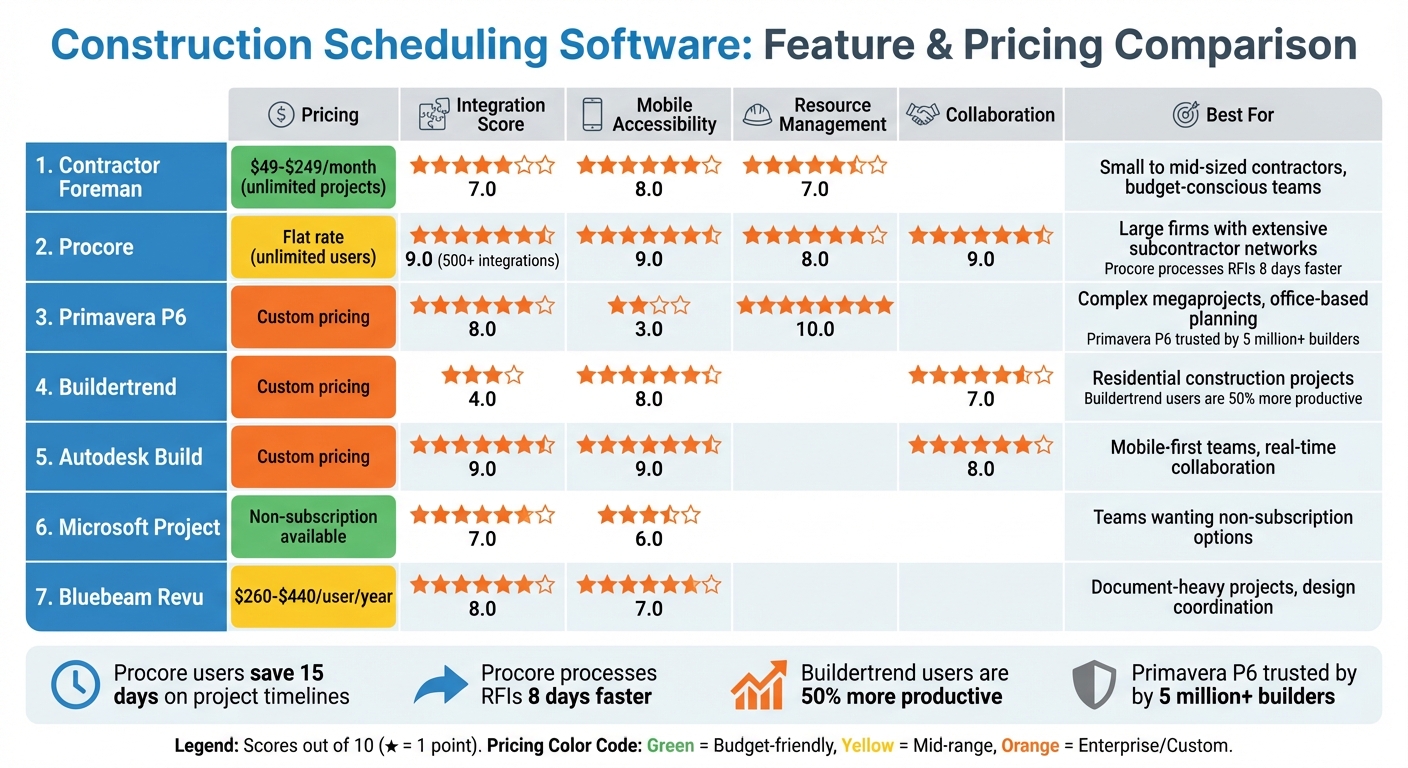
Construction Scheduling Software Comparison: Features, Pricing, and Performance Scores
After diving into the detailed feature reviews, it’s time to see how pricing and performance stack up across platforms. Whether you’re managing a small team or a sprawling operation, aligning your budget and project needs with each platform’s strengths is key. Below, we break down pricing tiers, integration capabilities, and mobile accessibility to help you make an informed choice.
Contractor Foreman offers tiered pricing plans starting at $49 per month for the Basic plan (1 user) and going up to $249 per month for Unlimited users. All plans support unlimited projects, making it a cost-effective choice for small to mid-sized contractors who need robust features without worrying about per-project fees.
Procore takes a different route with its unlimited user license model. It charges a flat rate regardless of whether your team has 10 or 10,000 users. This pricing structure is particularly appealing for larger firms with extensive subcontractor networks. Procore also boasts over 500 integrations, including tools like Microsoft Project, Primavera P6, and Smartsheet, earning it a strong integration score of 9.0. General contractors using Procore report cutting project schedules by an average of 15 days and speeding up RFI distribution by 8 days.
Oracle Primavera P6 shines in resource management with a top score of 10.0 but falls short in mobile accessibility, scoring only 3.0. This makes it a solid choice for managing complex megaprojects from the office rather than the field.
Autodesk Build matches Procore with an integration score of 9.0. It stands out by linking schedules directly to cost management, providing real-time budget alignment. These tools are part of a growing ecosystem of construction technology apps designed to streamline field and office workflows. However, pricing details are only available through custom demos.
Buildertrend is tailored for residential projects, with a collaboration score of 7.0. However, it lags behind in integrations, scoring just 4.0.
For teams focused on field efficiency, mobile accessibility is a crucial factor. Both Procore and Autodesk Build score 9.0 for mobile access, while Primavera P6’s desktop-oriented design limits on-site usability.
Microsoft Project offers non-subscription plans, which may appeal to those seeking a one-time purchase. However, these options often lack the real-time collaboration features found in cloud-based platforms.
Choosing the right tool depends on balancing complexity with usability. As one industry analysis points out, overly complex software can discourage field managers from using it, leading to inaccurate data and unreliable schedules. These comparisons, alongside the detailed reviews, aim to guide you toward the software that best fits your project and team needs.
Conclusion
Picking the right scheduling software isn’t about having a prettier Gantt chart.
It’s about catching the problem before it costs you a day.
Modern scheduling tools give you what most teams don’t have: visibility in real time.
The best platforms don’t just track dates. They highlight risk as it develops. AI-driven forecasting, CPM scheduling, automated resource leveling, and integrations with accounting systems let you respond early—while adjustments are still small and affordable.
Firms using collaborative planning tools have cut planning delays by 50% and reduced rework by 20%. AI-powered scheduling has shortened timelines by 17% and lowered labor costs by 14%. Those aren’t cosmetic improvements. They directly impact profit, predictability, and client trust.
And those gains come from adopting integrated, user-friendly software that your team can actually rely on day to day.
But even the most advanced platform fails if it doesn’t fit how your crews operate.
Test it with your PMs and field leaders. Make sure it integrates cleanly with systems like QuickBooks, BIM, or ERP platforms. Keep it practical. If it’s too complicated, adoption drops—and bad data is worse than no data.
Whether you’re managing residential builds or major infrastructure projects, the right scheduling software strengthens how you manage risk.
Not by promising perfection—but by giving you control when it matters most.
FAQs
How can digital tools help reduce delays and costs in construction projects?
Digital tools have made construction management more efficient by bringing everything into one place – schedules, updates, and team communication are now centralized. With a cloud-based platform, everyone on the team can access the latest schedules, task dependencies, and resource allocations in real time. This reduces confusion and helps avoid delays. Automated alerts for key milestones, material deliveries, or even staffing shortages keep teams prepared, while visual aids like Gantt charts make it much easier to spot and address bottlenecks.
Daily logs and progress tracking features let contractors compare planned timelines against actual performance, helping to keep schedules accurate and on track. Advanced tools that connect with IoT sensors or drones can monitor equipment, materials, and site conditions in real time, transforming risk management into a proactive effort. Platforms like Contractor Foreman combine scheduling tools, notifications, Gantt charts, and client portals, enabling contractors to reduce costly mistakes, avoid unnecessary overtime, and ensure projects are delivered on time and within budget.
What should I look for in a construction scheduling tool?
When selecting a construction scheduling tool, usability should be at the top of your list. The platform needs to be straightforward enough for both field crews and office staff to minimize errors and cut down on training time. Tools that allow for customization – like adjusting views, creating tailored task templates, or generating specific reports – can make a big difference in meeting your project requirements.
Another critical factor is integration. Your scheduling software should work seamlessly with other tools you rely on, such as QuickBooks, document storage systems, and mobile devices, to keep workflows running smoothly. Don’t overlook security either – features like role-based permissions and encrypted data storage are essential to safeguard sensitive project information.
A good tool should also offer real-time tracking and reporting capabilities, including Gantt charts and dashboards, to help you spot and resolve delays before they escalate. Lastly, think about support and scalability – choose a solution that provides reliable customer service, training resources, and the flexibility to handle projects of varying sizes. Contractor Foreman ticks all these boxes with over 35 features, real-time updates, and unlimited project support.
How does mobile access improve on-site project management in construction?
Mobile access gives construction teams the tools they need to stay connected and informed right from the jobsite. Using a smartphone or tablet, foremen can make schedule adjustments, log daily progress, and instantly share photos or notes. This keeps the master schedule accurate and ensures everyone is on the same page. Push notifications alert team members to critical updates, while on-site logging of labor hours and material deliveries minimizes mistakes and saves valuable time.
Even when connectivity is spotty, a mobile-friendly platform has workers covered. Plans, schedules, and updates can be accessed offline and will sync automatically once a connection is restored. This eliminates the need for paper copies and ensures crews always have the most current information. By closing the communication gap between the field and the office, mobile access simplifies decision-making, improves coordination, and reduces scheduling risks.
Related Blog Posts







