
On a construction site, it’s tempting to just dig, smash, pour, and fling stuff around like you’re a rockstar artist creating a masterpiece.
It feels good, right? To just focus on getting the job done your way without a care in the world?
But then, once the euphoria subsides and you look around… WHOOOPS!
You’ve committed environmental violations: soil erosion, air pollution, water contamination, and material waste. Not only has Mother Nature gotten very upset, federal environmental agencies could be too.
That’s why being thoughtful about environmental risks isn’t optional—it’s a must. And if monitoring all this doesn’t come naturally like breathing, don’t worry.
Tools like Contractor Foreman help contractors stay compliant and reduce risks by automating inspections, tracking emissions, managing permits, and monitoring site conditions in real time.
Key takeaways:
- Software simplifies compliance by organizing permits, automating inspections, and sending deadline reminders.
- Real-time monitoring tools flag risks early, helping teams respond before penalties occur.
- Mobile apps allow field teams to log data, collect signatures, and create audit-ready records instantly.
- Integration with systems like QuickBooks or telematics ensures smoother workflows.
Quick Comparison:
| Feature | Contractor Foreman | SafetyCulture | VelocityEHS | SiteDocs |
|---|---|---|---|---|
| Mobile Access | Yes | Yes | Yes | Yes (Offline capable) |
| Emissions Monitoring | Vehicle/Equipment Logs | Limited | Air, Water, Waste, Energy | Not specified |
| Incident Reporting | Yes | Yes | Yes | Yes |
| Compliance Tracking | Daily Logs | Digital Checklists | Regulatory Intelligence | Custom Checklists |
| Pricing | Starting at $49/month | Free tier; $24/user/month | Custom quotes ($10,000+ annually) | Custom pricing |
Each tool offers unique strengths depending on your needs, such as affordability, mobile-first features, or advanced emissions tracking. Choosing the right system helps you cut waste, avoid fines, and meet compliance requirements while keeping projects on track.
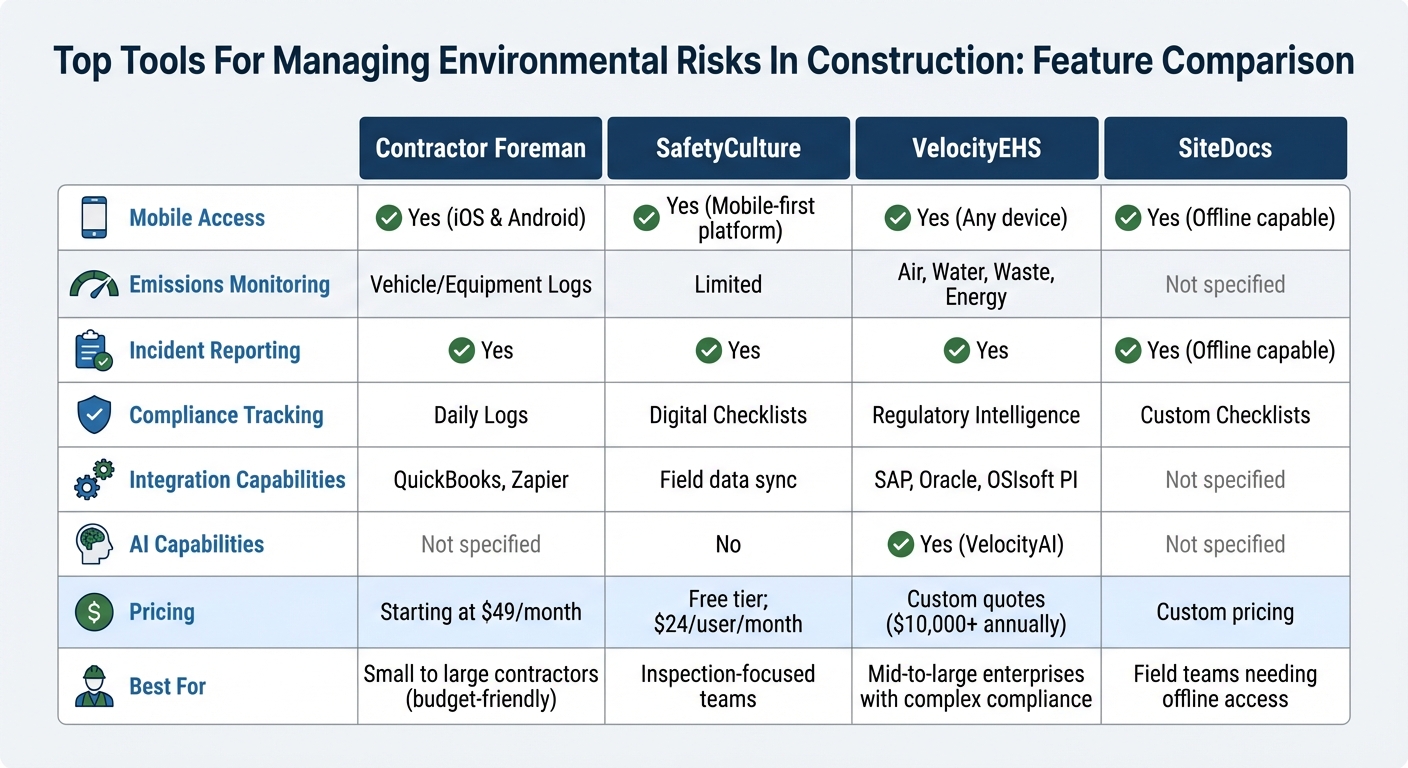
Environmental Risk Management Software Comparison for Construction
How Software Helps Manage Environmental Risks
Managing environmental risks doesn’t have to feel like juggling endless paperwork or relying on memory for critical deadlines.
With centralized digital systems, software brings order to the chaos, organizing permits, expiration dates, and renewal requirements in one place. No more hunting through file cabinets or missing inspection schedules – these platforms handle it all. They even automate routine inspections, whether weekly, bi-weekly, or event-triggered, and send reminders before deadlines sneak up on you.
When rain hits a construction site, software tools step in with real-time weather data, automatically triggering stormwater inspections the moment thresholds are crossed. Field crews can capture photos, collect digital signatures, and log site conditions instantly using mobile apps, creating audit-ready documentation on the spot.
One organization saw their incident close-out rates soar from 59% to an impressive 98% after switching to digital EHS systems.
Modern platforms go a step further by connecting to IoT-enabled sensors and smart meters, continuously monitoring air quality, water discharge, and emissions. If sampling data approaches permit limits, automated alerts notify teams, giving them time to act before fines or penalties pile up. Locus Technologies, for example, manages over 500 million environmental records globally and boasts a verified uptime of 99.9996% since 2014. These tools streamline compliance and enable real-time oversight like never before.
Simplifying Compliance and Documentation
Handling complex permits and documentation becomes much easier with software.
Multi-step permit renewals are broken into automated workflows, assigning tasks to the right people and ensuring everything stays on track. For construction sites operating under the EPA’s Construction General Permit, platforms can handle emissions calculations (converting CO2e across units) and automatically update rainfall logs – no manual input required.
Third-party labs and consultants can upload sampling results directly into the system, eliminating delays and keeping data accessible. Every action is logged, from who completed a task to when it happened, building a defensible audit trail for regulatory inspections. Some platforms even let teams create custom tracking apps in minutes, without needing any coding skills.
Real-Time Monitoring Capabilities
Real-time dashboards give managers a bird’s-eye view of everything – permit statuses, overdue tasks, and site-level environmental performance. If a risk or compliance issue arises, the system immediately triggers corrective action workflows. Workers can scan a QR code and file an incident or near-miss report in under 30 seconds, making it easier to respond quickly.
“Our customers operate in industries where environmental obligations extend decades beyond asset retirement. Boards and auditors are asking tougher questions about reserve accuracy, counterparty exposure, and long-term financial risk.” – Neno Duplan, Founder and CEO, Locus Technologies
Digital SWPPP maps let teams annotate and update drainage features and outfalls in real time, ensuring maps stay current throughout a project. Instead of waiting for weekly updates, contractors can spot trends and address issues as they arise, preventing small problems from escalating into costly violations. These tools provide the insights needed to keep projects on track and within budget. Many of these capabilities are standard in all-in-one construction management software designed for modern field teams.
Better Team Communication and Accountability
Software doesn’t just automate tasks – it improves how teams work together.
Role-based permissions allow general contractors to assign specific tasks to subcontractors or environmental consultants without exposing sensitive data. Managers can assign clear ownership for permits and obligations, ensuring everyone knows their responsibilities. Automated email notifications keep teams on top of deadlines, nudging them when tasks are due or overdue.
Built-in messaging and discussion threads let teams collaborate directly within permit records, cutting down on endless email chains. Mobile field reporting tools make it easy for inspectors to add notes, take photos, and collect signatures during site visits, providing timestamped proof of conditions.
AI-powered platforms now offer real-time guidance during inspections, helping frontline teams make informed decisions without needing to call the office. By combining automation, transparency, and collaboration, these systems transform environmental compliance from a headache into a strategic advantage.
sbb-itb-5eea312
Best Tools for Managing Environmental Risks
Effectively managing environmental risks on construction sites often hinges on having the right tools. These software solutions bring a range of features to simplify compliance and oversight, ensuring that environmental standards are met without unnecessary headaches.
Contractor Foreman

Contractor Foreman is designed to simplify day-to-day environmental risk management. Its daily logs feature allows field crews to record real-time data about site conditions, weather, and inspections – key for demonstrating compliance during audits. Supervisors can enhance these logs with photos, timestamps, and detailed notes, all from their mobile devices.
The scheduling module ensures no compliance deadlines are missed by automating tasks like environmental inspections, permit renewals, and monitoring activities.
Assigning responsibilities and setting automated reminders helps teams stay on track. Additionally, the document management feature stores permits and other important records in one centralized, easily accessible location.
With mobile access, permits, inspection records, and environmental protocols are always at your fingertips. Contractor Foreman supports unlimited projects, making it a practical choice for contractors managing multiple locations. Integration with QuickBooks simplifies tracking compliance-related expenses, while Zapier allows for workflow automation, connecting the tool with other apps your team already uses.
SafetyCulture
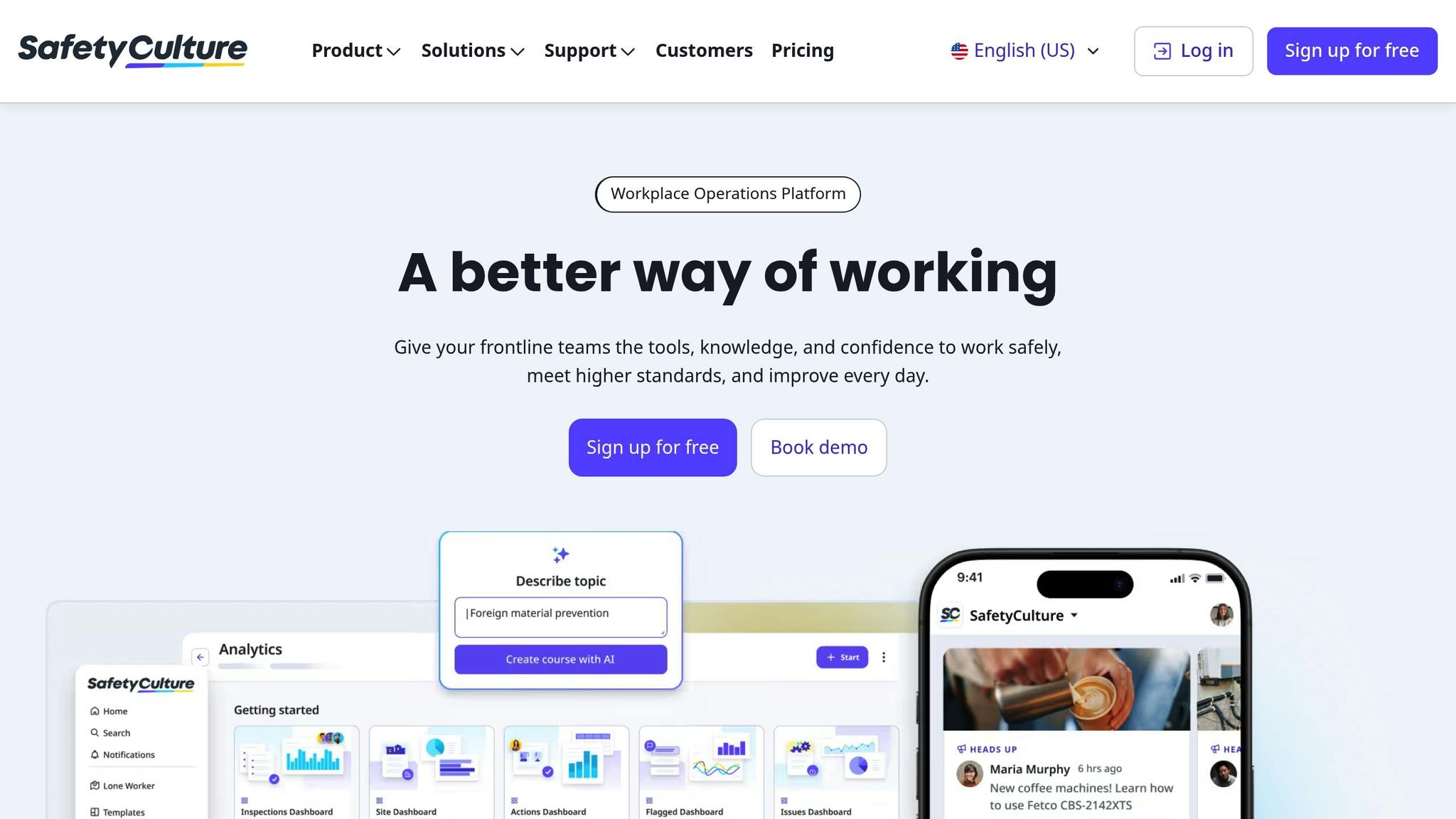
SafetyCulture focuses on streamlining field inspections. Its QR code system enables quick reporting of environmental incidents or near-misses – often in under 30 seconds.
Digital checklists ensure consistent and thorough environmental assessments.
The Heads Up feature keeps teams informed by delivering regulatory updates and environmental alerts directly to their devices. This is particularly useful when weather changes or new standards require immediate action.
SafetyCulture has helped businesses save around 1,500 man-hours annually by digitizing assessments and compliance checks. Trusted by over 1 million users globally, the platform also offers a free tier, allowing teams to explore its capabilities before committing to a paid plan.
VelocityEHS
VelocityEHS specializes in areas like air emissions tracking, water quality monitoring, and hazardous waste management. It translates complex regulations into actionable insights, mapping emissions in real time. For contractors handling chemical inventories, the software automatically indexes Safety Data Sheet ingredients, flagging regulated substances like PFAS for detailed reporting.
The VelocityAI feature accelerates processes like reviewing contractor Certificates of Insurance and OSHA logs – up to seven times faster than manual methods. This reduces errors and enhances compliance with third-party requirements. For example, Boston Scientific’s Cork facility transitioned from paper-based systems to digital permits, completing over 1,100 permits within nine months, significantly aiding their ISO 45001 certification efforts.
“Having full visibility of contractor activities onsite has drastically improved our regulatory compliance requirements, giving us the opportunity to further ensure everyone’s safety.” – Toni O’Sullivan, Senior EHS Manager at Boston Scientific
Edinburgh Airport reported a 50% reduction in contractor administrative time after adopting VelocityEHS Contractor Safety & Permit to Work software. With over 10 million users across 140+ countries, the platform boasts a 97% customer loyalty rate and has earned recognition as a Leader in the Verdantix Green Quadrant for EHS software.
SiteDocs
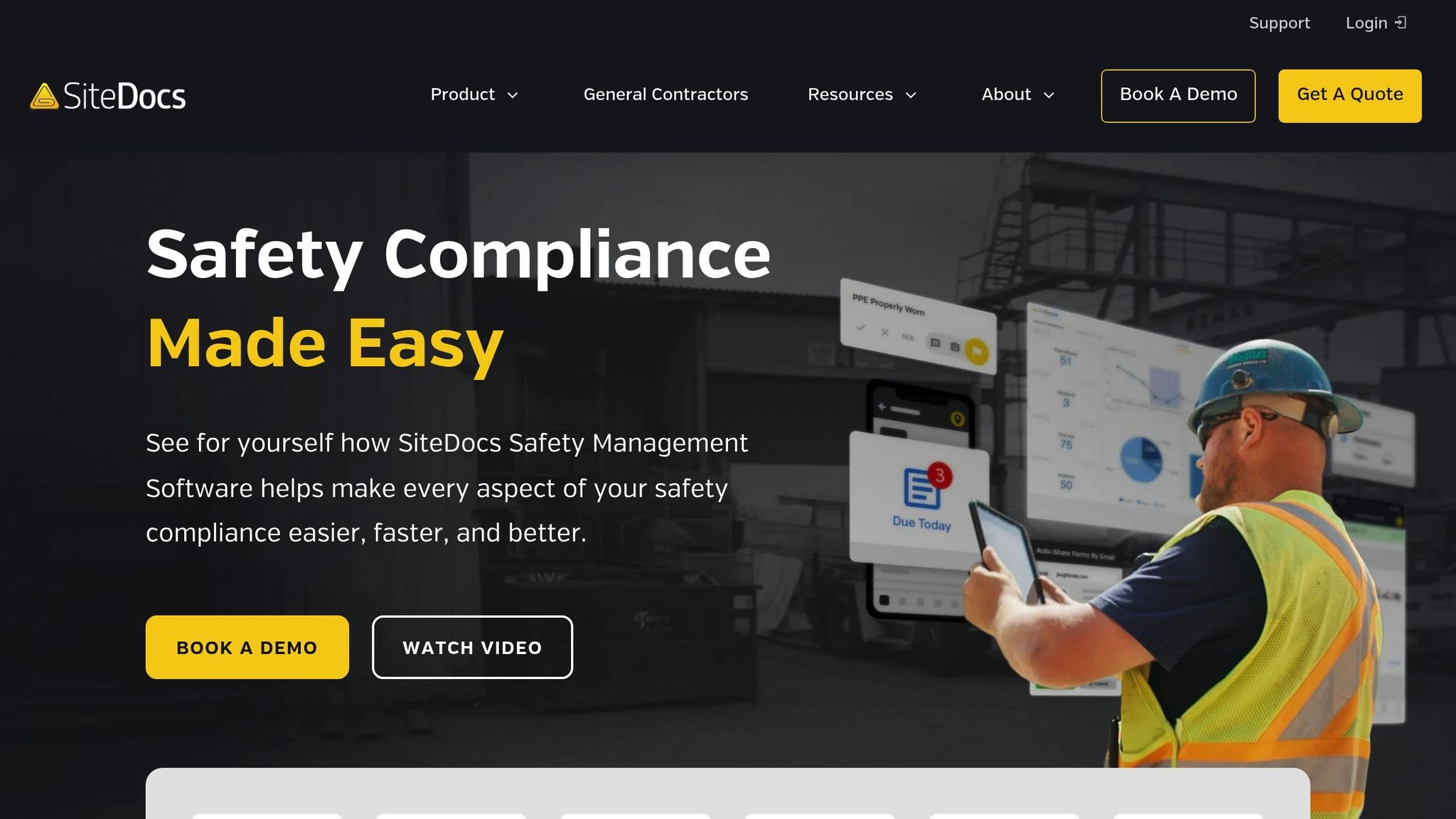
SiteDocs focuses on digitizing environmental inspections and safety records. Custom checklists tailored to site-specific needs – like erosion control or waste disposal – make it easy to ensure compliance. Even in remote areas, field teams can complete forms offline and sync data once connectivity is restored.
Features like geotagging and timestamping provide clear evidence of when and where inspections occurred, which is invaluable during audits. The ability to attach annotated photos and videos offers regulators visual proof of site conditions and corrective actions, creating a solid audit trail.
Each of these tools brings unique strengths, helping contractors maintain compliance and manage environmental risks more effectively on construction sites.
Feature Comparison Table
The table below outlines key features to help you choose the right tool for managing environmental risks effectively.
| Feature | Contractor Foreman | SafetyCulture | VelocityEHS | SiteDocs |
|---|---|---|---|---|
| Mobile Access | Yes (iOS & Android) | Yes (Mobile-first platform) | Yes (Any device) | Yes (Offline capable) |
| Emissions Monitoring | Vehicle/Equipment Logs | Asset Management | Air, Water, Waste, Energy | Not specified |
| Incident Reporting | Yes | Yes | Yes | Yes (Offline capable) |
| Compliance Tracking | Daily Logs | Digital Checklists, Audits | Regulatory Intelligence | Custom Checklists, Geotagging |
| Integration Capabilities | QuickBooks, Zapier | Field data sync | SAP, Oracle, OSIsoft PI | Not specified |
| AI Capabilities | Not specified | No | Yes (VelocityAI) | Not specified |
| Pricing | Starting at $49/month | Free tier available; Premium $24/user/month | Custom quotes ($10,000+ annually) | Custom pricing |
| Best For | Small to large contractors (budget-friendly) | Inspection-focused teams | Mid-to-large enterprises with complex compliance | Field teams needing offline access |
This comparison highlights how each tool supports better environmental compliance and risk management on construction projects.
Contractor Foreman stands out for its affordability, starting at $49/month with support for unlimited projects. Its integrations with QuickBooks and Zapier help automate tasks like expense tracking, making it a budget-friendly option for contractors looking to streamline compliance efforts.
All four tools offer mobile access, but SafetyCulture excels with its mobile-first platform, while SiteDocs provides offline functionality, making it ideal for remote work sites. For projects requiring detailed environmental reporting, VelocityEHS delivers robust emissions monitoring across air, water, waste, and energy – essential for meeting stricter regulatory demands.
Choosing the Right Tool for Your Business
1. Identify Your Environmental Challenges
Start by identifying the main environmental challenges your projects face. This could involve targeting Scope 1, 2, and 3 emissions or finding ways to cut down on waste.
Your chosen tool should address these specific needs – whether it’s tracking Scope 1 emissions from fuel-hungry equipment, monitoring waste diversion rates, or managing water consumption at job sites.
For instance, if your fleet consumes too much fuel, consider software that works with AEMP 2.0 telematics and fuel cards to flag idle time in real-time. If your projects must meet strict LEED or BREEAM standards, opt for platforms with pre-built audit templates that align with ISO 14001 guidelines. Since supply chains contribute to over 90% of greenhouse gas emissions in construction, tools that include vendor emissions surveys can help you gather accurate Scope 3 data from subcontractors.
Once you’ve clarified your environmental goals, ensure the software you select integrates smoothly with your existing systems.
2. Check Compatibility with Current Systems
After pinpointing your challenges, it’s crucial to confirm that the tool works seamlessly with your current systems. Your environmental risk management tool should connect effortlessly with the software you already rely on. For example, Contractor Foreman integrates with tools like QuickBooks, Zapier, Outlook 365, and Google Calendar, eliminating the need for repetitive data entry. This is important because specialized ESG software can cut reporting time by over 30%.
Take advantage of free trials – many range from 17 to 30 days – and use real project data like fuel card records, utility bills, or equipment logs to test compatibility. Ask vendors to show you how their platform can handle your workflows, such as reconciling fuel discrepancies or syncing with offline mobile crews. For mixed fleets, make sure the software supports telematics from major brands like Cat, Komatsu, Deere, and Volvo to provide unified equipment visibility.
3. Consider Scalability and Support Options
Once you’ve confirmed compatibility, evaluate whether the tool can grow alongside your business. As your needs evolve, the software should be able to keep up. For example, Contractor Foreman offers plans starting at $49/month, supports unlimited projects, and includes role-based permissions, making it a practical choice whether you’re managing a handful of jobs or dozens. Accessible training and dedicated support also make onboarding easier as your team expands.
Look for mobile-first features that allow field teams to log environmental data even without cell service, syncing later when a connection is available. As your project portfolio grows, centralized dashboards become invaluable. They act as a “single source of truth”, keeping contractors, subcontractors, and clients aligned on current risks. Automated workflows for notifications and task delegation can also help reduce manual effort as the number of tracked risks increases.
Conclusion
Addressing environmental risks is no longer optional – it’s a necessity for businesses.
The construction industry alone contributes nearly 40% of global energy-related emissions and uses between 20–50% of the planet’s resources. On top of that, failing to comply with EPA regulations can result in penalties of up to $27,500 per day, and material waste typically hovers around 15%.
Thankfully, digital tools are transforming these challenges into opportunities. By automating compliance documentation, monitoring emissions and waste in real time, and centralizing environmental records, these tools make it easier for businesses to stay audit-ready and efficient.
As covered in this article, ESG software can reduce reporting time by over 30%, giving your team more bandwidth to focus on core tasks. Companies that embrace transparent sustainability practices can even boost their competitiveness by up to 20% in public tenders where environmental performance is a deciding factor.
One solution worth considering is Contractor Foreman, which starts at just $49/month. This platform offers features like daily logs, vehicle monitoring, purchase order management, and seamless integration with QuickBooks and Zapier. Whether you need to track material usage to cut waste, monitor fuel consumption for equipment, or share sustainability updates with clients, Contractor Foreman supports unlimited projects and adapts to your growing needs. It’s a smart investment that not only streamlines environmental management but also positions your business for success in the expanding green market.
The momentum behind sustainable construction is undeniable, with the sustainable construction materials market expected to hit $452.64 billion by 2033. Now is the time to assess your environmental challenges, take advantage of free trials, and choose software that integrates effortlessly with your existing systems. By prioritizing environmental risk management, you’ll secure more projects, strengthen your reputation, and contribute to a healthier planet.
FAQs
Which environmental risks should I track first on a job site?
On any job site, some risks demand close attention to keep things running smoothly. Among the most pressing are safety hazards, unexpected incidents, and delays stemming from issues like weather conditions or problems with sourcing materials. These factors can have a big impact on worker safety, project schedules, and overall budgets. Focusing on these areas is crucial for better project management and minimizing disruptions that could throw everything off track.
How can software keep my permits and inspections audit-ready?
Software simplifies staying audit-ready by streamlining how you manage permits and inspections. It centralizes all your safety documents, certificates, and permits into a single, organized system, making them easy to access when audits roll around. Plus, automated alerts keep you in the loop about upcoming deadlines or any missing paperwork. This means you can stay compliant, avoid penalties, and reduce the stress of last-minute scrambling.
What integrations matter most for emissions and fuel tracking?
Integrating AEMP 2.0 with OEM telematics plays a key role in managing emissions and fuel usage. These systems offer unified fleet visibility, allowing operators to track all vehicles in one place. With real-time monitoring, fleet managers can keep an eye on performance metrics as they happen, identifying inefficiencies or issues early. Plus, these integrations support preventive maintenance, helping to address potential problems before they escalate. Together, these features are critical for effectively cutting down emissions and optimizing fuel consumption.







