
Construction payroll isn’t just “payday.”
It’s 6 guys on one job, 3 guys on another, someone clocking overtime in the rain, a union rate that changed last week, and a certified payroll report due way too soon.
Meanwhile, the payroll software you’re using is acting like everyone works in the same office, Monday through Friday.
Yeah…No.
Construction payroll is messy: prevailing wages, multi-rate pay, job costing, compliance rules that don’t care how busy your week is.
The good news? You don’t have to keep doing it the hard way.
The right construction payroll tool can automate the chaos — and save you from another late-night spreadsheet spiral.
Ready to make your life 1000x better?
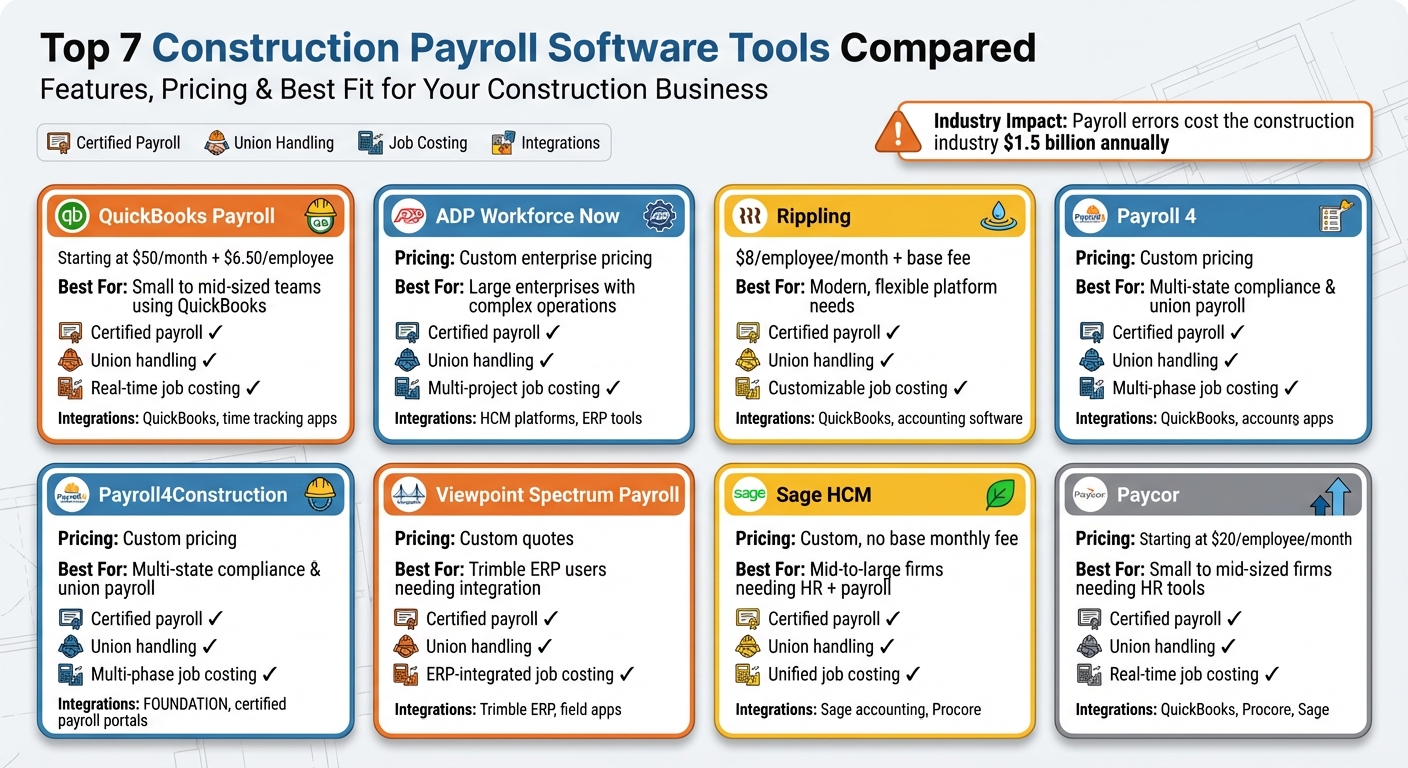
Here are the top 7 construction payroll software tools worth considering:
- QuickBooks Payroll: Best for small to mid-sized teams already using QuickBooks. Pricing starts at $50/month + $6.50 per employee.
- ADP Workforce Now: Ideal for large enterprises with complex operations. Custom pricing.
- Rippling: Flexible, modern platform with job costing and integrations. Starts at $8/employee/month + base fee.
- Payroll4Construction: Tailored for multi-state compliance and union payroll. Custom pricing.
- Viewpoint Spectrum Payroll: Integrated with Trimble ERP for real-time job cost tracking. Custom quotes.
- Sage HCM: Combines payroll, HR, and talent management. Scales with workforce size, no base monthly fee.
Quick Comparison:
| Software | Pricing | Certified Payroll | Union Handling | Job Costing | Key Integrations |
|---|---|---|---|---|---|
| QuickBooks Payroll | $50/mo + $6.50/employee | Yes | Yes | Real-time tracking | QuickBooks, time tracking apps |
| ADP Workforce Now | Custom pricing | Yes | Yes | Multi-project | HCM platforms, ERP tools |
| Rippling | $8/employee + base fee | Yes | Yes | Customizable | QuickBooks, accounting software |
| Payroll4Construction | Custom pricing | Yes | Yes | Multi-phase | FOUNDATION, certified payroll portals |
| Viewpoint Spectrum | Custom quotes | Yes | Yes | ERP-integrated | Trimble ERP, field apps |
| Sage HCM | Custom, no base fee | Yes | Yes | Unified | Sage accounting, Procore |
| Paycor | $20/employee/month | Yes | Yes | Real-time tracking | QuickBooks, Procore, Sage |
Each tool addresses certified payroll, job costing, and union requirements but varies in automation and scalability.
Smaller firms may prefer QuickBooks or Paycor, while larger enterprises might find ADP or Viewpoint Spectrum more suitable. Choose based on your team size, complexity, and integration needs.
Looking for an all-in-one construction management platform with payroll fully integrated?
Contractor Foreman easily wins the top spot.
Best for small to mid-sized construction businesses, it goes beyond payroll by offering powerful tools for project management, scheduling, document sharing, job costing, team communication, and overall workflow organization — all in one place.
With pricing starting at just $49/month, it’s an affordable, feature-packed solution built specifically for contractors.
Construction Payroll Software Comparison: Features, Pricing & Best Use Cases
1. QuickBooks Payroll
QuickBooks Payroll works seamlessly with QuickBooks accounting, eliminating the hassle of duplicate data entry by connecting field time tracking directly to financial records. The Core plan starts at $50 per month plus $6.50 per employee, while the Premium plan, priced at $88 per month plus $10 per employee, offers additional perks like same-day direct deposit and advanced time tracking.
Here’s a closer look at how QuickBooks Payroll tackles common construction payroll challenges.
Certified Payroll Support
QuickBooks Payroll simplifies compliance with Davis-Bacon Act requirements by automating prevailing wage calculations and offering eCPR XML exports. For example, a mid-sized contractor using the system reduced compliance errors by 40% across 150 workers. It generates reports in the exact formats required for government contracts, turning weekly submissions from a tedious task into a streamlined process.
Union Handling
Managing union payroll is much easier with QuickBooks Payroll. The platform calculates varying pay rates, fringe benefits, and contributions based on union codes and tiers automatically. It handles everything from union dues to health and pension contributions in real time, ensuring every worker is paid accurately according to their union agreements – no manual calculations needed.
Job Costing
Thanks to its integration with QuickBooks, labor hours and costs are assigned to specific projects or phases in real time. This means contractors can track overtime, per diem, and other expenses directly against individual job codes. By offering detailed insights into labor costs, the system helps identify budget issues early and improves the accuracy of future project bids through historical cost data.
Integrations
QuickBooks Payroll goes beyond just payroll by integrating with QuickBooks Time for GPS-enabled mobile time tracking, allowing field teams to clock in and out – even offline. It also connects with third-party tools like Procore and Foundation for project management, as well as HR platforms for workforce management. Additionally, it supports 1099 contractor payments, making the entire payment workflow – from time tracking to disbursement – smooth and efficient.
2. ADP Workforce Now
ADP Workforce Now is designed for large construction enterprises that manage complex workforces spread across multiple states and job sites. It offers enterprise-level HR tools alongside construction-specific features through its Construction Center of Excellence. Pricing is customized based on the size and needs of the business, so contractors should contact ADP directly for a quote.
This platform stands out for its ability to handle the payroll requirements of large-scale contractors managing hundreds or even thousands of employees across various locations and project types. Reviews often highlight ADP as the go-to solution for growing construction businesses dealing with complex union rules, multi-state operations, or government contracts, rather than smaller contractors with simpler payroll needs.
Its robust features are tailored to meet the challenges of large-scale construction payroll management.
Certified Payroll Support
ADP Workforce Now simplifies prevailing wage calculations and generates certified payroll reports that comply with the Davis-Bacon Act for government-funded projects. The system tracks hours by job, craft, and rate, applying the appropriate prevailing wages and fringe benefits. This ensures that exported reports are accurate, consistent, and audit-ready. Many contractors collaborate with ADP’s construction services team to set up project codes and labor classifications from the start, streamlining the process.
Union Handling
Managing multiple union locals is made easier with ADP’s construction-specific configurations. The platform supports multiple pay rates for each employee, different fringe benefit structures, and union-specific deductions across various jurisdictions. Contractors can set up union codes, wage tables, benefit contributions, and deduction formulas, enabling automatic calculations for health, pension, and training fund contributions based on hours worked under collective bargaining agreements. ADP also provides compliance support to ensure union tables stay up-to-date with contract changes and generates the necessary union reports for remittance and audits.
Job Costing
ADP enables detailed tracking of labor costs by job, phase, and cost code. Time entries include project and task details, ensuring payroll expenses, taxes, and fringe benefits are allocated to the correct job cost categories. Contractors often integrate these labor cost totals with their construction accounting or ERP systems to conduct comprehensive job profitability analyses. Field time solutions integrated with ADP capture jobsite hours accurately by cost code, improving overall monitoring of job profitability.
Integrations
ADP integrates seamlessly with accounting and ERP systems like Spectrum and Sage, allowing payroll and labor cost summaries to flow directly into the general ledger and job cost modules without the need for manual data entry. It also connects with time-tracking and field management applications, enabling crews to clock in by job and cost code, with that data feeding directly into ADP for payroll processing and certified reporting.
3. Rippling
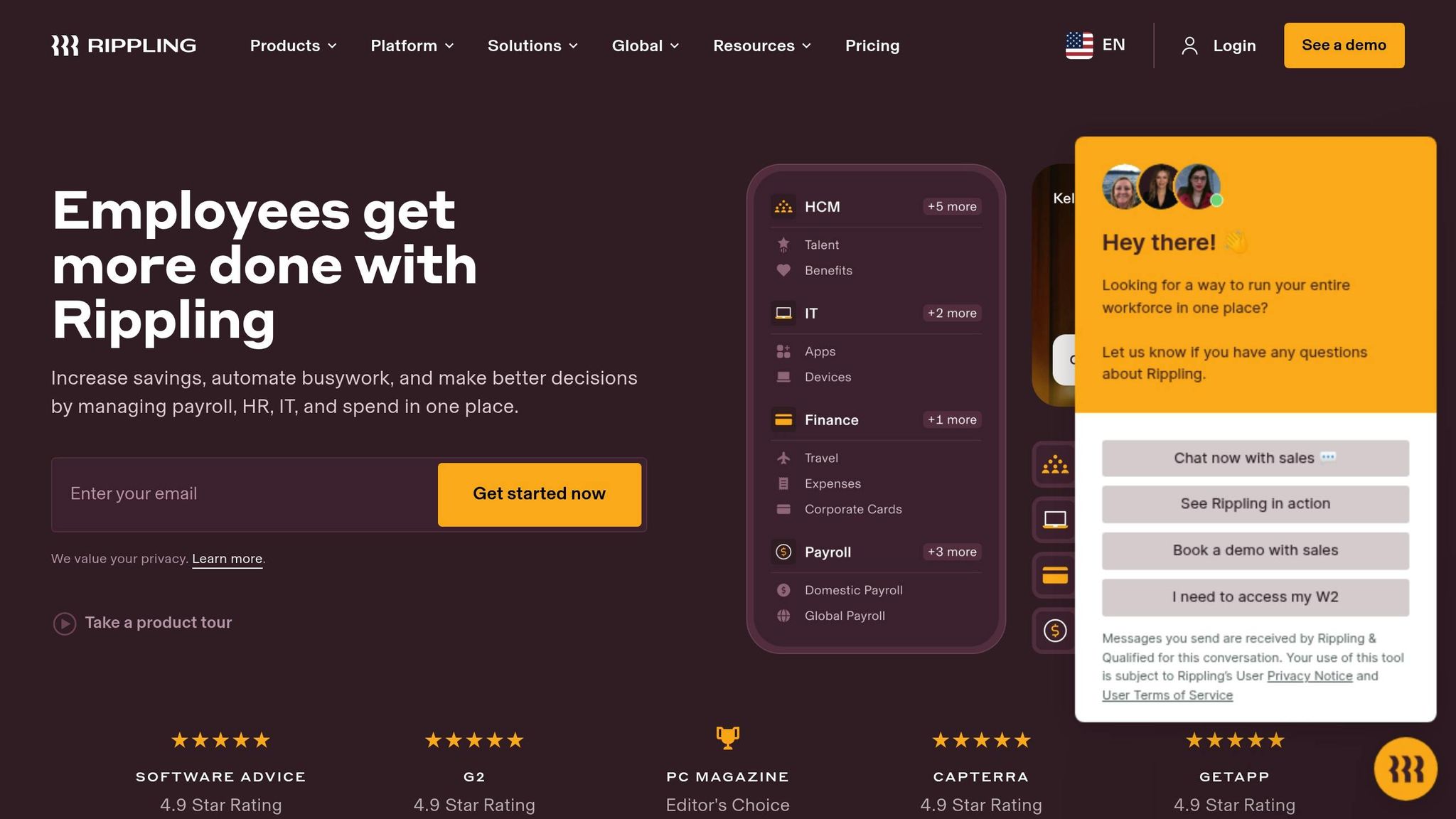
Rippling is a comprehensive platform that brings together HR, payroll, IT, and finance tools into one system. It offers payroll services alongside benefits administration, device management, and workforce analytics. With modular pricing starting at around $8 per employee per month (plus a base platform fee), it’s a flexible option for construction companies of all sizes looking for modern, integrated solutions.
Construction contractors appreciate Rippling’s automated payroll processing, which simplifies tagging hours and wages to specific projects, cost centers, and locations. It also syncs labor data with popular accounting software like QuickBooks and NetSuite. Payroll can be processed in just 90 seconds using its automated workflows, and the platform takes care of all federal, state, and local payroll tax filings, including year-end W-2s and 1099s. Below, we’ll dive deeper into its job costing capabilities.
Job Costing
Rippling offers customizable tools for job costing, allowing construction firms to track labor expenses across multiple projects and locations in real time. Users can set up custom job codes and cost centers to ensure hours and wages align accurately with projects, phases, and cost codes. This results in detailed job costing reports that help firms manage costs and gain better insights. Payroll costs can be allocated directly to specific jobs, with data seamlessly integrating into project management workflows. The system also ensures this information automatically posts to general ledger accounts and project profit-and-loss statements, streamlining financial tracking.
Integrations
Rippling excels in integration capabilities, thanks to its robust API and extensive app marketplace. The platform connects effortlessly with construction management software, accounting tools, and project management systems. This enables payroll data to sync with time tracking, scheduling, and financial systems, cutting down on manual data entry and reducing errors. These smooth data flows are especially useful for construction firms managing multi-state projects with field teams spread out across various locations.
4. Payroll4Construction
Payroll4Construction is a cloud-based payroll service specifically designed for construction contractors. It simplifies the complexities of multi-rate and multi-state payroll, making it particularly useful for contractors working across various jurisdictions with differing tax laws and wage requirements. The service supports multi-locality payroll processing, with premium plans starting at approximately $20 per user per month, though pricing is customized. Its standout feature is its seamless integration with FOUNDATION construction accounting software, though it also works with other accounting systems through exports and customizable report layouts. Built to meet the unique demands of construction projects, it excels in tracking labor costs by project phase, managing intricate union contracts, and ensuring compliance with government regulations. Below, we’ll explore how Payroll4Construction handles certified payroll, union management, job costing, and integrations.
Certified Payroll Support
Payroll4Construction provides robust tools for certified payroll reporting, catering to public works and prevailing wage projects. It simplifies compliance by generating pre-filled WH-347 forms and state-specific certified payroll reports. The system tracks prevailing wage rates, fringes, and deductions by job, classification, and locality, helping contractors meet government requirements and avoid penalties. It also supports electronic certified payroll submissions, offering export files compatible with platforms like LCPtracker and AASHTOWare, which are commonly used for DOT and large infrastructure projects. Advanced filtering options allow users to organize data by project, employee, union, or work classification, making audits and inquiries more manageable.
Union Handling
Payroll4Construction is built to handle the complexities of union payroll. It supports multiple union contracts, each with its own wage and fringe tables, and automatically calculates union-related deductions, benefit contributions, and fringes like health, pension, and apprenticeship funds. This ensures accurate payroll processing for unionized teams. The system also generates detailed and summary reports for remittance preparation and reconciling union benefits. This functionality is especially beneficial for contractors managing projects with varying union agreements and regulations.
Job Costing
One of Payroll4Construction’s key strengths is its ability to integrate labor data into job costing. Contractors can assign hours, gross pay, burdens, and fringes to specific jobs, cost codes, and project phases. The system calculates and posts labor burdens – including taxes, workers’ compensation, and related costs – directly to jobs, ensuring precise cost tracking. Detailed job cost reports allow contractors to compare actual expenses against budgets and monitor productivity trends over time. Whether working on time-and-materials or fixed-price projects, users can generate the reports needed for AIA billing and work-in-progress tracking. When paired with FOUNDATION or similar systems, this feature helps project managers refine bids and estimates for future projects based on historical data.
Integrations
Payroll4Construction integrates seamlessly with FOUNDATION, enabling automatic payroll posting. For contractors not using FOUNDATION, the system allows payroll data exports in CSV format with customizable layouts. This integration capability is a key advantage for contractors who rely on FOUNDATION for accounting. Additionally, Payroll4Construction supports connections to certified payroll portals and time-tracking solutions, enabling field-captured data to flow directly into payroll calculations. Its export-focused design makes it particularly effective for compliance-driven tasks like certified payroll reporting, union management, and accounting integration.
5. Viewpoint Spectrum Payroll

Viewpoint Spectrum Payroll is a key feature of Trimble’s cloud-based Spectrum ERP platform, tailored for contractors who need a fully integrated solution for payroll and financial management. Unlike standalone payroll systems that require exporting data into separate accounting software, Spectrum Payroll operates within the same database as accounts payable, accounts receivable, general ledger, and job costing. This integration allows labor transactions to update project financials in real time, minimizing reconciliation headaches. Pricing for Spectrum Payroll isn’t listed online; instead, contractors can request a customized quote, reflecting the platform’s ERP-level functionality and personalized implementation.
Certified Payroll Support
Spectrum Payroll simplifies certified payroll reporting, making it ideal for contractors working on government and public works projects. The system helps ensure compliance with Davis-Bacon and prevailing wage laws by generating certified payroll reports and exporting them in formats required by federal, state, and local agencies. Because payroll is deeply integrated with Spectrum’s financial tools, it tracks worker classifications, hours, and wage determinations at both the job and phase level. This makes audits and inspections smoother and reduces the risk of penalties or rejected submissions on public projects.
Union Handling
Designed for contractors managing multiple unions, Spectrum Payroll handles the complexities of collective bargaining agreements with ease. Administrators can configure wage codes, manage various benefit tiers, and produce detailed union reports that break down base pay, fringe benefits, and deductions. The system also automates pay rates, overtime rules, and benefit contributions based on the employee’s union and job assignment. This level of automation ensures accurate contributions to union benefit funds, reduces errors when rates change, and streamlines audit preparation.
Job Costing
With Spectrum, every time entry can be assigned to a specific job, phase or cost code, piece of equipment, or work order. This level of detail gives project managers and financial controllers the ability to track labor productivity and identify variances while a project is still in progress, rather than waiting for month-end reports. For example, if framing labor on Job 1020 is running 15% over budgeted hours, Spectrum’s job-cost reports flag the issue early, allowing for timely corrective actions. This integration also enhances work-in-progress reporting, margin forecasting, and pricing for change orders by using real labor data.
Integrations
As part of the Spectrum ERP ecosystem, Viewpoint Spectrum Payroll seamlessly connects with core modules like accounting, job costing, equipment management, and service management, eliminating the need for duplicate data entry. It also integrates with field and project tools, including mobile apps for time entry. Field crews can input job-coded hours directly from the jobsite, and this data flows into payroll in real time. This streamlined process reduces errors from manual timesheet re-entry, speeds up payroll processing, and ensures accurate overtime and prevailing wage calculations based on the latest field data.
sbb-itb-5eea312
6. Sage HCM
Sage HCM offers an all-in-one platform that combines payroll, HR, and talent management, making it a solid choice for mid-to-large construction companies. Unlike standalone payroll tools, it centralizes essential functions like employee data, compliance tracking, onboarding, and performance management, all alongside payroll processing. This streamlined system is especially useful for managing complex workforces spread across multiple jobsites, unions, and entities. With usage-based pricing and no base monthly fee, it scales easily as your workforce grows.
Certified Payroll Support
Sage HCM simplifies compliance with Davis-Bacon prevailing wage laws and certified payroll reporting for public works projects. It allows administrators to create separate pay codes for base rates, fringe benefits, and overtime while mapping job classifications to specific projects. The system’s configurable payroll engine generates reports that align with form WH-347 and other agency formats. While it may not have as many prebuilt certified payroll templates as some specialized tools, its flexibility enables firms to customize reports to meet federal, state, and local standards. This adaptability helps minimize the risk of errors and rejected submissions during audits.
Union Handling
For contractors dealing with multiple union locals and collective bargaining agreements, Sage HCM’s payroll engine is designed to handle complex pay rules seamlessly. Union codes can be assigned at either the employee or job level, with specific rules for wages, overtime, and fringe benefits tied to each local. When workers move between jobs or jurisdictions, the system automatically applies the correct pay rates and benefits. This automation reduces the need for manual spreadsheets, ensures accurate payroll processing, and ties HR data – like hire dates and certifications – directly to union rules, streamlining benefits eligibility.
Job Costing
Sage HCM integrates payroll with detailed labor tracking by job, cost code, or phase, offering real-time insights into labor expenses. Time entries linked to specific projects and tasks ensure that wages, taxes, and fringe benefits flow directly into job cost reports within connected accounting systems like Sage 300 CRE. This allows controllers to compare estimated versus actual labor costs while projects are still in progress, helping to identify overruns early. The integration supports accurate work-in-progress reporting, margin forecasting, and change order pricing, all based on real labor data rather than projections.
Integrations
Sage HCM is designed to fit seamlessly into a broader construction tech ecosystem, working particularly well with Sage construction accounting products and tools like Procore. For firms already using these platforms, Sage HCM acts as a centralized hub for employee, payroll, and HR data. Integrations include synchronized general ledger accounts, job numbers, and cost codes with Sage accounting software, along with connections to mobile time-tracking apps that capture hours directly from the field. This eliminates duplicate data entry, speeds up payroll processing, and improves accuracy in compliance reporting. These integration capabilities set the stage for evaluating the final payroll solution in this guide.
7. Paycor
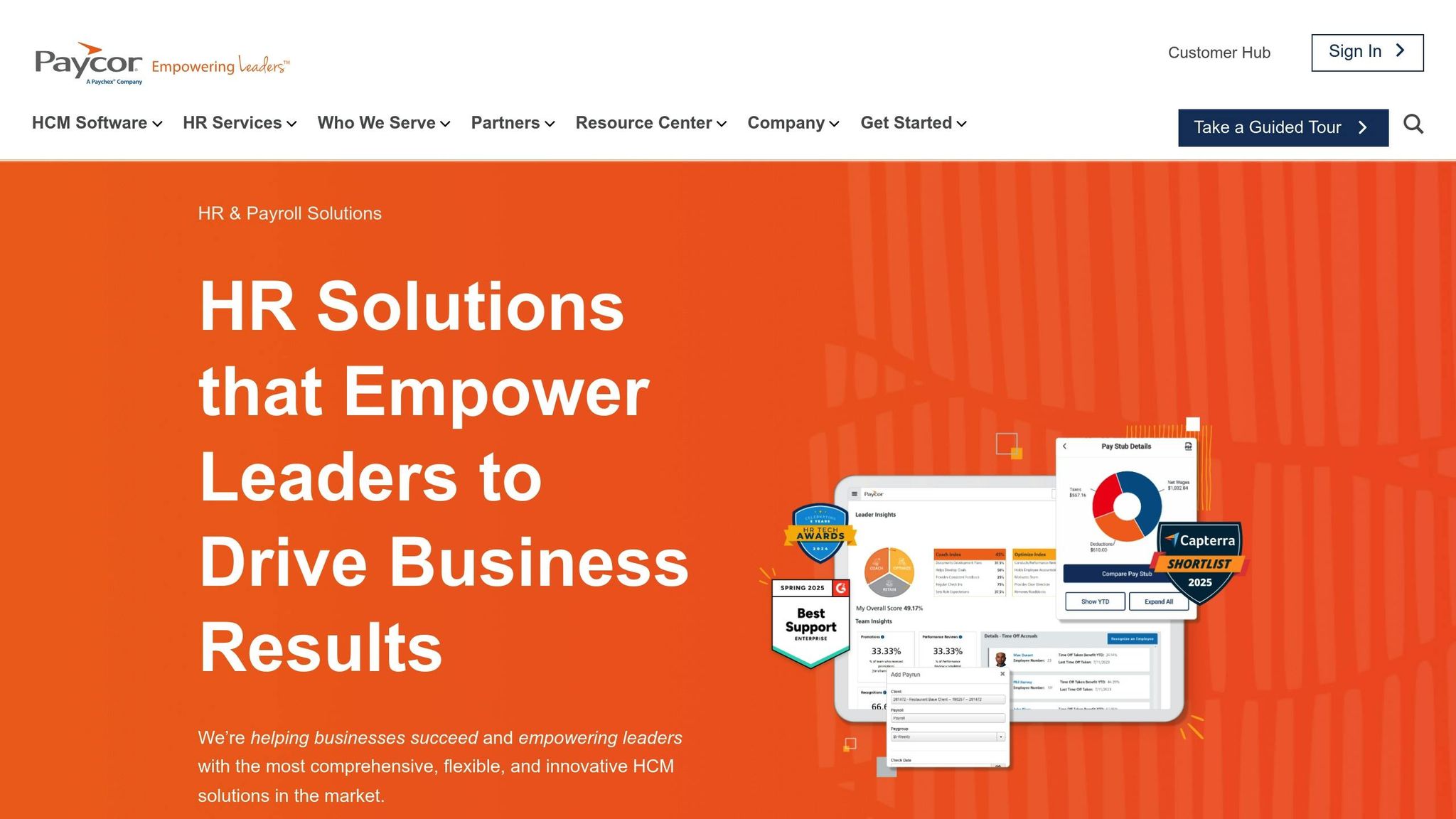
Paycor combines HR, payroll, and workforce analytics into one cloud-based platform, making it an excellent fit for small to mid-sized construction firms that need more than just basic payroll services. Unlike standalone tools, Paycor centralizes employee data, time tracking, and compliance, helping construction companies manage both field crews and office staff seamlessly. Its tiered plans – Essentials, Core, Premium, and Enterprise – allow businesses to scale as they grow, with higher tiers offering advanced analytics and unlimited integrations that are often crucial for contractors managing multiple jobsites. Here’s a closer look at how Paycor addresses key payroll challenges in the construction industry.
Certified Payroll Support
Paycor simplifies certified payroll reporting by automating prevailing wage calculations and ensuring compliance with regulations for government contracts. It generates reports in formats ready for submission, reducing the manual workload during audits. Administrators can also customize reports to meet federal, state, and local requirements, streamlining the entire process.
Union Handling
For construction firms working with union labor, Paycor automates complex pay calculations and manages union deductions effortlessly. The platform uses union code-based reporting to minimize manual errors across different locals and collective bargaining agreements. Administrators can assign union codes to employees and link them to specific pay rules, ensuring accurate payroll processing when workers move between jobs or jurisdictions. This feature is especially beneficial for contractors juggling multiple union contracts, as it eliminates the need for spreadsheets and manual adjustments.
Job Costing
Paycor’s job costing tools allow real-time allocation of labor costs to projects, phases, or cost codes. Time entries from the field are automatically synced with payroll, ensuring wages, taxes, and benefits are accurately assigned to the correct jobs. The platform offers real-time budget tracking and variance analysis, enabling project managers to monitor estimated versus actual labor costs as work progresses. This visibility helps catch cost overruns early and supports more precise change order pricing based on actual labor data.
Integrations
Paycor integrates with popular tools like QuickBooks, Procore, Sage, and time tracking apps like QuickBooks Time. It also provides API support for custom connections to construction ERP systems. These integrations ensure smooth data flow between payroll, job costing, and accounting systems, eliminating duplicate data entry and speeding up payroll processing. Additionally, its mobile app allows GPS-enabled clock-ins and time entry directly from jobsites, adding convenience for teams on the go.
Feature Comparison Table
Here’s a breakdown of how seven construction payroll tools measure up. This table highlights key differences in pricing, certified payroll capabilities, union handling, job costing, user limits, and integrations – features that matter most to construction businesses.
| Software | Pricing | Certified Payroll | Union Handling | Job Costing | User Limits | Key Integrations |
|---|---|---|---|---|---|---|
| QuickBooks Payroll | Core: $50/mo + $6.50/employee Premium: $88/mo + $10/employee Elite: $125/mo + $11/employee | Yes (automated prevailing wage calculations, export capabilities) | Yes (automated pay rates and benefits) | Real-time labor cost tracking integrated with accounting | Enterprise tier supports unlimited users | QuickBooks, time tracking apps |
| ADP Workforce Now | Custom enterprise pricing | Yes (automatic prevailing wage calculations via Construction Center of Excellence) | Yes (union payroll processing) | Real-time job cost allocation for multi-project control | Enterprise scalability for large, multi-location teams | HCM platforms, construction management tools |
| Rippling | Custom pricing Premium: $20/user/month Enterprise: Custom | Yes (automated tax calculations, multi-state compliance) | Yes (multi-rate pay, compliance tracking) | Customizable job costing with analytics | Scalable to Enterprise | QuickBooks, accounting software, project management tools via API |
| Payroll4Construction | Custom pricing (not publicly listed) | Yes (specialized certified payroll reporting) | Yes (multi-rate payroll support) | Multi-project job costing | Suitable for variable team sizes | Multi-state tax compliance tools |
| Viewpoint Spectrum Payroll | Custom quotes via Trimble sales | Yes (eCPR XML and AASHTOWare exports) | Yes (wage codes, benefit tiers, union reports) | Seamless job-cost allocation via ERP integration | ERP-integrated scalability | Trimble ERP, field apps |
| Sage HCM | No base monthly fees, scales with workforce size (custom quotes) | Yes (via integrations) | Yes (supports complex union rules) | Unified job costing in HCM database | Scales with workforce, mid-to-large firms | Procore, Sage Intacct |
| Paycor | Premium: $20/user/month Enterprise: Custom pricing | Yes (automated prevailing wage calculations, customizable reports) | Yes (union code-based reporting, automated deductions) | Real-time labor cost allocation to projects with budget tracking | Enterprise tier supports unlimited users | QuickBooks, Procore, Sage, QuickBooks Time |
Each tool brings a unique set of strengths to address the challenges of construction payroll. Here’s a closer look at which might work best for your business:
- QuickBooks Payroll is ideal for small to mid-sized teams already using QuickBooks for accounting. Its straightforward pricing model ensures no hidden surprises.
- ADP Workforce Now and Viewpoint Spectrum Payroll cater to larger contractors managing complex, multi-location operations. Both offer custom solutions designed for scalability.
- Rippling and Paycor provide versatile mid-range options with strong integration capabilities, making them great for teams needing flexibility.
- Payroll4Construction is tailored for contractors dealing with multi-state compliance and specialized certified payroll requirements.
- Sage HCM stands out by eliminating base monthly fees, offering a cost-effective option for mid-to-large firms needing full HCM functionality.
When deciding, think about your team size and future growth. Tools like QuickBooks and Paycor offer clear per-user pricing, while ADP, Viewpoint, and Sage provide custom quotes for more complex setups. All seven tools address certified payroll and union requirements, but the level of automation and depth of features vary. For example, ADP and Viewpoint excel in compliance automation, while QuickBooks keeps things simple for smaller operations.
Conclusion
When choosing a solution, it’s important to consider your business size and complexity.
Smaller contractors may find straightforward options like QuickBooks Payroll to be a perfect fit. Meanwhile, mid-sized or larger firms with unionized or multi-location operations might need more robust platforms like ADP Workforce Now, Sage HCM, or Viewpoint Spectrum.
However, if you’re looking for the best all-in-one construction management platform with payroll integration built specifically for contractors, Contractor Foreman stands out as the clear winner.
With tools for project management, scheduling, job costing, document sharing, and team communication — all alongside payroll-ready time tracking — it provides everything construction businesses need in one affordable system. Starting at just $49/month, Contractor Foreman is an ideal choice for small to mid-sized contractors who want to streamline payroll while keeping every part of their operation connected.
FAQs
What should I look for when selecting payroll software for a construction business?
When selecting payroll software for your construction business, look for tools that are user-friendly, integrate seamlessly with platforms like accounting software, and cater specifically to the unique demands of construction payroll. It’s also important to evaluate factors like pricing, customer support quality, and whether the software helps you stay compliant with local tax laws and regulations. Choose a solution designed to streamline complicated payroll tasks and free up your valuable time.
How can payroll software simplify certified payroll reporting and union management?
Payroll software takes the hassle out of certified payroll reporting by automating the process of tracking employee hours, wages, and deductions. It ensures compliance with federal, state, and union regulations while making it easier to generate the detailed reports required for certified payroll submissions. This not only saves time but also helps minimize errors.
When it comes to managing union-specific requirements, payroll software is especially useful. It handles tasks like tracking fringe benefits, processing dues, and adhering to collective bargaining agreements, helping businesses stay organized and compliant without the extra stress.
What are the best payroll software options for small and medium-sized construction businesses?
For small and medium-sized construction businesses, Contractor Foreman stands out as a budget-friendly and practical option. With pricing starting at just $49/month, it provides a straightforward solution packed with features like project management, financial tracking, and scheduling. Its intuitive design and functionality are perfect for businesses looking to simplify their operations without dealing with the complexity of more extensive systems.
While larger companies might require highly tailored platforms, Contractor Foreman is crafted specifically for the needs of smaller to mid-sized firms. It delivers powerful tools that are easy to adopt and use, helping these businesses operate more efficiently.







