
Wait…why is this framed five inches off?”, “Wait… why’s this framed five inches off?” the foreman said, giving the wall a long look.
The framer didn’t even look up. He shouted back, “Well, I just followed the latest revision.”
The foreman blinked 5 times. He can’t believe what he’s hearing. “Huh?! Which revision? The one shared five days ago or 12 days ago?”
The framer held up his set like it was legally binding. “There’s one that’s shared five days ago?”
Jen, the project manager, walked over, scrolling. “Actually, the latest one was shared YESTERDAY.”
Both froze.
Jen, the project manager, tilted her phone. “Didn’t you see it? It was pinned in the WhatsApp group.”
And just like that, five inches turned into five days of rework!
Construction projects aren’t usually set back because someone’s just lazy or disorganized — they’re set back by poor document management. When plans live across email threads, text messages, cloud drives…confusion isn’t a possibility — it’s inevitable!
The fix is pretty straightforward: centralize everything.
Cloud-based document sharing apps keep blueprints, RFIs, submittals, contracts, and construction RFI software data in one controlled location with clear version history and real-time updates. When everyone works from the same set of plans, miscommunication drops, productivity improves, and teams can reduce disputes while keeping projects on schedule.
Here are the 7 best apps for construction document sharing:
- Contractor Foreman: All-in-one platform with unlimited storage, mobile markups, and strong security.
- Autodesk Docs: Ideal for 2D/3D models with offline access and advanced version tracking.
- Bluebeam Revu: Best for PDF markups and real-time collaboration.
- Microsoft 365/SharePoint: Great for small to mid-sized teams with robust version control.
- Google Drive: Simple, mobile-friendly app with basic collaboration tools.
- Dropbox Business: Reliable for file recovery and PDF annotations.
- Egnyte: Advanced security, offline access, and seamless integrations.
Quick Comparison:
| App | Best For | Offline Access | Version Control | Security Features |
|---|---|---|---|---|
| Contractor Foreman | All-in-one management | Yes | Yes | Role-based permissions |
| Autodesk Docs | 2D/3D models | Yes | Yes | Encrypted, ISO-compliant |
| Bluebeam Revu | PDF markups | Yes | Yes | Detailed audit trails |
| Microsoft 365 | Office integrations | Yes | Yes | Enterprise-grade encryption |
| Google Drive | Simplicity | Yes | Yes | Sharing controls |
| Dropbox Business | File recovery | Yes | Yes | Remote wipe, admin console |
| Egnyte | Advanced security | Yes | Yes | Ransomware detection |
These apps save time, minimize errors, and improve collaboration, making them essential for construction teams.
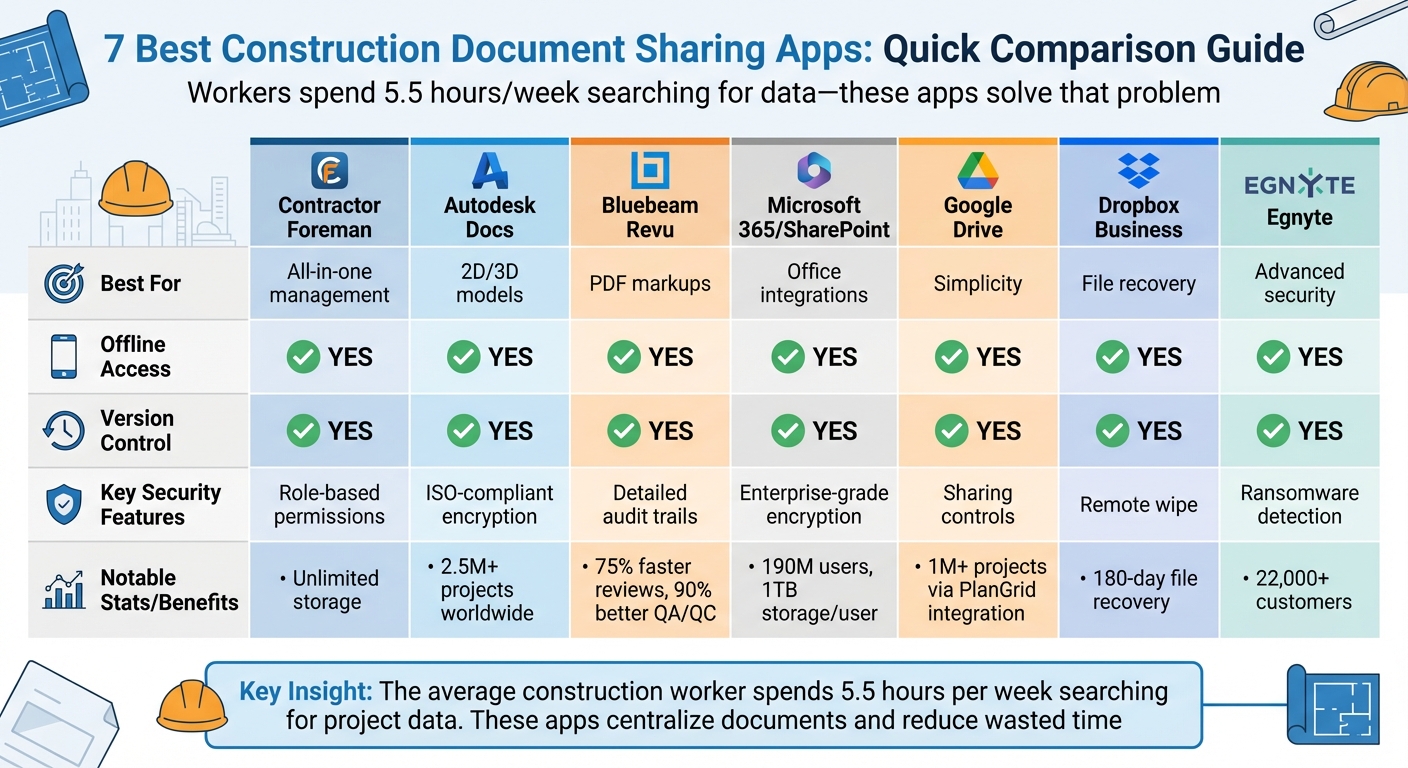
Construction Document Sharing Apps Comparison: Features, Security, and Mobile Access
What To Look For In Document Sharing Apps
When choosing a document sharing app, start by ensuring it offers centralized cloud storage. This creates a single, secure location for all your critical files – blueprints, contracts, RFIs – making them easily accessible to everyone involved. No more hunting through endless email threads or flipping through physical binders.
Another must-have is automatic version control. This feature tracks every change and ensures everyone is working with the latest version, avoiding confusion and expensive mistakes. As Ethan Lobo, Document Control Manager at Procore Technologies (a popular Procore alternative), explains:
“Poor document control is one of the most significant factors in cost overruns, costing the industry billions of dollars a year.”
A mobile-first design with offline access is equally important. This allows field crews to view, annotate, and upload updates, even when they’re offline. Look for apps that support industry-standard file formats like DWG or BIM, so your team doesn’t need to invest in extra software licenses.
To protect sensitive data, opt for apps with granular user permissions. These let you control access at various levels – project, folder, or sub-folder. For example, subcontractors can access only the files they need, while financial documents remain restricted to authorized personnel.
Finally, prioritize workflow integration. The app should sync seamlessly with your existing systems, such as accounting, scheduling, and email tools. Features like markup tools for annotating PDFs, attaching photos, and linking RFIs directly to blueprints can also streamline your processes.
These key features are essential for selecting a document sharing app that keeps your projects running efficiently and securely.
sbb-itb-5eea312
1. Contractor Foreman
Contractor Foreman provides a comprehensive construction management platform with unlimited document storage and over 35 integrated tools. Here’s how it addresses essential document sharing needs.
The platform automatically generates structured project folders while allowing customization with personalized folders and tags. Plus, you can edit Word and Excel files directly within the system – no need for downloads.
Mobile Access and Offline Viewing
Contractor Foreman’s mobile app makes it easy for field teams to stay connected. They can view plans, add comments, measure dimensions, and annotate documents on the go. The app even uses an integrated camera to upload photos directly to the right module and project, simplifying the documentation process.
Teams in the field can also use tools like redlining, text annotations, and arrows to efficiently mark up drawings. As Shawn B. from Avan Company LLC shares:
“I like that it has almost everything in one place from the client portal to schedules, to budgets, and so on.”
Permissions, Security, and Audit Trails
In addition to its mobile capabilities and version control, Contractor Foreman offers robust security features to protect sensitive project data. The client portal allows selective file sharing, while secure links let architects and engineers submit responses without needing extra logins.
The compliance tracking module is another standout feature, logging issues and responses to create a centralized record. This detailed audit trail is invaluable for resolving disputes and verifying timelines.
2. Autodesk Docs
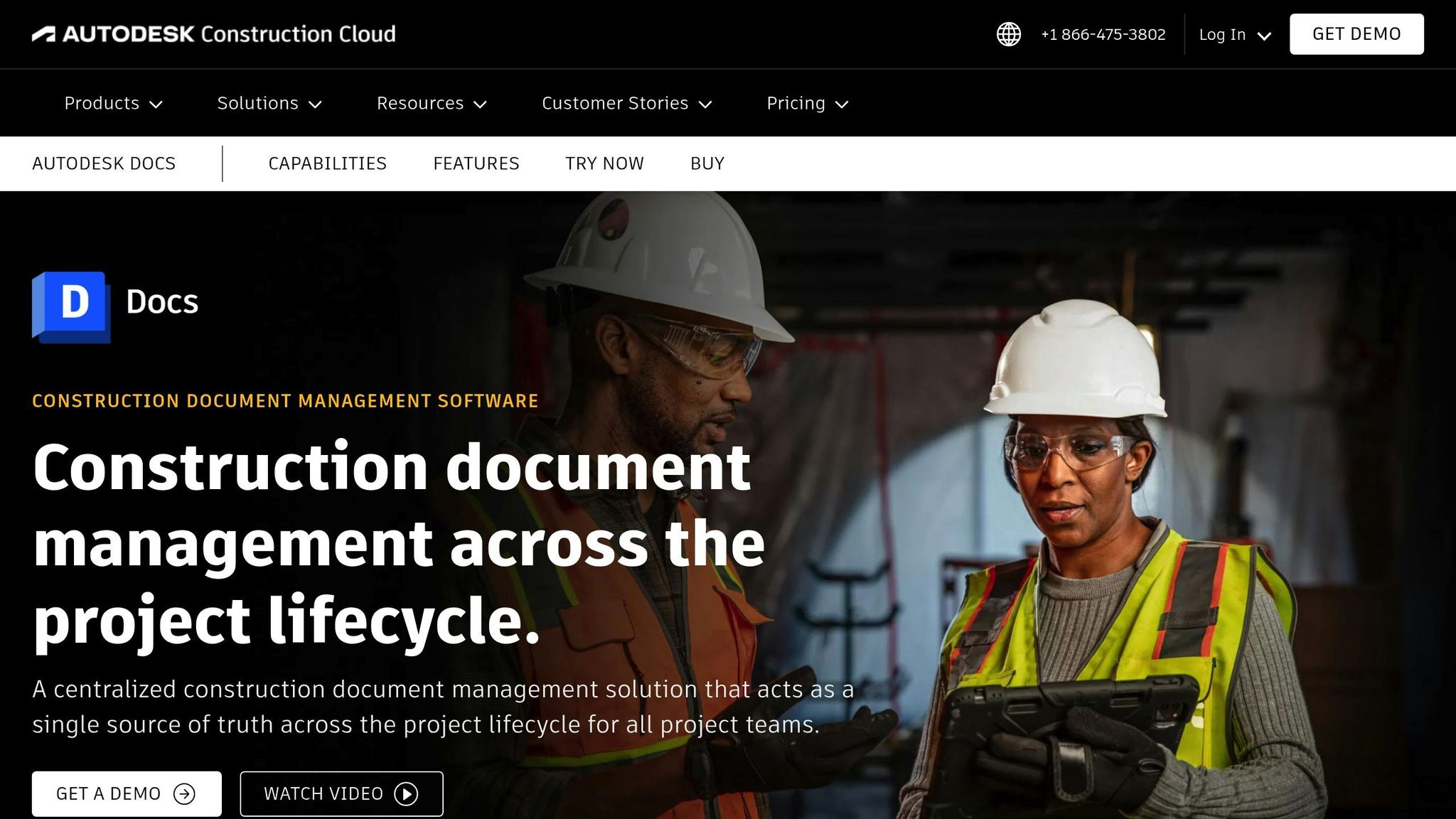
Autodesk Docs serves as a cloud-based document management platform within the Autodesk Construction Cloud, supporting over 2.5 million projects worldwide and integrating with more than 260 tools. It accommodates a wide array of file types, from simple 2D drawings to intricate 3D models, making it a reliable choice for managing construction documentation on a large scale.
Mobile Access and Offline Viewing
The Autodesk Construction Cloud mobile app, available for both iOS and Android, has been downloaded over a million times on Google Play. It offers full project access, even in the field. Team members can sync documents online and access them offline, with the “For the Field” folder automatically syncing files across devices. Features like advanced sheet processing allow users to instantly load 2D drawings and navigate 3D models (RVT, DWG, IFC, NWD) directly onsite. Ken Mabe, Director of Field Operations at Eckardt Group, emphasizes its value:
“We have about 460 field employees and for them to access documents in real-time directly on their iPhone or their iPad is priceless.”
Version Control and Revision History
Autodesk Docs simplifies version management by automatically saving a detailed history of changes as they are published. Teams can easily review or revert to previous versions when necessary. A version comparison tool highlights differences between iterations, helping users quickly identify updates. The ability to search and filter by specific versions ensures that everyone is always working with the correct document.
Markup, Comments, and Collaboration
The platform’s markup tools allow teams to annotate both 2D drawings and 3D models with ease. Multiple users can collaborate in real time, with annotations and issues syncing seamlessly to the cloud. The Bridge feature securely shares data with subcontractors while maintaining ownership of documents. Briana Mitchell, Project Manager at The Boldt Company, shares her experience:
“The ability to access 3D models from the field eliminates confusion and allows us to come to a real-time resolution for any issues onsite.”
Permissions, Security, and Audit Trails
Autodesk Docs offers detailed access controls, enabling administrators to manage permissions at project, folder, and sub-folder levels. This ensures that field workers only see the documents relevant to their tasks. The platform also tracks all document activities and transmittals, creating a comprehensive audit trail for compliance and dispute resolution. Additionally, it supports ISO 19650 naming conventions, helping teams organize files in a standardized and efficient way.
3. Bluebeam Revu
Bluebeam Revu is one of the top apps every contractor should be using for PDF-based document management, trusted by over 3 million professionals in the architecture, engineering, and construction (AEC) industry globally. Known for its real-time markup capabilities and version control, the platform delivers measurable results. For example, Forcia reported completing reviews, RFIs, and logistics 75% faster, Ballymore improved QA/QC accuracy by 90%, and Solid Earth saved $50,000 on their first project using the software.
Mobile Access and Offline Viewing
The Bluebeam Cloud app is available for both iOS and Android, letting field teams access project documents through mobile apps or web browsers without needing the full desktop version. For jobsites with limited or no connectivity, users can long-press files, folders, or projects to select “Make Available Offline”, downloading them directly to their devices. Documents previously opened in Studio Sessions remain accessible offline, with markups syncing automatically via “Pending Updates” once connected.
Version Control and Revision History
Studio Projects uses a check-in/check-out system to ensure only one person edits a file at a time, with locked files clearly marked on mobile devices [24, 26]. The platform also tracks a detailed file history, showing exactly who made changes and when. Mobile users can view this full revision history directly in the app, making it easy to keep track of updates [24, 29]. This comprehensive versioning system supports seamless real-time collaboration, further enhanced by Bluebeam’s powerful markup tools.
Markup, Comments, and Collaboration
Studio Sessions allows multiple stakeholders to work on the same PDF simultaneously, with built-in chat and activity tracking to monitor every participant’s actions [26, 29]. AECOM successfully managed 100,000 comments across 400 collaborators, while CannonDesign reduced QA/QC timelines by 2–3 weeks using the platform. The Tool Chest feature lets teams create and share custom markup sets, streamlining communication. Additionally, the markup tools include precise, industry-standard measurements for length, depth, and volume calculations at scale. Users can also attach metadata and snapshot images directly to their annotations for added context.
Permissions, Security, and Audit Trails
Administrators have full control over permissions at both the project and document levels, including options for viewing, markup, deletion, and setting expiration dates. Studio Sessions automatically records every action in real time, creating a permanent audit trail of all comments, markups, and status changes. Tracie Sanim from Bluebeam highlights this key feature:
“Studio Projects also logs and stores a file history, meaning you can see who made which changes to the documents and when”.
At the end of collaboration sessions, teams can generate detailed Session Reports and Summary Reports to document all activities and decisions made during the process.
4. Microsoft 365 and SharePoint
Microsoft 365 and SharePoint are trusted by 190 million users across more than 200,000 organizations. These platforms streamline file management and boost team efficiency by combining well-known Office apps with cloud storage and collaboration tools. For construction teams, this means 1 TB of storage per user to handle blueprints, site photos, and other essential project files , including construction cost estimates. With business plans accommodating up to 300 users, these tools are a great fit for small to mid-sized construction companies.
Mobile Access and Offline Viewing
The SharePoint mobile app keeps field teams connected, allowing them to view and manage project files, site photos, and blueprints directly from their smartphones or tablets [30,32]. The OneDrive sync app enables offline work, automatically syncing updates once the device reconnects [30,31]. With the Files On-Demand feature, users can access files via File Explorer or Finder without downloading them, saving valuable storage space on mobile devices. Additionally, each Microsoft 365 user can install the apps on up to five tablets and five mobile devices, ensuring quick access to Office tools at the jobsite.
The Microsoft Teams mobile app acts as a “jobsite control tower”, enabling crews to retrieve SharePoint documents, resolve issues through video calls, and share site photos in real time. This seamless mobile integration ensures effective collaboration and document management, even on the go.
Version Control and Revision History
Version control is crucial for avoiding costly mistakes, and Microsoft 365 simplifies this with automated tracking. By default, SharePoint saves the last 500 versions of a document, distinguishing between major versions (like “submitted for review”) and minor drafts. Users can review file changes, compare versions, or restore previous ones directly in Office apps. The check-out/check-in feature ensures that only one person edits a document at a time, while prompting users to leave comments during check-in, creating a detailed version history.
For critical documents like contracts or final blueprints, the check-out feature prevents overlapping edits while encouraging meaningful version notes. When working on drafts, the @mention feature allows users to tag specific team members in comments, sending email notifications that guide them directly to the relevant section.
Markup, Comments, and Collaboration
Microsoft 365 supports real-time co-authoring, enabling multiple team members to edit Word, Excel, or PowerPoint documents simultaneously. The @mention feature speeds up workflows, such as RFIs, by sending instant email links to comments. Teams can securely share blueprints, photos, and change orders through Microsoft Teams. On the jobsite, mobile apps make it easy to scan documents to the cloud and add markups in real time. All files stored in SharePoint and OneDrive are encrypted both during transfer and at rest, ensuring a high level of security.
Permissions, Security, and Audit Trails
Microsoft 365 offers robust security features, allowing IT administrators to define access based on roles, device status, and network conditions using Conditional Access Policies. SharePoint can enforce “read-only” settings to prevent sensitive files from being downloaded onto unmanaged devices. Data Loss Prevention (DLP) policies monitor and protect sensitive information, with over 80 pre-built definitions to block unauthorized sharing or document creation in restricted locations. Sensitivity labels add another layer of protection by enforcing encryption and specific permissions, while retention labels help meet legal requirements by either preserving or permanently deleting data after a set period.
Unified audit logs track all user and file actions, including sharing and synchronization details, providing a clear record of activity. Navjot Virk, Principal Group Program Manager for OneDrive and SharePoint at Microsoft, explains their approach to balancing security and usability:
“The level of security, and any resultant user friction in the experience, needs to be commensurate to the value of the data or the sensitivity of the data”.
The Files Restore feature offers a safety net, letting users roll back their entire OneDrive to any point within the last 30 days to recover from mass deletions or ransomware attacks. Deleted files remain in the recycle bin for 93 days before permanent removal. For sensitive projects, admins can further enhance security by setting shorter session durations for users accessing files from public networks or unmanaged devices.
5. Google Drive
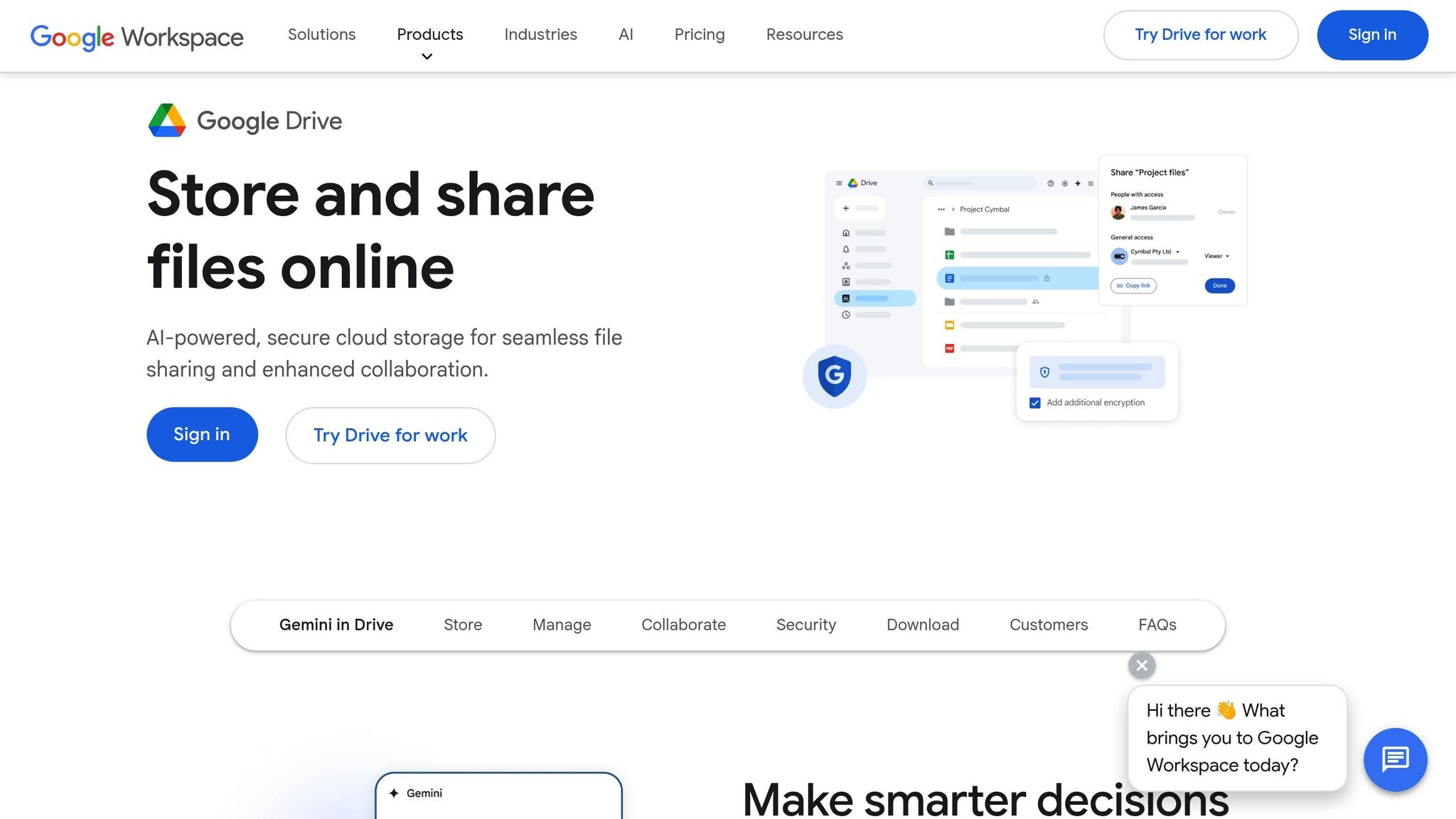
Google Drive, much like Microsoft 365, offers an intuitive cloud-based solution for document sharing, tailored to meet the needs of construction professionals.
With its secure cloud storage, Google Drive ensures that all construction documents are safely housed in one place. It integrates seamlessly with construction tools like PlanGrid, which has supported over one million projects worldwide. This integration allows Google Drive folders to automatically sync essential files – such as drawings, as-builts, and snapshots – to mobile devices. This feature is a game-changer, especially considering that the average construction project generates around 56 change orders during its design and build phases.
Mobile Access and Offline Viewing
One of Google Drive’s standout features is its ability to provide mobile and offline access to design files. Field teams can always access the most up-to-date documents, ensuring no one is left scrambling for misplaced physical files. Its mobile-friendly nature also supports electronic signing and document sharing, cutting down on delays caused by traditional, paper-based processes. By creating a centralized, cloud-based “single source of truth”, Google Drive ensures all stakeholders – whether contractors, project managers, or site workers – are always on the same page with the latest project updates.
Version Control and Revision History
Google Drive excels in version control, maintaining a detailed history for both native and non-native files. For non-native files like PDFs, images, or CAD drawings, the platform retains past versions for up to 30 days or 100 versions, whichever comes first. This system allows users to view a detailed log of edits, track who made specific changes, and revert to earlier versions when needed. Such capabilities are critical in avoiding miscommunication or errors during construction projects.
Markup, Comments, and Collaboration
Collaboration is made simple with features like Suggesting mode, which highlights proposed changes in different colors. This allows project managers to approve or reject edits without overwriting the original content. Additionally, users can tag team members directly using @mentions in comments, making it easier to manage RFIs (Requests for Information) and change orders.
Permissions, Security, and Audit Trails
Google Drive offers granular control over file access with roles such as Viewer, Commenter, and Editor. File owners can prevent editors from altering permissions or sharing files further and can restrict downloading, printing, or copying of documents.
For teams using Google Workspace Business (starting at $7 per user per month), administrators can set expiration dates for shared access. This ensures that temporary collaborators, like subcontractors, automatically lose access after their involvement ends. Shared Drives, in particular, provide a major advantage over personal “My Drive” folders because the organization, not an individual, owns the files. As Howard Wen, a contributing writer for Computerworld, notes:
“Shared drives can be useful for storing and sharing documents that people collaborating on the same project… need to use.”
This setup ensures that crucial construction documents remain accessible to the team, even if a member leaves the project. Additionally, the Drive mobile app allows managers to adjust permissions or revoke access instantly from the jobsite, offering an added layer of security.
6. Dropbox Business
Dropbox Business simplifies construction document management by bringing office and field teams together on one platform. Pricing starts at $15/user/month for 5 TB of storage and 180-day file recovery. The Advanced plan, priced at $24/user/month, offers 15 TB+ of storage and a 1-year recovery period [44, 46].
Mobile Access and Offline Viewing
With Dropbox, construction teams can store, access, preview, and edit critical files like CAD, BIM, and PDFs. Field teams can capture on-site photos and videos, which are automatically uploaded, keeping office teams updated in real time. The integration with Microsoft Office allows seamless editing on the go. Kendall Pouland, Director of Tech & Innovation at Tellepsen, highlights this advantage:
“Dropbox not only delivers on its promise of reliable mobile access to our files but, through the integration with Office, makes it dead simple for our users to edit those files and save them back to Dropbox no matter where they are or what device they’re using.”
When architects or engineers update drawings from the office, field workers are notified instantly and gain access to the latest versions. For jobsites with unreliable connectivity, teams can mark essential folders for offline access, ensuring critical blueprints and specifications are always available. Dropbox also excels in version tracking, making it easy to manage updates.
Version Control and Revision History
Dropbox Business offers extended file recovery periods – 180 days for Standard plans and up to 1 year for Advanced and Enterprise plans. It automatically saves earlier file versions, allowing users to revert changes if needed or recover overwritten files. Desktop users receive warnings before moving or deleting files, reducing accidental losses. Admins can also monitor activity with detailed audit trails. Joe Hersom, Project Manager at EJ Prescott, explains the impact:
“Now, we organize, edit and assemble all submittal packets right in Dropbox, then share those packets externally with engineers using shared links. That change alone has freed up over 500 hours of project manager time.”
Markup, Comments, and Collaboration
Dropbox’s annotation tools enable on-site contractors to add comments directly to PDF drawings, allowing architects to review feedback instantly without extra downloads. The platform works seamlessly with industry-standard tools like Autodesk, Bluebeam, PlanRadar, Procore, and Vectorworks, breaking down data silos. Real-time syncing ensures that updates from architects or engineers are immediately available to field teams.
Permissions, Security, and Audit Trails
Dropbox provides detailed access controls, letting admins determine who can share files and set download restrictions to safeguard sensitive documents like blueprints and contracts. Activity tracking is made easy with audit trails, and shared links can be secured with passwords and expiration dates. If devices are lost or stolen, admins can remotely clear files. Advanced and Enterprise plans also offer tiered admin roles, giving project managers the ability to manage permissions for their teams. Alex Serriere, CTO at TEECOM, shares his perspective:
“The flexibility offered by Dropbox’s approach to security has made it much easier to manage than our file server ever was. By sharing the responsibility for setting permissions with our project managers we are able to reduce the burden on IT and optimize sharing for end user needs.”
These robust security measures ensure that critical construction documents remain protected, while also streamlining collaboration and effective construction management workflows.
7. Egnyte
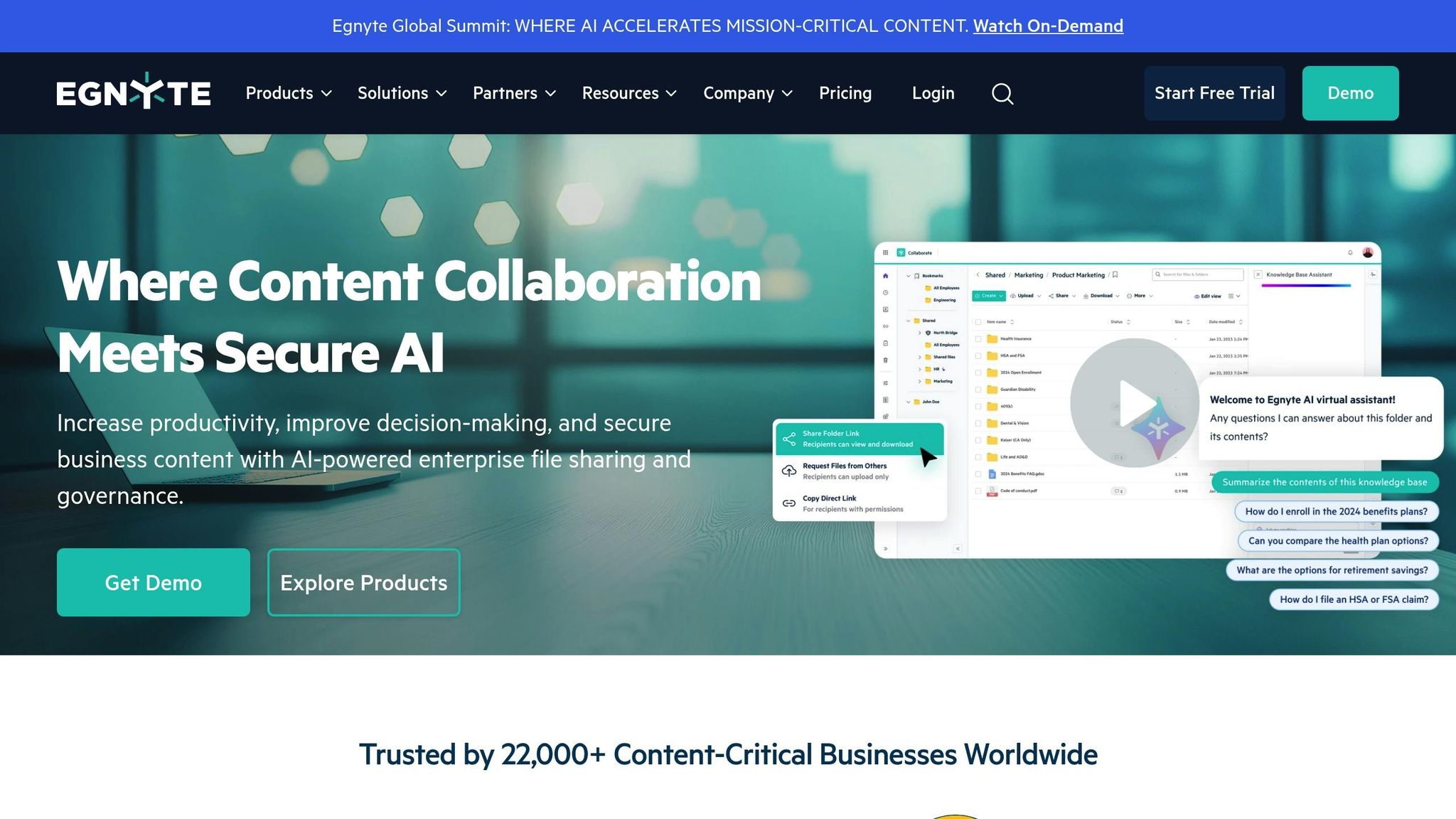
Egnyte stands out as a powerful document management solution tailored for construction teams, serving over 22,000 customers globally. Its pricing starts at $22 per user per month (billed annually) for the Business plan, which includes features like file versioning, folder templates, and mobile access. The Enterprise Lite plan, at $38 per user per month, adds ransomware detection and lifecycle management, while the Ultimate plan is available upon request for those needing advanced capabilities.
Mobile Access and Offline Viewing
Egnyte’s mobile app allows field crews to access plans, specifications, and RFIs with ease, even in low-bandwidth conditions, thanks to features like adaptive block caching and Smart Upload. Adaptive block caching ensures that the latest file versions are always accessible, while Smart Upload automatically syncs offline changes and organizes field photos or reports into the correct project folders based on metadata or predefined rules.
The app also supports previewing complex documents without requiring additional CAD or BIM software, making it especially useful for construction teams on the go. Rob Sloyer, VP of Innovation and Strategic Services at KAST Construction, captures the app’s value:
“Now teams can work from home, from the coffee shop, from their kid’s Little League game. The people, and firms, who can integrate work and life will eat the lunch of those who can’t, and Egnyte gives us that flexibility.”
Beyond its mobile efficiency, Egnyte ensures that document integrity is never compromised, thanks to its strong version control features.
Version Control and Revision History
Egnyte’s version control system offers a centralized repository that tracks all modifications and prevents conflicts through global file locking. This system allows users to restore previous versions and protects against accidental errors.
For example, Torcon, a construction management firm, uses Egnyte to handle large volumes of documents, saving between 5 and 10 hours per employee each month by streamlining file transfers and document discovery. Similarly, BW: Workplace Experts reduced the time needed for contract execution from 2.5 hours to just 30 minutes, saving over 5,000 hours annually.
Permissions, Security, and Audit Trails
Egnyte prioritizes security with role-based access controls and detailed audit trails. Administrators can assign specific permissions, such as view-only or time-limited access, to files and folders. The platform also tracks every action taken on documents, such as who accessed, edited, or shared them.
Advanced security features include ransomware detection, suspicious login alerts, and one-click recovery options. Sensitive files, like bids and contracts, can be shared via secure, password-protected links with download tracking and auto-expiring access. Egnyte also supports compliance with key regulations, including CMMC 2.0, NIST SP 800-171, GDPR, and CCPA, through automated checks and data retention policies.
David Pratt, Director of Corporate and Operational Technology at Robins & Morton, emphasizes the platform’s integration capabilities:
“The integration of Egnyte and Procore has been positively received by all. At a stroke it has eliminated the challenges we had in the field with data storage and archiving project documentation.”
Egnyte seamlessly integrates with industry-standard tools like Procore, Autodesk Construction Cloud, Bluebeam, and Microsoft 365, making it a versatile choice for construction teams.
Feature Comparison
When considering the right document-sharing app for construction teams, it’s essential to understand how each platform meets the unique demands of both on-site and office operations. The table below compares seven popular options based on mobile access, version tracking, markup tools, security features, and field workflow support – key features that can make or break efficiency in the field.
| App | Mobile Access | Version Tracking | Markup Tools | Security Features | Field Workflow Support |
|---|---|---|---|---|---|
| Contractor Foreman | iOS, Android, and web with offline access | Automatic version control with document history | Built-in markup and annotation tools | Role-based permissions, encrypted storage, customizable access controls | Daily logs, time-stamped photos, task management, GPS timecards |
| Autodesk Docs | Mobile-first design with offline access to 2D/3D models | Version Compare tool, Version Sets for releases | Shareable markups, issue tracking | Permission-based folders, encrypted cloud storage | RFIs, checklists, issue management offline |
| Bluebeam Revu | Web and mobile via Bluebeam Cloud | Check-in/check-out system, detailed activity records | Scale-aware, customizable with metadata attachments | Collaborator management, custom workflows | Real-time collaboration via Studio, status reports |
| Microsoft 365 and SharePoint | Mobile apps with offline file access | Version history with restore capabilities | Basic commenting and co-authoring | Enterprise-grade encryption, compliance certifications, conditional access | Integration with Teams for communication |
| Google Drive | iOS, Android, web with offline mode | Revision history with 30-day recovery | Basic commenting and suggesting | Two-factor authentication, sharing controls, activity dashboard | Real-time collaboration, file sharing links |
| Dropbox Business | Mobile apps with offline folders | File version history up to 180 days | PDF annotation and commenting | Advanced sharing controls, remote wipe, admin console | Paper for collaborative editing, Smart Sync |
| Egnyte | Mobile app with adaptive block caching for low bandwidth | Global file locking, centralized version control | Preview complex documents without CAD software | Ransomware detection, role-based access, audit trails | Smart Upload, metadata-based organization |
This breakdown highlights key differences that could influence your choice.
Offline functionality plays a critical role for teams working in areas with limited connectivity. For instance, Autodesk Docs’ mobile-first design allows field teams to manage RFIs and issues offline – a game-changer when workers spend an average of 5.5 hours per week searching for project data.
When it comes to markup tools, Bluebeam Revu stands out, offering features that speed up reviews by 75% and improve QA/QC accuracy by 90%. Contractor Foreman also provides robust built-in tools, while Google Drive and Dropbox Business stick to basic commenting functions.
Security features vary significantly across platforms. Egnyte leads with enterprise-grade protection, including ransomware detection, role-based access, and audit trails. Contractor Foreman and Autodesk Docs also prioritize security with role-based permissions and encryption, while Dropbox Business adds remote wipe capabilities to safeguard lost devices.
For teams looking for a quick start, Contractor Foreman simplifies onboarding with free training and support, enabling immediate document management.
Each app offers unique advantages, so the best choice depends on your team’s specific needs and workflows.
Conclusion
Choose construction management software that aligns with your team’s workflow and specific project requirements. Considering that the average construction worker spends 5.5 hours a week just searching for project data, the right platform can save time and improve productivity almost immediately.
Key features like mobile access and offline functionality are critical for field teams working in areas with unreliable connectivity. For teams using BIM and CAD tools such as Revit or AutoCAD, apps with native integrations can make file sharing and collaboration much smoother. Specialized tools can also provide 90% more accurate reviews and speed up RFI processing by 75%.
Security should be a top priority. Look for apps with role-based access controls to protect sensitive files while empowering your team to work efficiently.
Finally, free training and accessible support can make a huge difference in adoption rates. The app you choose should be intuitive and easy for your field crews to use – simplifying their work, not complicating it.
FAQs
What are the key features to look for in a construction document-sharing app?
When selecting a construction document-sharing app, focus on features that simplify organizing, accessing, and securely sharing files across your team.
Start with centralized storage and version control. This ensures everyone is working with the most up-to-date files, reducing the risk of costly mistakes. Permission settings are another must-have, allowing you to control who can view or edit sensitive information. Additionally, mobile access with offline functionality is essential for teams working on jobsites where internet connectivity may be unreliable. Features like PDF markup and annotation can also enhance collaboration by letting users add edits and comments directly within the app.
Other helpful tools to consider include forms for daily logs or inspections, RFI and submittal tracking to speed up approvals, and integrations with accounting or scheduling software to cut down on manual data entry. Choosing an app with these features can save time, improve communication, and help your projects stay on track.
How do cloud-based apps make sharing construction documents easier and more efficient?
Cloud-based apps make sharing construction documents much easier by keeping everything – like plans, submittals, and reports – in one secure, centralized location. Whether you’re at the job site or back at the office, you can access these files from any device. Tools like advanced search functions and automatic version tracking ensure teams always have the most up-to-date documents, helping to prevent costly errors and unnecessary rework.
These platforms also boost teamwork. Field teams can view, edit, and even approve files right from their mobile devices, making collaboration seamless. Customizable access settings add an extra layer of security, ensuring sensitive files are only shared with the right people. By simplifying workflows and ensuring everyone has the same information, cloud-based tools play a big role in keeping construction projects on time and on budget.
What security features should I prioritize in a construction document-sharing app?
When selecting a construction document-sharing app, it’s crucial to focus on security features that safeguard sensitive materials like plans, contracts, and reports. Start by ensuring the app offers robust access controls, such as password protection, email verification, and the ability to set expiration dates or revoke access. These tools help make sure that only authorized individuals can view or download your documents.
Another key feature to look for is encryption, which protects your data both during transfer and while it’s stored – often referred to as “bank-level encryption.” This ensures your files remain secure whether they’re being shared among team members or stored on cloud servers. Certifications like FedRAMP are a good indicator that the app adheres to strict security standards and undergoes regular audits.
Finally, choose an app with activity tracking and audit logs. These tools let you monitor who has accessed, edited, or downloaded documents, promoting accountability and helping you stay compliant with any contractual or regulatory requirements. By prioritizing these features, you can ensure your documents stay secure and accessible only to the right people.







