
Inspections
Inspections that don’t catch you off guard
Walk into inspections knowing exactly where things stand. Contractor Foreman ties inspections directly to permits, projects, and schedules so nothing gets missed. Track status, prep the field, document results, and move forward with confidence.
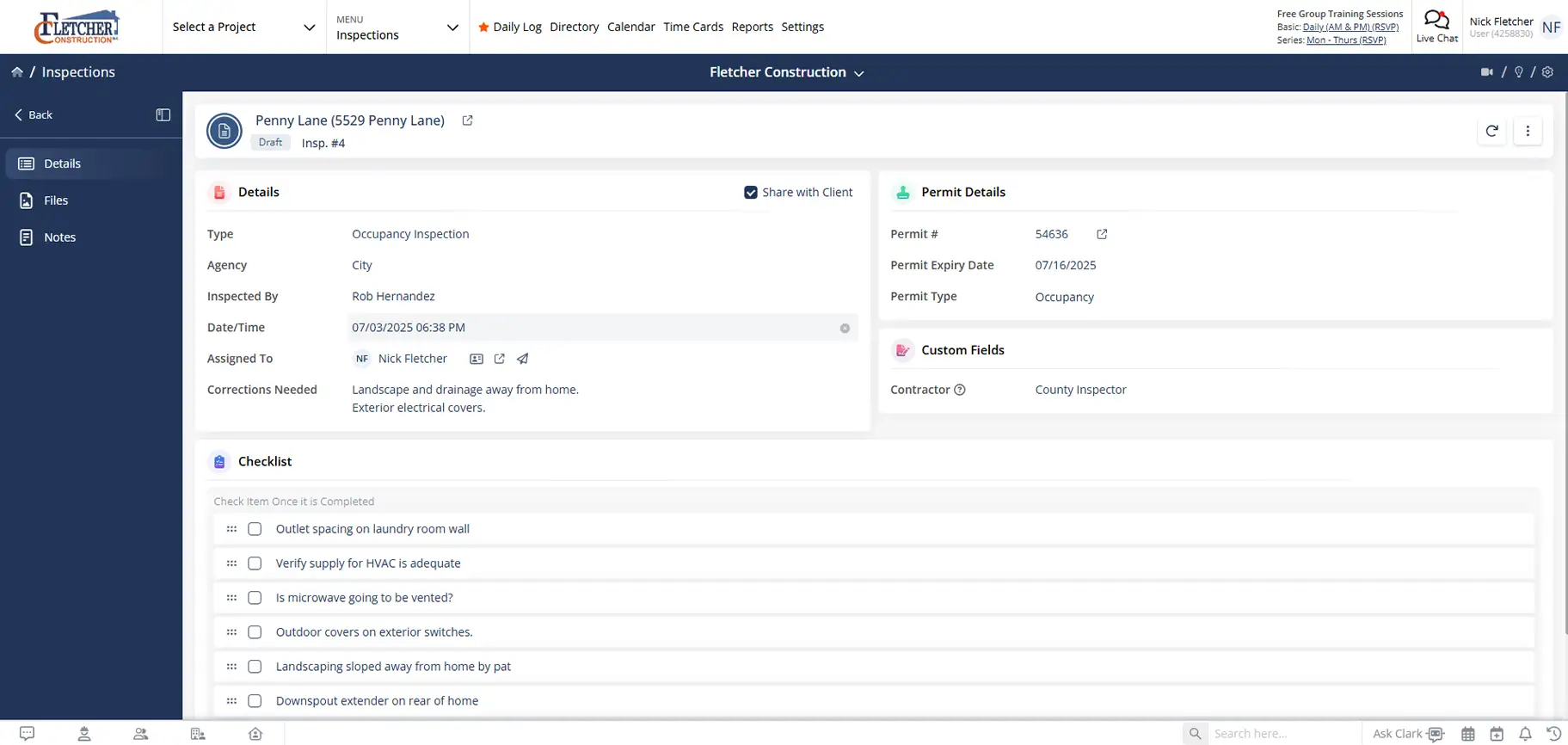
Stay ready before the inspector shows up
Inspections stay organized, visible, and connected so small oversights don’t become costly delays.

Prep once, pass with confidence
Use checklists and details to make sure the job is inspection-ready.

Keep inspection history clean
Every inspection, re-inspection, photo, and document stays tied to the project.

Handle re-inspections without starting over
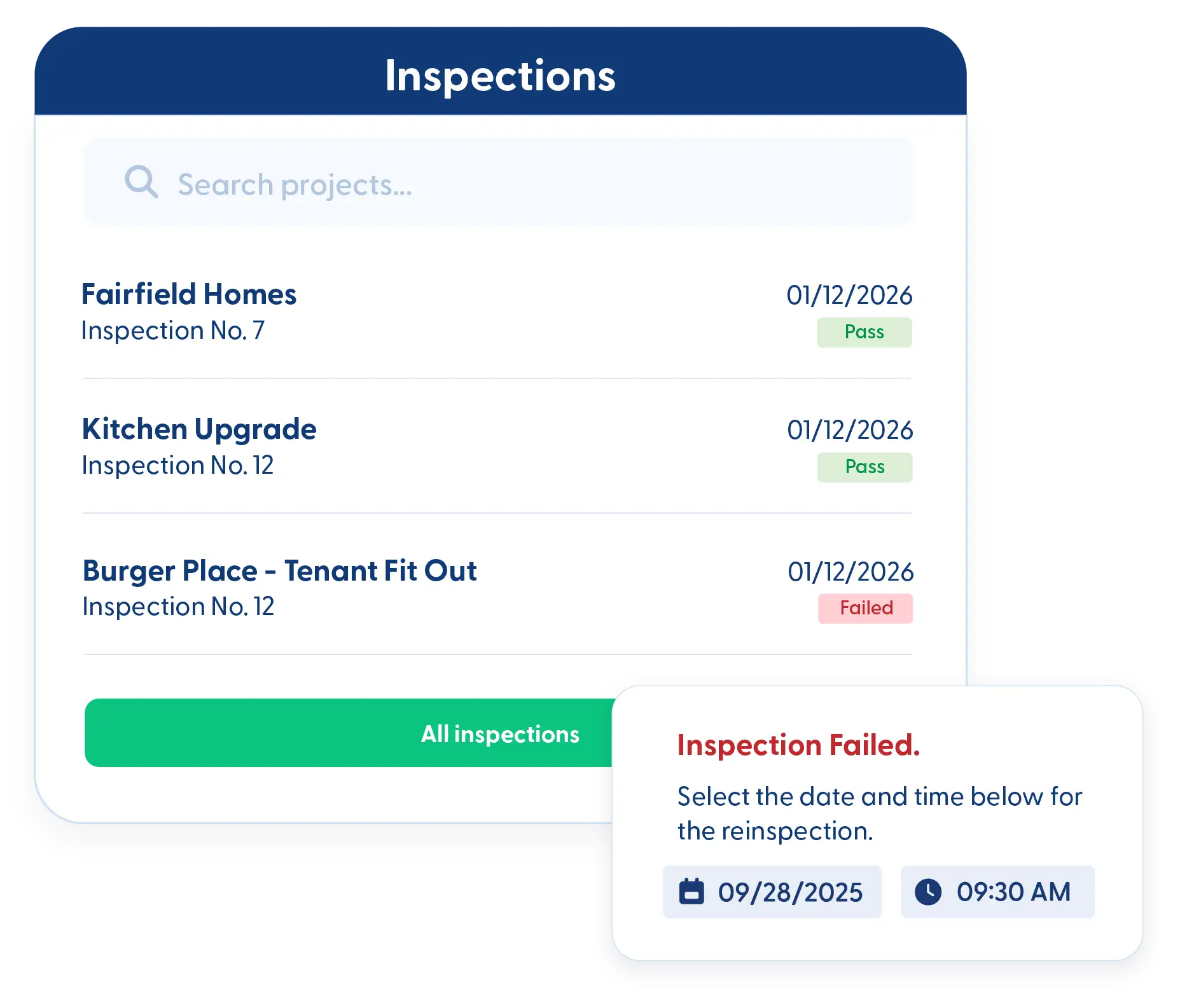
Failed inspection? Copy it, reschedule it, and move on.
Check out these Inspection features
These individual features are tailor-made to meet your specific needs and preferences.
Scheduling & Status Tracking
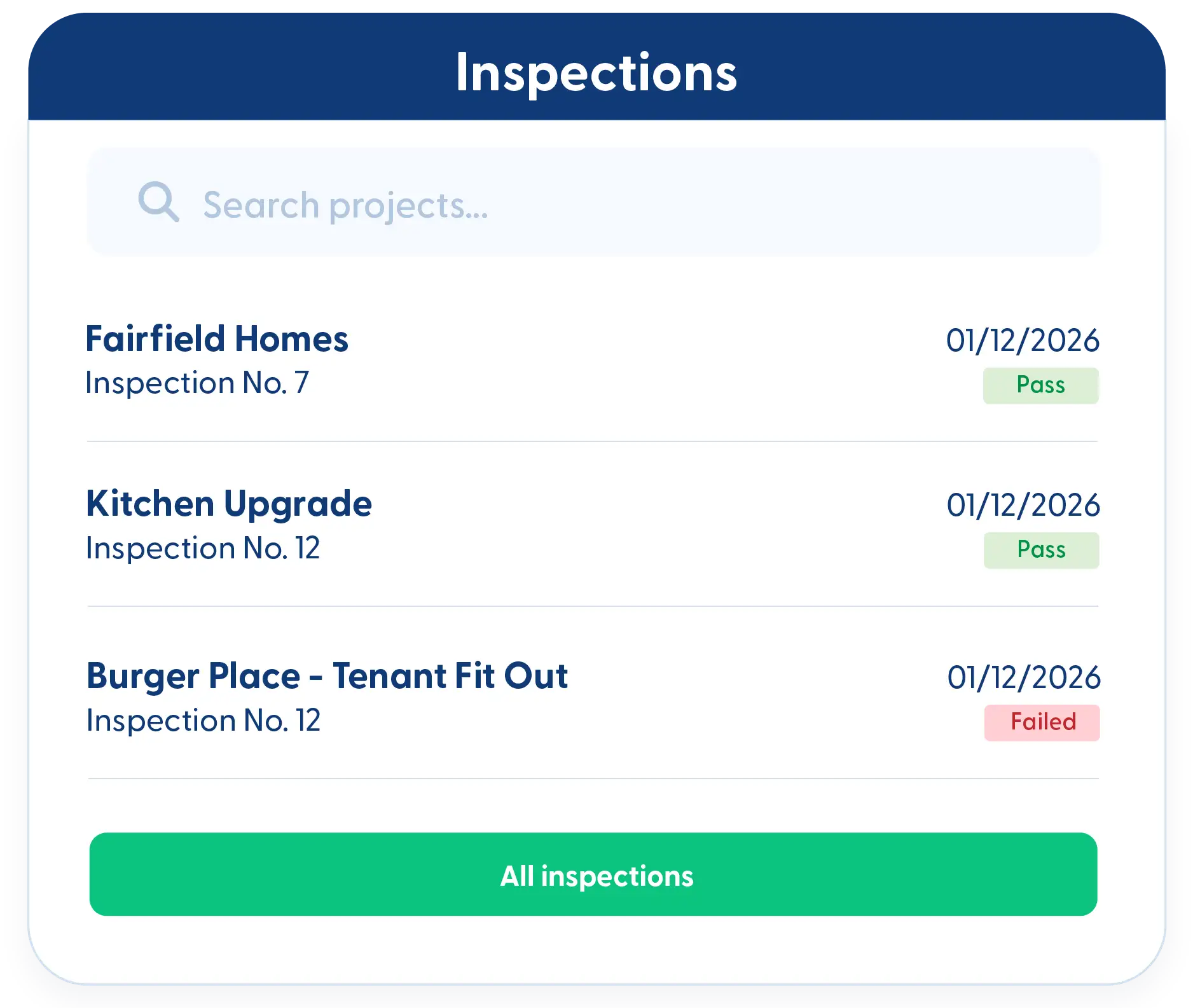
Keep inspections organized and on schedule. Track status, manage re-inspections, and maintain clear visibility so nothing gets missed or delayed.
Inspection Tracking
Track inspections by date, permit number, or status. Add inspections to the calendar with a single click and link them directly to the original permit.
Kanban Views & Filters
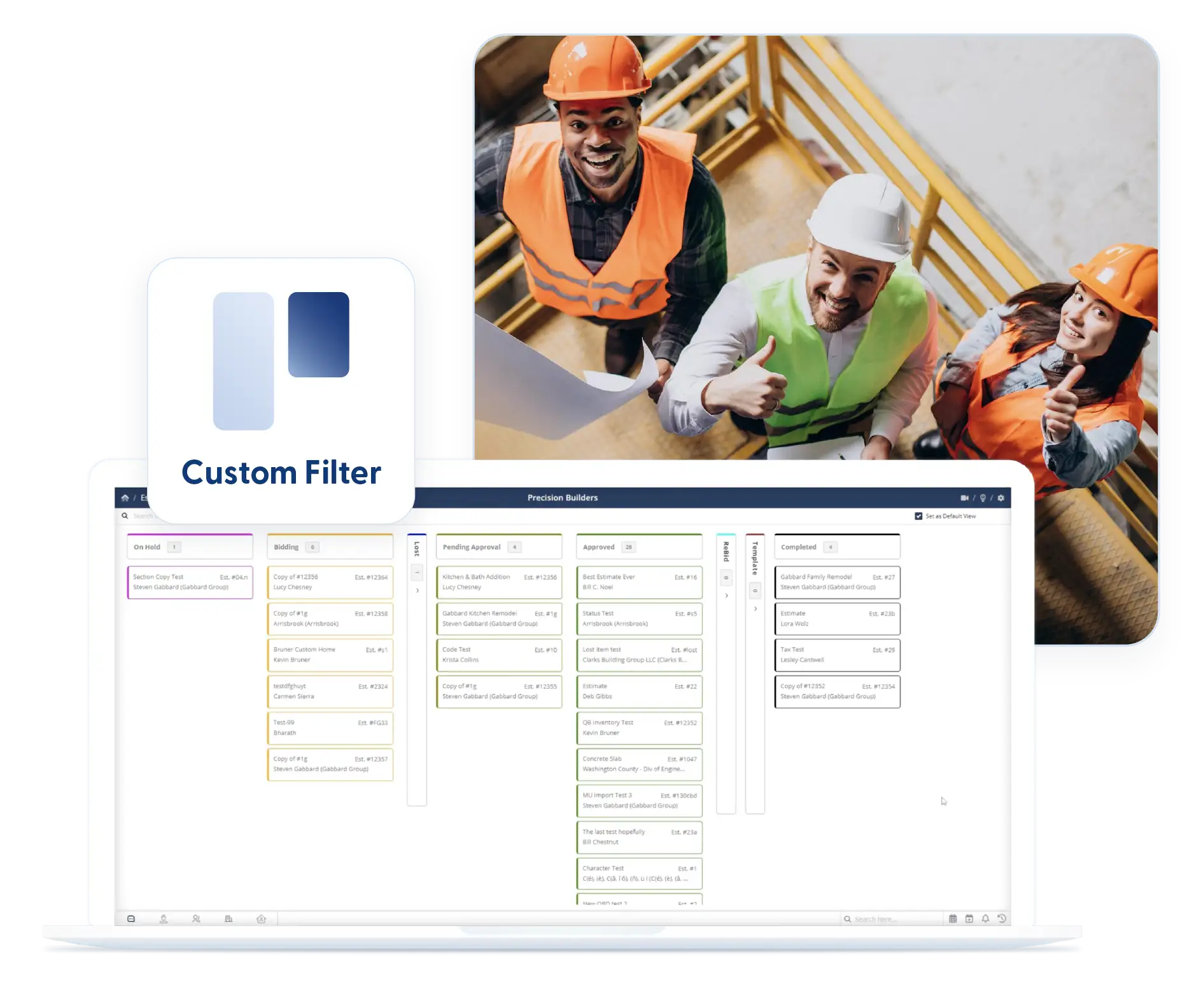
View inspections by status using Kanban boards or list views. Apply filters once and keep them in place to stay focused.
Re-Inspect
Copy a failed inspection with a single click. Automatically reschedule and keep all previous details intact so nothing falls through the cracks.
Documentation & Records
Keep every inspection fully documented and easy to reference. Store photos, checklists, and key details in one place so records stay complete, organized, and ready when needed.
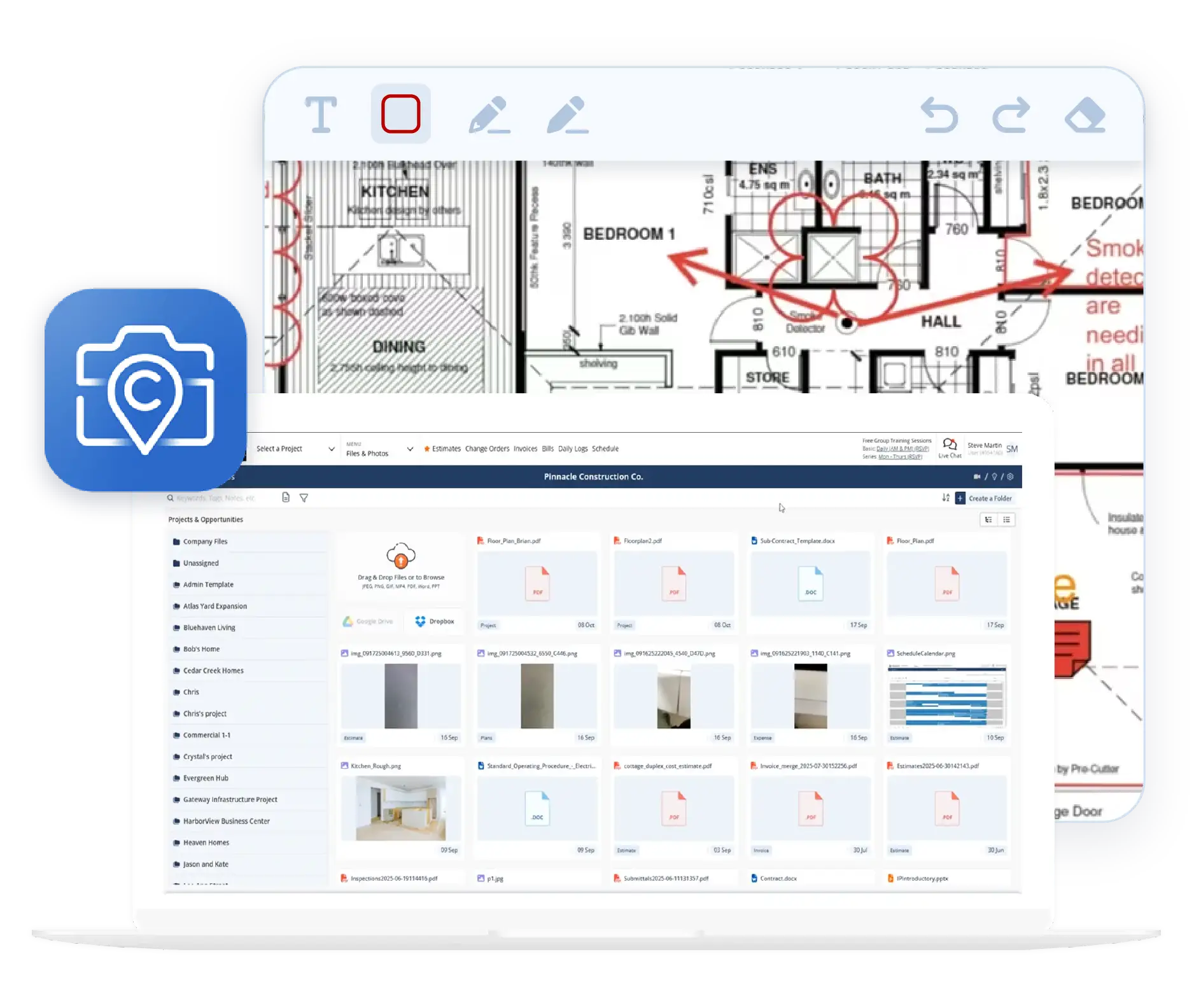
Inspection Document Tracking
Attach photos, permit cards, and supporting documents directly to the inspection. Everything feeds back into the project and reports automatically.
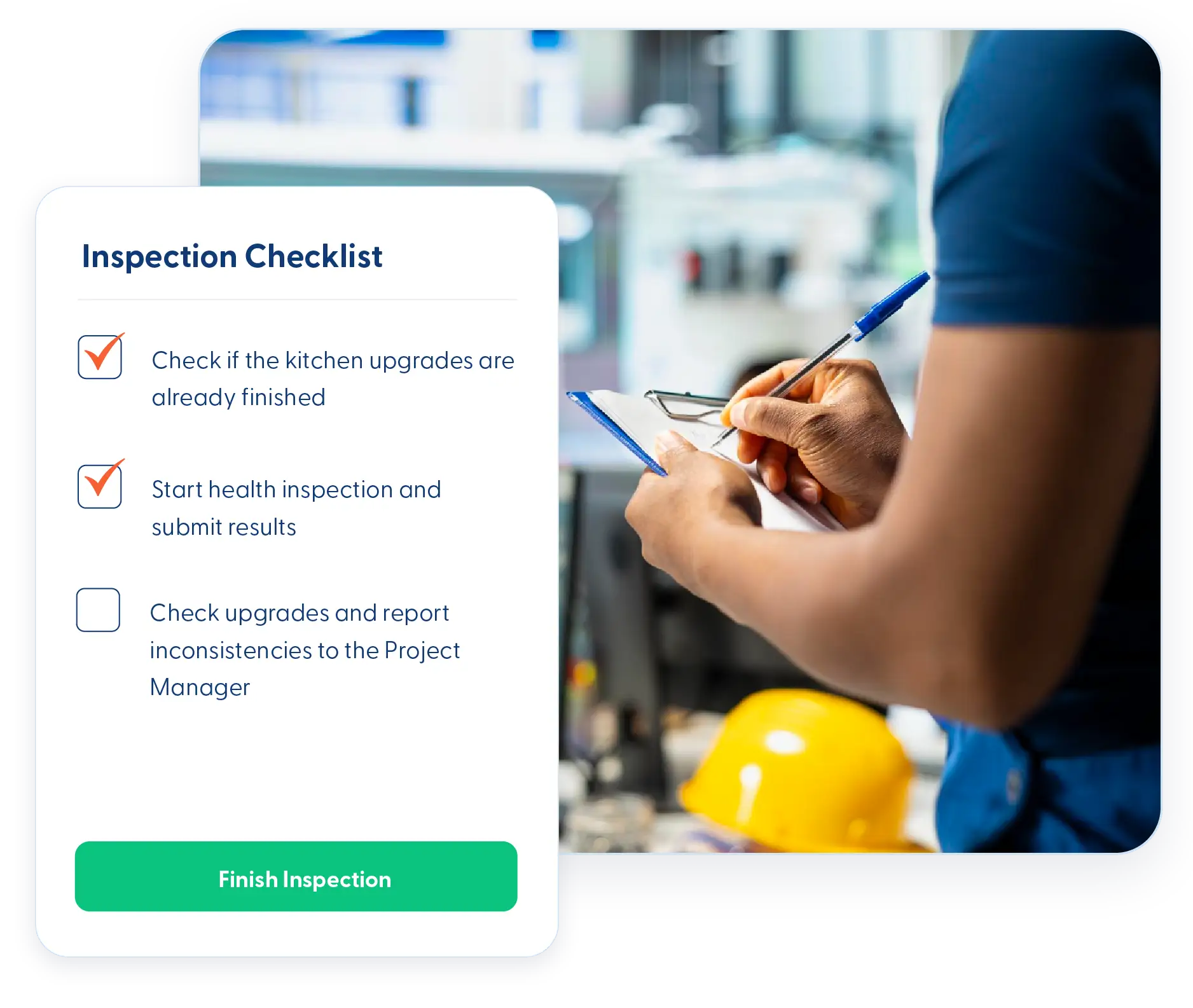
Inspection Details & Checklists
Create prep checklists for each inspection so the field knows what needs to be ready. A quick glance shows what’s been handled and what still needs attention.
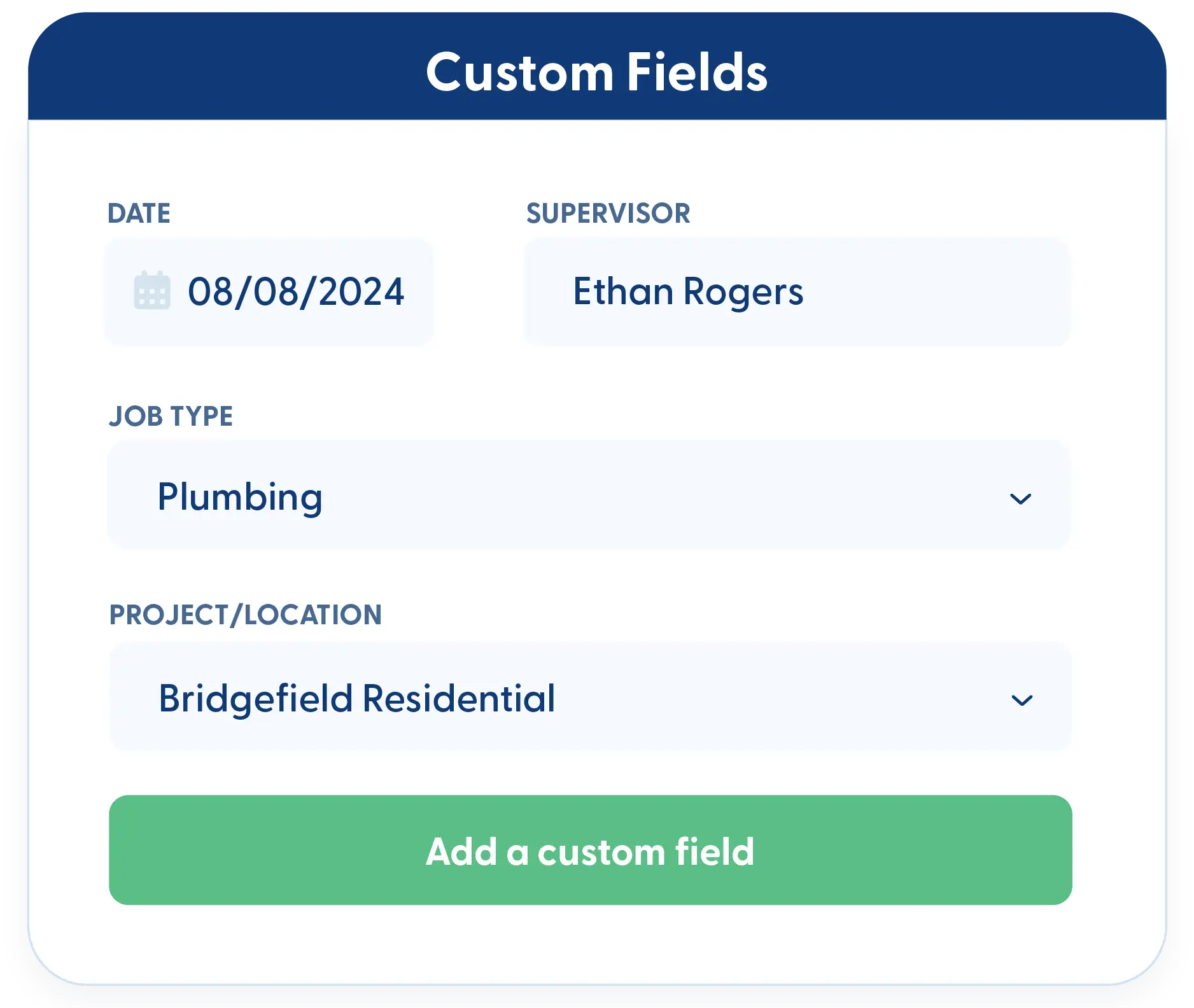
Custom Fields
Capture the details that matter for your inspections. Avoid missed items by tracking exactly what your team needs to check every time.
Frequently Asked Questions
Have a Question? Click the LiveChat icon. After hours? Email support@contractorforeman.com.
Contractor Foreman offers simple, transparent pricing with unlimited users, projects, and features. There are no hidden fees or per-user charges. See our pricing page for more details.
Some companies offer a 7-day refund policy… maybe 30 days. We are so confident in Contractor Foreman that we give you up to 100-days to request a refund if you are not satisfied and no longer wish to use it. See the Refund Policy for details and requirements.
Yes. Inspections can be used for official building inspections or for internal QC checks to maintain consistency across crews.
Yes. Inspection data automatically feeds into project records and reporting.
You can copy the failed inspection, reschedule it, and track the re-inspection without rebuilding anything from scratch.

Sign up for a free demo and see it in action!
Let us show you how Contractor Foreman can start saving you and your company a lot of time and money. Schedule a free demo for yourself or your crew.
Start a Free Trial
We have plans starting at $49/month

Have a question? See our Frequently Asked Questions or give us a call (828) 375-8042 or click Live Chat.






