
You’re not paying workers in coupons or pocket lint. You’re not cooking the books or running some Dickensian sweatshop. So why do you have to prove it every single week?
Because, turns out, the government didn’t make this up for fun.
Over the years, some contractors really did try to game the system—faking certified payrolls and underpaying wages on public projects while still cashing government checks. In serious cases, that kind of behavior led to prison sentences of roughly 4 years for those involved. Basically, enough bad actors ruined the trust, and now everyone has to show their work.
That’s where Certified Payroll Reporting tools come in.
These tools help ensure compliance with prevailing wage laws like the Davis-Bacon Act without turning payroll day into a weekly stress spiral.
Here are the top 5 certified payroll tools and their key features:
- Contractor Foreman: Affordable all-in-one tool for small to mid-sized contractors. Includes time tracking, job costing, and QuickBooks integration. Starts at $49/month.
- Criterion HCM: Handles multi-union payroll and prevailing wages across states. Offers WH-347 reporting and compliance automation. Pricing starts at $50/month + $6.50/employee.
- LCPtracker Pro: Built for government-funded projects. Automates WH-347 forms and ensures Davis-Bacon compliance. Custom pricing based on project volume.
- Payroll4Construction: Ideal for complex payroll scenarios like multi-state and union agreements. Integrates with FOUNDATION software. Custom pricing.
- Miter Payroll: Focused on certified payroll and field time tracking. Supports QuickBooks integration. Starts at $50/month + $6.50/employee.
Quick Comparison
| Tool | Certified Payroll Reporting | Prevailing Wage Compliance | Job Costing | Integrations | Starting Price |
|---|---|---|---|---|---|
| Contractor Foreman | Integrated | Basic automation | Yes | QuickBooks, Zapier | $49/month |
| Criterion HCM | Automated | Multi-state/union | Yes | QuickBooks Time | $50/month + $6.50/employee |
| LCPtracker Pro | Specialized | Automated by job/location | Limited | Construction platforms | Custom pricing |
| Payroll4Construction | Automated | Multi-state/union | Yes | FOUNDATION software | Custom pricing |
| Miter Payroll | Automated | Multi-project/union | Yes | QuickBooks, Zapier | $50/month + $6.50/employee |
Each tool offers unique strengths.
Smaller-scale, residential contractors prefer Contractor Foreman for its affordability and custom features.
Larger firms managing complex union or multi-state projects could benefit from Payroll4Construction or LCPtracker Pro. And for straightforward payroll with compliance features, Criterion HCM and Miter Payroll are solid options.
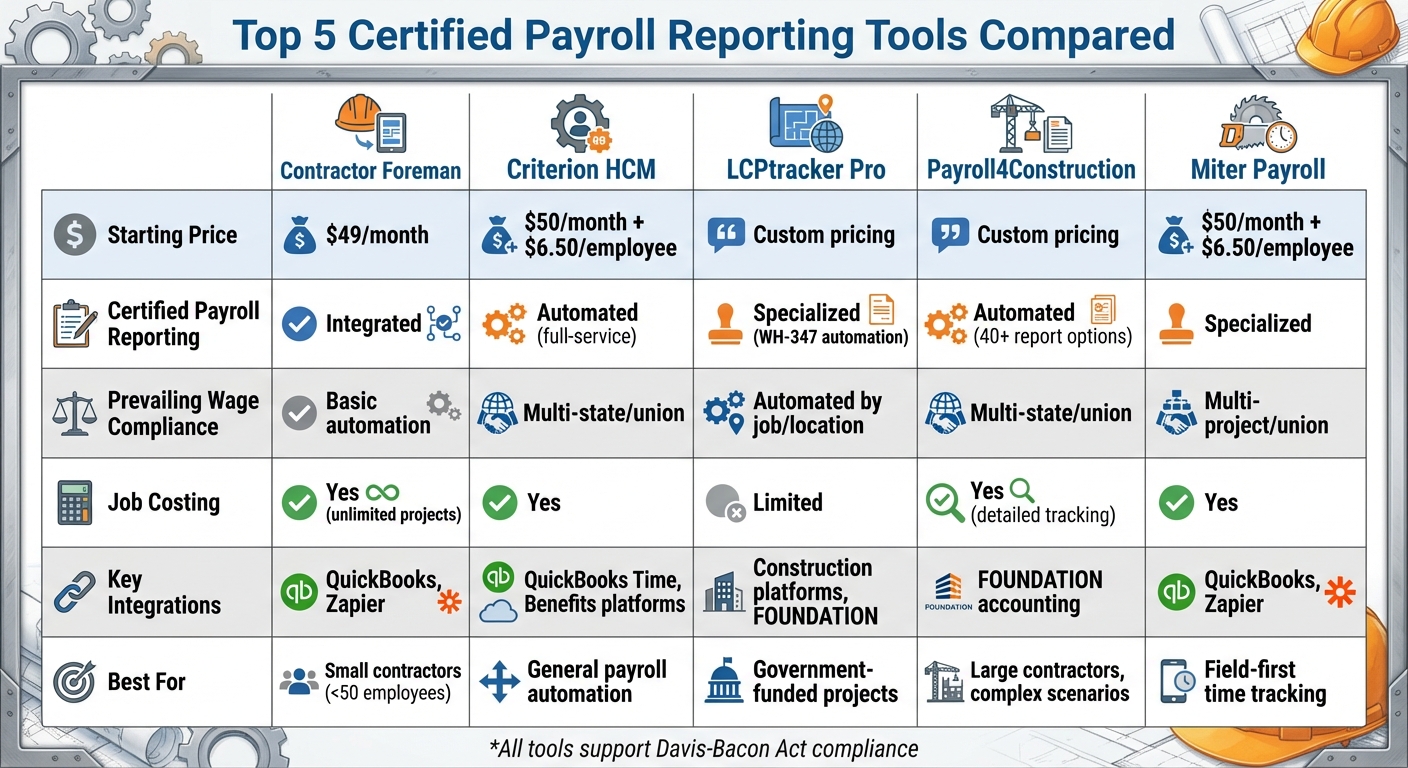
Certified Payroll Tools Comparison: Features and Pricing
1. Contractor Foreman
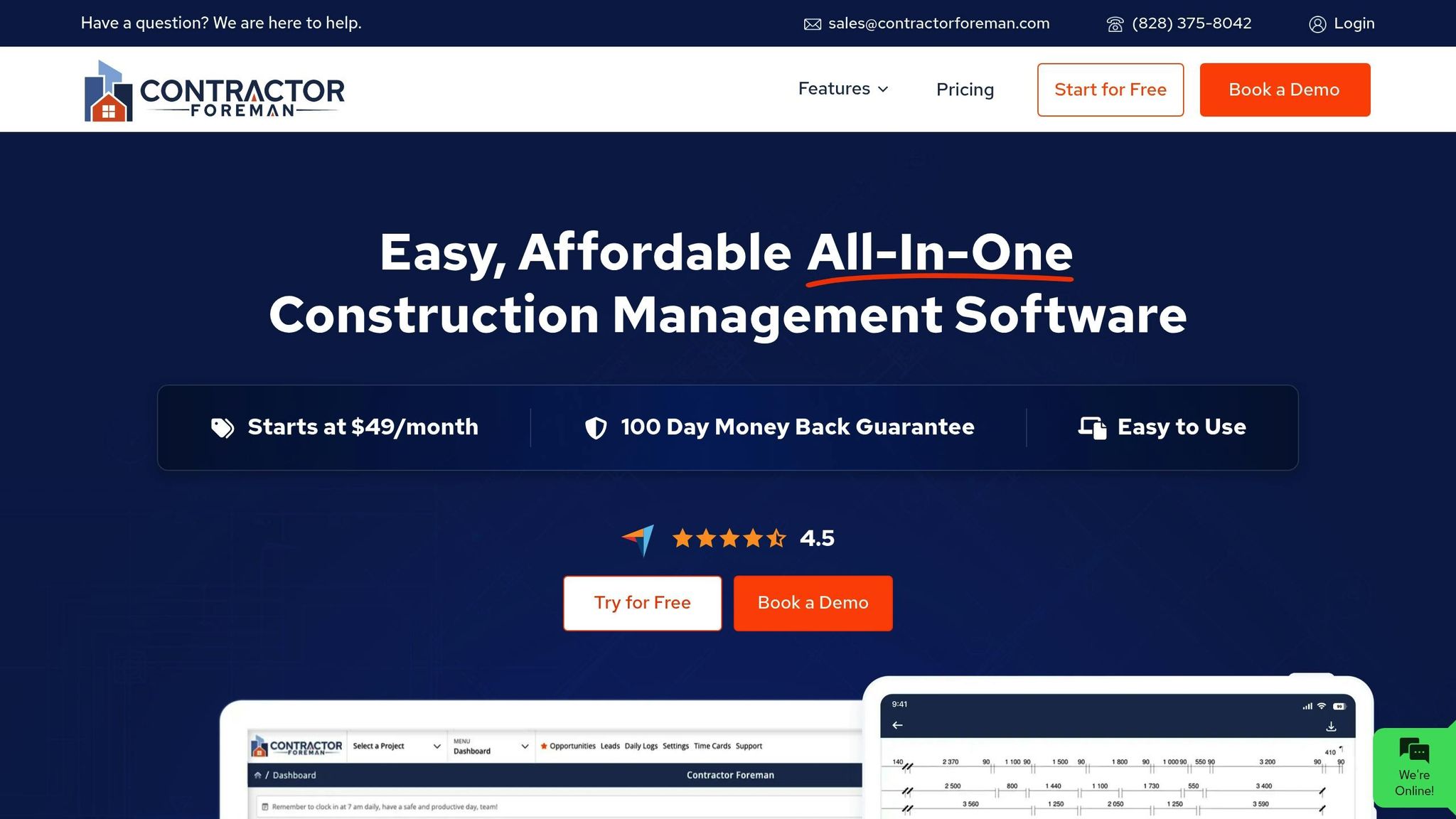
Contractor Foreman simplifies certified payroll reporting by combining time tracking, job costing, and data integration. It’s designed specifically for U.S. contractors working on Davis-Bacon and state prevailing wage projects.
Certified Payroll Reporting
This platform makes tracking labor hours straightforward by using mobile time entries tagged with job details, cost codes, and classifications. You can export or sync this data directly to payroll systems like QuickBooks or Gusto, cutting certified payroll preparation time from 4 hours to just 30 minutes.
For remote job sites, the system allows offline time entry and includes GPS-stamped clock-ins for accurate audit trails. It ensures all job and classification data is complete, making cost tracking not only easier but also more reliable.
Job Costing Features
Contractor Foreman’s job costing tools link every labor hour to specific jobs, cost codes, and project phases.
This gives contractors real-time insights into labor expenses for prevailing wage projects. Detailed reports break down payroll labor and burden by project, trade, or cost code. This level of detail helps contractors refine their bids for future Davis-Bacon or state-funded projects by understanding the actual cost per hour for different job types.
Integrations
Contractor Foreman supports seamless integration with major financial tools.
It connects with QuickBooks (Online and Desktop) and Zapier to sync customers, jobs, and cost codes, minimizing duplicate data entry. It also integrates with payroll processors like Gusto, with plans to include Xero by mid-2026. While Contractor Foreman serves as the central hub for field data, specialized software handles tax filing and WH-347 form generation, making certified payroll preparation even easier.
Pricing starts at $49/month for the Basic plan (billed annually). Every plan includes unlimited projects and free training and support, making it a cost-effective choice for small- to mid-size contractors who need efficient project management and certified payroll tools.
2. Criterion HCM
Criterion HCM is tailored for contractors handling multi-union payroll and prevailing wage projects across state lines. It blends payroll processing with tools specifically designed for construction compliance, making it particularly effective for managing Davis-Bacon and state-funded projects.
Certified Payroll Reporting
This platform simplifies certified payroll reporting by automatically mapping time and pay data into formats like WH-347 and various state-specific templates. It generates reports for multiple projects and trades, keeping audit trails and storing historical data for easy access during compliance reviews. By automating these processes, Criterion HCM ensures accurate documentation and smooth compliance while reducing manual effort.
Prevailing Wage Compliance
Managing payroll for multi-jurisdiction construction projects can be tricky, but Criterion HCM tackles it by applying the correct wage rates based on craft, location, and project. It calculates base pay and fringe benefits separately, automatically applying the appropriate prevailing wage and fringe rates for each hour worked. The system also tracks cash-in-lieu of fringe benefits and adapts to different union rules across states. This helps contractors avoid underpayment penalties or back-wage liabilities during audits.
Job Costing Features
In addition to payroll reporting, the platform links labor data to detailed cost controls. Labor costs are broken down by job, phase, and cost code, offering real-time insights into expenses. Fully burdened labor costs – including wages, employer taxes, and benefits – are captured on a per-job basis. Detailed reports help pinpoint areas of cost overruns, whether by project, task, or crew. This data can be exported to construction accounting or ERP systems for a more complete financial picture.
Integrations and Pricing
Criterion HCM integrates seamlessly with construction-focused accounting systems, ERP platforms, and time-and-attendance tools. When paired with field time apps, daily entries tagged by project, trade, and cost code flow directly into the payroll system. The software then applies the appropriate prevailing wage rates and generates certified payroll and job cost outputs, which can be sent back to accounting for billing and reporting purposes. Pricing starts at $50 per month (base) plus $6.50 per employee per month for the Core plan. The Premium plan costs $88 per month (base) plus $10 per employee per month and includes QuickBooks Time Premium integration along with 24/7 support.
3. LCPtracker Pro
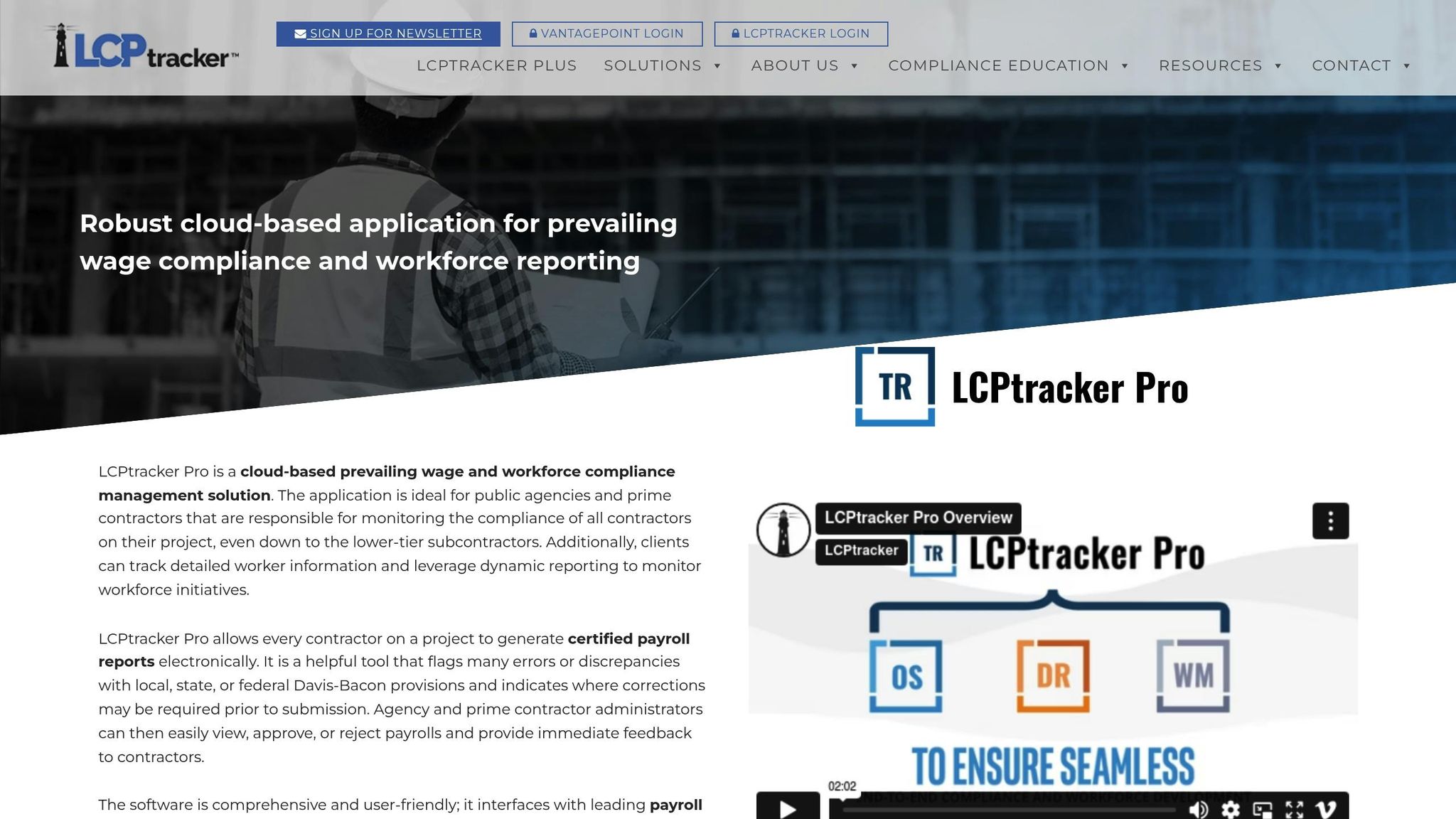
LCPtracker Pro is specifically designed for government-funded projects, taking the hassle out of certified payroll reporting while ensuring Davis-Bacon compliance. It’s a targeted solution for contractors and agencies that already use payroll software but need a reliable tool for managing certified payroll and prevailing wage reporting requirements.
Certified Payroll Reporting
LCPtracker Pro simplifies certified payroll reporting by automating the creation of WH-347 forms and state-specific formats. It pulls data directly from timesheets and payroll systems, reducing manual input. Worker classifications, hours, and deductions are automatically populated across multiple projects, saving time and effort. Built-in validation checks catch common errors, like missing signatures or incorrect wage rates, helping to avoid rejections. What used to take hours can now be done in under 30 minutes. Features like templates, batch uploads, and centralized cloud storage further streamline the process, making audit responses faster and more efficient. If underpayments are flagged, the platform can quickly generate correction reports and restitution documentation, ensuring compliance with prevailing wage standards.
Prevailing Wage Compliance
To meet prevailing wage requirements, the system maintains detailed wage rate tables organized by trade, classification, and county. This ensures workers are paid the correct base rate and fringe benefits for their location and craft. The platform flags potential issues, such as underpayments or misclassifications, before reports are finalized, allowing for timely corrections. Workflow tools add another layer of efficiency by routing reports for internal review and securing electronic signatures for audit trails. For instance, a contractor working on a federal highway project with multiple crafts and counties successfully passed a state labor audit with minimal findings – thanks to LCPtracker Pro’s complete electronic records. Long-term digital storage also allows users to retrieve years of certified payroll data in minutes, eliminating the need for tedious manual searches.
Integrations
LCPtracker Pro integrates smoothly with existing payroll and construction management systems, syncing data to eliminate repetitive manual entry. Many contractors pair it with accounting tools like FOUNDATION or QuickBooks. In these setups, payroll is processed in the primary system, and key data flows into LCPtracker Pro – either through import or API – for certified report generation. This integration reduces the need for spreadsheet uploads and simplifies operations across multiple projects. While smaller contractors with limited public works projects might prefer simpler all-in-one solutions, those managing complex, multi-state jobs benefit greatly from the platform’s specialized features. Pricing is customized based on project volume and user needs, ensuring flexibility for different scales of operation. These features make LCPtracker Pro a standout choice for contractors and agencies requiring precise compliance management.
4. Payroll4Construction
Payroll4Construction is a payroll solution built specifically for construction contractors who face the challenges of managing payroll across multiple states, unions, and government-funded projects. It simplifies tasks like prevailing wage calculations and job costing, making it a go-to option for construction payroll management.
Certified Payroll Reporting
Payroll4Construction takes the complexity out of certified payroll reporting by automating the process. It generates reports like WH-347 and state-specific forms using data such as job numbers, classifications, phases, and locations. With over 40 reporting options, contractors can easily create job-based labor summaries and compliance-ready exports for general contractors, agencies, or internal audits. The platform ensures accurate certified reporting by requiring fields like job, classification, and project to be completed for every time entry.
Prevailing Wage Compliance
Handling prevailing wage compliance becomes more manageable with Payroll4Construction. The platform automates intricate pay-rate calculations, including base rates, fringe benefits, overtime rules, and union agreements. This automation reduces the chance of errors, such as underpayments or misclassifications, and helps contractors avoid costly restitution on government-funded projects. Users can configure wage tables and union agreements for each project and classification, ensuring pay rates meet contract requirements and wage determinations.
Job Costing Features
Payroll4Construction tracks every labor hour and its associated costs – like fringes, taxes, and burdens – down to specific jobs, phases, and cost codes. This detailed tracking allows project managers to run job cost reports that compare labor expenses against budgets, helping them spot potential overruns early. By integrating job costing directly with project accounting, the platform provides a clear view of labor burdens, making it easier to compare actual costs with estimates on both current and past projects.
Integrations
The platform integrates seamlessly with FOUNDATION construction accounting software, enabling a two-way data exchange for jobs, cost codes, employees, and payroll results. Payroll data from Payroll4Construction automatically updates FOUNDATION’s general ledger and job cost modules, keeping financial reports and job cost data in sync. This integration reduces manual data entry, minimizes reconciliation time, and provides real-time insights into labor costs, cash flow, and project profitability. For companies using other construction management systems, Payroll4Construction offers export options that can align with existing workflows. Pricing is customized based on company size and operational needs.
sbb-itb-5eea312
5. Miter Payroll
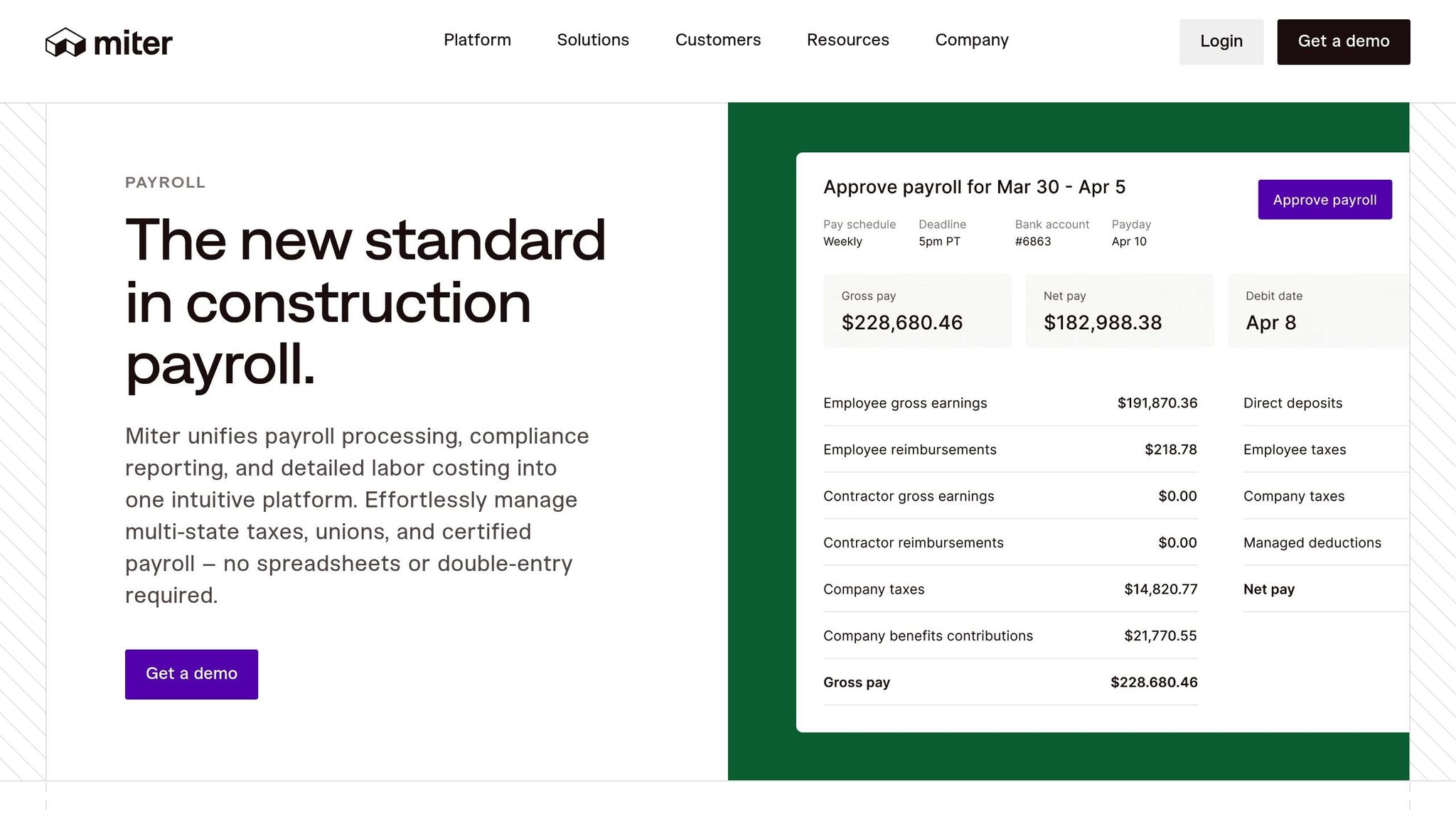
Miter Payroll is a cloud-based solution designed to simplify field time tracking, payroll, and certified reporting for construction contractors. With its field-first approach, employees can clock in directly through mobile devices using job-specific cost codes. This eliminates much of the manual work contractors face – often 5–10 hours weekly – when correcting timecards or addressing certified payroll issues. By capturing accurate data at the source, Miter helps contractors save time and reduce administrative headaches.
Certified Payroll Reporting
Miter Payroll organizes payroll data to meet certified payroll requirements for Davis–Bacon and state prevailing wage projects. It collects key details like employee classifications, hours worked by project and day, wage rates, and fringe benefits in formats compatible with WH-347 and state-specific standards. By tagging hours to specific job codes and classifications, the system minimizes manual errors and compliance risks. For example, a mid-sized contractor in California working on a $5 million public works project automated its certified payroll reports entirely with Miter. This reduced weekly processing time from 10 hours to just 30 minutes while maintaining an impressive 99.9% compliance accuracy.
Prevailing Wage Compliance
Miter Payroll simplifies prevailing wage compliance by allowing contractors to configure wage tables for each job and craft. This ensures that correct base rates, fringe benefits, and overtime rules are applied automatically. The system also provides alerts for potential underpayments and supports wage restitution calculations when needed. In real-world cases, contractors have avoided fines of up to $50,000 thanks to real-time compliance checks that flag rate discrepancies before payroll is processed.
Job Costing Features
The platform captures labor hours in real time, feeding both payroll and job costing reports. Contractors can monitor labor expenses by project phase and compare actual costs with budgeted amounts. Miter also offers cost-to-complete forecasting and variance reporting. Users have reported up to a 20% improvement in project margins, largely due to automated burden rate applications that provide more accurate cost tracking.
Integrations
Miter Payroll integrates seamlessly with QuickBooks for accounting synchronization and supports tools like QuickBooks Time for time tracking. It also connects with Zapier for custom workflows and can export payroll and job costing data to external construction accounting systems. These integrations streamline data flow, with users reporting a 40% reduction in double-entry tasks for multi-state operations. Pricing starts at $50 per month plus $6.50 per employee, with premium plans at $88 per month plus $10 per employee, which include same-day direct deposit. The platform’s guided setup wizard (completed in under two hours) and 24/7 US-based onboarding support make implementation quick and hassle-free.
Miter Payroll combines robust integrations with efficient processes, offering contractors a reliable tool for certified payroll reporting and compliance management.
Comparison: Pros and Cons
After diving into the detailed reviews above, here’s a quick comparison to spotlight what each tool brings to the table – and where they might fall short.
Contractor Foreman shines as an all-in-one solution, offering certified payroll support alongside 35+ construction management features for just $49/month. It’s a budget-friendly option for contractors who need project management, job costing, and integrations all in one place. That said, its wide range of features might require extra setup for more advanced wage compliance needs.
Criterion HCM focuses on full-service payroll, including automated tax filing and next-day direct deposit, starting at $50/month plus $6.50 per employee. While it’s excellent for general payroll automation and benefits integration, it lacks the depth needed for strict prevailing wage compliance, which is essential for many government contractors. In contrast, LCPtracker Pro is tailored for this niche, offering automated prevailing wage calculations by job classification and location – perfect for Davis-Bacon projects. However, its custom pricing may be a hurdle for smaller businesses, and its job costing capabilities are somewhat limited.
For handling complex scenarios, Payroll4Construction is hard to beat. With over 40 report options, support for multi-state union agreements, and seamless FOUNDATION accounting integration, it’s ideal for large contractors managing multiple jurisdictions. However, its robust features might feel overwhelming for smaller teams. Lastly, Miter Payroll specializes in certified payroll with strong wage compliance and job costing features, though its pricing and integration specifics are less transparent.
Here’s a quick side-by-side comparison to help you decide:
| Tool | Certified Payroll Reporting | Prevailing Wage Compliance | Job Costing | Integrations |
|---|---|---|---|---|
| Contractor Foreman | Integrated | Basic automation | Yes (unlimited projects) | QuickBooks, Zapier |
| Criterion HCM | Yes (full-service) | Automated | Yes | Benefits, QuickBooks Time |
| LCPtracker Pro | Specialized (core strength) | Automated by job/location | Limited | Construction platforms |
| Payroll4Construction | Yes (40+ reports) | Multi-state/union | Yes | FOUNDATION accounting |
| Miter Payroll | Specialized | Yes (union/multi-project) | Yes | Accounting tools |
Choosing the right tool comes down to your priorities. If you need a platform that covers more than payroll, Contractor Foreman offers a broader construction management approach. For contractors focused on prevailing wage compliance, LCPtracker Pro or Payroll4Construction are excellent choices. Meanwhile, Criterion HCM and Miter Payroll are better suited for straightforward payroll processing. Contractors working primarily on government projects will benefit most from tools with built-in prevailing wage automation, while those juggling diverse projects may prefer a solution that balances payroll with overall business management.
Conclusion
Picking the right certified payroll reporting tool means evaluating your company’s size, the types of projects you handle, and your compliance needs.
For small contractors with fewer than 50 employees who occasionally take on government projects, Contractor Foreman stands out.
At $49/month, it combines project management, job costing, and payroll integration into one platform, making it a practical choice for residential remodelers and light commercial contractors who value an all-in-one solution.
For mid-size firms (50–200 employees) or those managing complex union agreements and multi-state projects, specialized tools like LCPtracker Pro and Payroll4Construction are better suited. These platforms offer advanced automation, reduce compliance errors, and simplify reporting with features tailored to more intricate needs.
No matter your company size, start by defining your project requirements.
Consider factors like employee numbers, public work revenue, union involvement, and the states you operate in. Take advantage of free trials to see how well a tool fits your workflow. If you’re working with a tight budget and straightforward needs, prioritize tools that are easy to use and integrate seamlessly with software you already rely on, such as QuickBooks. Keep in mind that the cost of non-compliance – like wage violations or audit failures – can easily outweigh the price of robust payroll software.
Finally, assess how well each platform aligns with your specific project types, whether you’re focused on residential remodeling, commercial construction, or heavy civil projects.
The right tool should minimize manual work, automate wage calculations, and ensure every certified payroll report meets federal and state standards. This not only keeps you compliant but also streamlines your operations, saving you time and reducing stress.
FAQs
What should contractors look for in a certified payroll reporting tool?
When choosing a certified payroll reporting tool, contractors should prioritize factors such as user-friendliness, cost, and adherence to both federal and state regulations. The tool should seamlessly integrate with your existing software, include critical features like job costing and document management, and provide dependable customer support.
It’s also worth evaluating if the platform offers training materials, mobile access, and the ability to manage multiple projects effectively. These features can simplify payroll tasks and boost overall efficiency.
How do certified payroll tools help contractors comply with prevailing wage laws?
Certified payroll tools make it easier for contractors to comply with prevailing wage laws by automating crucial tasks. These tools ensure wages are calculated correctly according to prevailing wage standards, produce detailed certified payroll reports, and maintain records that adhere to both federal and state regulations. This helps reduce errors and keeps contractors in line with government requirements.
By simplifying compliance processes, these tools save time and cut down on administrative work, allowing businesses to concentrate on their projects while staying legally compliant.
How does integrating certified payroll tools with accounting software like QuickBooks benefit contractors?
Integrating certified payroll tools with accounting software like QuickBooks can make payroll management much easier for contractors. It automates tasks like data entry, which not only saves time but also cuts down on manual errors. This means payroll is more accurate and stays aligned with labor laws.
On top of that, this setup offers real-time financial insights. Contractors can keep a closer eye on expenses, manage budgets more effectively, and create detailed reports without the hassle. By simplifying these processes, contractors can free up more time to concentrate on their projects.







