
- How to Automate and Schedule Reports in Sage 100 Contractor
- What Are Automated Reports in Construction?
- Main Benefits of Automated Reporting for Contractors
- How Contractor Foreman Makes Automated Reporting Simple
- Manual vs. Automated Reporting: Side-by-Side Comparison
- How to Add Automated Reporting to Your Workflow
- Conclusion: The Future of Construction Documentation
- FAQs
Automated reporting is revolutionizing construction documentation by saving time, reducing errors, and improving project management.
Instead of manually compiling reports, these systems pull real-time data from various sources and generate accurate, consistent reports instantly.
Key Benefits:
- Time Savings: Cuts report generation time by up to 70%, allowing managers to focus on critical tasks.
- Improved Accuracy: Eliminates human errors with direct data integration.
- Real-Time Updates: Provides up-to-the-minute insights for faster decisions.
- Standardized Processes: Ensures consistent documentation across projects.
Examples of Reports You Can Automate:
- Daily logs (labor hours, weather, safety incidents)
- Progress tracking (photos, milestones)
- Resource management (equipment, materials)
- Safety and compliance monitoring
- Financial reports (budget tracking, cost analysis)
Why It Matters: With labor shortages and increasing project complexities, automation streamlines workflows, enhances communication, and boosts efficiency. Tools like Contractor Foreman make it easy for teams to adopt automated reporting, offering integrations, templates, and mobile-friendly features.
Automated reporting is not just a tool – it’s a smarter way to manage construction projects.
How to Automate and Schedule Reports in Sage 100 Contractor

What Are Automated Reports in Construction?
Automated reports in construction replace the traditional, time-consuming process of manually gathering data, updating charts, and formatting layouts. These systems connect directly to data sources and automatically update reports with the most current information, eliminating the need for manual intervention. This streamlined approach provides a foundation for understanding how these systems work and the types of reports they can generate.
These systems continuously pull data from various sources, such as time tracking apps, equipment sensors, and project management software. The collected data is then processed and organized into reports without requiring manual data entry or formatting. This efficient process not only saves time but also improves accuracy by reducing human error and standardizing the data through pre-set templates.
How Automated Reports Work
Automated reporting follows three key steps: data collection, processing, and report generation.
- Data Collection: The system gathers information from multiple sources, including mobile apps, IoT sensors on equipment, scanned documents, and integrations with project management software.
- Processing: Advanced techniques are used to standardize text, analyze visual data, and flag anomalies, ensuring consistency and accuracy across all reports.
- Report Generation: The system populates custom templates with charts, graphs, and AI-generated summaries. These reports are then distributed automatically via email, project management platforms, or secure cloud storage.
This automated process can reduce the time spent on report creation by up to 90% compared to traditional manual methods. For example, Justin Loehn, an Analytics Engineer at RNGD, automated monthly safety reports, significantly cutting down update times and minimizing errors. These steps ensure that reports are both reliable and efficient.
Common Construction Reports You Can Automate
Construction projects produce a vast amount of data daily, making automation a game-changer for many types of reports. One of the most frequently automated reports is the daily log, which tracks labor hours, equipment usage, weather conditions, and safety incidents. Industry professionals spend an average of 11.5 hours per week analyzing data, but automation can drastically reduce this workload.
Progress reports compile data from progress photos, field notes, and milestone completions, offering stakeholders a clear view of project advancements. These reports also provide visual documentation, which is invaluable for tracking development.
Resource management reports monitor labor hours through mobile app entries, track equipment usage via IoT sensors, and manage materials using inventory scanning systems.
Safety and compliance reports are particularly beneficial when automated. They gather data from mobile apps, site monitoring systems, and incident reporting tools to ensure compliance and identify risks early.
Here’s a breakdown of common data types automated in construction reports:
| Data Type | Collection Method | Report Use |
|---|---|---|
| Labor hours | Mobile app entry by field workers | Resource management, cost tracking |
| Equipment usage | IoT sensors and devices | Resource allocation, maintenance |
| Materials | Mobile app entry, document scanning | Inventory management, cost control |
| Weather conditions | Automated IoT data collection | Delay analysis, schedule adjustments |
| Safety incidents | Mobile app entries, monitoring tools | Compliance, risk mitigation |
| Progress photos | Mobile apps, drone imagery | Progress tracking, stakeholder updates |
Financial reports can also benefit from automation, pulling data from timesheets, material receipts, and equipment logs to deliver real-time cost tracking and budget analysis. In fact, automation in finance-related processes can cut costs by 35%-46%.
Main Benefits of Automated Reporting for Contractors
Automated reporting is transforming how construction documentation is managed by improving accuracy, speeding up workflows, and enhancing communication. These improvements don’t just streamline operations – they directly contribute to project success and profitability, making automation a smart investment for contractors.
Improved Accuracy and Reduced Errors
Manual data entry is a breeding ground for errors that can derail projects. Mistakes like duplications or transcription errors can compromise the reliability of records, leading to costly setbacks. Automated reporting eliminates these risks by removing the need for manual input altogether.
These systems also validate data in real time, ensuring that daily logs are complete and accurate as events unfold. This proactive approach catches inconsistencies before they snowball into bigger problems.
Standardization is another key advantage. Automated tools enforce consistent data entry formats and maintain detailed change logs, creating a reliable “single source of truth.” This minimizes discrepancies in crucial areas like cost estimates, labor tracking, and procurement schedules. Advanced AI tools take it a step further by spotting patterns and flagging anomalies in the data.
And it’s not just about accuracy – automation saves a significant amount of time, too.
Time Savings and Quicker Workflows
By automating repetitive tasks, contractors can shift their focus to high-priority project management duties. For example, construction managers often spend hours manually collecting data and generating reports. Automated systems can handle these tasks in minutes, freeing up valuable time. AI-powered tools can compile detailed reports almost instantly, allowing teams to concentrate on strategic decisions that require human expertise.
These tools also simplify report generation and distribution. With on-site capture apps, data is recorded directly, reducing errors and cutting down on extra processing time. This efficiency enables contractors to take on more projects or dedicate more attention to quality control and client relationships.
“The automation of activities can enable businesses to improve performance by reducing errors and improving quality and speed, and in some cases achieving outcomes that go beyond human capabilities.” – McKinsey Report
Enhanced Communication and Project Transparency
Automation doesn’t just improve accuracy and speed – it also fosters better communication. Effective communication is critical for project success, yet poor communication remains a leading cause of project failures. A 2021 study by the Project Management Institute found that 12% of projects globally fail due, in part, to communication breakdowns.
Automated reporting tackles this issue head-on by providing real-time updates that keep everyone – teams, project managers, and clients – on the same page. This level of transparency ensures that important updates aren’t missed and helps teams identify potential risks early, preventing delays or budget overruns.
Clearer communication also strengthens client relationships. For instance, a Forrester survey revealed that 82% of technology decision-makers value sales representatives who can provide relevant examples or case studies. Automated reporting reduces information gaps, enabling teams to address client concerns promptly and keep projects running smoothly.
How Contractor Foreman Makes Automated Reporting Simple
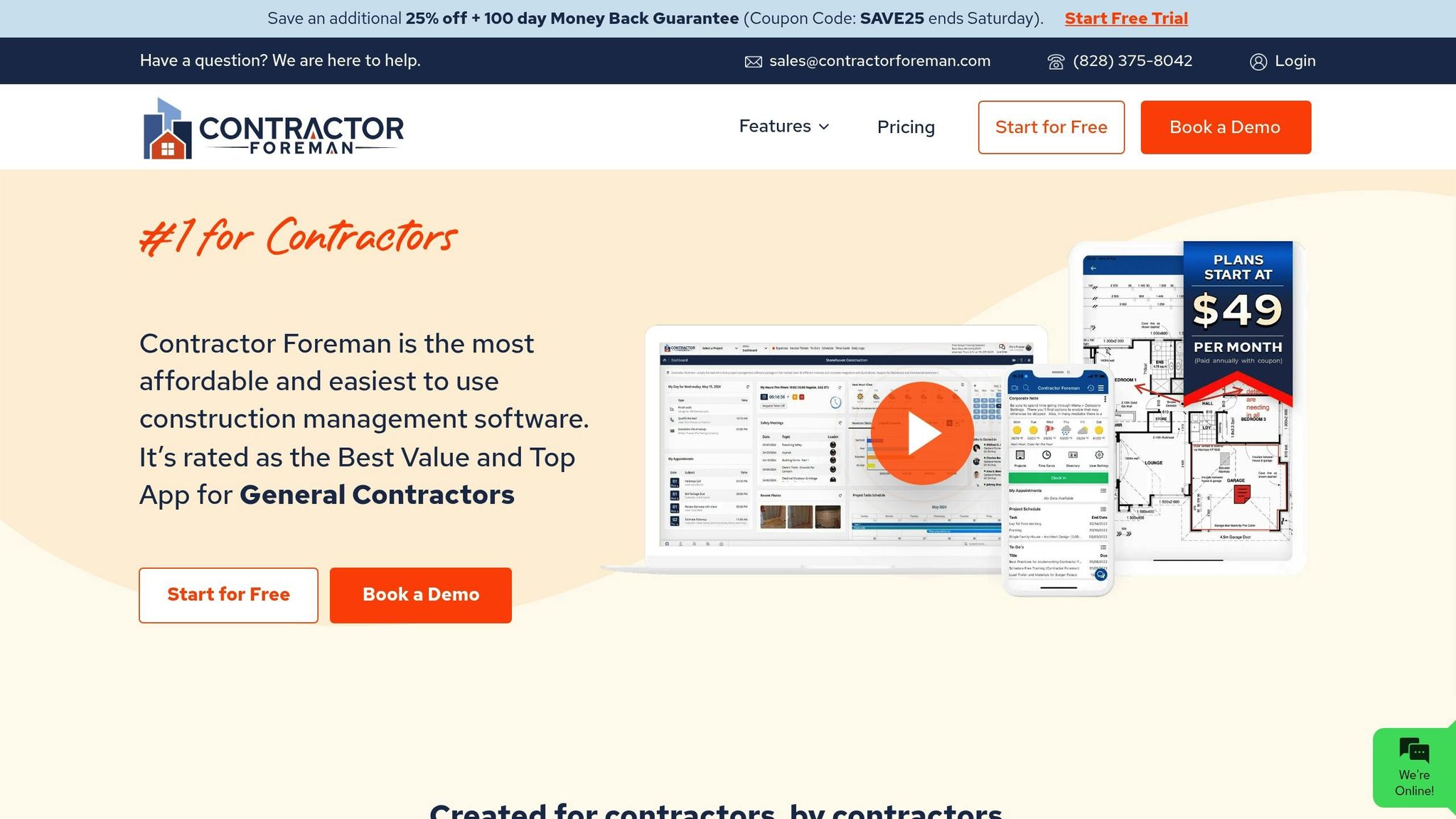
Automated reporting offers undeniable advantages, but the real challenge lies in finding a platform that’s easy to implement without requiring advanced technical skills. Contractor Foreman rises to the occasion with a user-friendly system that turns complex documentation into smooth, automated workflows.
It simplifies on-site data entry with real-time updates, secure cloud storage, and automated report generation. Considering that 90.9% of construction workers already use smartphones for job-related tasks, Contractor Foreman takes advantage of this widespread tech adoption to make automated reporting accessible for teams of all sizes. Let’s explore how it streamlines daily reporting, integrates with essential tools, and offers customizable templates.
Daily Logs and Progress Tracking
Daily logs are essential for documenting everything from weather conditions to team productivity. Contractor Foreman automates this process by allowing team members to submit logs directly from their mobile devices. This includes tracking daily activities like materials used and labor hours, ensuring up-to-date information is always available for review . The software also keeps precise records of materials and equipment delivered to job sites, eliminating the hassle of manual tracking.
Automation features such as weather data integration, daily log reminders, and instant report generation ensure critical details are never overlooked.
“Contractor Foreman makes my day so much easier! The program is easy and quick to use. If I do have a question, customer service is always very helpful!” – James M., Nickel City Remodeling
Connecting with Other Tools
Contractor Foreman plays well with other essential systems, including CRM, accounting, and HR platforms, ensuring smooth data flow across your business. By syncing data seamlessly, it eliminates the need for repetitive data entry. For example, its integration with QuickBooks (both Desktop and Online versions) supports efficient financial tracking and project cost management.
Other integrations include Microsoft Outlook for managing communications and AngiLeads for lead collection. These connections create a unified system where project data, financial details, and client communications work together, giving you complete oversight of your operations.
“The ability to, in one place, track jobs from estimating, to project progress, billing, and employee management all in one place that also integrates with QuickBooks.” – Anthony W., Authority Refrigeration, LLC
Custom Templates and Easy Report Access
Contractor Foreman also shines with its flexible reporting features. With over 100 reports and 50 prebuilt forms available, contractors gain instant access to industry-standard templates. What sets it apart is the ability to customize these templates, allowing users to track specific project metrics by tailoring data fields. Task and timeline management can be viewed in list, month, or Gantt formats.
Detailed reports on project status, task completion, and resource use are easily generated and accessible from both web and mobile platforms. This mobile-first approach ensures that teams in the field can create and share reports on the fly, keeping everyone – from team members to subcontractors and stakeholders – aligned. With 62.4% of companies now relying on mobile devices for daily reporting, this feature is more relevant than ever.
“This software has everything you need to stay organized and on top of your projects for considerably less money than the competition. The support has been amazing so far and helped get me started and continues to be there if needed. I have nothing to say that is negative about Contractor Foreman.” – Kevin R., All Detainment Solution
sbb-itb-5eea312
Manual vs. Automated Reporting: Side-by-Side Comparison
Building on the benefits discussed earlier, let’s dive into the key differences between manual and automated reporting in terms of efficiency, accuracy, and cost.
In construction, the gap between these two methods becomes obvious when you consider the daily demands of project documentation. Manual reporting relies on collecting and entering data by hand, producing static reports that can quickly become outdated. Automated reporting, on the other hand, generates reports either on demand or at scheduled intervals using pre-set templates.
When it comes to accuracy, the contrast is striking. Manual processes are more prone to errors, while automated systems use consistent algorithms to minimize mistakes. Ryan McCaulley from Lindsay Precast shared his experience with automated material testing:
“It’s the peace of mind knowing it’s all done correctly. No deviations. No human error. All the technicians have to do is place the cylinder in the machine, hit start and walk away. And I know it’s all recorded digitally, removing one to two hours of paperwork.”
Automated systems also save time, reducing tasks that might take days or hours to just minutes .
Comparison Table
| Factor | Manual Reporting | Automated Reporting |
|---|---|---|
| Speed | Days to complete estimates and reports | Hours to complete the same tasks |
| Accuracy | Prone to human error, fatigue, and math mistakes | Virtually eliminates errors through algorithms |
| Data Collection | Labor-intensive, manual entry required | Streamlined integration with multiple data sources |
| Report Updates | Static reports based on outdated data | Real-time reports with current performance data |
| Collaboration | Files exist on single computers or as printed documents | Single source of truth accessible to all stakeholders |
| Scalability | Struggles with growing data volume and complexity | Handles large datasets efficiently |
| Cost Impact | Higher labor costs, prone to costly rework | Reduces labor costs and prevents errors |
| Compliance | Manual tracking of regulatory requirements | Automated compliance monitoring and documentation |
Scalability becomes a major factor as projects expand. Manual reporting often falters under the weight of increasing data volume and complexity. Automated systems, however, are built to handle large datasets with ease, making them indispensable for growing businesses. It’s worth noting that over 80% of newly purchased material testing machines are automatic, signaling a clear industry shift toward automation.
Collaboration also highlights a critical difference. Manual estimates are often isolated files, making teamwork challenging. Automated systems create a unified source of truth accessible to all stakeholders, eliminating confusion caused by multiple versions of the same document.
The financial benefits go beyond just saving on labor. Companies adopting automation report an average ROI of 7:1 over five years. Automated systems also help avoid the costly rework that frequently stems from manual errors or miscommunication.
These distinctions make it clear why automated reporting is becoming a must-have for modern construction projects. The efficiency, accuracy, and cost savings it offers can transform daily operations and set the stage for long-term success.
How to Add Automated Reporting to Your Workflow
Incorporating automated reporting into your workflow can streamline your processes and deliver noticeable improvements in just a few days. Here’s how to get started.
Review Your Current Documentation Process
Before diving into automation, take a hard look at your existing documentation methods. Construction projects rely heavily on documentation, yet inefficiencies are common.
Start by identifying bottlenecks and areas where manual processes fall short. Involve everyone in the evaluation – project managers, supervisors, and field crews. The frontline workers often spot issues like duplicate data entry, missing details, or communication breakdowns that don’t always reach the office.
Here are some key steps to guide your review:
- Map out your current process: Trace the path of a typical daily report from the field to the office. Note how many people are involved, how long each step takes, and where delays occur.
- Gather team feedback: Ask stakeholders about their frustrations. For example, superintendents might be spending hours on paperwork that could be automated, or change orders might be getting lost due to poor tracking systems.
- Analyze historical data: Look for patterns in past projects. Metrics like delays or cost overruns often highlight areas where automation could make a difference.
- Visit job sites: Observe how documentation is handled in real-time. This can uncover gaps between how processes are supposed to work and how they’re actually executed.
Once you’ve pinpointed inefficiencies, you’ll have a clear roadmap for implementing automation.
Train Your Team
After selecting Contractor Foreman as your automation tool, the next step is to ensure your team is ready to use it effectively. Training is critical for adoption and success.
“Software that isn’t immediately easy to use simply won’t get adopted – especially by site crews.” – Padraig Reilly, Founder & CEO of Boxcore
Here’s how to make training count:
- Interactive sessions: Use real project scenarios to demonstrate features like daily logs, material tracking, and issue reporting. This hands-on approach helps the team see the software’s relevance to their daily tasks.
- Focus on key features: Cover tools like punch lists, client portals, and scheduling. Ensure the team understands not only how to input data but also how to interpret reports to make informed decisions.
- Appoint team representatives: Choose tech-savvy, well-respected team members to act as go-to resources for their peers. They can troubleshoot and encourage adoption.
- Start small: Roll out the software on one or two smaller projects first. This allows your team to get comfortable while ironing out any issues before full implementation.
Training isn’t just about the “how”; it’s also about the “why.” When your team understands the benefits, they’re more likely to embrace the new system.
Set Up and Monitor Your Reports
Once your team is trained, it’s time to configure and monitor your automated reports. Proper setup ensures your documentation is accurate, consistent, and actionable.
- Define your needs: Identify the metrics and data points most relevant to your project goals. Start small by automating the reports that will make the biggest impact.
- Integrate data sources: Link Contractor Foreman to tools like QuickBooks for live updates and to eliminate duplicate data entry.
- Create and test templates: Build templates with charts, tables, and branding. Test them with real project data to ensure they’re functional and effective.
- Set automation rules: Decide when and how reports are generated – whether on a schedule or triggered by specific events.
- Establish documentation standards: Create a style guide for naming conventions, formatting, and required details. Consistency makes reports easier to understand and use.
- Implement version control: Track changes, identify who made updates, and revert to previous versions if needed. This is especially helpful for resolving disputes or understanding project changes.
- Review regularly: Conduct periodic audits to ensure reports remain accurate and relevant. Adjust templates or rules as necessary.
“Automated reporting helps protect sensitive information by controlling who can access reports. Only authorized users can view or share the data, reducing the risk of exposure.”
Automation reduces errors common in manual processes by pulling, processing, and sharing data automatically. However, regular monitoring is essential to ensure the system continues to deliver the insights your team needs.
- Archive reports: Save older reports for future reference. They can be invaluable for estimates, resolving disputes, and improving processes.
With a well-configured system and ongoing monitoring, automated reporting can transform how your team works, making projects run smoother and more efficiently.
Conclusion: The Future of Construction Documentation
The construction industry is undergoing a major shift in how documentation is managed, and automation is at the heart of this transformation. To stay competitive and profitable, contractors are increasingly turning to automated reporting systems.
Consider this: automation can save up to 25,000 work hours annually and reduce the time spent generating reports by as much as 70%. These time savings are more than just impressive – they’re game-changing. With labor shortages continuing to challenge the industry (1.2 million construction workers left their jobs in 2022 alone), and a significant decline in workers aged 25–54 over the past decade, efficiency has never been more critical.
AI-powered tools are stepping in to process massive amounts of data, turning it into actionable insights. Modern digital platforms not only simplify data capture and improve security but also create a unified, accessible space for all project stakeholders. This eliminates data silos, fostering better communication and collaboration.
By embracing automated reporting, construction firms can build a robust knowledge base that enhances accuracy, boosts efficiency, and drives profitability. These tools also align stakeholders more effectively and uncover trends that traditional reporting methods might miss.
For contractors ready to take the leap, platforms like Contractor Foreman offer a comprehensive solution. With over 35 features – including automated daily logs, financial tracking, and seamless integrations with tools like QuickBooks – Contractor Foreman allows builders to focus on their projects while the software handles the complexities of documentation. It’s a solution designed for the demands of today’s evolving industry.
Emerging technologies such as AI-powered reporting, IoT integration, and cloud-based collaboration are reshaping construction documentation at a rapid pace. Contractors who embrace these advancements now are positioning themselves for long-term success in an increasingly competitive landscape.
FAQs
How does automated reporting enhance communication and transparency in construction projects?
Automated reporting enhances communication and keeps everyone on the same page by offering real-time, precise updates throughout a construction project. This makes it easier for all stakeholders to stay updated on progress, resource usage, and compliance, ultimately cutting down on misunderstandings and delays.
With consistent and detailed updates, automated reports build trust and accountability among team members and clients. This transparency enables faster, well-informed decisions and helps address potential challenges early, ensuring projects run more smoothly and efficiently.
How can I effectively implement automated reporting in my construction business?
To make automated reporting work effectively in your construction business, start by pinpointing the types of reports you’ll need and the data sources that feed into them. Be clear about your objectives – whether it’s cutting down on errors, saving time, or improving project oversight. Also, ensure your data systems are accurate and seamlessly connected.
Choose tools that offer real-time updates, flexible templates, and visual dashboards. These features make reports more practical and easier to share with your team and stakeholders. Regularly evaluate your reporting process to ensure it stays aligned with your goals, and provide your team with proper training to use these tools efficiently. With this strategy, you can simplify documentation, improve communication, and effortlessly keep track of project details.
What challenges might arise when switching from manual to automated reporting in construction, and how can they be overcome?
Transitioning from manual to automated reporting in construction comes with its own set of hurdles. Common challenges include resistance to change, difficulty integrating data across systems, and worries about data accuracy and security. On top of that, technical issues like poor connectivity or outdated devices can slow down the process.
To tackle these issues effectively, start by offering thorough training programs to help staff adapt to new tools. Ensure the new system integrates smoothly with existing workflows, and invest in modern, reliable technology to minimize technical disruptions. Clear data security measures are essential to address concerns and build confidence. Involving key stakeholders from the start can also foster trust and encourage widespread adoption. With careful planning and the right support, this shift can deliver major gains in both efficiency and precision.







