
Did you know that 76% of survey respondents expressed satisfaction with their choice to use project management software? Price remains the primary cause of dissatisfaction, followed closely by a lack of features. But software’s superiority over traditional methods like paper and spreadsheets is evident. Its timeliness, accuracy, detail, and cross-project analysis capabilities are unrivaled.
Bottom line? There’s power in having the right tools in your arsenal, especially for small to medium-sized teams navigating the complexities of project management.
But finding the right construction scheduling program can feel like searching for a needle in a haystack. Your options are typically either too complex and costly or too basic, lacking essential features. It leaves a noticeable gap in the market for affordable, feature-rich solutions tailored to your specific needs.
What’s needed is a construction scheduling program that strikes the perfect balance–comprehensive yet affordable. An end-to-end suite that’s designed with your needs at its core.
RELATED: Advanced Strategies for Optimal Construction Scheduling: An In-Depth Guide
Costing Comparison – At-a-Glance
| Software | Best For | Price |
|---|---|---|
| Contactor Foreman | Project Managers, Company Owners, Foremen | All-Inclusive Starting at $49/mo |
| Chime | Financial Controllers, Operations Directors | Custom Quotes |
| Buddy Punch | Field Technicians, Safety Managers | Starting at $3.99 per user per month |
| Raken | Project Engineers, Field Supervisors | Custom Quotes |
| Wrike | Creative Agencies, Marketing Teams | Starting at $9.80 per user per month |
Understanding Construction Job Scheduling Software:
Construction scheduling software streamlines project planning, resource allocation, and timeline management for construction projects. It’s the backbone of effective project management, ensuring that every construction phase is meticulously planned and executed.
Choosing the right software is crucial; it can mean distinguishing between a project that runs like a well-oiled machine and one plagued by delays and cost overruns. The right tool enhances efficiency and improves communication and collaboration, leading to successful project outcomes.
Did you know that 70% of construction firms overrun their budgets while working behind schedule? It’s a widespread challenge in the industry, emphasizing the need for improved planning and management practices.
Key Features To Look For in Construction Scheduling Software:
When exploring construction job scheduling software, focus on key features that cater to your project’s specific demands and enhance team collaboration.
Features:
The right mix of features in your construction scheduling program ensures comprehensive project tracking. From resource allocation to milestone achievement, they enhance overall project efficiency.
Cost:
Cost is critical; affordable software enables smaller teams to leverage advanced tools without overstretching their budget, ensuring financial sustainability.
User Experience:
A seamless user experience in software minimizes the learning curve, boosts adoption rates among team members, and enhances productivity through intuitive navigation and functionality.
Integrations:
Integration capabilities allow for a streamlined workflow, connecting different tools and platforms the team uses, ensuring data consistency, and reducing manual entry errors.
RELATED: Key Functionalities in Scheduling Software for Construction: What to Look For
Picking the Right Construction Scheduling Program for Your Crew
Looking for your crew’s ideal construction scheduling program? Let’s navigate your options, considering cost, features, and ease of use to ensure a seamless project management experience.
1. Contractor Foreman:

Contractor Foreman should definitely be on your radar when you’re searching for a construction scheduling program that won’t break the bank but still delivers on all fronts. Known for its affordability and comprehensive approach, this software suite keeps things simple and enhances the user experience. It’s designed with the end-user in mind, ensuring that navigating through its many features feels intuitive rather than daunting.
Key Features:
- Easy-to-Use Dashboard: The dashboard is the heart of Contractor Foreman, providing quick access to all its features without overwhelming users. It’s all about getting you what you need, when you need it, without any fuss.
- Integrated Project Management Tools: From scheduling to invoicing, Contractor Foreman packs in all the essential tools you need to manage your project from start to finish, all in one place.
- Mobile Accessibility: Your project doesn’t have to be desk-bound. Contractor Foreman’s mobile app ensures you can keep things moving, whether you’re on-site or on the go. You can always make those critical updates and changes in real time.
“Coming from one of the major providers to Contractor Foreman, I expected a lot less than what we have. In fact, I am impressed at how much it offers for the price. I like that it has almost everything in one place, from the client portal to schedules, to bugets, and so on.”
–Shawn B. (Avan Company LLC)
Pros:
- Cost-Effectiveness: One of the biggest pluses is how Contractor Foreman brings a suite of powerful tools to your fingertips without costing an arm and a leg. It’s about getting premium features at a non-premium price.
- Comprehensiveness: This software doesn’t skimp on features. Whether you’re looking for detailed scheduling capabilities, robust reporting, or efficient task management, it’s all here.
- User-Focused Design: The platform is built with the user’s ease in mind. From the straightforward interface to the supportive customer service, it’s clear that Contractor Foreman wants to make your life easier.
Cons:
- While it’s tailored to be the perfect fit for small to medium-sized teams, larger outfits might find it lacking in some high-end functionalities they need.
- While impressive, the sheer number of features can be a bit much to take in at first. Finding your footing amidst all the options available might take a minute.
Small- to medium-sized construction businesses will find Contractor Foreman a goldmine. It’s especially suited for project managers, company owners, and foremen who are looking for a complete solution that’s easy on the wallet.
If you aim to streamline your project management processes without getting bogged down by overly complex or expensive software, Contractor Foreman is the answer you’ve been searching for.
Did you know that 90% of spreadsheets are riddled with errors? Contractors that rely on these outdated methods significantly increase the risk of mistakes, leading to inefficiencies and potential project delays.
2. Chime:

Chime is revolutionizing construction site management by focusing on attendance, compliance, and competency, ensuring that every job is monitored in real-time for better decision-making and enhanced safety.
With Chime, the hassles of paper timesheets and complex approvals are eliminated, making time management seamless from punch-in to payroll.
Key Features:
- Site Attendance Management: Chime simplifies tracking site attendance, ensuring efficient project operation.
- Compliance Assurance: Keeps sites compliant with digitally signed health and safety documents.
- Digital Timesheets and HR Details: Streamlines payroll and HR processes with digital solutions.
Pros:
- Enhances site safety with digital signatures and bespoke checklists, logging every near miss.
- Provides managers with a secure, cloud-based system for comprehensive site management.
- Offers over 50 features for attendance, HR, compliance, and safety management, ensuring full control and visibility.
Cons:
- May not provide the depth of scheduling and resource management tools found in more traditional project management software.
- The focus on on-site management and safety may not cater to all aspects of broader project management needs.
Chime is ideal for construction teams emphasizing efficient site management, safety, and compliance. It’s particularly suited for project managers and safety officers looking for streamlined, digital solutions to traditional paperwork and complex processes.
RELATED: Why a Solid Construction Project Schedule Is Crucial for Success

3. Planera:
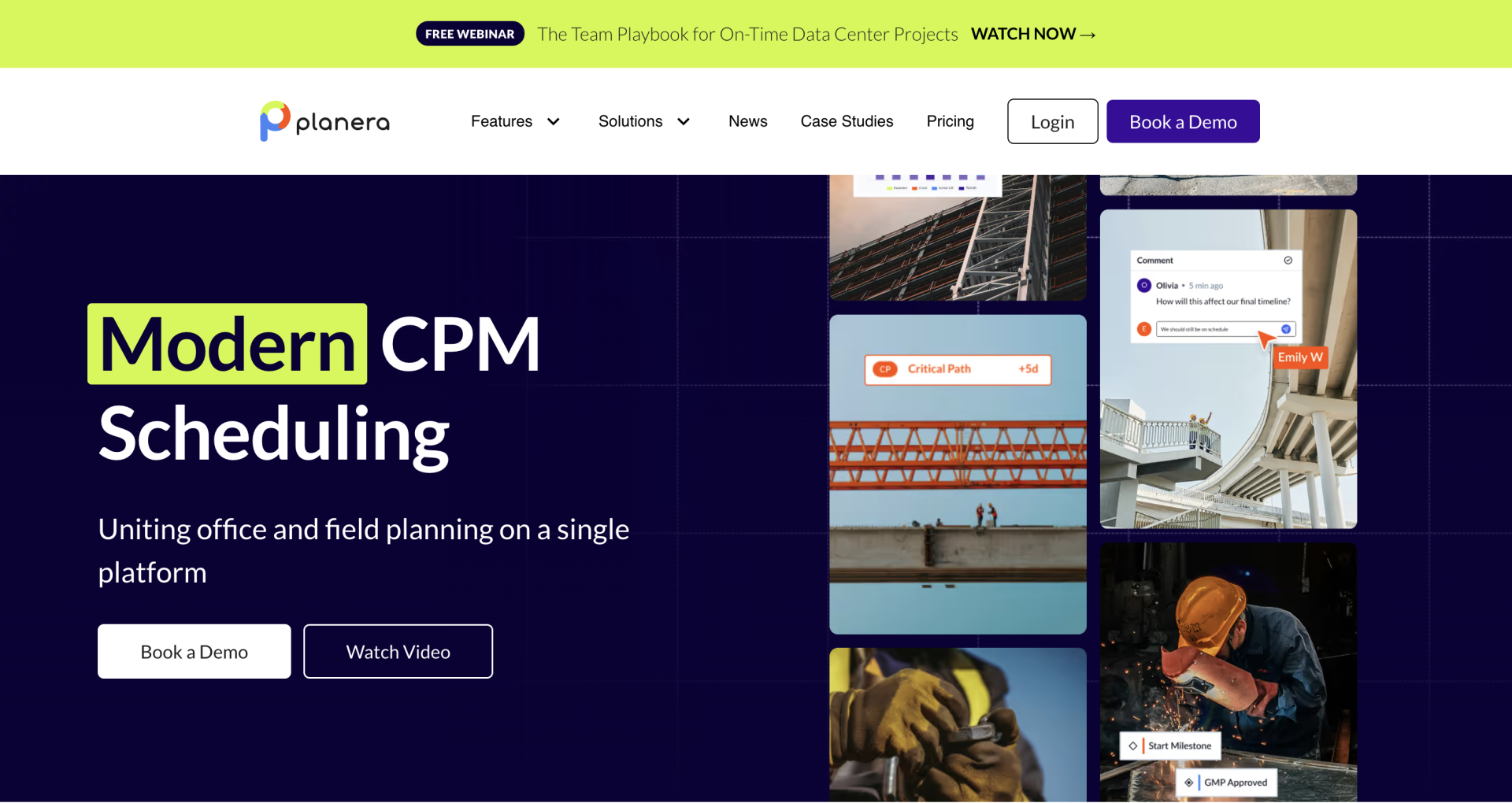
Planera is a construction scheduling platform focused on making project planning simpler and more collaborative. Founded in 2016 by industry experts, it was built to address the complexity of traditional scheduling tools by offering a more intuitive, visual, and workflow-friendly experience.
Key Features
- Collaborative Whiteboard
Real-time collaboration across teams on a shared whiteboard. Multiple users can edit, draw, and add input simultaneously, similar to Google Docs. - Gantt & Kanban Scheduling
Supports multiple scheduling views, allowing teams to manage projects using the format that best fits their workflow. - Project Dashboard
Centralized dashboard showing key project metrics, timelines, and priorities at a glance. - DCMA Quality Check
Built-in tools to manage schedule quality, scoring, and grading, helping teams identify issues and stay compliant. - Field Schedule
Quickly generate field-level schedules from master plans in under 30 seconds, making complex timelines more actionable for crews. - Data Center Management
Specialized tools for managing complex data center builds, including real-time progress tracking and stakeholder coordination. - Enterprise Insights
Cross-project visibility and reporting for leadership to monitor performance and make informed decisions.
Pricing
Planera uses custom pricing based on company size, project complexity, and usage needs. Interested teams need to contact Planera directly for a quote
Pros
- Very strong visual and collaborative scheduling experience
- Supports multiple scheduling methodologies (Gantt, Kanban, whiteboard)
- Designed for enterprise-scale and complex projects
- Real-time collaboration improves cross-team alignment
- Modern, intuitive interface compared to legacy tools
Cons
- No transparent public pricing
- More focused on scheduling than full project management
- May be overkill for very small contractors or simple projects
- Learning curve for teams unfamiliar with advanced scheduling concepts
Use Cases
Planera is best suited for:
- Medium to large construction teams that need advanced scheduling and collaboration
- Complex, multi-phase projects (including data center builds)
- Teams replacing tools like MS Project or Primavera
- Organizations that want real-time, collaborative planning instead of static schedules
Companies that need schedule quality control and compliance tracking
4. Workyard:
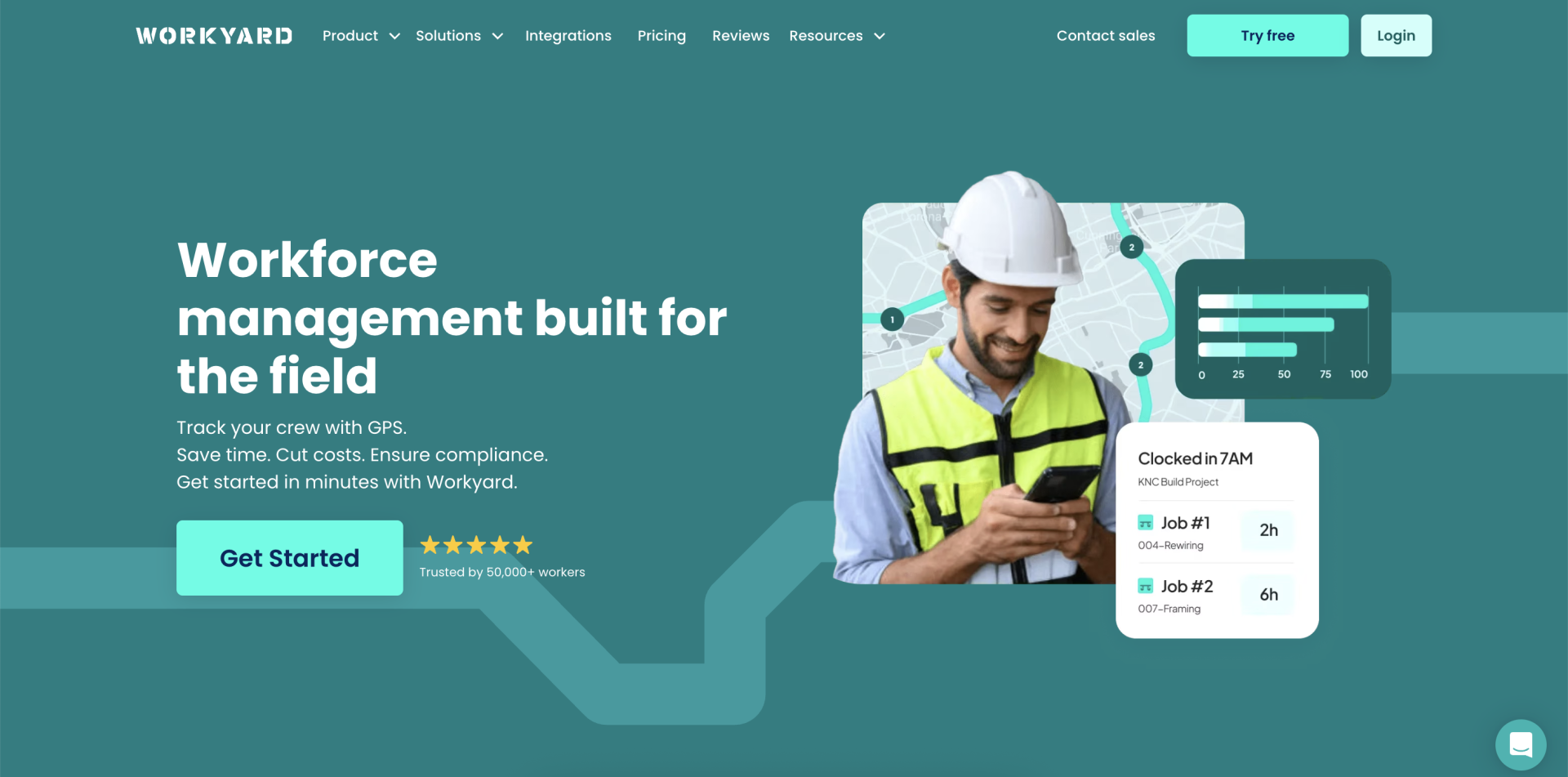
Workyard is a GPS time tracking platform designed specifically for construction crews, capturing exact entry and exit timestamps for each jobsite using real-time GPS. Built for contractors in the field, Workyard ensures reliability and accuracy in every aspect of jobsite time tracking, even in low-signal areas. Unlike office tools adapted for fieldwork, Workyard is engineered to handle the tough conditions that construction crews face, offering precise tracking directly tied to the jobs being worked on.
Workyard’s GPS tracking remains accurate and verifiable, even when teams are spread across multiple job sites. Verified time data flows seamlessly into payroll and job costing systems, reducing administrative errors and streamlining processes. This makes Workyard an ideal solution for contractors who require accurate, reliable hours for payroll and job costing, enhancing efficiency and compliance.
Key Features:
Precise GPS with Optional Geofence Prompts: Background GPS updates every few seconds, combined with radius-controlled geofences that trigger clock-in/out prompts for added accuracy.
Simplified Crew Scheduling: A straightforward scheduling system that allows easy assignment of jobs, shift adjustments, and instant notifications to crews.
Automated Workforce Compliance: Built to support prevailing wage requirements, certified payroll, and accurate break tracking to meet U.S. contractor compliance needs.
Job Costing Tools: Verified work hours automatically flow into cost codes, offering contractors a real-time view of labor expenses.
Payroll Sync: Direct integrations with QuickBooks, ADP, Gusto, and others, eliminating manual timesheet entries and ensuring payroll is streamlined.
Pricing:
Free Trial: 14 days
Starter Plan: $6/user/month + $50 base fee
Pro Plan: $13/user/month + $50 base fee
Pros:
Highly accurate and reliable GPS time tracking designed for construction crews.
Effective geofencing to reduce off-site punches and increase accuracy.
Simplified scheduling and payroll sync to cut down on admin time.
Compliance-friendly for contractors managing prevailing wage or certified payroll requirements.
Cons:
Reporting tools may be complex for very small teams.
Best suited for field-heavy businesses, rather than office-only teams.
Use Cases:
Workyard is ideal for crews working across multiple jobsites and contractors who need accurate, verified hours for labor-based billing. It’s particularly well-suited for teams handling government or commercial projects, where precise payroll and location records are essential for compliance and accuracy. Workyard helps contractors maintain real-time visibility into their team’s work and streamlines payroll and job costing processes.
For construction teams seeking an accurate and efficient time tracking solution, Workyard offers real-time visibility into workforce data, making it an indispensable tool for improving both project efficiency and compliance.
5. Wrike:

Wrike stands out for its highly flexible project management framework, which is complemented by strong collaboration features and adaptable workflows. It’s designed for larger teams or complex projects that demand high customization and collaboration to manage tasks efficiently.
However, its extensive feature set and customization capabilities might be more than what smaller teams need, potentially making it an overwhelming choice for them.
Key Features:
- Customizable Workflows: Wrike allows teams to tailor workflows to their specific project requirements, ensuring that processes align perfectly with team needs.
- Advanced Collaboration Tools: The platform facilitates team collaboration, offering a range of tools designed to enhance communication and teamwork.
- Comprehensive Project Tracking: With Wrike, teams can monitor every aspect of their projects, from initial planning to final delivery, ensuring that nothing falls through the cracks.
Pros:
- Wrike’s strength lies in its adaptability, allowing teams to mold the software to fit their unique project management styles.
- The platform’s advanced collaboration features make it easier for team members to collaborate, share ideas, and stay connected.
- Wrike provides detailed insights into project progress, helping teams stay on track and identify potential issues early on.
Cons:
- The complexity and breadth of features in Wrike can be daunting for smaller teams or those new to project management software, leading to a steep learning curve.
- While Wrike is powerful for managing large-scale projects, its pricing model and advanced features may not be cost-effective or necessary for smaller teams or simpler projects.
Wrike best serves larger teams or those managing complex projects that require a high level of customization and collaborative effort. It’s particularly well-aligned with the needs of creative agencies, marketing teams, and professional services agencies looking for a powerful project management solution.
However, smaller teams or those with straightforward project management needs might find Wrike’s extensive capabilities more overwhelming than beneficial.
RELATED: The Art of Efficient Construction Planning: How To Make a Construction Schedule That Works
Implementing Your Software Suite:
Implementing a new software suite in your construction management workflow is a pivotal step toward enhancing efficiency and productivity. This process involves selecting the right tool and understanding how to integrate it seamlessly into your daily operations.
A practical construction schedule example can serve as a blueprint, illustrating how the software streamlines project timelines, allocates resources more effectively and improves overall project coordination.
Training Requirements:
Diving into a new software suite means getting your team up to speed. Start by pinpointing where your team currently stands skill-wise and identify those gaps that need bridging.
Tailor your training to fit the unique roles within your team—this way, everyone finds value in the learning process. But don’t stop there; the tech world never stands still, and neither should your team’s learning curve. Keep the support flowing and the learning opportunities coming to stay sharp and adaptable.
Methods of Data Migration:
Before you jump into transferring your precious data, take a moment to sift through it. Clean out the cobwebs and ditch data that no longer serves a purpose, making the migration smoother.
Pick migration tools that play nicely with your old and new systems, ensuring a hiccup-free transition. Consider a phased approach to moving your data; it’s like dipping your toes in the water before diving in. You can make any necessary tweaks without full-scale chaos.
Techniques To Drive Adoption:
Getting your team on board with new software is a bit like starting a new trend; it helps to have a few trendsetters. Celebrate your early adopters—make them the heroes of this change. They can help rally the rest of the team.
Don’t let feedback fall on deaf ears; use it as a goldmine to refine and improve the software experience. And remember, this new tool needs to fit into your team’s world like a glove. It should enhance their daily grind without causing a stir. Show them the immediate wins, and they’ll be more inclined to embrace the change.
Making the Right Choice for Your Team:
Choosing your team’s ideal construction scheduling program isn’t a one-size-fits-all affair. You need to find a fit that is unique to your team’s needs and the specific challenges you face.
Take the time to really dive into what each software offers and how it meshes with your team’s workflows and the demands of your projects.
While many options exist, Contractor Foreman stands out as a stellar all-around solution, striking a balance between functionality, ease of use, and cost-effectiveness. You do have a choice that empowers your team to achieve more–efficiently and effectively.
Join the Thousands of Contractors Seeing the Contractor Foreman Difference.







